
Soundcore A3027
Contents
Soundcore Life Q35 Noise Cancelling Headphones User Manual
Model: A3027 | Brand: Soundcore
Introduction
The Soundcore Life Q35 Noise Cancelling Headphones are engineered to deliver an exceptional audio experience with advanced noise cancellation and high-resolution sound. Featuring custom silk-diaphragm drivers and LDAC technology, these headphones reproduce music across a wider frequency range with minimal distortion. Designed for comfort and convenience, they offer multi-mode noise cancellation, AI-enhanced calls, and smart features such as automatic audio pause.
What's in the Box
- Soundcore Life Q35 Headphones
- USB-C Charging Cable
- 3.5mm Audio Cable
- Airplane Adapter
- Travel Case
- User Manual
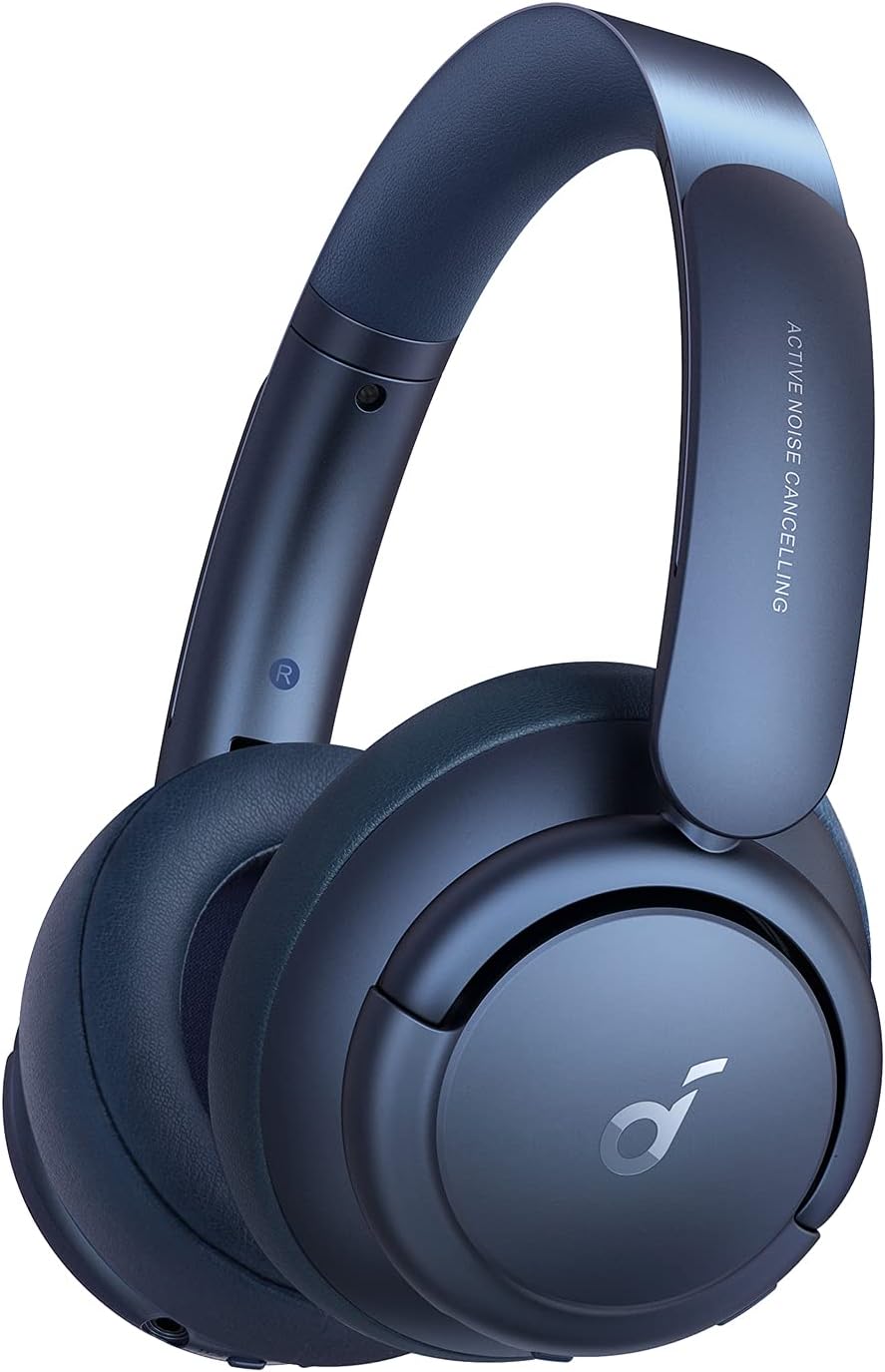
Image: The Soundcore Life Q35 headphones displayed with their accompanying accessories, including cables, adapter, and travel case.
Setup
1. Charging the Headphones
Before initial use, fully charge your Soundcore Life Q35 headphones. Connect the provided USB-C cable to the charging port on the headphones and to a compatible power source. The LED indicator will display the charging status and turn off when charging is complete. A brief 5-minute charge can provide several hours of playback.
2. Powering On/Off
- To power on: Press and hold the Power button for 2 seconds.
- To power off: Press and hold the Power button for 3 seconds.
3. Bluetooth Pairing
When powered on for the first time, the headphones will automatically enter Bluetooth pairing mode, indicated by a flashing blue LED. On your device, enable Bluetooth and select "Soundcore Life Q35" from the list of available devices. Once successfully connected, the LED will illuminate solid blue.

Image: A smartphone displaying a Bluetooth pairing interface next to the Soundcore Life Q35 headphones, illustrating the connection process.
4. Multi-Point Connection
The Life Q35 headphones support simultaneous connection to two Bluetooth devices. To connect a second device, ensure the first device is connected, then re-enter pairing mode on the headphones. Connect from the second device. Audio playback will seamlessly switch between the connected devices based on active audio output.
5. Wired Connection
For a wired audio connection, use the included 3.5mm audio cable. Insert one end into the headphone's audio jack and the other into your audio source. This connection method functions even when the headphones are powered off or have no battery charge.
Operating Instructions
1. Controls Overview
| Button/Feature | Function |
|---|---|
| Power Button | Press and hold for 2 seconds to power on, 3 seconds to power off. |
| Volume Up/Down | Adjust audio volume. |
| Multi-function Button (Center) | Play/Pause audio, Answer/End call, Next/Previous track. |
| NC (Noise Cancellation) Button | Short press to cycle between Noise Cancellation modes (Transport, Outdoor, Indoor) and Transparency mode. |
| Right Earcup (Palm Gesture) | Place palm on right earcup for 1-2 seconds to activate/deactivate Transparency mode. |
2. Noise Cancellation Modes
The Life Q35 headphones feature three distinct noise cancellation modes, each optimized for different environments:
- Transport Mode: Effectively minimizes low-frequency sounds common in airplanes, trains, and buses.
- Outdoor Mode: Reduces ambient noise such as traffic and wind, while maintaining some awareness of your surroundings.
- Indoor Mode: Designed to reduce voices and background chatter in indoor environments like offices or cafes.
To switch between these modes, short press the NC button. Further customization and control are available through the Soundcore app.

Image: Visual icons illustrating the three noise cancellation modes: Transport, Outdoor, and Indoor, for different listening environments.
3. Transparency Mode
Transparency mode allows you to hear your surroundings without removing your headphones, facilitating conversations or awareness of announcements. To activate or deactivate Transparency mode, place your palm on the right earcup for 1-2 seconds until a notification tone is heard. Alternatively, you can cycle through modes using the NC button.
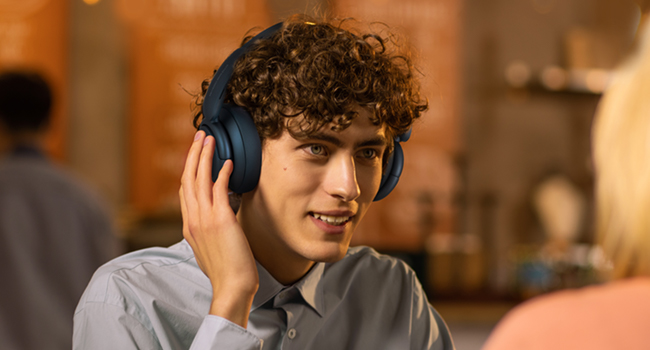
Image: A user demonstrating the palm gesture on the right earcup of the Soundcore Life Q35 headphones to activate Transparency mode, allowing them to hear external sounds.
4. Auto-Pause Feature
The Life Q35 headphones incorporate a built-in sensor that detects when they are removed from your ears. Audio playback will automatically pause when the headphones are taken off and resume when they are put back on.

Image: A woman in a public transport setting removing her Soundcore Life Q35 headphones, illustrating the automatic audio pause feature.
5. AI-Enhanced Calls
Equipped with beamforming microphones and an advanced AI algorithm, the Life Q35 headphones ensure clear and crisp call quality. This technology accurately picks up your voice while effectively filtering out unwanted background noise, enhancing communication clarity.

Image: A detailed view of the internal microphone system within a Soundcore Life Q35 earcup, illustrating the AI-enhanced call technology.
Maintenance
- Cleaning: Use a soft, dry cloth to clean the headphones. Avoid using abrasive cleaners, solvents, or harsh chemicals, as these may damage the finish or internal components.
- Storage: When not in use, store the headphones in their provided protective travel case. This helps prevent scratches, dust accumulation, and accidental damage. Avoid exposing them to extreme temperatures, high humidity, or direct sunlight.
- Battery Care: To maximize battery longevity, avoid frequent deep discharges. It is recommended to charge the headphones regularly, even if they are not in constant use, to maintain battery health.
Troubleshooting
| Problem | Solution |
|---|---|
| Headphones will not power on. | Ensure the headphones are sufficiently charged. Connect them to a power source using the USB-C cable and attempt to power on again after a few minutes. |
| Cannot pair via Bluetooth. | Verify that the headphones are in Bluetooth pairing mode (flashing blue LED). Turn off and then on Bluetooth on your device. If issues persist, remove or "forget" the headphones from your device's Bluetooth list and attempt to pair again. Ensure the headphones are within the recommended Bluetooth range (10 meters). |
| No sound or low volume. | Check the volume levels on both the headphones and the connected audio device. Confirm that the headphones are properly connected (either via Bluetooth or the 3.5mm wired connection). Try playing audio from a different source to rule out source-specific issues. |
| Noise Cancellation is not effective. | Ensure the earcups form a complete and comfortable seal around your ears. Cycle through the different ANC modes (Transport, Outdoor, Indoor) using the NC button to determine if a different mode is more suitable for your current environment. |
| Auto-pause feature is not working correctly. | Ensure the sensors located on the earcups are clean and free from obstructions. If the problem persists, consider performing a factory reset on the headphones (refer to the Soundcore app or official Soundcore support resources for specific reset instructions). |
Specifications
| Feature | Detail |
|---|---|
| Model Name | Q35 |
| Item Model Number | A3027 |
| Connectivity Technology | Wireless (Bluetooth), Wired (3.5mm Jack) |
| Bluetooth Version | 5.0 |
| Bluetooth Range | 10 Meters |
| Audio Driver Size | 40 Millimeters |
| Frequency Response | 20 Hz - 40000 Hz |
| Noise Control | Active Noise Cancellation (Multi-Mode) |
| Battery Life | Up to 50 Hours (ANC off) |
| Charging Time | Approx. 5 minutes for several hours playback (fast charge) |
| Item Weight | 9.6 ounces |
| UPC | 194644065706 |
Warranty and Support
Soundcore products typically include a limited warranty. For comprehensive details regarding your product's warranty, including terms and conditions, please refer to the warranty card provided with your purchase or visit the official Soundcore website.
For technical assistance, troubleshooting guidance, or to contact customer service, please visit the Soundcore support page. Contact information and additional resources can generally be found on the Soundcore website or within the product packaging.
Online Support: Soundcore Support Page
Documents and downloads
Ask a question about this manual
Ask about setup, troubleshooting, compatibility, parts, safety, or missing instructions. Manuals+ will review the question and use this page’s manual context to help answer it.