
Introduction
This manual provides comprehensive instructions for the safe and effective use of your Sunbeam LoftTec Wi-Fi Connected Heated Blanket. Please read all instructions carefully before use and retain this manual for future reference. This heated blanket offers customizable warmth through a wired digital controller, the Sunbeam app, or voice assistants, along with a 10-hour auto-shutoff feature for peace of mind.
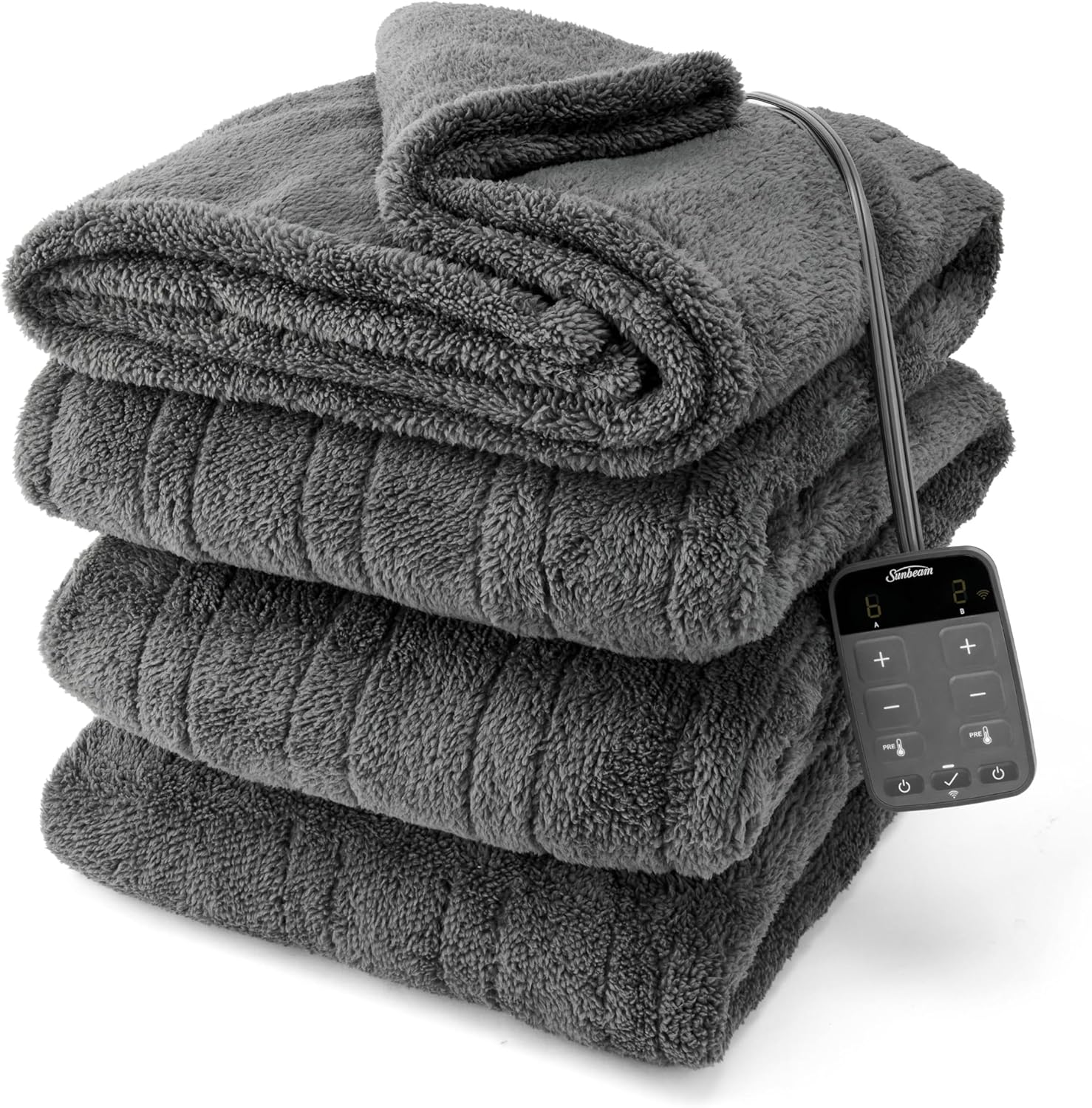
Image: The Sunbeam LoftTec Wi-Fi Connected Heated Blanket in Slate Gray, neatly folded, with its digital controller visible. This image illustrates the product's appearance and the integrated control unit.
Important Safety Information
To ensure safe operation and prevent injury or damage, always adhere to the following safety guidelines:
- Always unplug the heated blanket when not in use.
- Never leave the blanket unattended while in use.
- Keep the blanket away from flammable materials.
- Do not use the voice assistant feature while sleeping or in a state of reduced consciousness.
- Always follow the manufacturer's instructions for proper use and care.
- Keep out of reach of children and pets.
- This product is intended for general warmth and comfort, suitable for individuals sensitive to heat.
Product Features
The Sunbeam LoftTec Heated Blanket is designed with user convenience and comfort in mind:
- Wi-Fi Connectivity: Control your blanket via the Sunbeam app or voice assistants (Google Home, Alexa).
- Digital Controller: Includes a wired digital controller for direct adjustments.
- 10 Heat Settings: Choose from 10 personalized heat levels for optimal comfort.
- 10-Hour Auto Shut-Off: Automatically turns off after 10 hours for safety and energy conservation.
- Overheat Protection: Built-in safety features to prevent overheating.
- Soft Lofttec Fabric: Made from 100% polyester, providing a thick, deluxe, and soft texture.
- Even Heat Distribution: Advanced wire technology senses and adjusts for continuous, uniform warmth.
- Individualized Comfort: Dual controls allow for separate heat settings on each side of the blanket (for King/Queen sizes).

Image: A person using a smartphone to control the Sunbeam heated blanket, demonstrating the app-controlled feature. The image also highlights the brand's 125 years of trust.
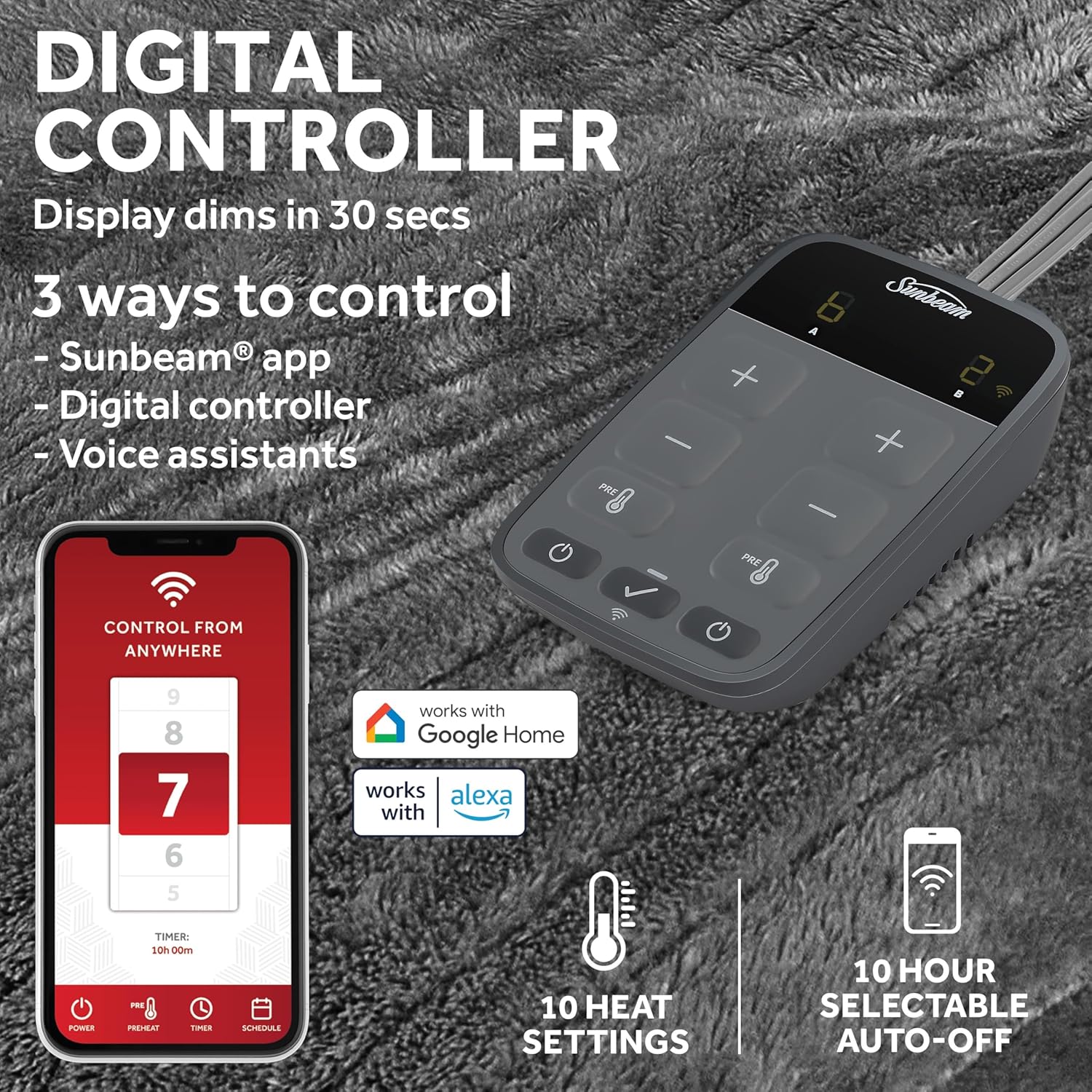
Image: A close-up of the digital controller, showing its display and buttons, alongside icons for the Sunbeam app, Google Home, and Alexa, illustrating the three control methods.
Setup Instructions
- Unpack: Carefully remove the heated blanket and controller from its packaging.
- Positioning: Lay the blanket flat on your bed. Ensure the controller cord can reach a power outlet without being stretched or pinched.
- Connect Controller: Firmly plug the controller cord into the blanket's connector. Ensure it clicks securely into place.
- Power Connection: Plug the power cord from the controller into a 120V AC wall outlet. Do not use with extension cords or power strips.
- App Setup (Optional):
- Download the Sunbeam app from your device's app store.
- Follow the in-app instructions to create an account and pair your heated blanket with your Wi-Fi network.
- Once paired, you can control the blanket remotely and integrate with voice assistants like Google Home or Alexa.
Operating Instructions
Using the Digital Controller:
- Power On/Off: Press the power button (⏻) to turn the blanket on or off.
- Adjust Heat: Use the '+' and '-' buttons to select your desired heat setting from 1 to 10. The display will show the current setting.
- Preheat Function: Press the 'PRE' button to activate the preheat function, which quickly warms the blanket to a comfortable temperature.
- Auto Shut-Off: The blanket is equipped with a 10-hour auto shut-off feature. This can be adjusted via the Sunbeam app.
- Dual Controls: For King and Queen sizes, each side has its own controller for individual heat settings.
Using the Sunbeam App:
- Open the Sunbeam app on your smartphone or tablet.
- Select your connected blanket from the device list.
- Adjust heat settings, set timers, schedule on/off times, and activate preheat remotely.
- Monitor the blanket's status and current settings.
Using Voice Assistants:
- Ensure your blanket is paired with the Sunbeam app and linked to your Google Home or Alexa account.
- Use voice commands such as:
- "Alexa, turn on the heated blanket."
- "Hey Google, set the heated blanket to level 7."
- "Alexa, turn off the heated blanket."

Image: An overhead view of a heated blanket on a bed, visually representing two distinct heated zones, illustrating the individualized comfort feature for dual control models.
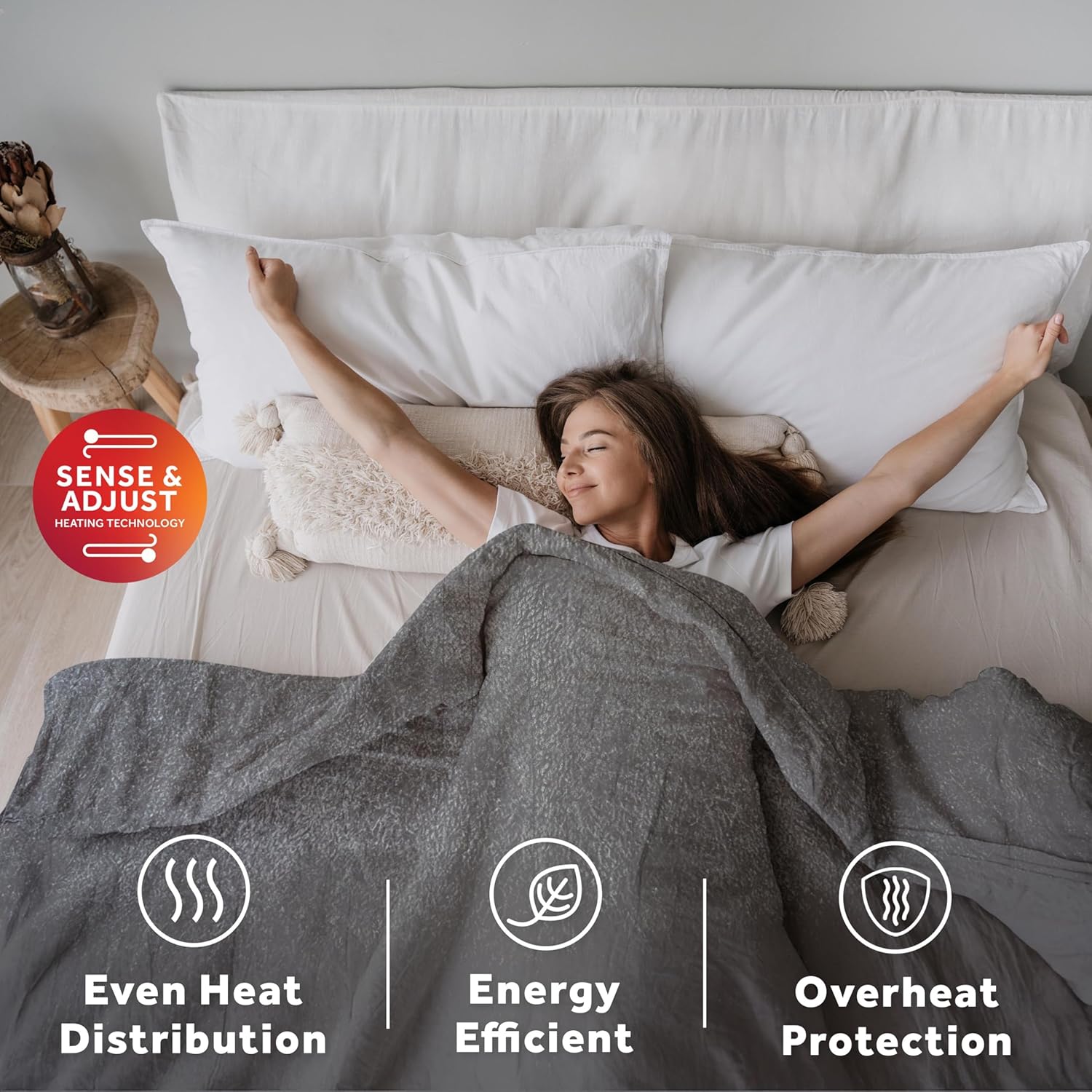
Image: A woman comfortably relaxing under the heated blanket, accompanied by icons that signify even heat distribution, energy efficiency, and overheat protection, highlighting key safety and performance features.
Maintenance and Care
Proper care ensures the longevity and performance of your heated blanket:
- Disconnect: Always detach the controller from the blanket before washing.
- Washing: The blanket is machine washable. Use a gentle cycle with cold water. Do not bleach.
- Drying: Tumble dry on low heat or hang dry. Ensure the blanket is completely dry before reconnecting the controller and using it. Do not iron.
- Storage: When not in use, store the blanket neatly folded in a cool, dry place. Avoid placing heavy objects on top of it, which could damage the internal wiring.
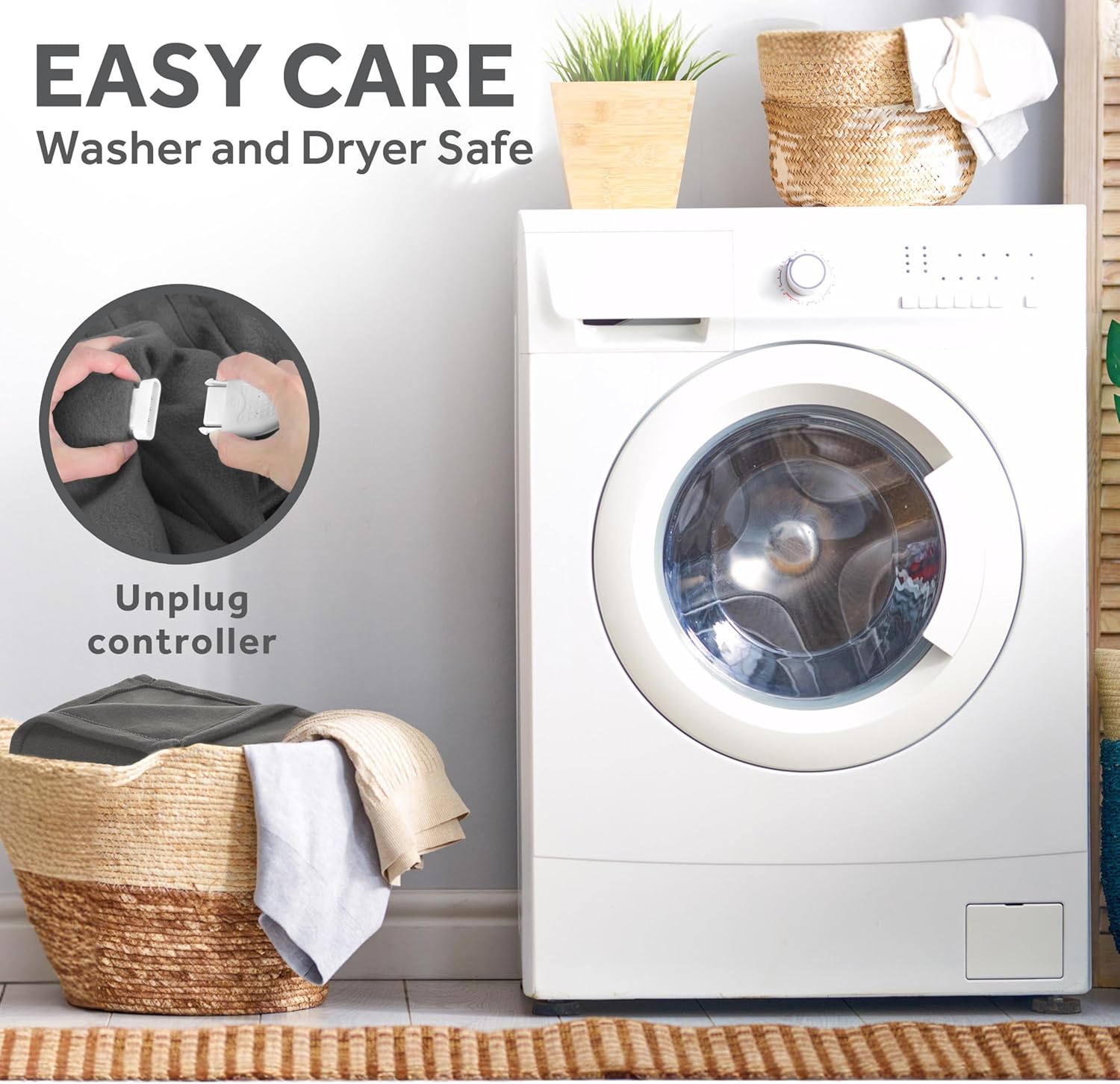
Image: A visual guide demonstrating how to detach the controller from the heated blanket before washing, emphasizing the "Easy Care" and "Washer and Dryer Safe" features.
Troubleshooting
If you encounter issues with your heated blanket, refer to the following common solutions:
- Blanket Not Heating:
- Ensure the power cord is securely plugged into a working wall outlet.
- Verify the controller is firmly connected to the blanket.
- Check if the auto shut-off feature has activated. Power cycle the blanket.
- Controller Display Not Working:
- Confirm power connection.
- The display dims after 30 seconds of inactivity; press any button to reactivate.
- App Connectivity Issues:
- Ensure your Wi-Fi network is active and the blanket is within range.
- Restart your Wi-Fi router and the blanket (unplug and replug).
- Check the Sunbeam app for updates or troubleshooting guides.
- Uneven Heating:
- Ensure the blanket is laid flat and not bunched up.
- If the issue persists, contact customer support.
For further assistance, please refer to the Warranty and Support section.
Specifications
| Brand | Sunbeam |
| Model Number | 32810043 |
| Size | King (90"x 100") |
| Color | Night Fog Gray |
| Material | 100% Polyester (Lofttec Microplush) |
| Heat Settings | 10 |
| Auto Shut-Off | 10 Hours (selectable via app) |
| Control Methods | Wired Digital Controller, Sunbeam App, Voice Assistants (Google Home, Alexa) |
| Care Instructions | Machine Wash, Hang Dry |
| Certifications | ETL Certified, FCC, OEKO-TEX Standard 100 |
| Item Weight | 6.88 pounds |
| Manufacturer | Star Elite Inc. |
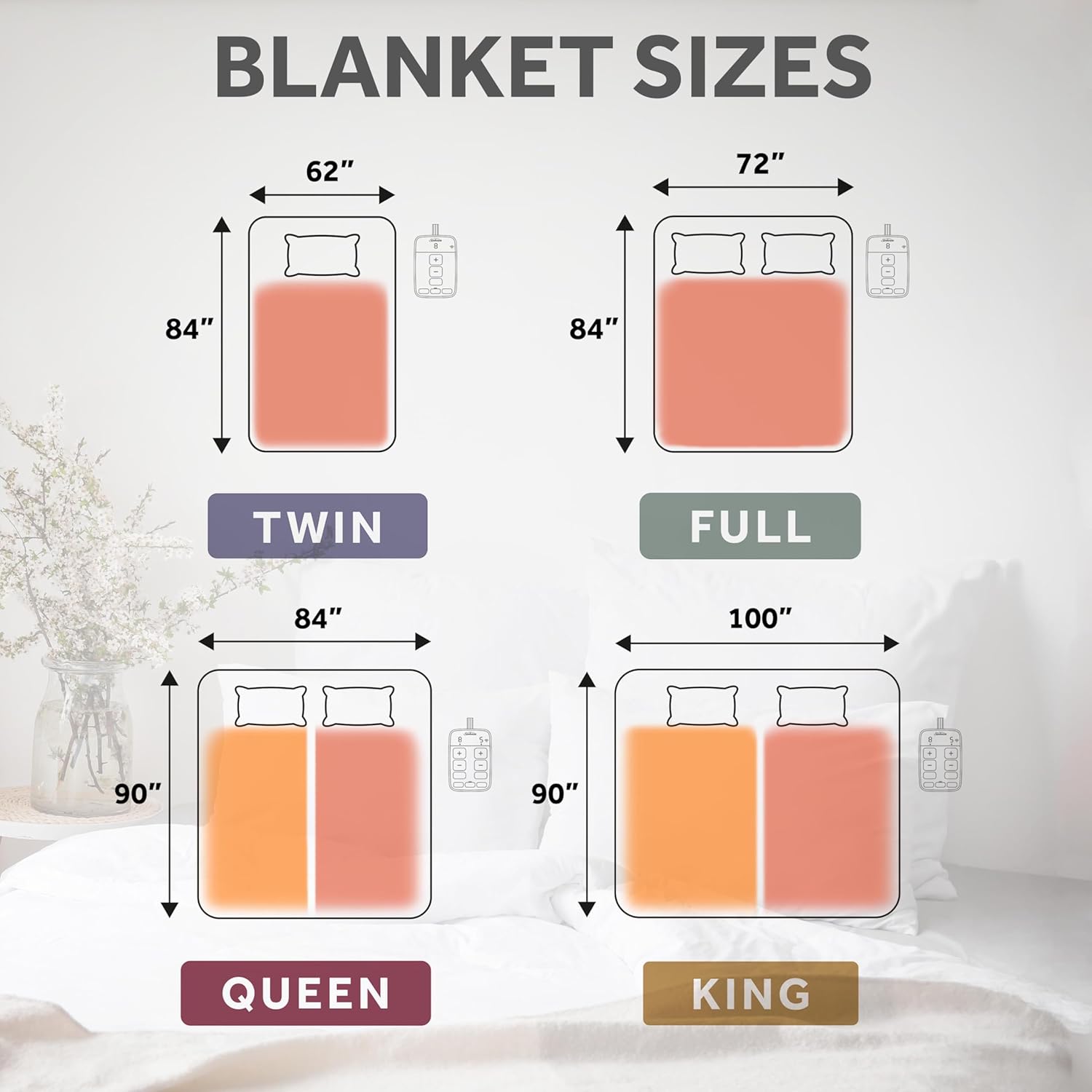
Image: A diagram illustrating the dimensions for Twin, Full, Queen, and King size heated blankets, providing a visual reference for blanket sizing.
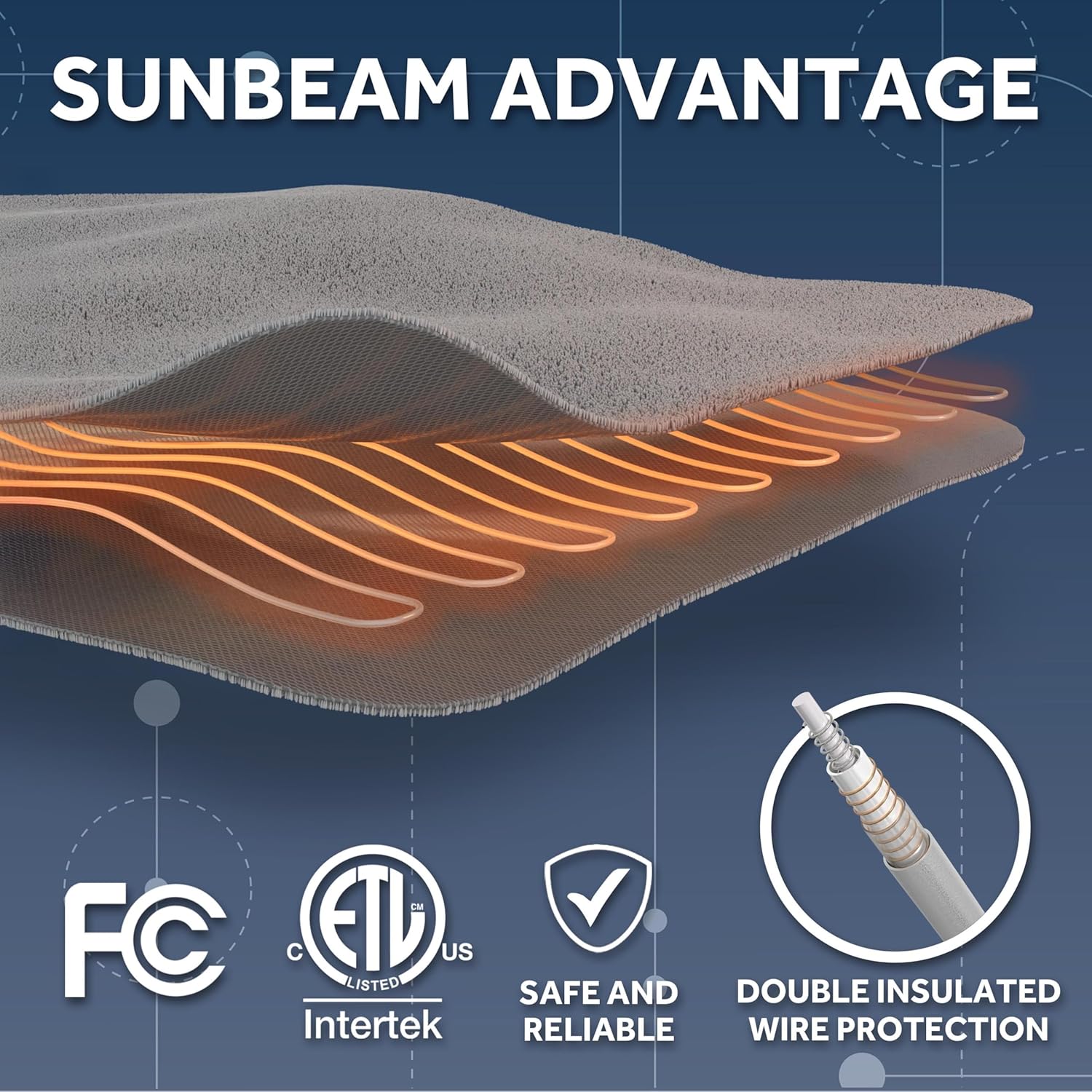
Image: A graphic detailing the "Sunbeam Advantage," highlighting double insulated wire protection and various safety certifications including FCC, ETL, and a general safety checkmark, ensuring reliable and safe operation.
Warranty and Support
Your Sunbeam LoftTec Wi-Fi Connected Heated Blanket is covered by a 5-Year Limited Warranty by the manufacturer.
For warranty claims, technical support, or further inquiries, please contact Sunbeam Customer Service. Refer to the official Sunbeam website or your product packaging for the most current contact information.
Online Resources: For additional information, FAQs, and support, visit the official Sunbeam website: www.sunbeam.com


