
1. Introduction
Thank you for choosing the AGARO ICON 1600W Bagless Dry Vacuum Cleaner. This manual provides essential information for the safe and efficient operation, maintenance, and troubleshooting of your appliance. Please read these instructions thoroughly before first use and keep them for future reference.
2. Safety Instructions
- Always ensure the power supply voltage matches the rating on the vacuum cleaner.
- Do not use the vacuum cleaner to pick up water or wet materials. This appliance is designed for dry use only.
- Do not vacuum flammable or combustible materials, hot ashes, or sharp objects.
- Keep hair, loose clothing, fingers, and all parts of the body away from openings and moving parts.
- Unplug the vacuum cleaner from the power outlet before cleaning or performing any maintenance.
- Do not operate the vacuum cleaner with a damaged cord or plug. If the cord is damaged, it must be replaced by the manufacturer, its service agent, or similarly qualified persons to avoid a hazard.
- This appliance is not intended for use by persons (including children) with reduced physical, sensory or mental capabilities, or lack of experience and knowledge, unless they have been given supervision or instruction concerning use of the appliance by a person responsible for their safety.
- Children should be supervised to ensure that they do not play with the appliance.
3. Product Components and Package Contents
The following items are included in your package:
- AGARO ICON 1600W Vacuum Cleaner Main Unit
- Flexible Hose Pipe
- Extension Tube
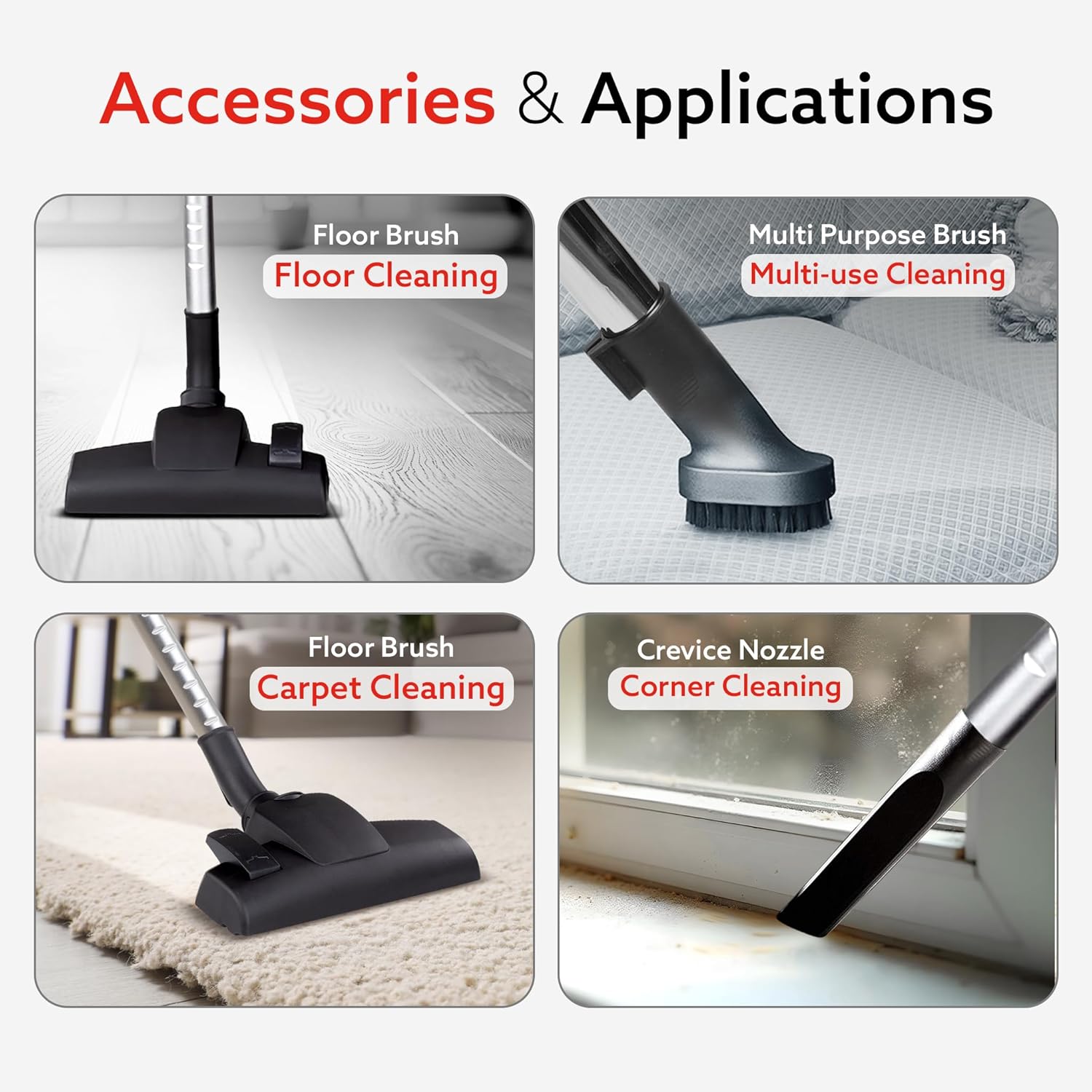
- Floor Brush (for hard floors and carpets)
- Multi-purpose Brush
- Crevice Nozzle
- User Manual

4. Setup Instructions
- Attach the Hose: Insert the flexible hose pipe into the suction inlet on the main vacuum cleaner unit until it clicks securely into place.
- Assemble the Extension Tube: Connect the extension tube to the handle end of the flexible hose. Ensure it is firmly attached.
- Attach the Desired Accessory: Select the appropriate cleaning accessory (Floor Brush, Multi-purpose Brush, or Crevice Nozzle) and attach it to the end of the extension tube.
- Connect to Power: Extend the power cord and plug it into a suitable electrical outlet.

5. Operating Instructions
5.1 Power On/Off
Press the Power Button located on the main unit to turn the vacuum cleaner on or off.
5.2 Adjusting Suction Power
The vacuum cleaner features a variable suction control dial. Rotate the dial to increase or decrease the suction power according to your cleaning needs. Turn towards 'MIN' for delicate surfaces and 'MAX' for heavy-duty cleaning.

5.3 Using Accessories
- Floor Brush: Ideal for cleaning both hard floors and carpets. Adjust the brush setting if applicable for optimal performance on different surfaces.
- Multi-purpose Brush: Suitable for cleaning upholstery, curtains, and other delicate surfaces.
- Crevice Nozzle: Designed for reaching tight corners, crevices, and narrow spaces.
5.4 Power Cord Management
The vacuum cleaner is equipped with a 5-meter long power cord and an auto cord winder. To retract the cord, gently pull the cord slightly and then release it, or press the Power Cord Retraction Button if available on your model.

6. Maintenance
6.1 Emptying the Dust Bin
The 1.5-liter bagless dust bin should be emptied regularly, especially when the 'MAX' fill line is reached, to maintain optimal suction power. To empty:
- Ensure the vacuum cleaner is unplugged.
- Press the dust bin release button and carefully lift the dust bin from the main unit.
- Position the dust bin over a waste receptacle.
- Open the bottom flap of the dust bin and shake out the collected debris.
- Close the flap and reattach the dust bin to the vacuum cleaner until it clicks securely.

6.2 Cleaning the HEPA Filter
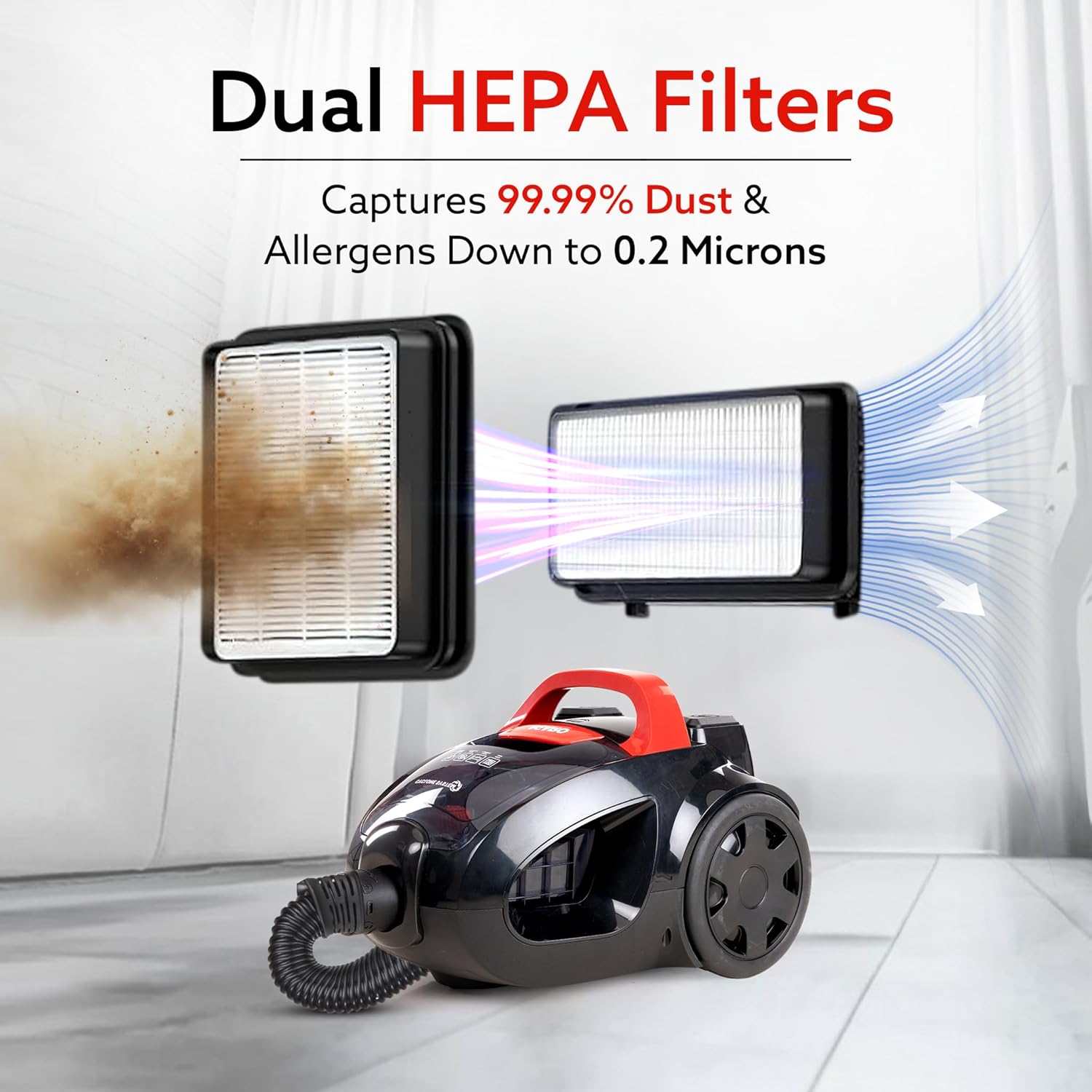
The HEPA filter traps fine dust and allergens. Regular cleaning is crucial for maintaining suction and air quality. It is recommended to clean the filter every 3-6 months, or more frequently with heavy use.
- Unplug the vacuum cleaner.
- Remove the dust bin as described above.
- Locate and remove the HEPA filter from the dust bin assembly.
- Tap the filter gently over a waste bin to dislodge loose dust. Do not wash the HEPA filter with water unless explicitly stated in the product documentation.
- If the filter is washable, rinse it under cold running water until the water runs clear. Allow it to air dry completely for at least 24 hours before reinserting. Do not use a dryer or heat to dry.
- Reinsert the dry HEPA filter and reattach the dust bin.
6.3 General Cleaning
Wipe the exterior of the vacuum cleaner with a soft, damp cloth. Do not use abrasive cleaners or solvents. Ensure all parts are dry before storage or next use.
7. Troubleshooting
| Problem | Possible Cause | Solution |
|---|---|---|
| Vacuum cleaner does not turn on | No power supply; Power cord not plugged in; Power button not pressed. | Check power outlet; Ensure cord is securely plugged in; Press the power button firmly. |
| Loss of suction power | Dust bin full; Filter clogged; Hose or attachment blocked. | Empty dust bin; Clean or replace HEPA filter; Check hose and attachments for blockages and remove them. |
| Unusual noise or motor heating | Blockage in hose/attachments; Overheating due to prolonged use; Filter clogged. | Check for and remove any blockages; Allow the unit to cool down for 30 minutes; Clean the HEPA filter. If the issue persists, contact customer support. |
| Dust escaping from unit | Dust bin not properly closed; Filter not correctly installed or damaged. | Ensure dust bin is securely latched; Check filter for proper installation and damage. Replace if damaged. |
8. Specifications
| Brand | AGARO |
| Model Name | Icon |
| Model Number | 33424 |
| Wattage | 1600 Watts |
| Suction Power | Up to 24 kPa |
| Dust Bin Capacity | 1.5 Liters (Bagless) |
| Filter Type | HEPA Filter |
| Power Source | Corded Electric |
| Voltage | 240 Volts |
| Cable Length | 5 Metres |
| Hose Length | 1828.8 Millimetres (approx. 6 feet) |
| Item Weight | 4800 Grams (4.8 kg) |
| Dimensions (L x W x H) | 129L x 27W x 50H Centimeters |
| Noise Level | 78 Decibels |
| Country of Origin | China |
9. Warranty and Support
9.1 Warranty Information
The AGARO ICON 1600W Bagless Dry Vacuum Cleaner comes with a standard 1-year warranty from the date of purchase. An additional 6 months extended warranty may be available upon product registration or specific purchase conditions. Please retain your purchase receipt as proof of warranty.
9.2 Customer Support
For any product-related queries, service requests, or technical assistance, please contact AGARO customer support:
- Toll-free Number: 1800-120-7897
- Manufacturer/Importer: Universal Corporation Limited, 4/1 Middleton Street, Sikkim Commerce House, Kolkata - 700071


