
1. Introduction
The AGARO Regal Plus 800W Upright Vacuum Cleaner is a versatile 2-in-1 cleaning solution designed for home use. It functions as both a handheld and a stick vacuum, providing efficient dry vacuuming for various surfaces. This manual provides essential information for the safe and effective operation, maintenance, and troubleshooting of your vacuum cleaner.
Video Description: An introductory video showcasing the AGARO Regal Plus Upright Vacuum Cleaner, highlighting its 2-in-1 functionality and ease of use.
2. Safety Instructions
To ensure safe operation and prevent damage, please read and follow these safety guidelines:
- Always ensure the vacuum cleaner is unplugged before performing any maintenance, cleaning, or assembly tasks.
- This appliance is designed for dry vacuuming only. Do not use it to clean wet debris, liquids, or damp surfaces, as this may cause electric shock or damage to the appliance.
- Do not immerse the main unit in water or any other liquid.
- Keep the vacuum cleaner away from heat sources, open flames, and direct sunlight.
- Ensure the power cord is not damaged, kinked, or trapped under heavy objects. Do not pull the cord to unplug the appliance; always grasp the plug.
- Supervise children and individuals with reduced physical, sensory, or mental capabilities when they are near the appliance.
- Use only original AGARO accessories and attachments.
- Do not pick up sharp objects, burning or smoking materials (e.g., cigarettes, hot ashes), or toxic substances.
- Always use a 6 Amp socket for power connection.
3. Package Contents
Upon unpacking, verify that all the following components are included:
- Main Unit (Vacuum Cleaner)
- Upright Handle
- Crevice Nozzle
- Floor Brush
- Connector Tool
- Multipurpose Brush

Image Description: The AGARO Regal Plus 800W Upright Vacuum Cleaner displayed with all its components, including the main unit, upright handle, floor brush, crevice nozzle, connector tool, and multipurpose brush.
Video Description: A demonstration of unboxing the AGARO Regal Plus, showcasing all the included attachments and their initial setup.
4. Assembly
The AGARO Regal Plus is designed for easy assembly and conversion between its stick and handheld modes.
4.1. Attaching the Upright Handle
- Align the upright handle with the main unit's handle slot.
- Push firmly until it clicks into place, ensuring a secure connection.
4.2. Attaching the Floor Brush
- Connect the floor brush to the main unit or the end of the upright handle.
- Ensure it is securely attached for effective floor cleaning. The floor brush includes wheels for smooth gliding.
4.3. Using Other Attachments
The crevice nozzle and multipurpose brush can be directly attached to the main unit for handheld use or to the connector tool for extended reach.

Image Description: This image illustrates the 2-in-1 functionality of the vacuum cleaner, showing it configured as a stick vacuum and as a handheld vacuum.
5. Operating Instructions
Your AGARO Regal Plus vacuum cleaner is designed for efficient cleaning across various surfaces.
5.1. Powering On/Off
- Plug the power cord into a 6 Amp electrical socket.
- Press the power switch located on the main unit to turn the vacuum cleaner ON.
- To turn OFF, press the power switch again.
5.2. Using the Stick Mode
Attach the upright handle and floor brush for cleaning floors and carpets.
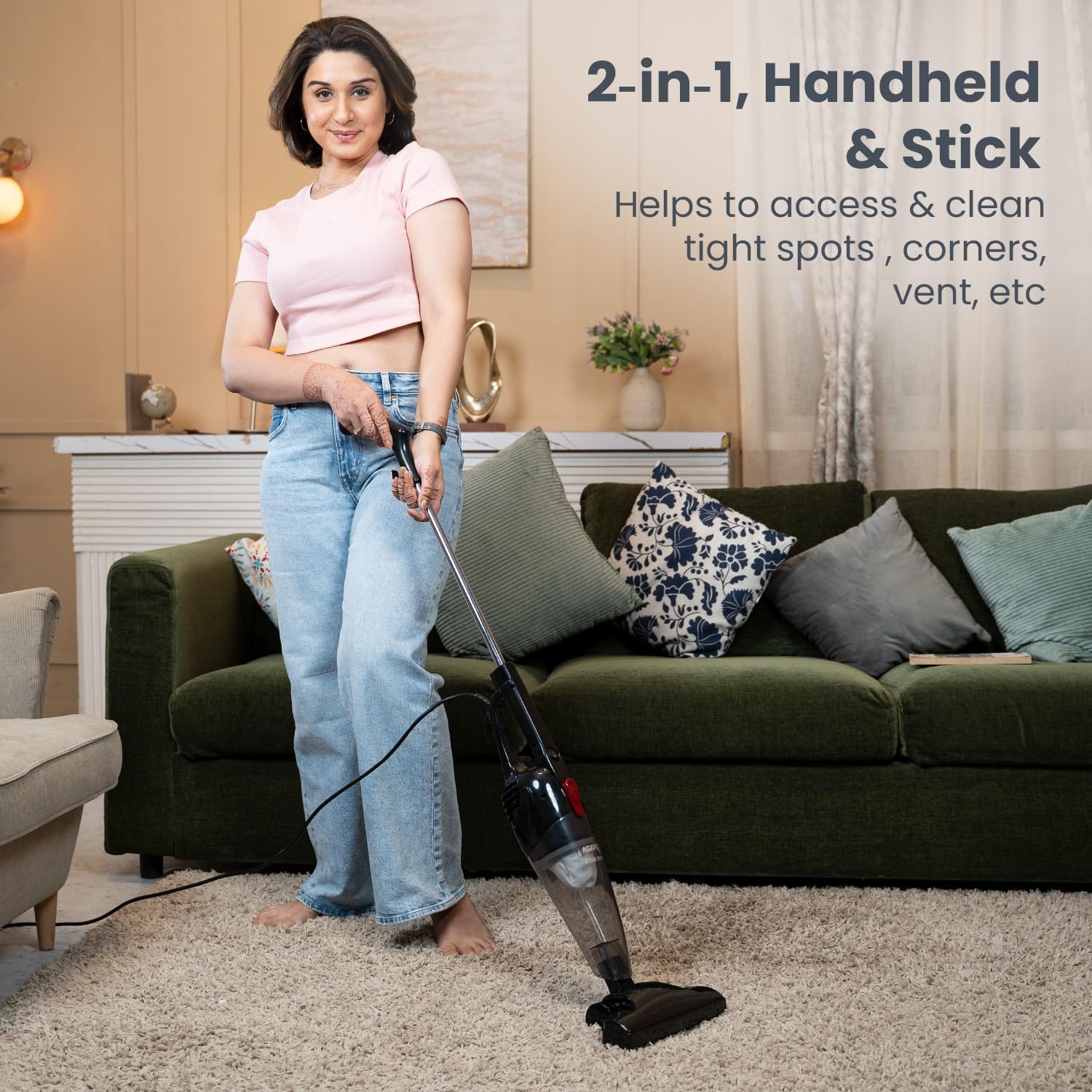
Image Description: A user demonstrating the stick mode of the vacuum cleaner, effectively cleaning a carpeted area.
5.3. Using the Handheld Mode
Detach the upright handle and attach the desired nozzle directly to the main unit for cleaning upholstery, sofas, and hard-to-reach areas.
- Crevice Nozzle: Ideal for narrow edges, sofa corners, and tight spaces where dust accumulates.
- Multipurpose Brush: Suitable for cleaning mattresses, cushions, sofas, curtains, and other delicate areas.
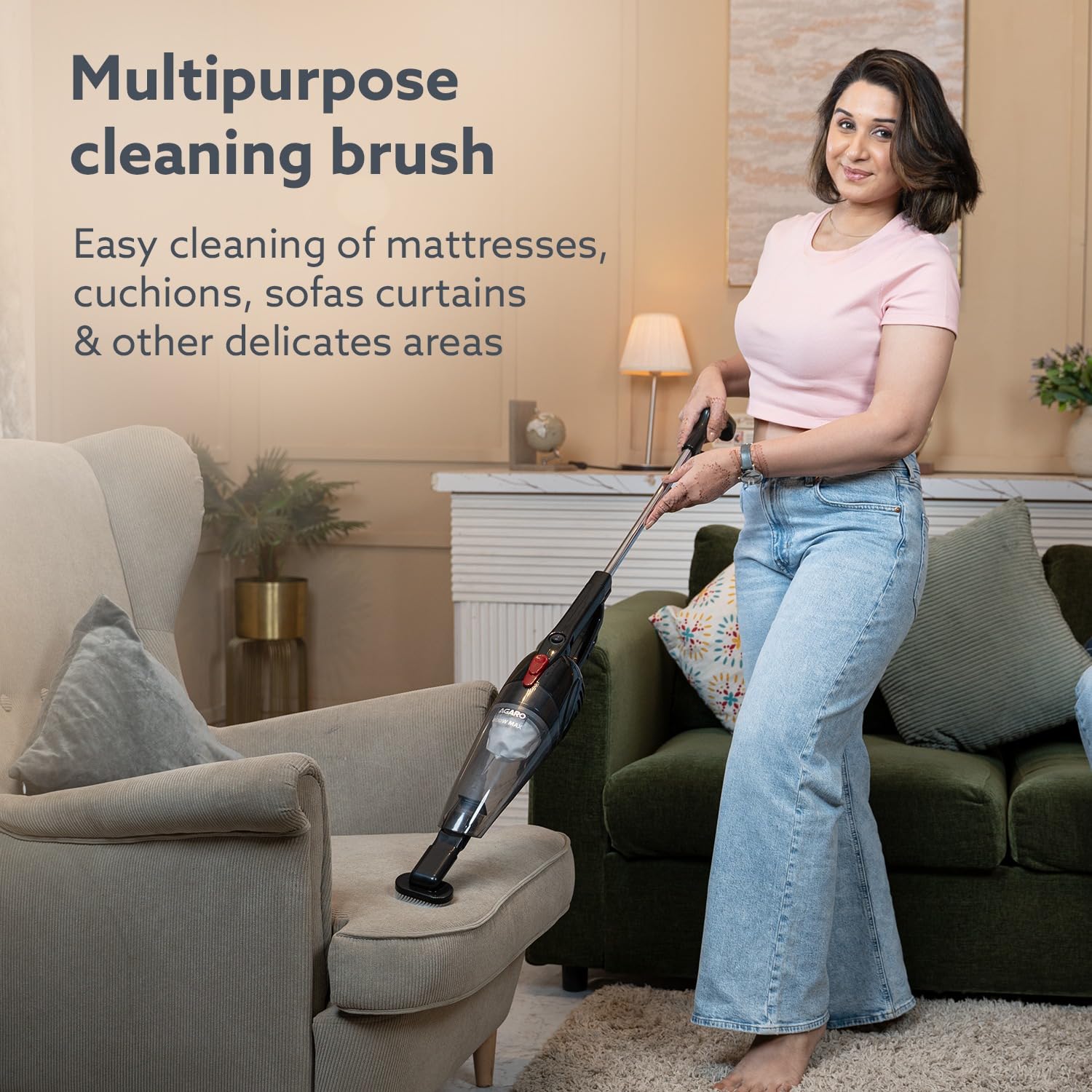
Image Description: A user cleaning an armchair with the handheld vacuum and the multipurpose brush attachment.
Video Description: This video demonstrates the use of various attachments, including the crevice nozzle for tight spaces and the multipurpose brush for upholstery, showcasing the vacuum's adaptability.
6. Maintenance and Cleaning
Regular maintenance ensures optimal performance and extends the lifespan of your vacuum cleaner.
6.1. Emptying the Dust Collector
- Ensure the vacuum cleaner is unplugged.
- Press the release button to detach the dust collector from the main unit.
- Empty the collected dust and debris into a waste bin.

Image Description: A visual representation of the bagless technology, showing the dust collector being emptied, emphasizing ease of cleaning.
6.2. Cleaning the Filters
The vacuum cleaner features a filter system that requires regular cleaning.
- After detaching the dust collector, carefully remove the filter.
- Use a soft, dry brush or cloth to gently clean the filter. Do not use water or scrub the filter.
- The inner black filter should only be cleaned with a brush, never with water.
- Ensure the filter is completely dry before reassembling.
6.3. Cleaning the Main Unit
Wipe the exterior of the main unit with a soft, damp cloth. Do not use abrasive cleaners or immerse the unit in water.
7. Troubleshooting
If you encounter any issues with your AGARO Regal Plus vacuum cleaner, refer to the following common problems and solutions:
| Problem | Possible Cause | Solution |
|---|---|---|
| Low Suction Power | Clogged filter or full dust collector. | Empty the dust collector and clean the filters as described in Section 6.2. |
| Vacuum Cleaner Overheats | Blocked airflow due to clogged filter or debris. | Switch off and unplug the machine. Check and clean the filters. Allow the unit to cool down before resuming use. |
| Vacuum Cleaner Does Not Turn On | Not properly plugged in, power outage, or faulty switch. | Ensure the plug is securely inserted into a working 6 Amp socket. Check the power supply. If the issue persists, contact customer support. |
| Filter is Torn | Wear and tear. | Replace the filter. Contact customer care for replacement parts. |
Video Description: This video provides practical tips for cleaning the vacuum cleaner's filter and addresses common troubleshooting scenarios like low suction or overheating.
8. Specifications
| Feature | Specification |
|---|---|
| Brand | AGARO |
| Model Name | Regal Plus |
| Item Model Number | 33423 |
| Special Feature | Bagless, Compact, Lightweight, Portable, Wheels |
| Filter Type | Disk |
| Included Components | Vacuum cleaner (Main Unit, Upright handle, Crevice nozzle, Floor brush, Connector tool, Multipurpose brush) |
| Is It Cordless? | No |
| Capacity | 0.8 litres |
| Wattage | 800 Watts |
| Suction Power | 6.5 kPa |
| Recommended Uses | Indoor (Floor, Upholstery, Sofas, Carpet, Hardwood floors) |
| Form Factor | Handheld / Upright Stick |
| Colour | Transparent (Dust Collector) |
| Product Dimensions (L x W x H) | 24.4L x 13.2W x 111.8H Centimeters |
| Noise Level | 50 Decibels |
| Power Cord Length | 5 Meters |
| Controller Type | Push Button |
| Item Weight | 1.6 kg (1600 Grams) |
| Material Type | Plastic (ABS) |
| Country of Origin | China |
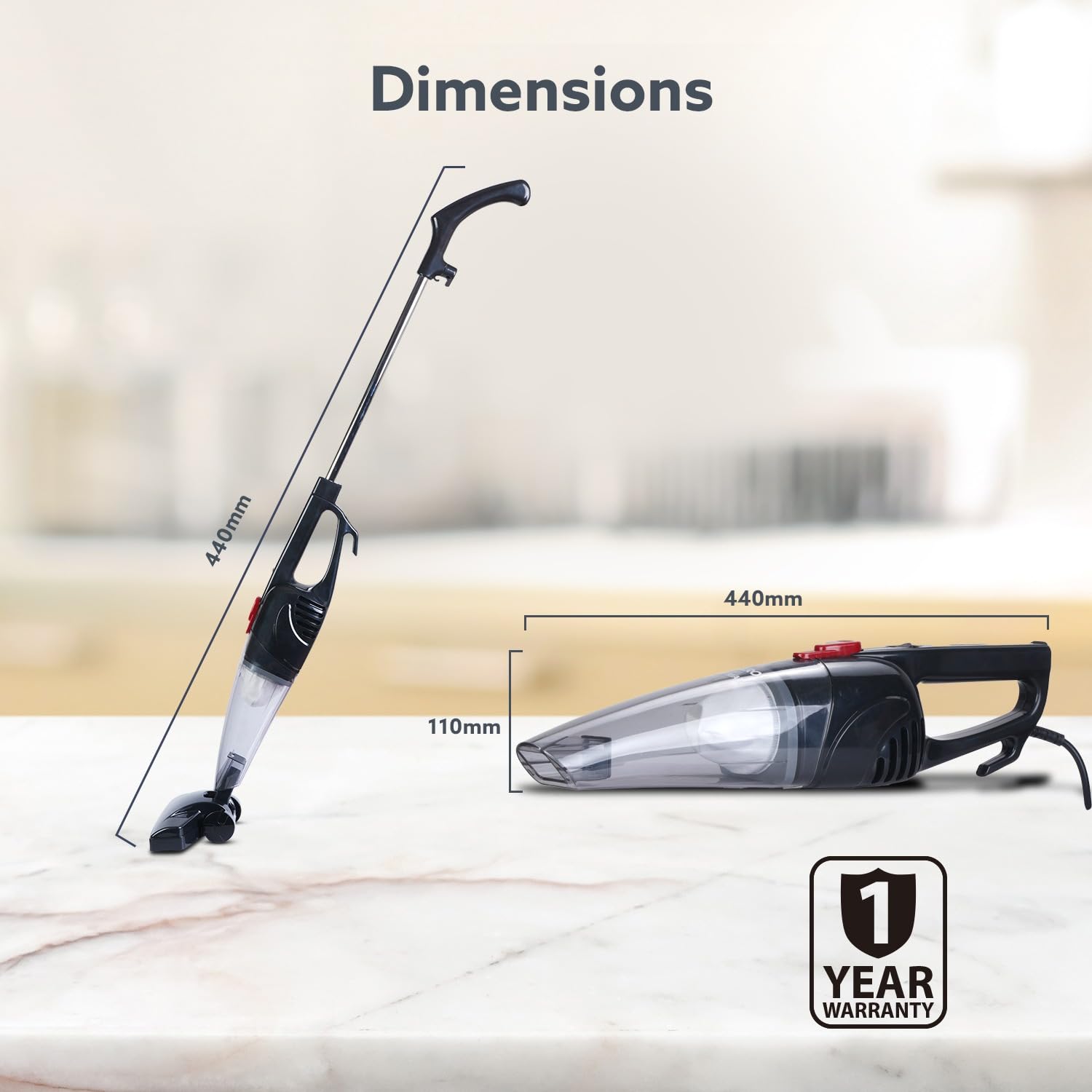
Image Description: A detailed diagram illustrating the dimensions of the AGARO Regal Plus vacuum cleaner in both its upright and handheld forms.

Image Description: An infographic detailing the powerful 6.5 kPa suction and 800W motor, demonstrating its effectiveness against various types of debris like pet dander, dust, and crumbs.
9. Warranty and Support
9.1. Warranty Information
The AGARO Regal Plus 800W Upright Vacuum Cleaner comes with a 1-Year Warranty from the date of purchase. Please retain your purchase receipt for warranty claims.
9.2. Customer Support
For any product-related queries, service requests, or to purchase replacement parts (e.g., filters), please contact AGARO customer care:
- Toll-free Number: 1800-120-7897
- Email: info@uclindia.com
Manufacturer: Agaro, Universal Corporation Ltd
Packer: Universal Corporation Ltd, Xiangcheng Economic Development Zone, Suzhou, Jiangsu, China
Importer: Universal Corporation Limited, 4/1 Middleton Street, Sikkim Commerce House Kolkata - 700071
