
BoxWave SHS-DH705
BoxWave ClearTouch Crystal Screen Protector
Instruction Manual for Samsung SHS-DH705
Introduction
The BoxWave ClearTouch Crystal Screen Protector is designed to provide superior protection for your Samsung SHS-DH705 device's screen while maintaining optical clarity. This manual provides detailed instructions for installation, usage, and maintenance to ensure optimal performance and longevity of your screen protector.

Image: BoxWave ClearTouch Crystal Screen Protector packaging.
Product Features
- Perfect Fit: Precision-cut to fit the exact dimensions of your Samsung SHS-DH705.
- Exceptional Clarity: Ultra-high 99% visual transparency ensures vibrant colors and glass-like clarity without loss of resolution.
- Strength and Stability: Constructed from high-grade thermoplastics for durability, protecting your screen from scratches and dust.
- Clean Application: Features a glueless adhesive that bonds perfectly to your screen and leaves no sticky residue upon removal.
- Reusable: Designed for installation forgiveness, allowing for reuse and reinstallation as needed.

Image: High Definition Clarity demonstration with the screen protector.
Package Contents
Each package of the BoxWave ClearTouch Crystal Screen Protector includes the following items:
- Two (2) ClearTouch Crystal Screen Protectors
- One (1) ClearTouch Applicator Card
- One (1) Microfiber Cleaning Cloth
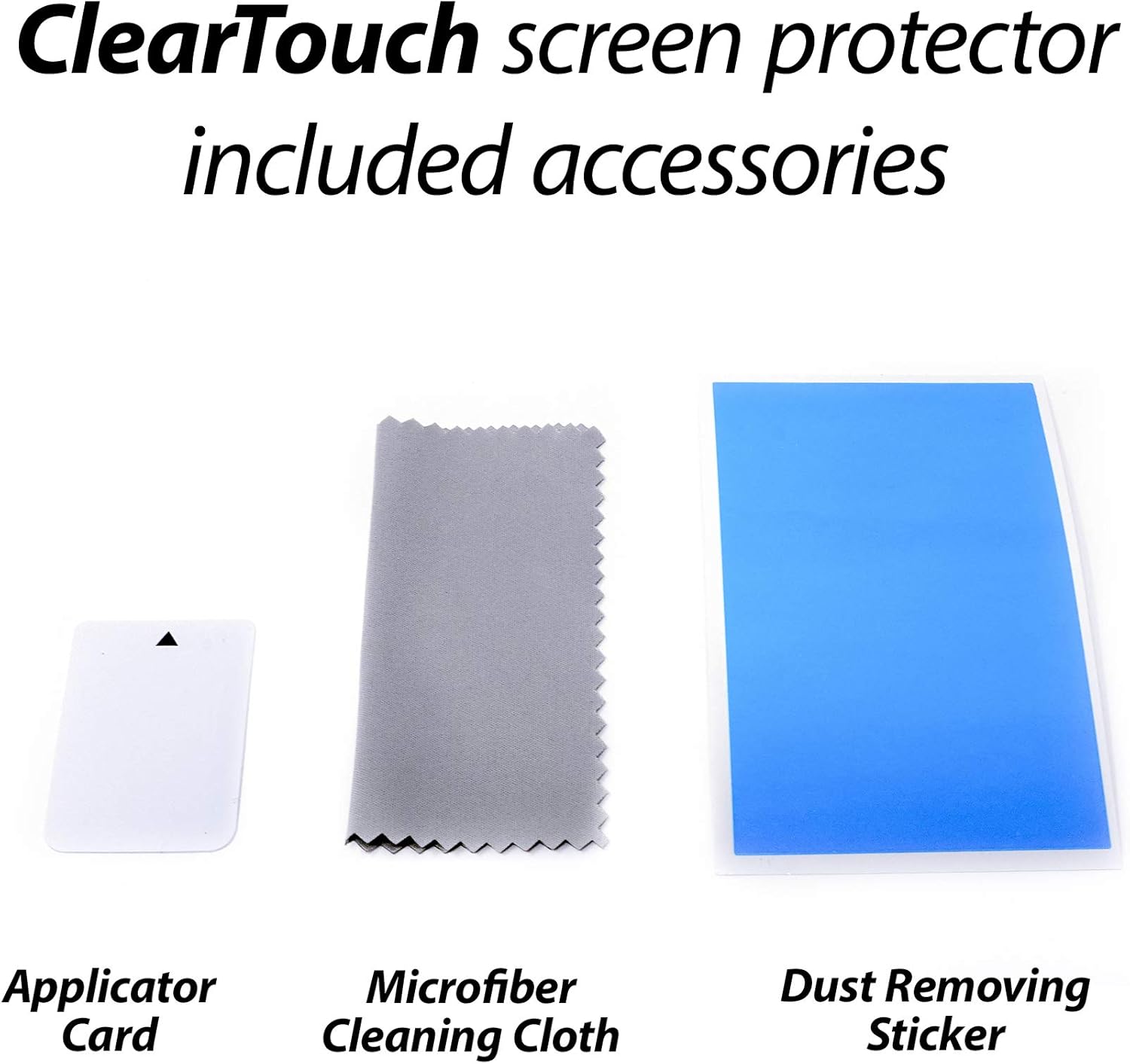
Image: Included accessories: Applicator Card, Microfiber Cleaning Cloth, and Dust Removing Sticker.
Setup and Installation
Follow these steps carefully for optimal installation of your ClearTouch Crystal Screen Protector:
- Prepare Your Device: Ensure your Samsung SHS-DH705 screen is completely clean and free of dust, fingerprints, and smudges. Use the included microfiber cleaning cloth to wipe the screen thoroughly. For stubborn smudges, a small amount of screen cleaner can be used, ensuring the screen is dry before proceeding.
- Remove Dust: Use the provided dust-removing sticker (if included) to lift any remaining dust particles from the screen. Lightly dab the sticker across the screen surface.
- Align the Protector: Carefully peel back a small portion of the protective film from the screen protector (usually marked with a tab). Align the exposed edge of the screen protector with one edge of your device's screen. Take your time to ensure precise alignment with the device's cutouts (e.g., camera, sensors).
- Apply the Protector: Once aligned, slowly and steadily lower the screen protector onto the device's screen, peeling off the remaining protective film as you go. Use the applicator card to gently push out any air bubbles from the center towards the edges as you apply.
- Remove Air Bubbles: If air bubbles remain, use the applicator card to push them towards the nearest edge. For persistent small bubbles, gently lift the nearest edge of the protector and re-apply while pushing the bubble out.
- Final Adhesion: The special low-tack adhesive may take a little time to fully adhere around the edges. Air gaps may clear out within approximately 2 days of regular use. Avoid touching the edges during this period.

Image: Two screen protectors with cleaning cloth and applicator card, illustrating the contents for installation.
Operating
Once installed, the BoxWave ClearTouch Crystal Screen Protector operates passively to protect your device's screen. It is designed to be virtually invisible, allowing for full touch screen functionality and maintaining the original display clarity and color vibrancy. No special operation is required beyond normal device use.
Maintenance
To maintain the clarity and effectiveness of your screen protector:
- Cleaning: Use the included microfiber cleaning cloth to gently wipe away fingerprints, smudges, and dust. For more thorough cleaning, dampen the cloth slightly with water or a mild, non-abrasive screen cleaner. Avoid harsh chemicals or abrasive materials.
- Avoid Sharp Objects: While the protector shields from scratches, extreme pressure or sharp objects can still damage it.
- Replacement: If the screen protector becomes heavily scratched or damaged, it can be easily removed and replaced with the second protector provided in the pack.
Troubleshooting
Problem: Air bubbles remain after installation.
- Solution 1: Use the applicator card to push bubbles towards the nearest edge. Apply firm, even pressure.
- Solution 2: For small, persistent bubbles, gently lift the edge of the screen protector closest to the bubble and slowly re-apply, pushing the bubble out as you go.
- Solution 3: Allow 1-2 days for the adhesive to fully cure. Small air gaps, especially around the edges, may naturally disappear during this time with regular use.
Problem: Dust particles trapped under the protector.
- Solution: Carefully lift the screen protector from the nearest corner. Use a dust-removing sticker or a piece of scotch tape to gently dab the dust particle off the adhesive side of the protector and the device screen. Re-apply the protector slowly.
Specifications
| Attribute | Value |
|---|---|
| Brand | BoxWave |
| Material | Polyethylene Terephthalate |
| Item Hardness | 9H |
| Unit Count | 2.0 Count |
| Screen Surface Description | Glossy |
| Clarity | 99% |
| Number of Items | 2 |
| Item Weight | 0.7 ounces |
Warranty and Support
For warranty information or technical support, please refer to the BoxWave official website or contact their customer service directly. Keep your purchase receipt as proof of purchase.
Ask a question about this manual
Ask about setup, troubleshooting, compatibility, parts, safety, or missing instructions. Manuals+ will review the question and use this page’s manual context to help answer it.