
Atosa MBF8519GR
Atosa Commercial Upright Reach-In Refrigerator User Manual
Model: MBF8519GR
Introduction
This manual provides essential information for the safe and efficient operation, installation, and maintenance of your Atosa Commercial Upright Reach-In Refrigerator, Model MBF8519GR. Please read this manual thoroughly before installation and use, and retain it for future reference.
The Atosa MBF8519GR is a compact 8.3 cu. ft. commercial refrigerator designed for professional use, featuring a bottom-mount compressor, durable stainless steel construction, and adjustable shelving.
Safety Information
Always follow basic safety precautions when using electrical appliances to reduce the risk of fire, electric shock, and injury.
- Ensure the refrigerator is connected to a properly grounded electrical outlet.
- Do not operate the appliance with a damaged cord or plug.
- Keep ventilation openings clear of obstructions.
- Do not store explosive substances such as aerosol cans with a flammable propellant in this appliance.
- Disconnect power before cleaning or performing maintenance.
- This appliance uses R290 Hydrocarbon refrigerant. Servicing should only be performed by authorized personnel.
Setup
Unpacking and Inspection
Carefully remove all packaging materials. Inspect the refrigerator for any shipping damage. Report any damage to the carrier immediately.

Figure 1: Front view of the Atosa Commercial Upright Reach-In Refrigerator. This image shows the stainless steel exterior, the recessed handle on the door, and the bottom-mounted compressor section with casters.
Placement
Place the refrigerator on a flat, stable surface capable of supporting its weight (approximately 209 lbs). Ensure adequate clearance around the unit for proper ventilation. Avoid direct sunlight or heat sources.
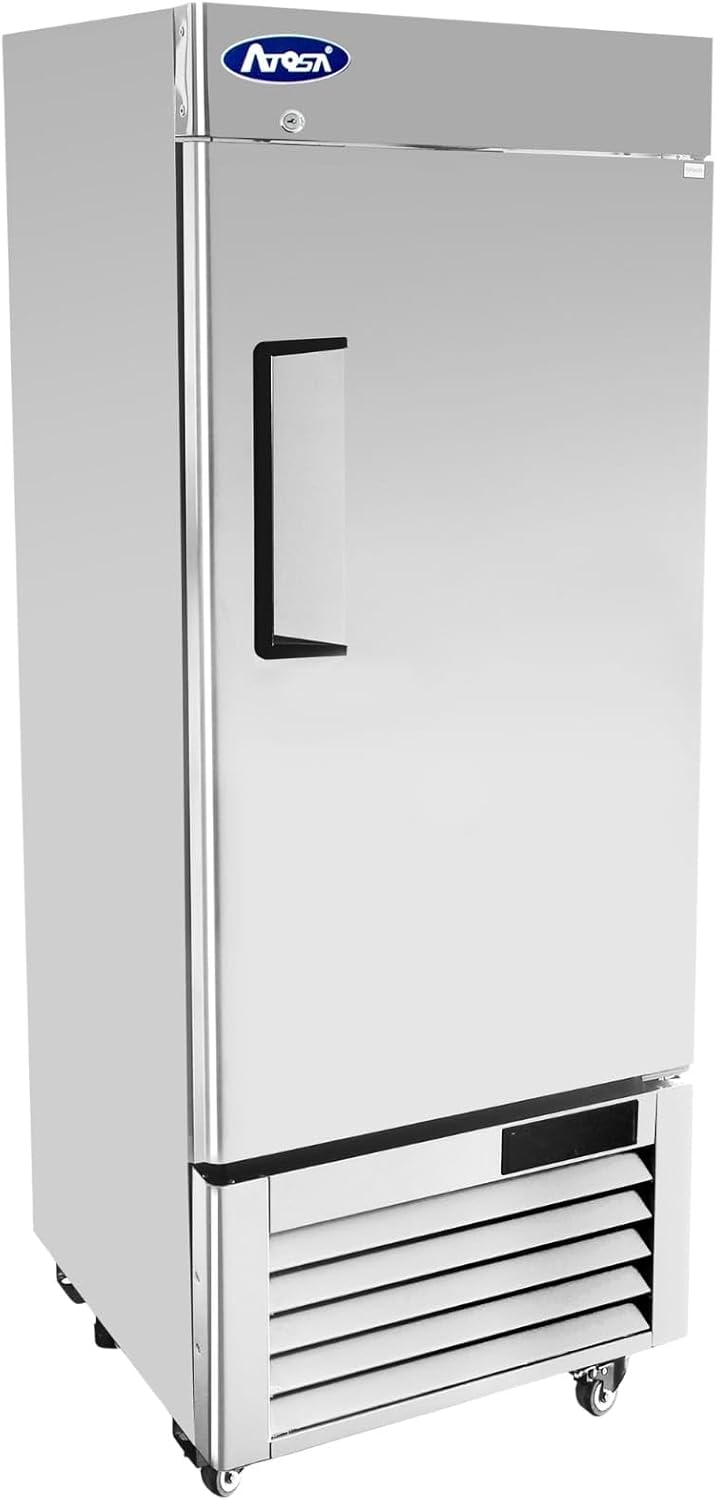
Figure 2: Angled view of the Atosa Commercial Upright Reach-In Refrigerator. This image provides a perspective of the unit's side and front, highlighting its compact design and casters.
Leveling
The unit comes with 2" casters for mobility. Ensure the unit is level to allow proper door closure and drainage. Use shims if necessary under the casters to achieve a level position.
Power Connection
Connect the refrigerator to a dedicated 115V/60Hz/1-ph electrical outlet. The unit draws 2.1 amps and features a NEMA 5-15P plug. Do not use extension cords.
Operating Instructions
Initial Startup
After connecting power, allow the refrigerator to run for at least 2-4 hours empty to reach its stable operating temperature before loading with products.
Temperature Control
The unit features digital temperature control. The factory preset temperature range is 33°F to 40°F (0.5°C to 4.4°C). Refer to the digital controller's specific instructions for adjusting temperature settings.
Shelving
The refrigerator includes three adjustable shelves. To adjust, lift the shelf and reposition the shelf clips to the desired height. Ensure shelves are securely seated before loading.

Figure 3: Interior view of the Atosa Commercial Upright Reach-In Refrigerator. This image displays the three adjustable wire shelves and the interior LED lighting.
Door Lock
The hinged solid door is lockable for security. Use the provided key to lock and unlock the door.
Maintenance
Cleaning
Regular cleaning is essential for hygiene and efficiency. Disconnect power before cleaning.
- Interior: Clean with a mild soap and water solution. Rinse thoroughly and dry. Do not use abrasive cleaners.
- Exterior: Wipe down stainless steel surfaces with a soft cloth and a non-abrasive stainless steel cleaner.
- Condenser Coil: The condenser coil should be cleaned regularly (monthly or quarterly depending on environment) to ensure optimal performance. Use a brush or vacuum cleaner to remove dust and debris from the coil located in the bottom-mount section.
Defrosting
This unit features manual defrost. If excessive ice buildup occurs on the evaporator coil, disconnect power and allow the ice to melt naturally. Do not use sharp objects to remove ice.
Gasket Maintenance
Inspect door gaskets regularly for cracks or tears. Clean gaskets with warm water and mild soap. A tight seal is crucial for energy efficiency.
Troubleshooting
| Problem | Possible Cause | Solution |
|---|---|---|
| Refrigerator not cooling | Power supply issue, thermostat set too high, condenser coil dirty, door not sealing properly. | Check power connection and circuit breaker. Adjust thermostat. Clean condenser coil. Inspect and clean door gasket. |
| Excessive noise | Unit not level, fan motor issue, loose components. | Ensure unit is level. Contact qualified service technician if fan or compressor noise is abnormal. |
| Water on floor | Drain line clogged, excessive humidity, door left open. | Clear drain line. Ensure door is closed properly. Reduce humidity in the room if possible. |
For issues not listed or if solutions do not resolve the problem, contact a qualified service technician.
Specifications
| Feature | Detail |
|---|---|
| Model | MBF8519GR |
| Capacity | 8.3 cu. ft. |
| Dimensions (W x D x H) | 24.25" x 24.25" x 63.25" |
| Weight | 209 pounds |
| Temperature Range | 33°F to 40°F (0.5°C to 4.4°C) |
| Refrigerant | R290 Hydrocarbon |
| Compressor | 1/7 HP, Bottom-Mount |
| Electrical | 115V/60Hz/1-ph, 2.1 Amps, NEMA 5-15P |
| Shelves | 3 Adjustable |
| Material | Stainless Steel Interior & Exterior |
| Special Features | Lockable Door, Interior LED Lighting, 2" Casters |
| Certification | ETL, Energy Star |
Warranty and Support
For warranty information and technical support, please refer to the warranty card included with your product or contact Atosa customer service directly. Ensure you have your model number (MBF8519GR) and serial number ready when contacting support.
Contact Information: Please visit the official Atosa website or refer to your purchase documentation for the most current contact details for customer service and authorized service centers.
Related Documents - MBF8519GR
 |
Atosa Vertical Cooler Instruction Manual This instruction manual provides comprehensive guidance for Atosa vertical coolers, covering installation, operation, maintenance, troubleshooting, and technical specifications. It includes important safety instructions, warranty details, and official approvals for commercial use. |
 |
Atosa Top Mount Reach-In Freezers: Models, Specifications, and Features Detailed specifications, standard features, optional accessories, and model information for Atosa's Top Mount Reach-In Freezers, including MBF15FSGR, MBF15FSGRL, MBF8001GR, MBF8001GRL, MBF8002GR, and MBF8003GR. |
 |
Atosa Bottom Mount Reach-In Freezers | MBF8501GR, MBF8502GR, MBF8503GR, MBF8504GR Specifications Detailed specifications and features for Atosa's Bottom Mount Reach-In Freezers, including models MBF8501GR, MBF8502GR, MBF8503GR, and MBF8504GR. Learn about R290 refrigerant, stainless steel construction, and performance. |
 |
Atosa Glass Door Reach-In Freezers - Models MCF8701GR & MCF8703ES Discover Atosa's range of Glass Door Reach-In Freezers, including the single-door MCF8701GR and the double-door MCF8703ES. This document details features, specifications, dimensions, and warranty information for these commercial refrigeration units. |
 |
Atosa Top Mount Reach-In Freezers: Models, Specifications, and Features Explore the Atosa USA Top Mount Reach-In Freezers. Find detailed specifications, standard features, optional accessories, and model information for MBF15FSGR, MBF15FSGRL, MBF8001GR, MBF8001GRL, MBF8002GR, and MBF8003GR. |
 |
Atosa Glass Door Reach-In Freezers: MCF8701GR & MCF8703GR Specifications Detailed specifications, features, and dimensions for Atosa's MCF8701GR and MCF8703GR Glass Door Reach-In Freezers. Learn about their stainless steel construction, LED lighting, Embraco compressors, and warranty. |
Ask a question about this manual
Ask about setup, troubleshooting, compatibility, parts, safety, or missing instructions. Manuals+ will review the question and use this page’s manual context to help answer it.