
JBL Live Free NC+ Blue
JBL Live Free NC+ True Wireless In-Ear Noise Cancelling Bluetooth Headphones User Manual
Model: Live Free NC+ Blue
1. Introduction
Thank you for choosing JBL Live Free NC+ True Wireless In-Ear Noise Cancelling Bluetooth Headphones. This manual provides essential information for setting up, operating, and maintaining your headphones to ensure optimal performance and longevity.
The JBL Live Free NC+ TWS headphones deliver JBL Signature Sound with Active Noise Cancelling. Talk Thru and Ambient Aware features keep you connected to your surroundings. Wireless charging provides seamless ease of use, and Dual Connect + Sync allows immediate listening with either earphone or both. All-access touch controls enable access to your preferred Voice Assistant or management of calls and music.
2. What's in the Box
Verify that all items listed below are included in your package:
- 1 x JBL Live Free NC+ TWS Earbuds
- 1 x Type-C to Type-A charging cable
- 1 x Charging case
- 1 x 3 sizes of ear tips (S, M, L)
- 1 x 2 sizes of gel-sleeves
- 1 x Quick Start Guide / Safety Sheet
- 1 x Warranty / Warning Card

Image: The JBL Live Free NC+ TWS earbuds in blue, shown alongside their charging case. The earbuds are compact and designed for in-ear use.
3. Setup
3.1 Charging the Headphones
Before first use, fully charge your JBL Live Free NC+ TWS headphones. Place the earbuds into the charging case and close the lid. Connect the Type-C to Type-A charging cable to the case and a power source. The LED indicators on the case will show charging status. A full charge provides up to 21 hours of combined playback (7 hours in earbuds + 14 hours in case).

Image: The JBL Live Free NC+ TWS charging case open, with both blue earbuds seated inside. The case has LED indicators on the front to show battery level.

Image: The back of the JBL Live Free NC+ TWS charging case, showing the USB-C charging port and a small button. The case is a dark blue color.
3.2 Pairing with a Bluetooth Device
- Open the charging case. The earbuds will automatically enter pairing mode.
- On your device (smartphone, tablet, etc.), enable Bluetooth.
- Select "JBL Live Free NC+" from the list of available devices.
- Once connected, a voice prompt will confirm successful pairing.
Dual Connect + Sync allows you to use either earbud independently or both simultaneously. Thanks to Fast Pair enabled by Google, connection to your Android device occurs instantly upon opening the case.
Video: An official JBL video demonstrating the features of the JBL Live Free NC+ headphones, including pairing, active noise cancelling, and battery life.
4. Operating Instructions
4.1 Wearing the Earbuds
Select the ear tips and gel-sleeves that provide the most comfortable and secure fit for your ears. A proper fit is crucial for optimal sound quality and noise cancellation performance.

Image: A woman wearing a JBL Live Free NC+ TWS earbud in her right ear, demonstrating the in-ear fit. She is smiling with her eyes closed, enjoying the sound.
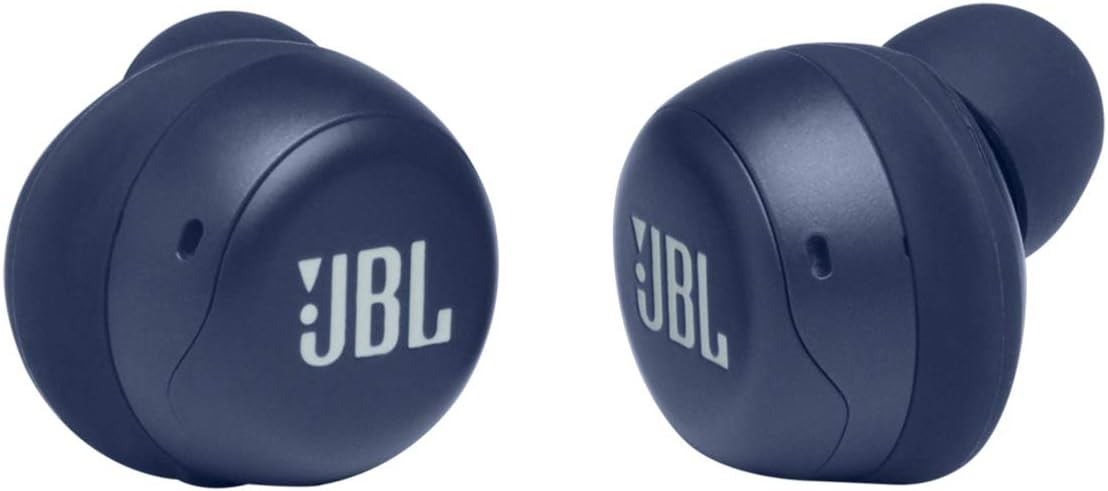
Image: A close-up view of the JBL Live Free NC+ TWS earbuds, showing the different sizes of ear tips and gel-sleeves that come with the product to ensure a comfortable and secure fit.
4.2 Touch Controls
The JBL Live Free NC+ TWS headphones feature intuitive touch controls on each earbud. These controls allow you to manage music playback, calls, and voice assistant activation.
| Action | Function |
|---|---|
| Single Tap (Left/Right) | Play/Pause, Answer Call |
| Double Tap (Right) | Next Track, End Call |
| Double Tap (Left) | Toggle Active Noise Cancelling / Ambient Aware |
| Triple Tap (Right) | Previous Track |
| Hold (Left/Right) | Activate Voice Assistant (Google Assistant or Amazon Alexa) |
4.3 Active Noise Cancelling (ANC) and Ambient Aware
The headphones feature Active Noise Cancelling to reduce external distractions, allowing you to focus on your audio. The Ambient Aware mode allows you to hear your surroundings without removing the earbuds, while TalkThru lowers music volume and amplifies speech for conversations.
Toggle between ANC, Ambient Aware, and off by double-tapping the left earbud.
5. Maintenance
5.1 Cleaning
Regularly clean your earbuds and charging case to maintain optimal performance and hygiene. Use a soft, dry cloth to wipe the surfaces. For ear tips, remove them from the earbuds and clean with a damp cloth, then allow them to dry completely before reattaching.
5.2 Storage
When not in use, store the earbuds in their charging case to protect them and keep them charged. Store the case in a cool, dry place away from direct sunlight and extreme temperatures.
6. Troubleshooting
If you encounter issues with your JBL Live Free NC+ TWS headphones, refer to the following common solutions:
| Problem | Possible Cause | Solution |
|---|---|---|
| No Sound | Low battery, not paired, volume too low. | Charge earbuds, re-pair with device, increase volume. |
| Cannot Pair | Earbuds not in pairing mode, device Bluetooth off, too many paired devices. | Ensure case is open, enable Bluetooth, forget previous pairings on device. |
| Poor Sound Quality | Improper ear tip fit, distance from device, interference. | Adjust ear tips for secure fit, reduce distance to device, move away from interference sources. |
| Earbud Not Charging | Improper placement in case, dirty charging contacts. | Ensure earbuds are seated correctly, clean charging contacts on earbuds and case. |
For more detailed troubleshooting, please refer to the official Troubleshooting Guide (PDF) or User Guide (PDF).
7. Specifications
| Feature | Detail |
|---|---|
| Model Name | JBL Live Free NC+ Blue |
| Brand | JBL |
| Connectivity Technology | Wireless (Bluetooth 5.1) |
| Noise Control | Active Noise Cancellation |
| Audio Driver Size | 6.8 Millimeters (Dynamic Driver) |
| Frequency Range | 20 Hz - 20,000 Hz |
| Impedance | 16 Ohm |
| Sensitivity | 96 dB |
| Battery Life (Combined) | Up to 21 Hours (7H earbuds + 14H case) |
| Charging Time | 2 Hours (for case) |
| Wireless Charging | Qi-compatible |
| Item Weight | 54 Grams (1.9 ounces) |
| Water Resistance Level | Not Water Resistant |
| Control Type | Voice Control, Touch Control |
8. Warranty and Support
Your JBL Live Free NC+ TWS headphones come with a manufacturer's warranty. Please refer to the included Warranty / Warning card for specific terms and conditions. For technical support, product registration, or further assistance, please visit the official JBL Store on Amazon or the JBL official website.