
1. Introduction
The ECI ELETTROFORNITURE FAAC 390923 XBAT Emergency Battery Kit is designed to provide reliable backup power for compatible gate automation systems. This kit ensures continued operation of your gate during power outages, enhancing security and convenience. This manual provides essential information for the proper installation, operation, and maintenance of your emergency battery kit.
2. Safety Information
Please read and understand all safety instructions before installing or operating the battery kit. Failure to follow these instructions may result in electric shock, fire, or serious injury.
- Always disconnect power to the gate automation system before performing any installation or maintenance.
- Ensure proper polarity when connecting the battery kit to avoid damage to the system or battery.
- Do not expose the battery kit to extreme temperatures, moisture, or direct sunlight.
- Keep out of reach of children.
- Dispose of old batteries according to local regulations.
3. Setup and Installation
The XBAT Emergency Battery Kit is intended for integration into existing gate automation systems. Professional installation by a qualified technician is highly recommended to ensure correct wiring and optimal performance.
General Installation Steps:
- Power Disconnection: Ensure the main power supply to the gate automation system is completely disconnected.
- Mounting: Securely mount the battery kit in a dry, protected location near the gate control unit, away from direct weather exposure.
- Wiring: Connect the battery kit to the designated emergency power input terminals on your gate control unit. Refer to your gate system's manual for specific wiring diagrams. Pay close attention to positive (+) and negative (-) terminals.
- Initial Charge: Once connected, restore main power to the gate system. The battery kit will begin charging automatically. Allow sufficient time for a full initial charge before relying on the emergency power function.
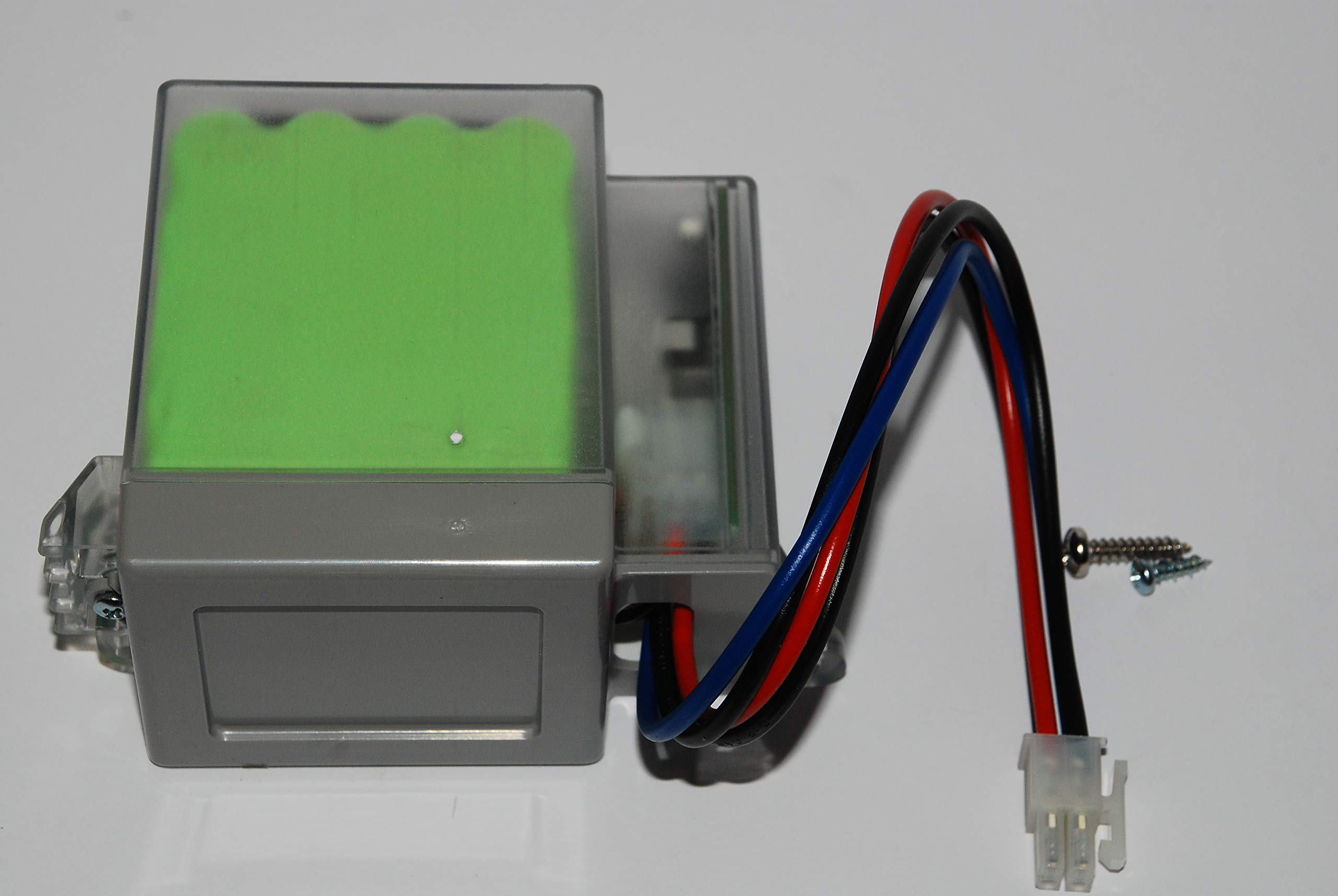
Image of a FAAC remote control, representative of devices often used with gate automation systems that the XBAT Emergency Battery Kit supports.
4. Operating Principles
The XBAT Emergency Battery Kit operates automatically. When main power is available, the kit charges its internal battery. In the event of a power failure, the system will automatically switch to battery power, allowing the gate to continue functioning for a limited number of cycles or duration, depending on the system's power consumption and battery charge level.
Remote Control Programming (Example):
While this battery kit provides power, the operation of your gate system often involves remote controls. The following video demonstrates a typical remote control programming process, which is essential for configuring devices within a gate automation system.
Video demonstrating the programming process for a FAAC remote control. This process is typical for configuring devices within a gate automation system, which the XBAT Emergency Battery Kit is designed to power during outages.
5. Maintenance
Regular maintenance ensures the longevity and reliability of your emergency battery kit.
- Periodic Checks: Annually inspect all connections for corrosion or looseness. Ensure the battery kit is free from dust and debris.
- Battery Health: Periodically test the emergency function by temporarily disconnecting main power to the gate system to confirm the battery takes over.
- Battery Replacement: Batteries have a finite lifespan. If the battery no longer holds a charge or provides sufficient backup power, it should be replaced with an original FAAC 390923 XBAT replacement battery.
6. Troubleshooting
If you experience issues with your XBAT Emergency Battery Kit, refer to the following common problems and solutions:
| Problem | Possible Cause | Solution |
|---|---|---|
| Gate system does not operate during power outage. | Battery not charged or faulty. | Check main power supply to ensure charging. Test battery health. Replace if necessary. |
| Battery kit indicator light (if present) is off or flashing abnormally. | Connection issue or internal fault. | Verify all wiring connections. Consult a professional technician if the issue persists. |
7. Specifications
- Manufacturer: GENERICO
- Part Number: 390923
- Voltage: 12 Volt
- Battery Capacity: 4400 Milliamper-hour (mAh)
- Quantity per Pack: 1
- Recommended Use: Electromobile (for gate automation systems)
8. Warranty and Support
Specific warranty information for this product is not available in the provided details. For warranty claims, technical support, or further assistance, please contact the seller, Eci Elettroforniture, or refer to the documentation provided with your purchase.