
Monarch Specialties I 2747
Monarch Specialties I 2747 60-Inch TV Stand Instruction Manual
Model: I 2747
1. Introduction
Thank you for purchasing the Monarch Specialties I 2747 60-Inch TV Stand. This manual provides essential information for the safe assembly, operation, and maintenance of your new furniture. Please read these instructions carefully before beginning assembly and retain them for future reference.
Safety Information: Always follow all safety warnings and instructions provided in this manual. Ensure all parts are present and undamaged before assembly. Do not use power tools for assembly unless specifically instructed, as this may damage the product. Keep small parts away from children.
2. Product Overview
The Monarch Specialties I 2747 TV Stand is a 60-inch media console designed to accommodate most televisions when centered on its top panel. It features a durable grey wood-look laminate finish and includes two barn-style sliding doors with a traditional framed X design and black metal hardware. The stand offers ample storage with two shelves and two storage compartments. One shelf is adjustable to three different positions, and the lower shelf includes a cable management hole for organizing wires.

Figure 2.1: Front view of the Monarch Specialties I 2747 TV Stand, showcasing its grey wood-look finish and barn-style sliding doors.
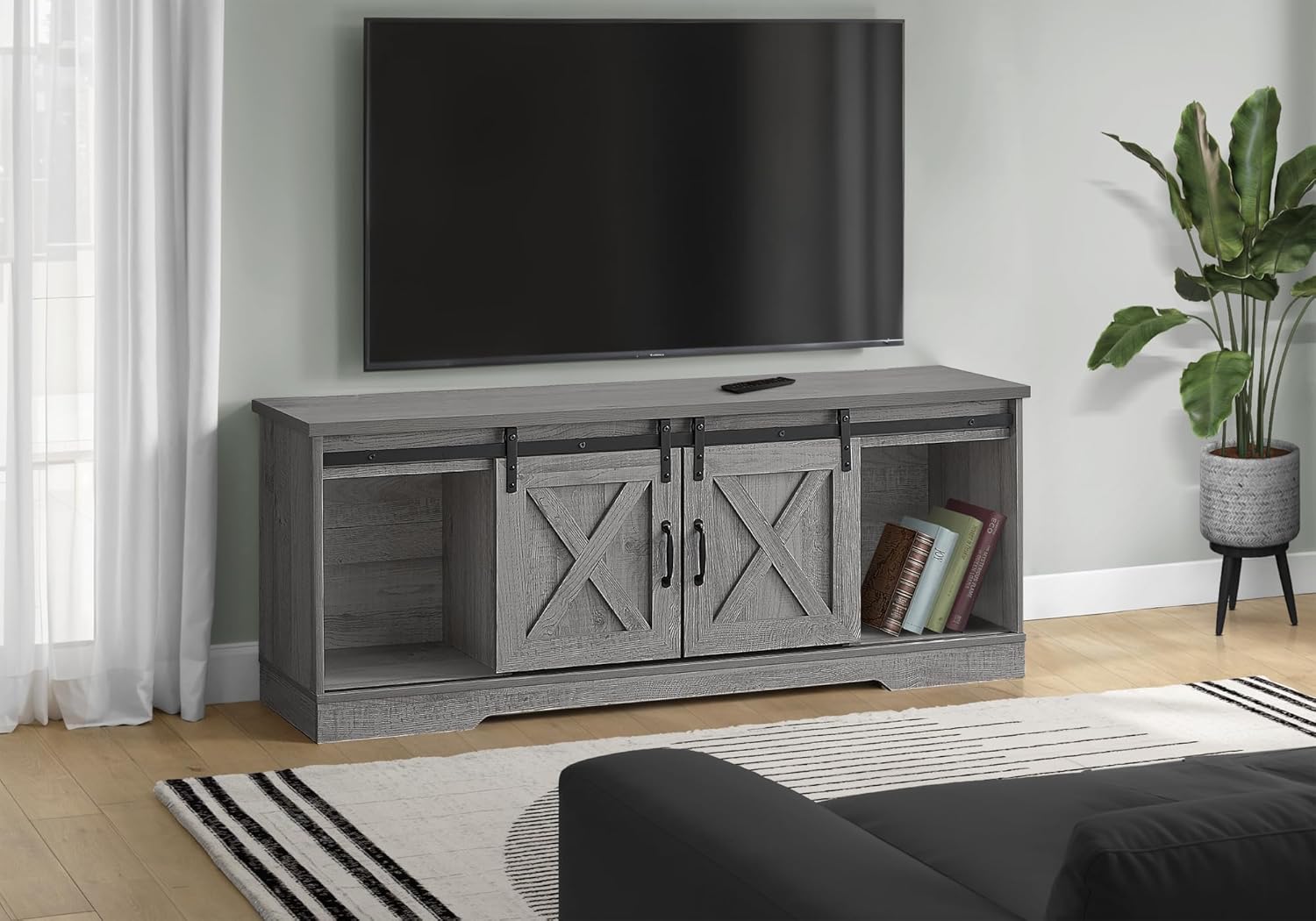
Figure 2.2: The Monarch Specialties I 2747 TV Stand integrated into a living room environment, demonstrating its functional and aesthetic appeal.
3. Setup and Assembly
Assembly of the Monarch Specialties I 2747 TV Stand is required. Please ensure you have sufficient space and a clean, flat surface for assembly. It is recommended to have two people for assembly to prevent damage and ensure safety.
3.1 Unpacking
- Carefully open the packaging and remove all components.
- Verify that all parts listed in the included hardware and parts list are present. If any parts are missing or damaged, do not proceed with assembly. Contact customer support for assistance.
- Keep packaging materials until assembly is complete to ensure no small parts are discarded.
3.2 Assembly Steps
Detailed assembly instructions with diagrams are typically included in the product packaging. Follow these instructions step-by-step. General steps usually include:
- Attach the base and side panels.
- Install internal shelves and dividers.
- Assemble and attach the sliding door hardware (track, hangers).
- Mount the sliding doors and handles.
- Place the top panel.
- Ensure all fasteners are securely tightened, but do not overtighten.

Figure 3.1: Dimensional diagram illustrating the overall dimensions and internal compartment measurements of the TV stand.
4. Operating Instructions
4.1 Sliding Doors
The TV stand features two barn-style sliding doors. To open or close a compartment, gently slide the door along its track using the handles. Ensure the track is clear of obstructions for smooth operation.
4.2 Adjustable Shelf
One of the internal shelves is adjustable. To change its position, carefully remove any items from the shelf, lift the shelf, and reposition the shelf supports into the desired holes. Ensure the shelf is level and securely seated before placing items on it.
4.3 Cable Management
The lower shelf includes a pre-drilled hole for cable pass-through. Use this opening to route power cords and audio/video cables from your electronic devices, helping to keep them organized and out of sight.
5. Maintenance
5.1 Cleaning
- Wipe surfaces with a soft, damp cloth.
- Avoid using harsh chemicals, abrasive cleaners, or polishes that may damage the laminate finish.
- Promptly clean up spills to prevent staining or damage.
5.2 General Care
- Avoid placing hot items directly on the surface; use coasters or protective pads.
- Do not expose the furniture to direct sunlight or extreme temperature changes, as this can cause fading or warping.
- Periodically check all fasteners and tighten them if necessary to maintain stability.
6. Troubleshooting
6.1 Doors Not Sliding Smoothly
- Check the sliding track for any debris or obstructions.
- Ensure the door hangers are properly seated on the track.
- Verify that all assembly screws for the track and hangers are securely tightened.
6.2 Instability or Wobbling
- Ensure the TV stand is placed on a flat, level surface.
- Check all assembly fasteners and tighten any that are loose. Do not overtighten.
- Verify that all components are correctly assembled according to the provided instructions.
7. Specifications
| Feature | Detail |
|---|---|
| Brand | Monarch Specialties |
| Model Number | I 2747 |
| Color | Grey Wood-look |
| Product Dimensions (L x W x H) | 59"L x 15.5"W x 23.5"H (60"D x 15.5"W x 23.5"H) |
| Material | Wood (Laminate finish) |
| Item Weight | 74 Pounds |
| Number of Shelves | 4 (including adjustable shelf) |
| Door Style | Sliding (Barn-style) |
| Assembly Required | Yes |
| Included Components | 1 TV Stand |
| UPC | 680796044336 |
8. Warranty and Support
8.1 Warranty Information
Specific warranty details for the Monarch Specialties I 2747 TV Stand are not provided in this manual. Please refer to the warranty card included with your product or contact Monarch Specialties directly for information regarding warranty coverage and terms.
8.2 Customer Support
For assistance with assembly, missing parts, or any other product-related inquiries, please contact Monarch Specialties customer support. Contact information can typically be found on the product packaging, the manufacturer's website, or through your retailer.
Related documentsI 2747


Ask a question about this manual
Ask about setup, troubleshooting, compatibility, parts, safety, or missing instructions. Manuals+ will review the question and use this page’s manual context to help answer it.