
1. Introduction
The TYT TH-7900 is a high-performance dual-band mobile transceiver designed for amateur radio enthusiasts. It operates on both VHF (144-148MHz) and UHF (420-450MHz) bands, offering robust communication capabilities with features such as 800 memory channels, cross-band repeater functionality, and a removable front panel for flexible installation. This manual provides detailed instructions for the proper setup, operation, and maintenance of your TH-7900 transceiver.
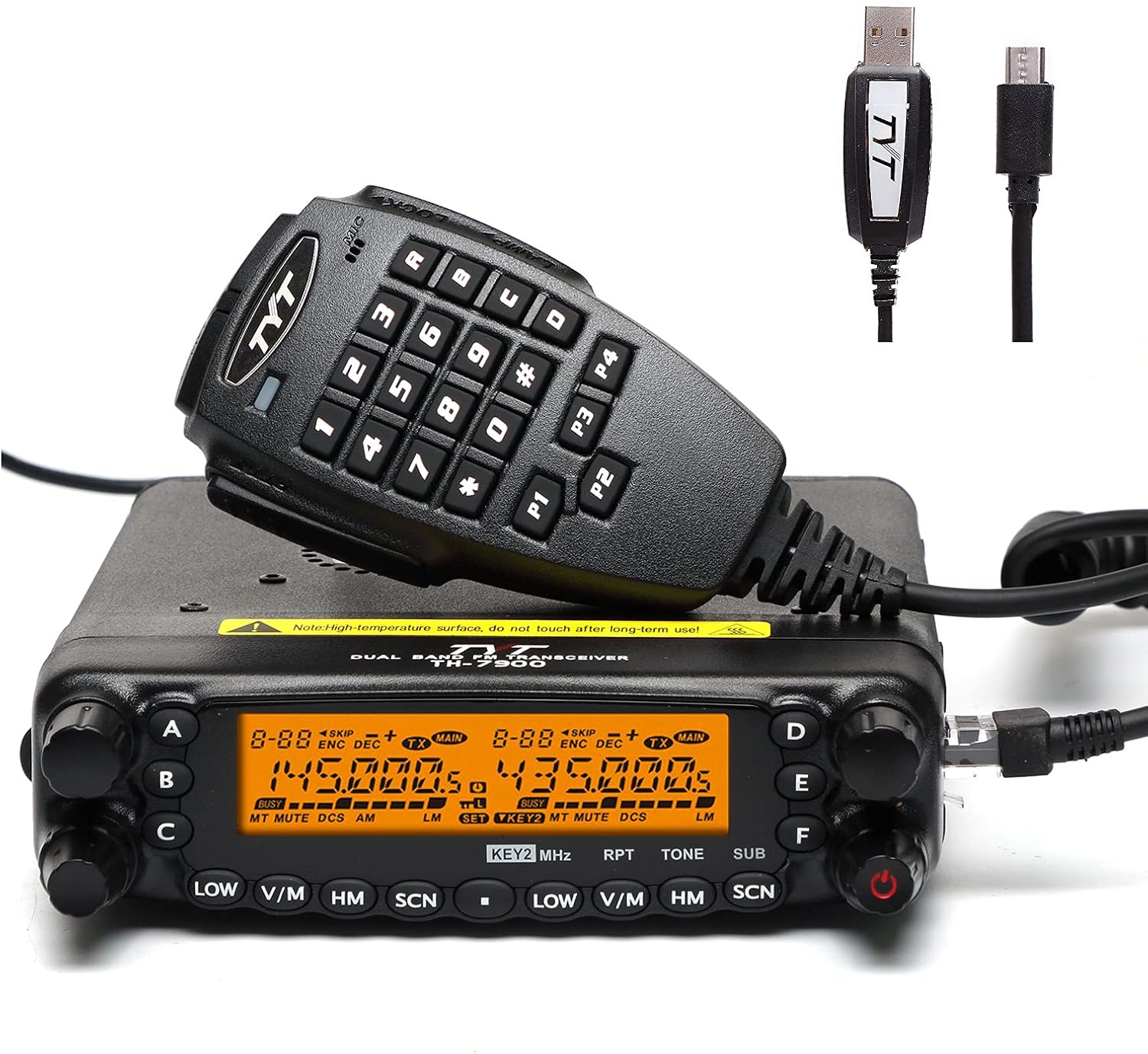
Figure 1.1: TYT TH-7900 Mobile Transceiver with included microphone and programming cables.
2. Safety Information
Please read and understand all safety precautions before operating the transceiver. Failure to do so may result in injury or damage to the equipment.
- Do not operate the radio in explosive atmospheres or near flammable materials.
- Ensure proper ventilation around the transceiver to prevent overheating.
- Use only the specified power supply (13.8V DC) and ensure correct polarity.
- Avoid touching the antenna during transmission.
- Keep the transceiver away from water and moisture.
- Do not attempt to disassemble or modify the transceiver. Refer all servicing to qualified personnel.
- Comply with all local and national regulations regarding radio operation.
3. Package Contents
Verify that all items listed below are included in your package. If any items are missing or damaged, please contact your dealer.
- 1 x TYT TH-7900 Radio unit
- 1 x Keypad DTMF microphone
- 1 x Radio body mounting bracket
- 1 x DC power cable with fuse holder
- 1 x Front controller separation cable (4 meters)
- 1 x Front controller mounting bracket
- 1 x Screw packs & Protection fuses
- 1 x User manual

Figure 3.1: All components included in the TYT TH-7900 package.
4. Product Overview
4.1 Front Panel
The front panel houses the main display, control knobs, and function buttons for operating the transceiver. It features a dual display for simultaneous monitoring of two frequencies.

Figure 4.1: Front panel of the TH-7900 with approximate dimensions (1.6 inches height, 5.6 inches width).
4.2 Rear Panel
The rear panel includes the antenna connector, power input, and cooling fan.

Figure 4.2: Rear view of the TH-7900, highlighting the antenna port, cooling fan, and DC power input.
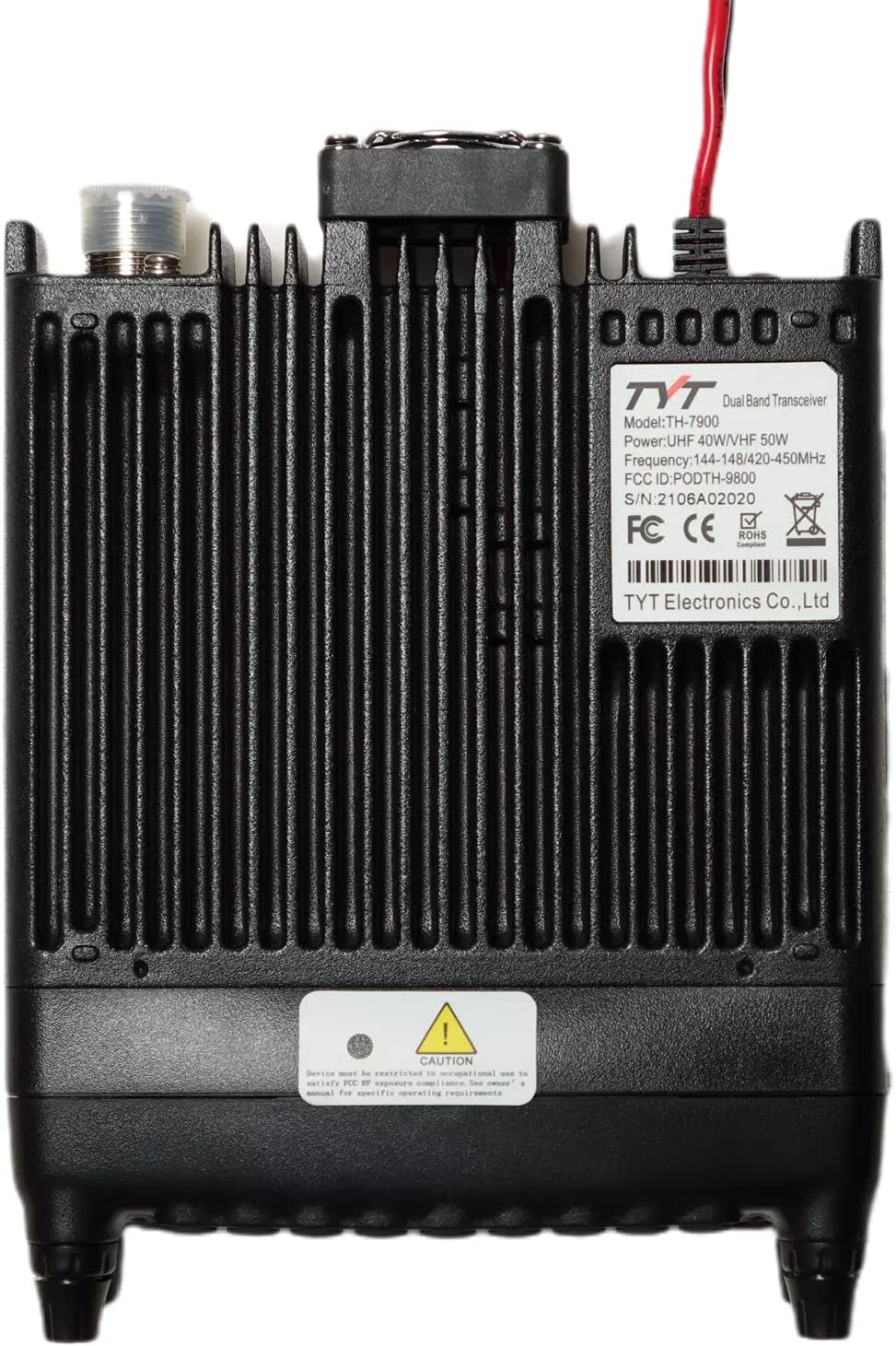
Figure 4.3: Bottom view of the TH-7900, displaying the product label with Model: TH-7900, Power: UHF 40W/VHF 50W, Frequency: 144-148MHz/420-450MHz, FCC ID: PODTH-9800, and S/N: 2106A02020.
4.3 Microphone
The included DTMF keypad microphone allows for direct frequency entry, channel selection, and access to various functions.
4.4 Removable Front Panel
The TH-7900 features a removable front panel, allowing for flexible installation options in vehicles or base stations. The included 4-meter separation cable facilitates remote mounting of the control head.

Figure 4.4: The TH-7900 with its removable front panel separated from the main unit, connected by the 4-meter cable.
5. Setup
5.1 Mounting the Transceiver
Use the provided mounting bracket to secure the main radio unit in a stable location. If using the removable front panel feature, mount the control head in a convenient location using its dedicated bracket and connect it to the main unit with the separation cable.
5.2 Power Connection
Connect the supplied DC power cable to the transceiver's power input. Ensure the red wire connects to the positive (+) terminal and the black wire to the negative (-) terminal of a 13.8V DC power source (e.g., vehicle battery or regulated power supply). The cable includes an inline fuse holder for protection.
5.3 Antenna Connection
Connect a suitable VHF/UHF dual-band antenna to the SO-239 connector on the rear of the transceiver. Ensure the antenna is properly tuned for the operating frequencies to prevent damage to the radio.
5.4 Microphone Connection
Plug the DTMF microphone's RJ-45 connector into the microphone jack on the front panel of the transceiver or the remote control head.
6. Operating Instructions
6.1 Powering On/Off
Press and hold the power button (usually located on the front panel) to turn the transceiver on or off.
6.2 Frequency Selection (VFO Mode)
In VFO (Variable Frequency Oscillator) mode, you can directly input frequencies. Use the main tuning knob or the keypad on the microphone to enter the desired frequency. Press the V/M button to switch between VFO and Memory modes.
6.3 Memory Channel Operation
The TH-7900 supports 800 memory channels. To recall a stored channel, switch to Memory mode (V/M button) and use the tuning knob or microphone up/down buttons to select the desired channel. Refer to the full user manual for detailed instructions on storing and deleting channels.
6.4 Dual Band Operation
The transceiver can display and operate on two different bands simultaneously. Use the A/B button to switch the active band for transmission or tuning. The dual display allows for monitoring one band while transmitting on another, or monitoring two different frequencies within the same band.
6.5 CTCSS/DCS Tones
CTCSS (Continuous Tone-Coded Squelch System) and DCS (Digital Coded Squelch) tones are used to filter out unwanted signals and allow private communication within a group. The TH-7900 supports 50 CTCSS tones and 104 DCS codes. Access these settings through the menu system to configure transmit and receive tones.
6.6 Scan Function
The scan function allows the radio to automatically search for active signals across frequencies or memory channels. Various scan modes are available, including VFO scan, memory scan, and CTCSS/DCS scan. Activate scan mode via the SCN button or menu.
6.7 Cross-Band Repeater
The TH-7900 features a built-in V+U cross-band repeater. This function allows the radio to receive a signal on one band (e.g., VHF) and retransmit it on the other band (e.g., UHF), extending the communication range for handheld radios. Configuration details are available in the advanced settings menu.
6.8 DTMF/2-Tone/5-Tone Signaling
The transceiver supports DTMF (Dual-Tone Multi-Frequency), 2-Tone, and 5-Tone selective calling. These features enable specific radios to be called or activated, useful in professional or group communication scenarios. Programming these functions is done via the menu or programming software.
7. Maintenance
Proper maintenance ensures the longevity and optimal performance of your TH-7900 transceiver.
- Cleaning: Use a soft, dry cloth to clean the exterior of the radio. Do not use abrasive cleaners or solvents.
- Antenna Connection: Periodically check the antenna connection for tightness and corrosion.
- Power Cable: Inspect the power cable and fuse holder for any signs of wear or damage.
- Storage: When not in use for extended periods, store the transceiver in a cool, dry place, away from direct sunlight and extreme temperatures.
8. Troubleshooting
If you encounter issues with your TH-7900, refer to the table below for common problems and their solutions.
| Problem | Possible Cause | Solution |
|---|---|---|
| Radio does not power on. | No power, blown fuse, incorrect wiring. | Check power cable connections, verify power source, replace fuse if necessary. |
| No audio from speaker. | Volume too low, squelch too high, external speaker disconnected. | Increase volume, adjust squelch level, check external speaker connection. |
| Cannot transmit or low power output. | Antenna not connected, high SWR, incorrect frequency/mode. | Connect antenna, check SWR, verify frequency and operating mode. |
| Display is dim or flickering. | Backlight setting, power issue. | Adjust backlight brightness in menu, check power supply stability. |
| Microphone not responding. | Microphone not fully plugged in, damaged cable. | Ensure microphone is securely connected. Try another microphone if available. |
9. Specifications
Detailed technical specifications for the TYT TH-7900 Dual Band Mobile Transceiver.
| Feature | Specification |
|---|---|
| Model Number | TH-7900 |
| Frequency Range | VHF: 144-148MHz, UHF: 420-450MHz |
| Output Power | VHF: 50/20/10/5W, UHF: 35/20/10/5W |
| Number of Channels | 800 (809 listed in specs) |
| CTCSS Tones | 50 |
| DCS Codes | 104 |
| Dimensions (H x W x D) | 1.63 x 5.51 x 6.61 inches (4.14 x 14.00 x 16.79 cm) |
| Item Weight | 2.2 pounds (1 kg) |
| FCC ID | PODTH-9800 |
| Special Features | Dual Band, Removable Front Panel, Cross-Band Repeater, Full Duplex, DTMF/2-Tone/5-Tone, Squelch Setting |
| Country of Origin | China |
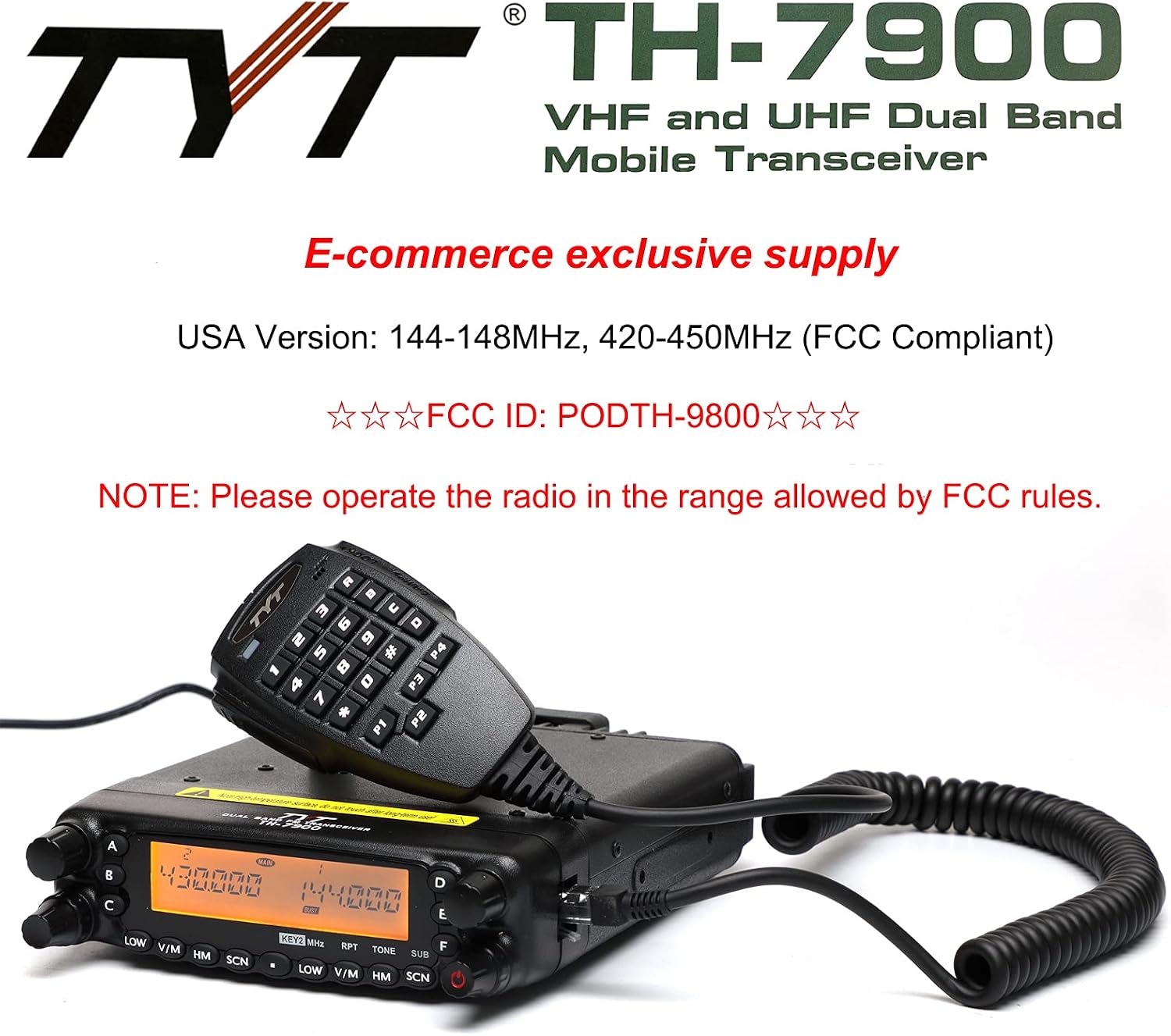
Figure 9.1: Official branding and FCC ID for the TYT TH-7900.
10. Warranty and Support
The TYT TH-7900 Mobile Transceiver comes with a 90-day warranty from the date of purchase. This warranty covers manufacturing defects under normal use. Please retain your proof of purchase for warranty claims.
For technical support, troubleshooting assistance, or warranty inquiries, please contact your authorized dealer or the manufacturer's customer service. Refer to the contact information provided with your purchase documentation.