
1. Introduction
The Energizer TAC R 800 Rechargeable Flashlight is designed for high-performance illumination in a durable, compact body. It features advanced LED technology, an aircraft-grade aluminum construction, and multiple light modes, making it suitable for various indoor, outdoor, and emergency situations. This manual provides essential information for the safe and effective use of your flashlight.
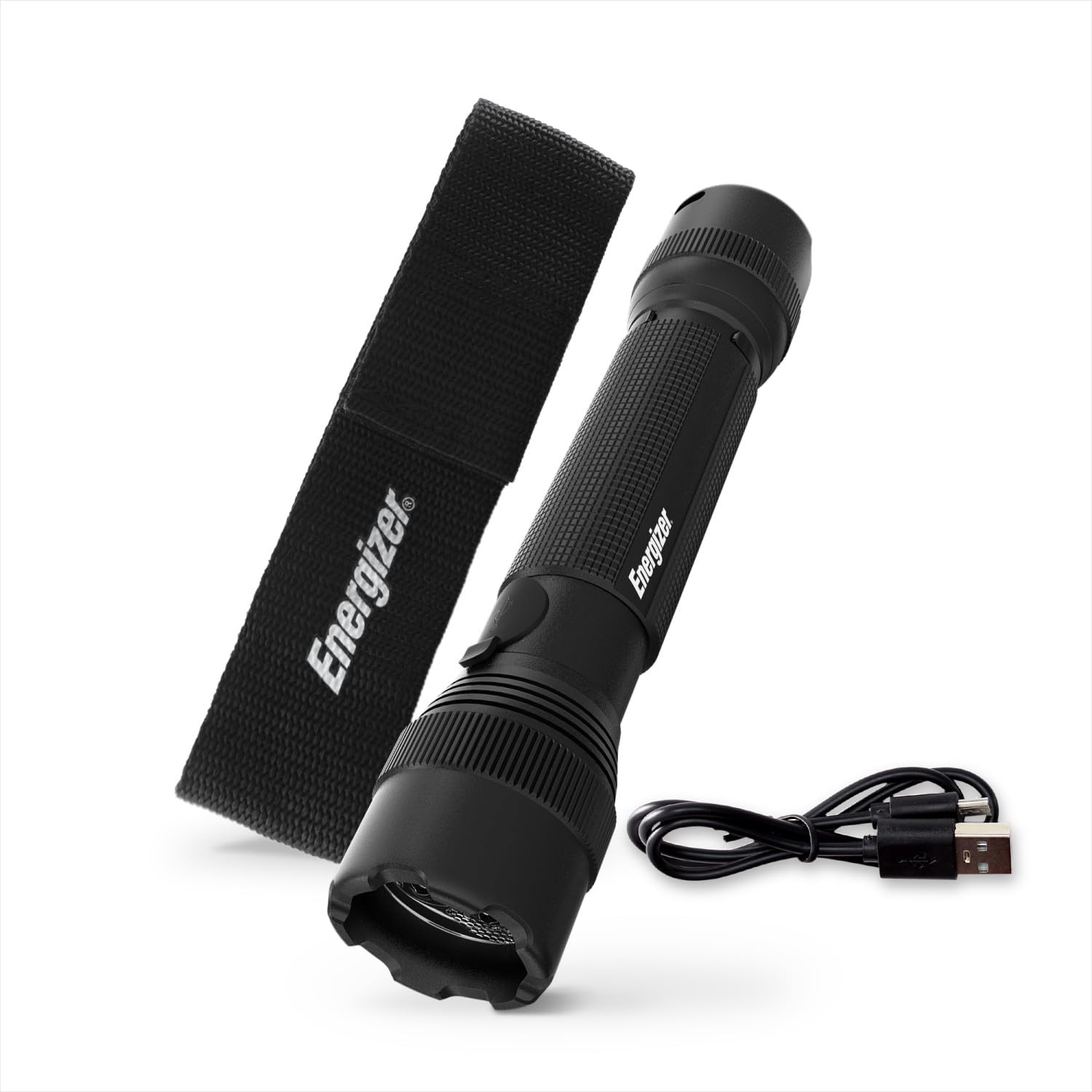
Figure 1: Energizer TAC R 800 LED Tactical Flashlight.
2. What's Included
Your Energizer TAC R 800 package includes the following items:
- Energizer TAC R 800 LED Tactical Flashlight
- Micro-USB Charging Cable
- Belt Holster

Figure 2: Package contents: flashlight, holster, and charging cable.
3. Setup
3.1 Initial Charging
Before first use, fully charge the flashlight. The Energizer TAC R 800 features a built-in rechargeable Lithium Ion battery.
- Locate the micro-USB charging port on the flashlight.
- Connect the included micro-USB charging cable to the flashlight and a compatible USB power source (e.g., wall adapter, computer USB port).
- Ensure the flashlight is turned off during charging. A full charge typically takes approximately 4 hours.
- The charging indicator light will change to show charging status (refer to the flashlight's specific indicator behavior if available).
Video 1: Demonstrates the charging process of the Energizer TAC R 800 Flashlight using the included USB cable.
4. Operating Instructions
4.1 Power On/Off and Mode Selection
The flashlight is operated using the rear push button switch.
- To Turn On: Press the rear push button once.
- To Cycle Modes: With the flashlight on, press the button repeatedly to cycle through the available light modes: High, Medium, Low, and Strobe.
- To Turn Off: Press the button after cycling through all modes, or hold the button down for a few seconds in any mode.

Figure 3: Illustration of the High, Medium, Low, and Emergency Strobe light modes.
4.2 Using the Removable Clip and Holster
The flashlight includes a removable metal clip and a belt-loop holster for convenient carrying.
- Removable Clip: The clip can be attached in two orientations, allowing for versatile attachment to pockets, belts, or gear.
- Belt Holster: The included holster features a belt loop for secure, hands-free transportation. Simply slide your belt through the loop to attach.

Figure 4: Flashlight with reversible metal clip for versatile usage.

Figure 5: Flashlight secured in its belt-loop holster.
5. Maintenance
5.1 General Care and Cleaning
To ensure the longevity and optimal performance of your Energizer TAC R 800 flashlight:
- Wipe the flashlight with a clean, dry cloth to remove dirt or moisture.
- Avoid using abrasive cleaners or solvents, as these can damage the finish or internal components.
- Store the flashlight in a cool, dry place when not in use.
5.2 Water Resistance
The flashlight is rated IPX4 water-resistant, meaning it is protected against splashing water from any direction. It is not designed for submersion.

Figure 6: Flashlight demonstrating IPX4 water resistance.
6. Troubleshooting
If you encounter issues with your Energizer TAC R 800 flashlight, refer to the following common solutions:
| Problem | Possible Cause | Solution |
|---|---|---|
| Flashlight does not turn on. | Battery is depleted. | Charge the flashlight using the provided micro-USB cable. Ensure the flashlight is off during charging. |
| Light output is dim. | Low battery charge. | Recharge the flashlight. |
| Cannot activate Strobe mode. | Incorrect button press sequence. | Ensure you are pressing the rear button quickly and repeatedly to cycle through modes, including Strobe. Some users find a quick double-press effective. |
| Flashlight gets warm during prolonged use. | Normal operation for high-lumen output. | This is normal, especially on High mode. If it becomes uncomfortably hot, turn it off or switch to a lower mode to allow it to cool. |
7. Specifications
| Feature | Detail |
|---|---|
| Model Name | TacR-800 |
| Light Output (Max) | 800 Lumens (High Mode) |
| Light Source Type | LED |
| Power Source | Battery Powered (Rechargeable) |
| Battery Type | 1 Lithium Ion (Included) |
| Voltage | 3.6 Volts |
| Material | Aircraft-Grade Aluminum (Body) |
| Water Resistance Level | IPX4 (Water Resistant) |
| Impact Resistance | Up to 1 meter |
| Product Dimensions | 1.57"D x 2.17"W x 7.44"H |
| Item Weight | 230 Grams |
| Included Components | Flashlight, Micro-USB Charging Cable, Belt Holster |
8. Warranty and Support
8.1 Warranty Information
Warranty information for this product is not explicitly provided in the available details. Please refer to the product packaging or contact Energizer customer support for specific warranty terms and conditions.
8.2 Customer Support
For further assistance, technical support, or inquiries regarding your Energizer TAC R 800 LED Tactical Flashlight, please visit the official Energizer website or contact their customer service department.


