
1. Introduction
This manual provides essential instructions for the safe and effective use of your vhbw replacement battery. This high-capacity Li-Polymer battery is designed to replace original batteries in compatible HP tablet models, ensuring reliable power for your device.
Package Contents:
- 1x vhbw Replacement Battery
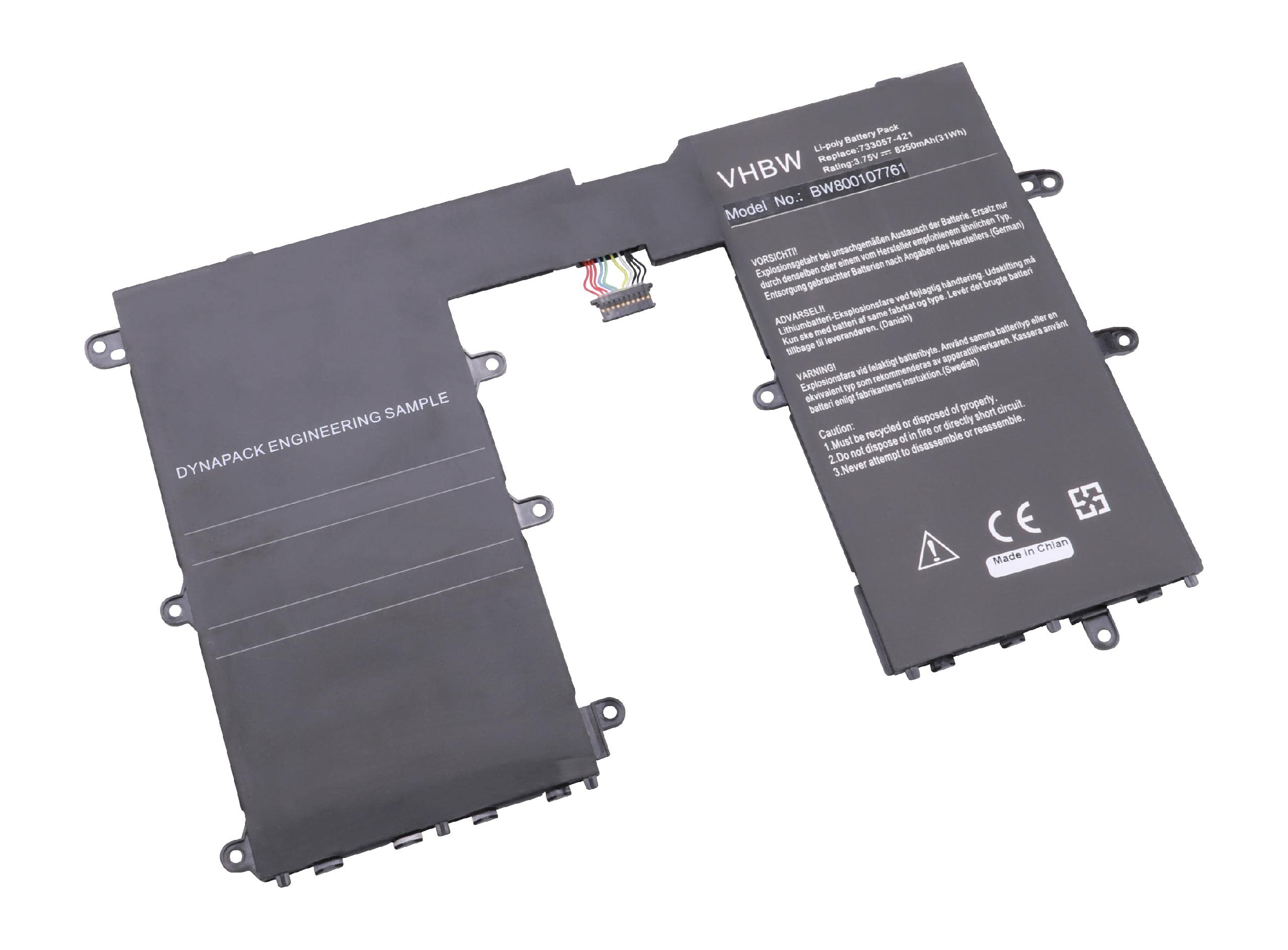
Image 1.1: The vhbw replacement battery. This image shows the general appearance of the battery, which is a rectangular, flat component typically found inside tablets.
2. Safety Information
Read all safety instructions carefully before installing or using the battery. Failure to follow these instructions may result in fire, explosion, electric shock, or other hazards.
- Do not disassemble, open, or shred the battery pack.
- Do not expose the battery to heat or fire. Avoid storage in direct sunlight.
- Do not short-circuit the battery. Do not store battery packs haphazardly in a box or drawer where they may short-circuit each other or be short-circuited by other metal objects.
- Do not remove the battery from its original packaging until required for use.
- Do not subject battery packs to mechanical shock.
- In the event of battery leakage, do not allow the liquid to come into contact with the skin or eyes. If contact has been made, wash the affected area with copious amounts of water and seek medical advice.
- Do not use any charger other than that specifically provided for use with the equipment.
- Do not use any battery pack which is not designed for use with the equipment.
- Keep batteries out of the reach of children.
- Dispose of batteries properly according to local regulations. Do not dispose of as household waste.
3. Compatibility
This vhbw replacement battery is designed to be compatible with the following HP tablet models and battery part numbers:
- Replaces HP Battery Part Numbers: HSTNH-L01B, HSTNH-Q12C
- Compatible with HP Tablet Models: Please verify your tablet model number against the battery part numbers listed above to ensure compatibility.
Note: Always confirm the battery part number of your original battery before purchasing a replacement to ensure a correct fit and function.
4. Installation
Replacing a tablet battery typically requires opening the device. If you are not comfortable performing this procedure, it is recommended to seek professional assistance. Always ensure the tablet is powered off and disconnected from any power source before beginning installation.
General Installation Steps (May vary by tablet model):
- Power Off Device: Ensure your tablet is completely powered off and unplugged from any charging cables.
- Discharge Static Electricity: Touch a grounded metal object to discharge any static electricity from your body.
- Open Tablet Casing: Carefully open the tablet's back casing. This may involve using specialized tools to pry open clips or remove small screws. Refer to your tablet's specific service manual or online guides for precise instructions.
- Locate and Disconnect Old Battery: Identify the existing battery. It is usually a flat, rectangular component connected to the mainboard via a connector. Gently disconnect the battery connector from the mainboard.
- Remove Old Battery: The old battery might be secured with adhesive or small screws. Carefully remove it, taking care not to puncture or bend the battery.
- Install New Battery: Place the vhbw replacement battery into the battery compartment. Ensure it sits correctly.
- Connect New Battery: Carefully connect the new battery's connector to the mainboard. Ensure it is securely seated.
- Close Tablet Casing: Reassemble the tablet's back casing, ensuring all clips and screws are properly secured.
- Initial Charge: After installation, fully charge the new battery before its first use.
Warning: Improper installation can damage your device or the battery. Proceed with caution or consult a professional.
5. Operation and Charging
The vhbw replacement battery operates like your original tablet battery. It is designed to be charged using your tablet's standard charger or any compatible charger.
First Use and Charging:
- Upon initial installation, it is recommended to fully charge the battery to 100% before its first use.
- Avoid completely discharging the battery frequently, as this can reduce its overall lifespan.
- Use only chargers that are compatible with your tablet and meet the required voltage and current specifications.
Battery Calibration (Recommended Periodically):
To maintain accurate battery percentage readings, perform a calibration cycle every few months:
- Use your tablet until the battery completely drains and the device shuts off.
- Leave the tablet off for several hours.
- Charge the tablet uninterrupted to 100% using its original charger.
- Once fully charged, you can resume normal use.
6. Maintenance
Proper maintenance can extend the life and performance of your vhbw replacement battery.
- Temperature: Avoid exposing the battery to extreme temperatures (very hot or very cold), as this can degrade battery performance and lifespan.
- Storage: If storing the tablet or battery for an extended period, ensure the battery is charged to approximately 50-70%. Store in a cool, dry place.
- Cleaning: Keep the battery contacts clean. If necessary, gently wipe them with a dry, lint-free cloth.
- Avoid Deep Discharges: While occasional full discharge for calibration is fine, try to avoid regularly letting the battery drain completely to 0%.
- Use Correct Charger: Always use a charger that matches the voltage and current requirements of your tablet.
7. Troubleshooting
If you encounter issues with your vhbw replacement battery, consider the following troubleshooting steps:
| Problem | Possible Cause | Solution |
|---|---|---|
| Battery not charging | Loose connection, faulty charger, incorrect installation, software issue. |
|
| Tablet not powering on after battery replacement | Battery not connected, battery completely discharged, faulty battery. |
|
| Battery drains quickly | High background app usage, screen brightness too high, old battery, software issue. |
|
If these steps do not resolve the issue, please contact vhbw customer support or a qualified technician.
8. Specifications
Technical specifications for the vhbw replacement battery:
- Battery Type: Li-Polymer (Lithium Polymer)
- Capacity: 8250 mAh
- Voltage: 3.75 V
- Nominal Energy: 30.94 Wh
- Number of Cells: 1
- Dimensions (L x W x H): Approximately 24 x 15.4 x 0.4 cm (9.45 x 6.06 x 0.16 inches)
- Weight: 167 g (0.37 lbs)
- Manufacturer Reference: VHBW4065705016134
- Country of Origin: China
- Replaces Battery Models: HP HSTNH-L01B, HP HSTNH-Q12C
9. Warranty and Support
Warranty: According to the product information, this item is sold without a manufacturer's warranty. Please refer to the retailer's return policy for any issues within the applicable return period.
Customer Support: For further assistance or inquiries, please contact your point of purchase or refer to the vhbw official website for support options.