
Flow Amsterdam STCO-FL1515027
Flow Amsterdam Moby Whale Night Light (Medium)
Model: STCO-FL1515027
1. Introduction
Thank you for choosing the Flow Amsterdam Moby Whale Night Light. This user manual provides essential information for the safe and effective use of your night light. Please read these instructions carefully before use and retain them for future reference.
2. Safety Information
- Warning: Small Parts Hazard. The decorative eyes on the Moby Whale Night Light are adhesive stickers that can detach. These small parts pose a choking hazard to young children. Ensure the product is used under adult supervision, especially with infants and toddlers.
- This product is not a toy. Keep out of reach of children when not in use or when charging.
- Do not immerse the night light in water or expose it to excessive moisture.
- Use only the provided or a certified USB charging cable and a compatible 5V DC, 500mA power adapter.
- Do not attempt to open, modify, or repair the device. Refer all servicing to qualified personnel.
- Keep away from direct heat sources and open flames.
3. Package Contents
- 1 x Flow Amsterdam Moby Whale Night Light (Medium)
- 1 x USB Charging Cable
4. Product Overview
The Moby Whale Night Light is designed to provide a comforting glow in a child's room. Its soft, whale-shaped design and gentle illumination create a serene environment. The medium size is suitable for various placements.

Image: The Moby Whale Night Light (medium size) placed on a stool in a child's bedroom, providing a soft glow. Two children are visible in the background.

Image: Three Moby Whale Night Lights, illustrating the small, medium, and large sizes. This product is the medium size.
5. Setup and Charging
5.1 Initial Charge
Before first use, fully charge the Moby Whale Night Light. Connect the provided USB charging cable to the charging port located on the bottom of the night light. Connect the other end of the USB cable to a compatible USB power adapter (DC 5V, 500mA) or a computer USB port.
The charging indicator (if present) will show the charging status. Once fully charged, disconnect the cable.
5.2 Identifying the Charging Port and Power Button
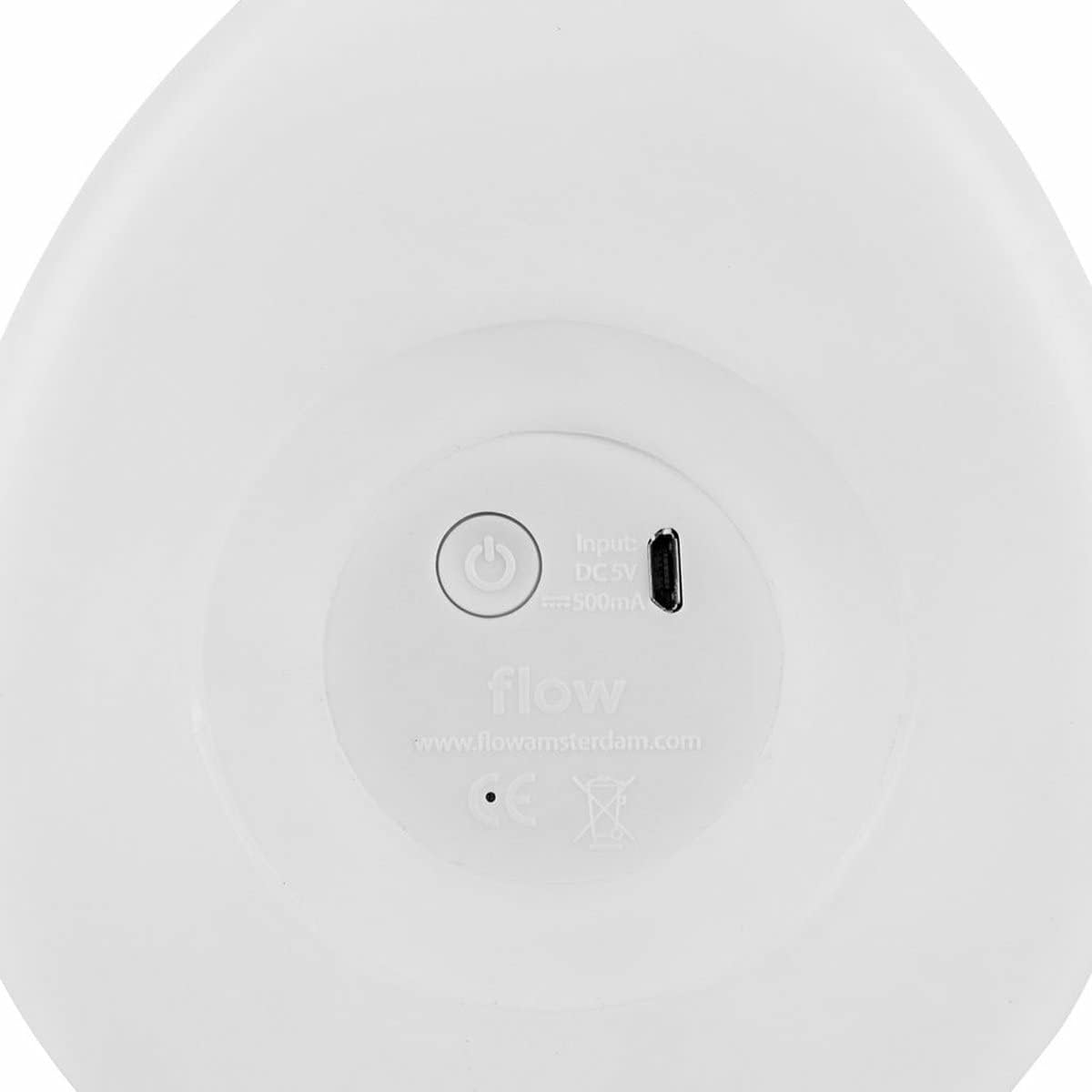
Image: The underside of the Moby Whale Night Light, displaying the circular power button and the rectangular USB charging port. Input specifications (DC 5V, 500mA) are also visible.
The power button and USB charging port are located on the underside of the night light, as shown in the image above.
6. Operating Instructions
6.1 Power On/Off
Press the circular power button located on the bottom of the night light to turn it on or off.
6.2 Light Modes (if applicable)
If your Moby Whale Night Light supports multiple light modes or colors, gently tap the surface of the night light to cycle through the available options (e.g., different brightness levels, color changes). Refer to the product packaging for specific mode details if not covered here.
7. Maintenance
7.1 Cleaning
To clean the night light, gently wipe the surface with a soft, slightly damp cloth. Do not use abrasive cleaners, solvents, or harsh chemicals, as these may damage the product's finish.
7.2 Storage
When not in use for extended periods, store the night light in a cool, dry place, away from direct sunlight and extreme temperatures.
8. Troubleshooting
- Night light does not turn on:
- Ensure the night light is fully charged.
- Press the power button firmly.
- Night light does not charge:
- Verify that the USB cable is securely connected to both the night light and the power source.
- Try using a different USB cable or power adapter (ensure it is 5V DC, 500mA).
- Check the USB charging port for any obstructions or damage. If the port appears damaged, discontinue use and contact customer support.
- Light flickers or is dim:
- The battery may be low. Recharge the night light fully.
9. Specifications
| Model Number | STCO-FL1515027 |
| Dimensions (L x W x H) | 30 x 18 x 22 cm |
| Weight | 930 grams |
| Material | Acrylonitrile Butadiene Styrene (ABS) |
| Light Type | LED (Light Emitting Diode) |
| Power Input | DC 5V, 500mA |
| Battery | Integrated rechargeable battery |
| Switch Type | Push-button |
10. Warranty and Support
For warranty information and customer support, please refer to the documentation provided with your purchase or visit the official Flow Amsterdam website. Keep your proof of purchase for any warranty claims.
If you encounter any issues not covered in this manual, please contact Flow Amsterdam customer service for assistance.
Ask a question about this manual
Ask about setup, troubleshooting, compatibility, parts, safety, or missing instructions. Manuals+ will review the question and use this page’s manual context to help answer it.