
Introduction
This manual provides essential instructions for the safe and efficient use of your REMAX RP-W18 Wireless Fast Charger. Please read this manual thoroughly before using the product and retain it for future reference.
Product Overview
The REMAX RP-W18 is a wireless charging pad designed to provide fast and convenient charging for compatible mobile phones. It features a single charging port and supports Qi-compliant devices.
Key Features:
- Wireless charging capability
- Fast charging support
- 10 Watts power output
- Compatible with various mobile phones
- Qi standard compliant
- Compact and easy to use design
Package Contents:
- REMAX RP-W18 Wireless Fast Charger
- USB Charging Cable (assumed, typical for such products)
- User Manual
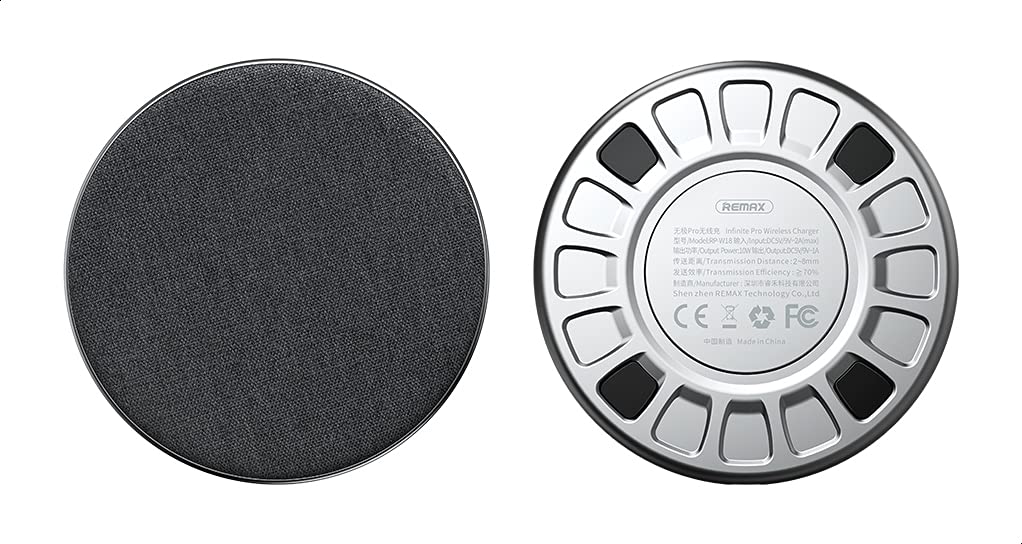
Figure 1: REMAX RP-W18 Wireless Fast Charger. This image displays the top surface of the charger, highlighting its circular design and the REMAX brand logo. The charging surface is smooth and black.
Setup
- Connect to Power: Connect the provided USB charging cable to the micro-USB or USB-C port on the REMAX RP-W18 charger. Plug the other end of the cable into a compatible USB power adapter (not included) or a powered USB port. Ensure the power adapter provides at least 5V/2A for optimal performance.
- Placement: Place the wireless charger on a flat, stable surface, such as a desk or nightstand. Ensure there are no metallic objects between the charger and the device to be charged.
- Power Indicator: Once connected to power, a small LED indicator on the charger may light up briefly, indicating it is ready for use.
Operating Instructions
- Initiate Charging: Place your Qi-compatible smartphone directly onto the center of the REMAX RP-W18 wireless charging pad.
- Charging Confirmation: The LED indicator on the charger will typically change color or illuminate steadily to confirm that charging has begun. Your smartphone's screen should also indicate that it is charging wirelessly.
- Optimal Placement: For efficient charging, ensure your device is centered on the charging pad. Misalignment may result in slower charging or no charging at all.
- Charging Complete: Once your device is fully charged, it will stop drawing power from the charger. You can remove your device at any time.
Note: For fast charging, ensure your smartphone supports wireless fast charging and that you are using a compatible fast charging power adapter (e.g., Quick Charge 2.0/3.0 or Power Delivery) with the wireless charger.
Safety Information
- Do not expose the charger to water, moisture, or extreme temperatures.
- Avoid dropping or subjecting the charger to strong impacts.
- Do not disassemble, modify, or attempt to repair the charger yourself.
- Keep the charger away from children and pets.
- Use only compatible power adapters and cables.
- Do not place metallic objects (e.g., credit cards, keys, coins) on the charging pad during operation, as this may cause overheating or damage.
- If the charger becomes excessively hot during use, disconnect it from the power source immediately.
Maintenance
- Cleaning: Disconnect the charger from the power source before cleaning. Use a soft, dry cloth to wipe the surface of the charger. Do not use liquid cleaners or aerosols.
- Storage: When not in use, store the charger in a cool, dry place, away from direct sunlight and extreme temperatures.
Troubleshooting
| Problem | Possible Cause | Solution |
|---|---|---|
| Device not charging |
|
|
| Slow charging |
|
|
| Charger LED not lighting up |
|
|
Specifications
| Brand | REMAX |
| Model Number | RP-W18 |
| Connectivity Technology | Wireless |
| Compatible Devices | Mobile Phones (Qi-compatible) |
| Special Features | Fast Charging |
| Input Voltage | 5 Volts |
| Input Current | 2 Amps |
| Output Power | 10 Watts |
| Output Voltage | 5 Volts |
| Total USB Ports | 1 (for power input) |
| Power Source | Corded Electric |
| Compliance | Qi Standard |
| Color | Black |
| Materials | Multiple materials |
| ASIN | B08WGCTRGM |
Warranty and Support
This product comes with a manufacturer's warranty for 3 months from the date of purchase. For warranty claims, technical support, or further details, please contact the manufacturer or their authorized agent. Alternatively, you may contact Amazon customer service for assistance.
For more information, visit the official REMAX website or contact their customer support.


