
Amazon Smart Air Quality Monitor
Amazon Smart Air Quality Monitor
User Manual
Introduction
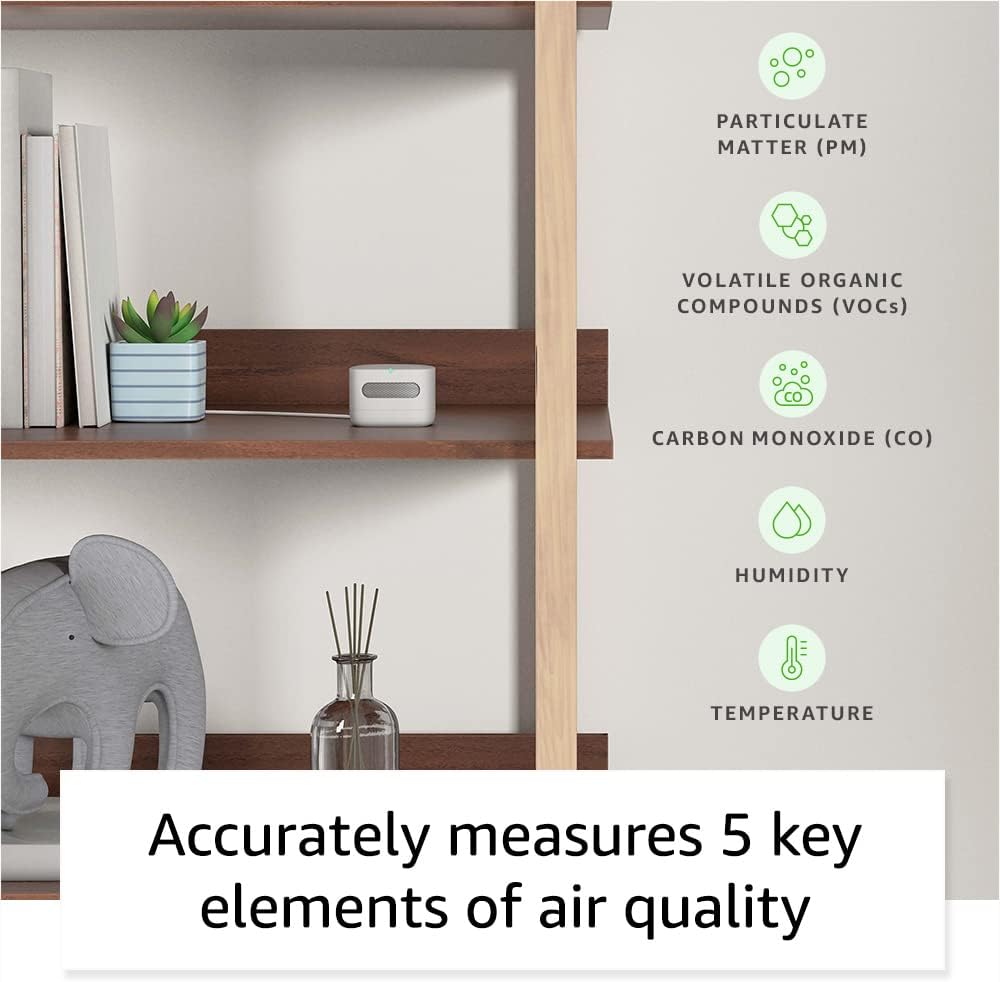
The Amazon Smart Air Quality Monitor is designed to help you understand and manage the air quality within your home. It tracks five key factors: particulate matter (PM2.5), volatile organic compounds (VOCs), carbon monoxide (CO), humidity, and temperature. This device integrates seamlessly with Alexa, allowing you to monitor air quality, receive notifications, and automate smart home routines based on environmental changes.
What's in the Box
- Amazon Smart Air Quality Monitor
- Micro-USB cable
- Power adapter
- Quick Start Guide
Setup
Follow these steps to set up your Amazon Smart Air Quality Monitor:
- Choose a Location: Place the monitor in a central location within the room you wish to monitor. Ensure it is not obstructed and is away from direct heat sources, vents, or windows that could affect readings.
- Connect Power: Connect the Micro-USB cable to the monitor and the power adapter, then plug the adapter into a standard electrical outlet. The device will power on automatically.
- Pair with Alexa: Open the Alexa app on your smartphone or tablet. The app should automatically detect the new device and prompt you to set it up. If not, tap the 'Devices' icon, then the '+' icon, and select 'Add Device'. Follow the on-screen instructions to connect your monitor to your Wi-Fi network and link it to your Alexa account.
- Initial Calibration: The monitor performs an auto-calibration and self-cleaning process at startup and routine intervals. Allow some time for the device to stabilize and provide accurate readings after initial setup.

Operating the Device
Once set up, your Smart Air Quality Monitor continuously monitors your indoor environment.
Understanding the LED Indicator
The monitor features a multicolor LED status indicator that provides a quick visual cue of your current air quality:
- Green: Good air quality.
- Yellow: Moderate air quality.
- Red: Poor air quality.
Monitoring Air Quality with Alexa
You can access detailed air quality information through the Alexa app or by asking your Alexa-enabled devices.
- Alexa App: Open the Alexa app and navigate to the 'Devices' section. Select your Smart Air Quality Monitor to view real-time data and historical trends for PM2.5, VOCs, CO, humidity, and temperature.
- Voice Commands: Ask any compatible Alexa-enabled device, such as an Echo Dot or Echo Show, for air quality updates. For example, say, "Alexa, what's the indoor air quality?"

Notifications and Routines
Leverage Alexa's capabilities to receive alerts and automate actions based on air quality changes:
- Notifications: Set up notifications in the Alexa app to receive alerts on your phone or announcements on Echo devices if poor air quality is detected.
- Routines: Create custom routines to automatically control other Alexa-enabled smart home devices. For example, you can set a routine to turn on an air purifier when PM2.5 levels rise, or activate a dehumidifier if humidity exceeds a certain threshold.

Maintenance
The Amazon Smart Air Quality Monitor is designed for low maintenance.
- Auto-Calibration: The device features automatic calibration and self-cleaning at startup and at regular intervals to ensure continued accuracy.
- Cleaning: To clean the exterior of the device, gently wipe it with a soft, dry cloth. Do not use abrasive cleaners or immerse the device in water.
- Placement: Ensure the device remains in a location free from excessive dust or physical obstructions that could interfere with its sensors.
Troubleshooting
If you encounter issues with your Amazon Smart Air Quality Monitor, consider the following:
- No Power/No LED: Ensure the power adapter is securely plugged into both the monitor and a working electrical outlet. Try a different outlet if necessary.
- Connectivity Issues: Verify your Wi-Fi network is active and the monitor is within range. Restart your Wi-Fi router and the monitor by unplugging it for a few seconds and plugging it back in. Check the Alexa app for network status.
- Inaccurate Readings: Ensure the monitor is placed in an appropriate location, away from direct drafts, heat sources, or areas with high concentrations of pollutants that are not representative of the room's general air quality. Allow time for auto-calibration.
- Alexa Not Responding: Confirm your Alexa-enabled devices are online and properly linked to your account. Ensure the Alexa app is up to date.
For further assistance, refer to the Support section below or visit the Amazon Digital and Device Forum.
Specifications
| Feature | Detail |
|---|---|
| Dimensions | 65x65x45mm (WxLxH) |
| Weight | 120 grams without cable or adapter |
| Material | Post-consumer recycled thermoplastic resin with a nitrile rubber base |
| Calibration | Auto calibration and self cleaning at startup and routine intervals |
| Status Indicator | Multicolor LED status indicator |
| Network Connectivity | 2.4GHz Wi-Fi and BLE 4.2 |
| Included in the Box | Smart Air Quality Monitor, Micro-USB cable, power adapter and Quick Start Guide |
| Power Supply | Input: 100-240V 50/60Hz AC Output: 5.0V 1A (5W) |
| Compatibility | Compatible with all Echo Family Devices and Alexa App version 2021.16 and later |
| Operating Condition | Temperature: 0°C to 40°C Humidity: 0% to 80% Location: Indoor Use Only |
| Range | Temperature: 15 °C to 30 °C Humidity: 30% to 70% RH VOC: 0 - 500 points PM 2.5: 0 - 500 µg/m³ CO: 0 ppm to 70 ppm |
| Accuracy | Temperature: ±1.0 °C Humidity: ±10% at 25 °C VOC: ±10 points or ±10%, whichever is larger PM 2.5: ±20 µg/m³ or ±20%, whichever is larger CO: ±5 ppm or ±30%, whichever is larger |
Warranty and Support
Warranty Information
The Amazon Smart Air Quality Monitor comes with a one-year limited manufacturer's device warranty via an advanced replacement model. Use of the Amazon Smart Air Quality Monitor is subject to the terms found here.
Customer Support
For help using and troubleshooting common issues with your Amazon Smart Air Quality Monitor, please visit the official support page. You can also find answers to questions from other Amazon customers by visiting the Amazon Digital and Device Forum.
- Get help: Amazon Smart Air Quality Monitor Support
- Community Forum: Amazon Digital and Device Forum
Related documentsSmart Air Quality Monitor


Ask a question about this manual
Ask about setup, troubleshooting, compatibility, parts, safety, or missing instructions. Manuals+ will review the question and use this page’s manual context to help answer it.