
1. Introduction
This manual provides detailed instructions for the installation, operation, and maintenance of your I2GO Home 180° Full HD 1080p Slim Wi-Fi Smart Camera. Please read this manual thoroughly before using the product to ensure proper functionality and safety.

Image 1.1: I2GO Home Smart Camera and Packaging
The I2GO Home Smart Camera allows you to monitor your home with 1080p Full HD video, offering a 180° view, night vision, motion detection, and two-way audio communication. It connects directly to your 2.4GHz Wi-Fi network and is compatible with voice assistants like Amazon Alexa and Google Assistant.
2. Product Overview
2.1. Package Contents
- 1 x I2GO Home 180° Full HD 1080p Slim Wi-Fi Smart Camera
- 1 x Micro Charging Cable
- 1 x Wall Charger
- 1 x Velcro for mounting
2.2. Key Features
- 1080p Full HD Video: Provides clear, high-definition video streaming.
- 180° View: Adjustable camera view to cover a wide area.
- Wi-Fi Connectivity: Connects directly to 2.4GHz Wi-Fi networks.
- 24-hour Monitoring: Real-time image, sound, and motion detection.
- Motion Detection: Recognizes human movement and sends smartphone notifications.
- Night Vision: High-power infrared light for visibility in low-light conditions up to 10 meters.
- Two-Way Communication: Built-in speaker and microphone for interactive communication.
- Local Storage: Supports MicroSD card up to 128GB (not included).
- Cloud Storage: Optional separate contracted service for cloud recording.
- Voice Control: Compatible with Google Assistant and Amazon Alexa.

Image 2.1: Night Vision and Full HD Resolution
3. Setup
3.1. Initial Placement
Choose an indoor location for your camera. The camera is designed for indoor use only. Ensure the location has a stable 2.4GHz Wi-Fi signal.
3.2. Powering On
- Connect the micro charging cable to the camera's power port.
- Plug the wall charger into a standard electrical outlet.
- The camera will power on, and an indicator light will show its status.
3.3. App Installation and Wi-Fi Connection
To set up and control your camera, you will need to download the companion smart home application. While specific app names are not provided, common apps for such devices include 'Smart Life' or 'Tuya Smart'.
- Download the recommended smart home app from your smartphone's app store (e.g., Google Play Store or Apple App Store).
- Register or log in to your account within the app.
- Follow the in-app instructions to add a new device. Select 'Security Camera' or a similar category.
- Ensure your smartphone is connected to a 2.4GHz Wi-Fi network. The camera does not support 5GHz networks.
- The app will guide you through connecting the camera to your Wi-Fi network, often involving scanning a QR code displayed on your phone with the camera.

Image 3.1: I2GO Home Smart Camera Front View

Image 3.2: Detailed Front View of Camera

Image 3.3: Easy Installation and Handling
4. Operating Instructions
4.1. Live View and Monitoring
Once connected, open the app to view the live feed from your camera. You can access real-time video and audio from anywhere with an internet connection.
4.2. 180° View Adjustment
The camera allows for a 180° adjustable view. Within the app, you can digitally pan and tilt the camera's perspective to cover different angles of the room.

Image 4.1: 180° View Adjustment
4.3. Motion Detection
The camera is equipped with motion detection capabilities. When human movement is detected, the camera can send notifications directly to your smartphone. You can adjust the sensitivity settings within the app.
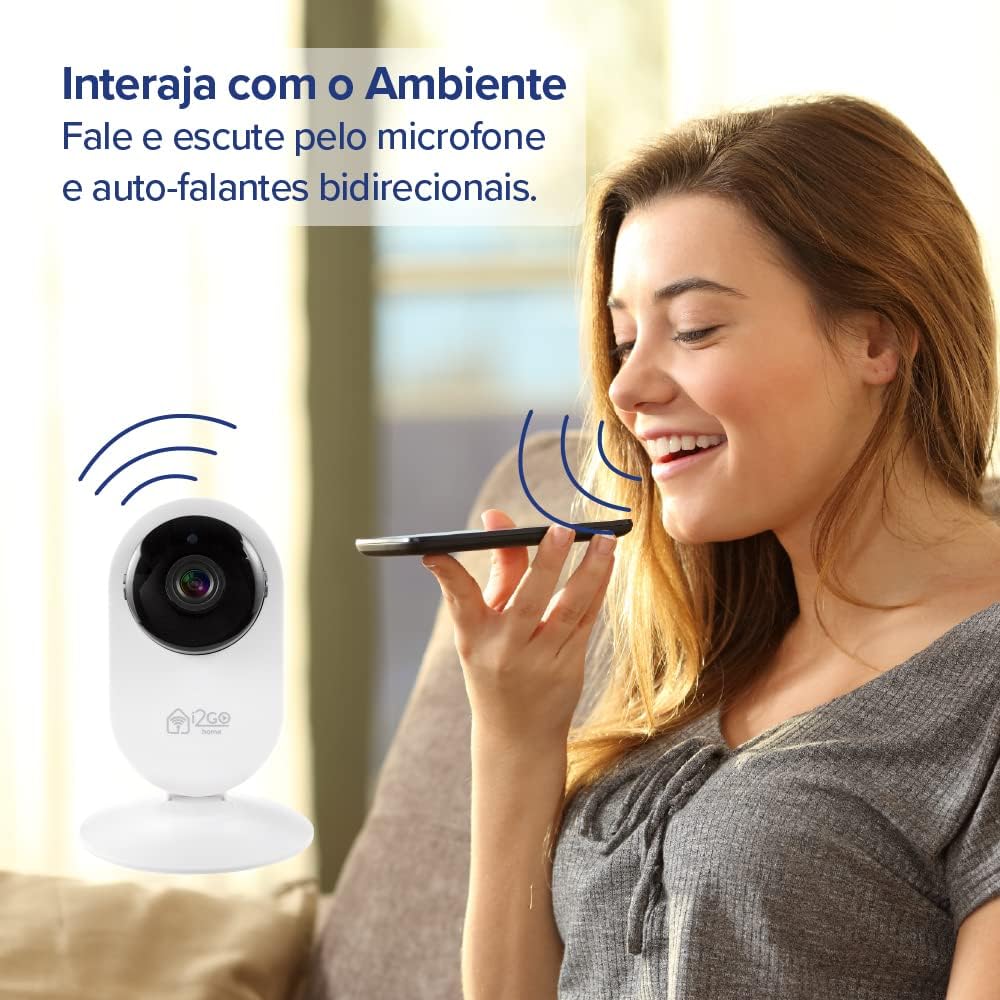
Image 4.2: Motion Detection Feature
4.4. Night Vision
The integrated high-power infrared light enables clear visibility even in complete darkness, with a night vision range of up to 10 meters.
4.5. Two-Way Audio Communication
Utilize the built-in speaker and microphone for two-way communication. You can speak through the camera and hear audio from the camera's location via the app.

Image 4.3: Two-Way Audio Interaction
4.6. Voice Control
The camera is compatible with Amazon Alexa and Google Assistant. You can control and program the camera using voice commands through compatible devices like Echo Show or Google Nest Hub Smart Display. For setup assistance with these devices, please contact sac@i2go.com.br.

Image 4.4: Alexa and Google Assistant Compatibility
5. Recording and Storage
5.1. MicroSD Card Storage
The camera supports local recording to a MicroSD card (not included) up to 128GB. Insert the MicroSD card into the designated slot on the camera. Recordings can be accessed and managed through the companion app.
5.2. Cloud Storage
For additional storage and backup, cloud storage is available as a separate contracted service. Refer to the app or i2GO's official website for details on subscription plans.
Image 5.1: Cloud Storage Option
6. Maintenance
6.1. Cleaning
To clean the camera, gently wipe the exterior with a soft, dry cloth. Do not use liquid cleaners or abrasive materials, as they may damage the device. Ensure the camera is powered off before cleaning.
6.2. Environmental Conditions
This camera is designed for indoor use only. Avoid exposing it to extreme temperatures, direct sunlight, moisture, or dust. Operating the camera outside its intended environment may void the warranty and cause damage.
7. Troubleshooting
7.1. Common Issues
- Camera not connecting to Wi-Fi: Ensure your Wi-Fi network is 2.4GHz. Check Wi-Fi signal strength at the camera's location. Restart your router and the camera.
- No live feed: Verify internet connection on both your phone and the camera. Ensure the camera is powered on. Close and reopen the app.
- Motion detection not working: Check the motion detection settings in the app. Adjust sensitivity levels. Ensure there are no obstructions in the camera's field of view.
- Video delay: This can be influenced by Wi-Fi signal strength and internet speed. Ensure a strong, stable Wi-Fi connection.
- Poor night vision: Ensure the camera lens is clean. Check for any reflective surfaces close to the camera that might interfere with infrared light.
7.2. Resetting the Camera
If issues persist, you may need to reset the camera to its factory settings. Refer to the camera's physical buttons or the app's settings for the reset option. A reset will require you to re-pair the camera with your Wi-Fi network.
8. Technical Specifications
| Specification | Detail |
|---|---|
| Model Number | I2GOTH738 |
| Video Resolution | 1080p Full HD |
| Field of View | 180° adjustable |
| Connectivity | Wi-Fi (IEEE 802.11 b/g/n 2.4GHz) |
| Night Vision Range | Up to 10 meters (Infrared) |
| Storage Options | MicroSD card (up to 128GB), Cloud Storage (subscription) |
| Two-Way Audio | Yes (Built-in microphone and speaker) |
| Voice Assistant Compatibility | Amazon Alexa, Google Assistant |
| Power Source | Corded Electric (5 Volts) |
| Material | Acrylonitrile Butadiene Styrene (ABS) |
| Dimensions (L x W x H) | 12 x 8 x 8 cm |
| Weight | 170 g |
| Indoor/Outdoor Use | Indoor |
9. Warranty and Support
9.1. Warranty Information
Please refer to the product packaging or the official i2GO website for specific warranty terms and conditions applicable to your region. Keep your proof of purchase for warranty claims.
9.2. Customer Support
For technical assistance, troubleshooting, or inquiries regarding your I2GO Home Smart Camera, please contact i2GO customer support. For specific setup with Alexa Echo Show, Google Nest Hub Smart Display, and Google Chromecast, you may contact sac@i2go.com.br.