
Introduction
The Winegard Elite 360 Pro is an advanced amplified omnidirectional HDTV antenna designed to provide access to free over-the-air television signals. This antenna is engineered to capture signals from all directions, eliminating the need for manual aiming, and is effective for reception up to 55 miles away. It integrates a powerful preamplifier and an app-enabled interactive Bluetooth signal meter to simplify installation and optimize performance.
This manual provides detailed instructions for the proper installation, setup, operation, and maintenance of your Elite 360 Pro antenna, along with troubleshooting tips to ensure the best possible viewing experience.
Package Contents
Please verify that all the following components are included in your Winegard Elite 360 Pro package:
- Elite 360 Pro Antenna Unit
- Universal Mounting Bracket and Arm
- Mounting Hardware (screws, bolts, washers, U-bolts)
- Power Inserter with USB Cable and Power Adapter
- Coaxial Cable
- Instruction Manual (this document)
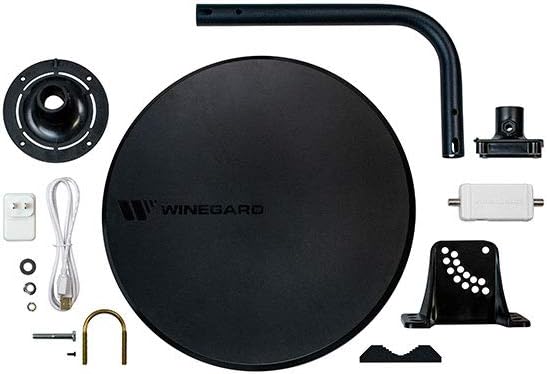
All components included in the Winegard Elite 360 Pro package, including the antenna, mounting hardware, power supply, and signal meter.
Installation
Proper installation is crucial for optimal performance. The Elite 360 Pro offers multiple mounting options to suit various residential structures.
General Installation Guidelines:
- Location: Choose a location with the clearest possible line of sight to broadcast towers. Higher elevations generally yield better results.
- Security: Ensure the antenna is securely mounted to prevent movement due to wind or other environmental factors.
- Cable Routing: Plan your coaxial cable route to minimize bends and avoid interference from electrical lines.
- Power Inserter: The included power inserter must be connected between the antenna and your television to power the built-in preamplifier.
Mounting Options:

Winegard Elite 360 Pro antenna discreetly mounted on a roof dormer.

Winegard Elite 360 Pro antenna mounted on a sloped roof.

Winegard Elite 360 Pro antenna installed on a deck railing.

Winegard Elite 360 Pro antenna mounted on the side of a house.
The universal mounting bracket allows for installation on a mast, railing, roof, or the side of a house. Refer to the detailed diagrams in the included installation guide for specific steps for each mounting type. Ensure the antenna is level and firmly attached to its chosen surface.
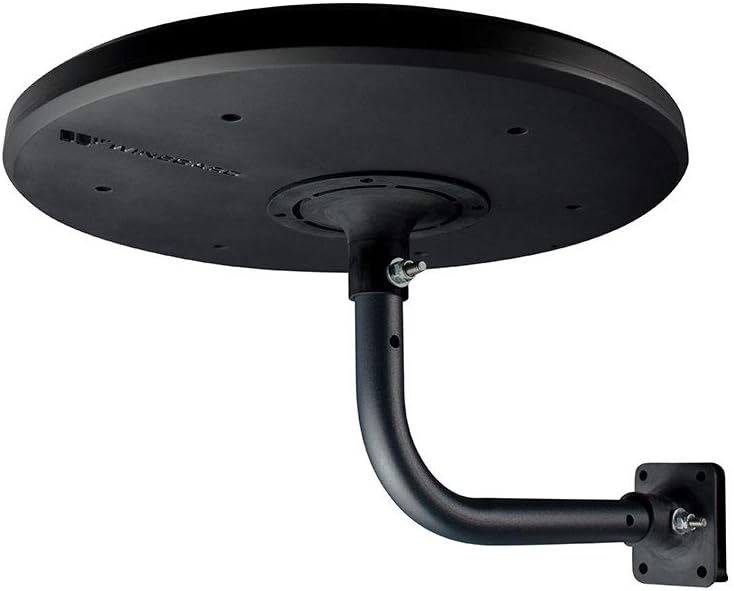
Underside view of the Winegard Elite 360 Pro antenna showing the mounting mechanism.

Detailed view of the antenna's mounting arm and bracket.
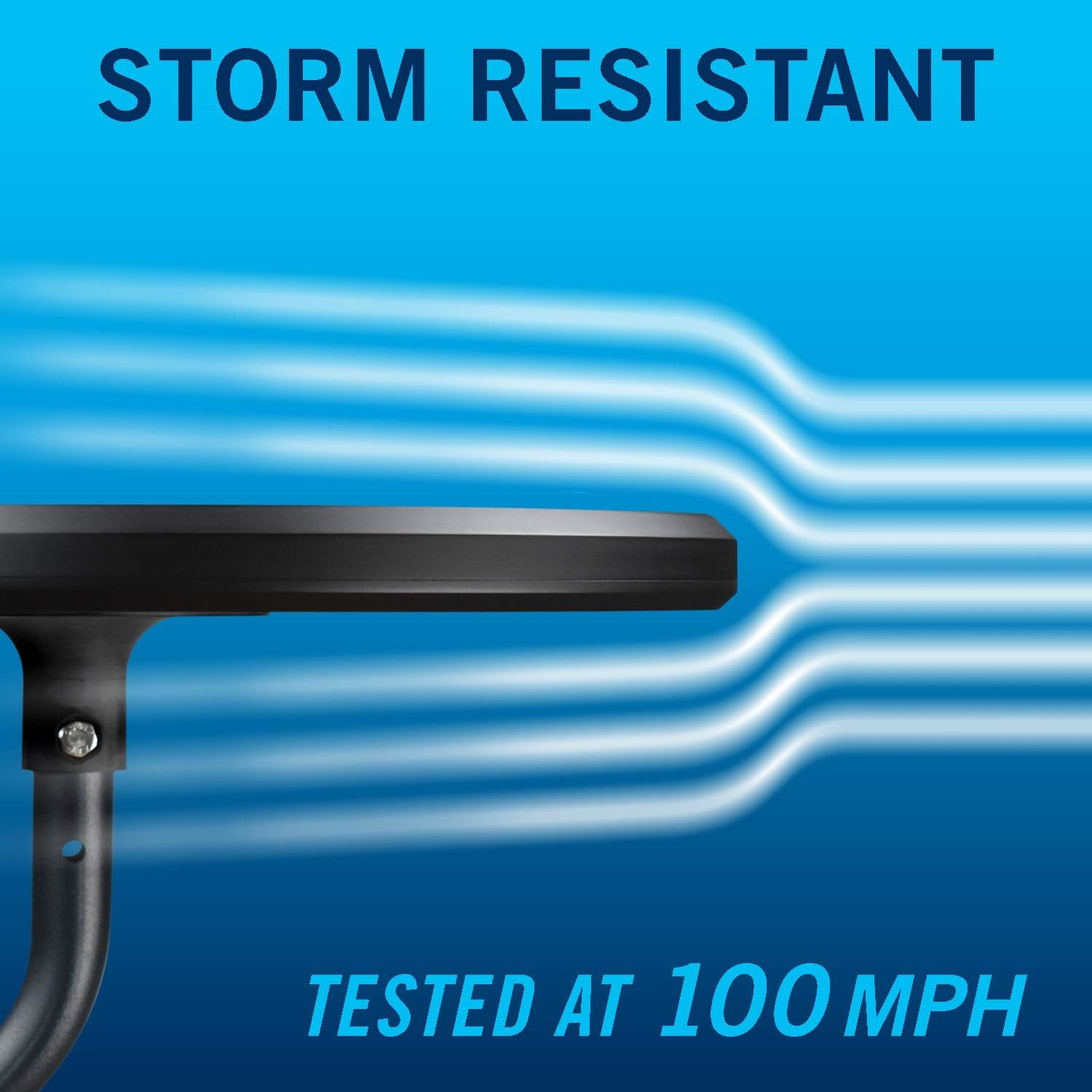
Graphic illustrating the antenna's storm resistance, tested at 100 MPH.
Setup: App-Enabled Channel Finding
The Elite 360 Pro features app-enabled interactive Bluetooth technology to simplify the setup process and optimize antenna placement. This technology helps you find the best signal strength for maximum channel reception.
- Download the Winegard App: Download the free Winegard App from the App Store (iOS) or Google Play Store (Android) to your smartphone or tablet.
- Power On Signal Meter: Connect the included power inserter to the antenna's coaxial cable and plug it into a power outlet. The signal meter will illuminate.
- Pair with App: Enable Bluetooth on your mobile device. Open the Winegard App and follow the on-screen instructions to pair your device with the Elite 360 Pro's signal meter.
- Optimize Placement: The app will provide real-time visual and audio feedback on signal strength as you adjust the antenna's position. Move the antenna slightly until the app indicates optimal signal strength for the desired channels.
- Run Channel Scan: Once the antenna is optimally positioned, connect the coaxial cable from the power inserter to your television's antenna input. Access your television's menu and perform a channel scan (sometimes labeled "Auto Program" or "Auto Tune") to find and save available channels.

Winegard Elite 360 Pro Antenna, Signal Meter, and Smartphone App illustrating the setup process.
Operation
Once the Winegard Elite 360 Pro antenna is installed and the channel scan is complete on your television, the system operates automatically. The antenna continuously receives available over-the-air HDTV signals. To watch television, simply ensure your TV input is set to "Antenna" or "Air" and select your desired channel using your TV remote.
The omnidirectional design means there is no need to re-aim the antenna for different channels or broadcast towers, providing consistent reception across all available signals within its range.
Maintenance
To ensure the longevity and continued optimal performance of your Winegard Elite 360 Pro antenna, minimal periodic maintenance is recommended:
- Annual Inspection: Annually inspect the antenna and all mounting hardware for any signs of wear, corrosion, or looseness. Tighten any loose bolts or screws.
- Cable Check: Verify that all coaxial cable connections are secure and free from damage or fraying. Ensure the cable is not pinched or excessively bent.
- Cleaning: If dirt, dust, or debris accumulates on the antenna surface, gently wipe it clean with a soft, damp cloth. Avoid using abrasive cleaners or harsh chemicals.
- Environmental Factors: After severe weather conditions (e.g., strong winds, heavy snow), inspect the antenna for any displacement or damage.
Troubleshooting
If you encounter issues with your Winegard Elite 360 Pro antenna, try the following troubleshooting steps:
- No Signal or Missing Channels:
- Perform a new channel scan on your television.
- Ensure all coaxial cable connections are secure at the antenna, power inserter, and television.
- Verify the power inserter is properly connected and its indicator light is on.
- Poor Signal Quality (Pixelation, Freezing, or Dropping Channels):
- Check for any new obstructions (e.g., trees, buildings) that may have appeared in the antenna's line of sight.
- Use the Winegard App to re-evaluate antenna placement and signal strength. Slight adjustments can sometimes significantly improve reception.
- Ensure the coaxial cable is not damaged or too long, which can lead to signal loss.
- Winegard App Connectivity Issues:
- Ensure Bluetooth is enabled on your mobile device.
- Make sure the signal meter is powered on and within close proximity to your mobile device.
- Restart the Winegard App and/or your mobile device.
If problems persist after attempting these steps, please refer to the Winegard support website for additional resources or contact their customer service department for further assistance.
Specifications
| Brand | Winegard |
| Model Number | HA-2000 |
| Item Weight | 4.34 pounds |
| Product Dimensions | 14 x 14 x 1 inches |
| Color | Black |
| Special Features | 360 Degree (Omnidirectional) |
| Impedance | 75 Ohm |
| Maximum Range | 55 Miles |
| Number of Channels | 35 |
Warranty and Support
Warranty information for the Winegard Elite 360 Pro antenna is typically provided with the product packaging or available on the official Winegard website. For detailed warranty terms, product registration, or technical support, please visit the Winegard support portal or contact their customer service department directly. Contact information can usually be found on the Winegard website or in the product packaging.

