
1. Introduction
Thank you for choosing the Lenco SCD-720 Boombox. This versatile audio system offers a wide range of playback options, including DAB+ and FM radio, Bluetooth 5.0 connectivity, a CD/MP3 player, a cassette player, and a USB port for digital audio files. It features 2 x 6W RMS audio output with Bass Reflex for enhanced sound and comes with a remote control for convenient operation. This manual provides essential information for setting up, operating, and maintaining your device.
2. Important Safety Information
- Read all instructions carefully before using the device.
- Keep this manual for future reference.
- Do not expose the unit to rain or moisture to prevent fire or electric shock.
- Ensure proper ventilation. Do not block any ventilation openings.
- Do not place the unit near heat sources such as radiators, heat registers, stoves, or other apparatus (including amplifiers) that produce heat.
- Protect the power cord from being walked on or pinched, particularly at plugs, convenience receptacles, and the point where they exit from the apparatus.
- Only use attachments/accessories specified by the manufacturer.
- Unplug this apparatus during lightning storms or when unused for long periods.
- Refer all servicing to qualified service personnel. Servicing is required when the apparatus has been damaged in any way, such as power-supply cord or plug is damaged, liquid has been spilled or objects have fallen into the apparatus, the apparatus has been exposed to rain or moisture, does not operate normally, or has been dropped.
3. Product Overview
Familiarize yourself with the main components and controls of your Lenco SCD-720 Boombox.
Front View with USB Port

This image shows the front of the Lenco SCD-720 Boombox, highlighting the main control panel, speakers, and a USB stick inserted into the USB port on the top left.
Front View with CD Compartment Open

This image displays the Lenco SCD-720 Boombox from the front, with the top-loading CD compartment lid open, ready for CD insertion.
Rear View
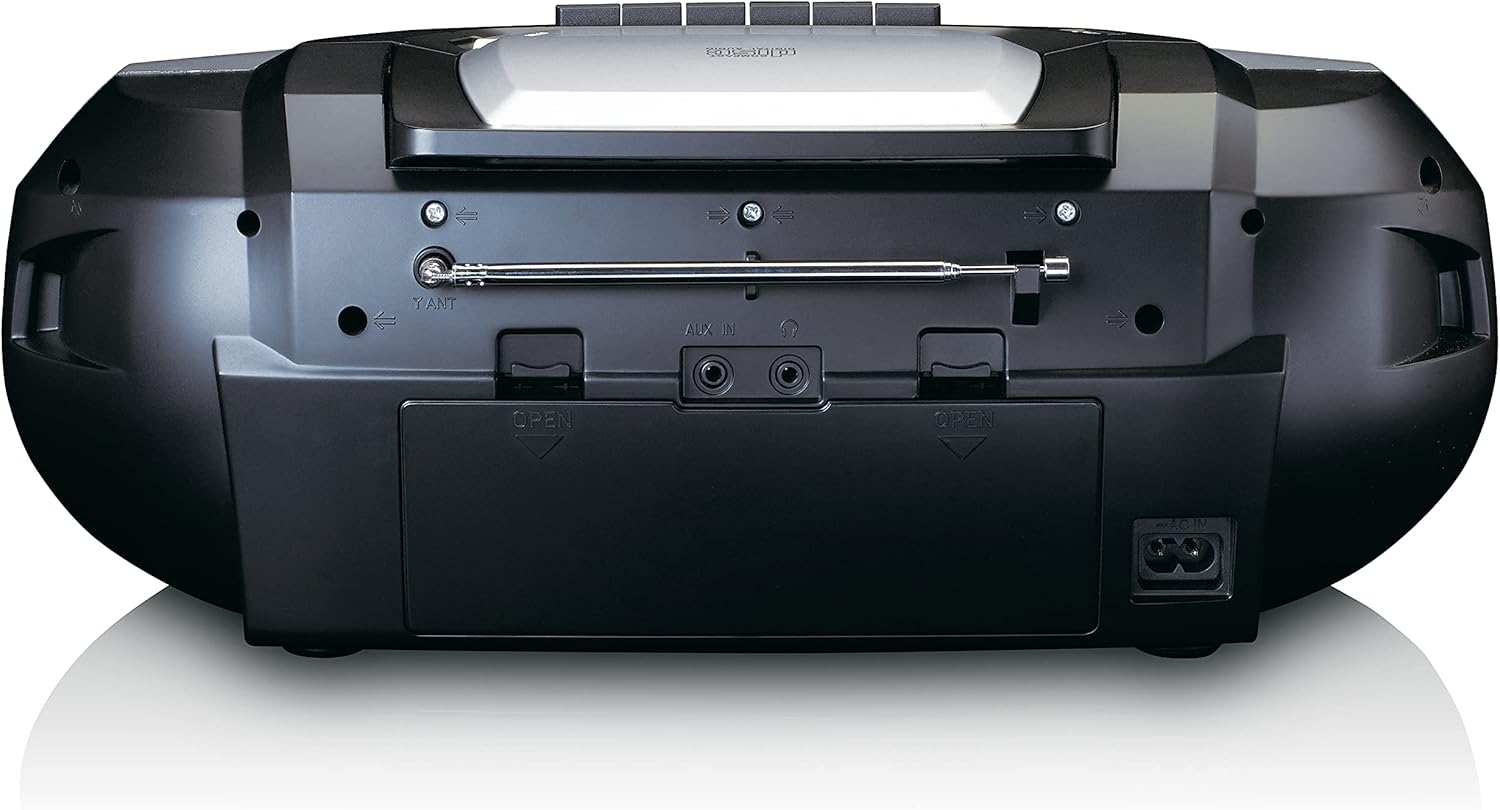
This image shows the back of the Lenco SCD-720 Boombox, featuring the telescopic antenna, AUX input, headphone jack, and the AC power input socket.
Control Panel Close-up

A detailed view of the Lenco SCD-720 Boombox's central control panel, including the digital display, source selection buttons, tuning/navigation buttons, and the illuminated volume knob.
Boombox with Remote Control
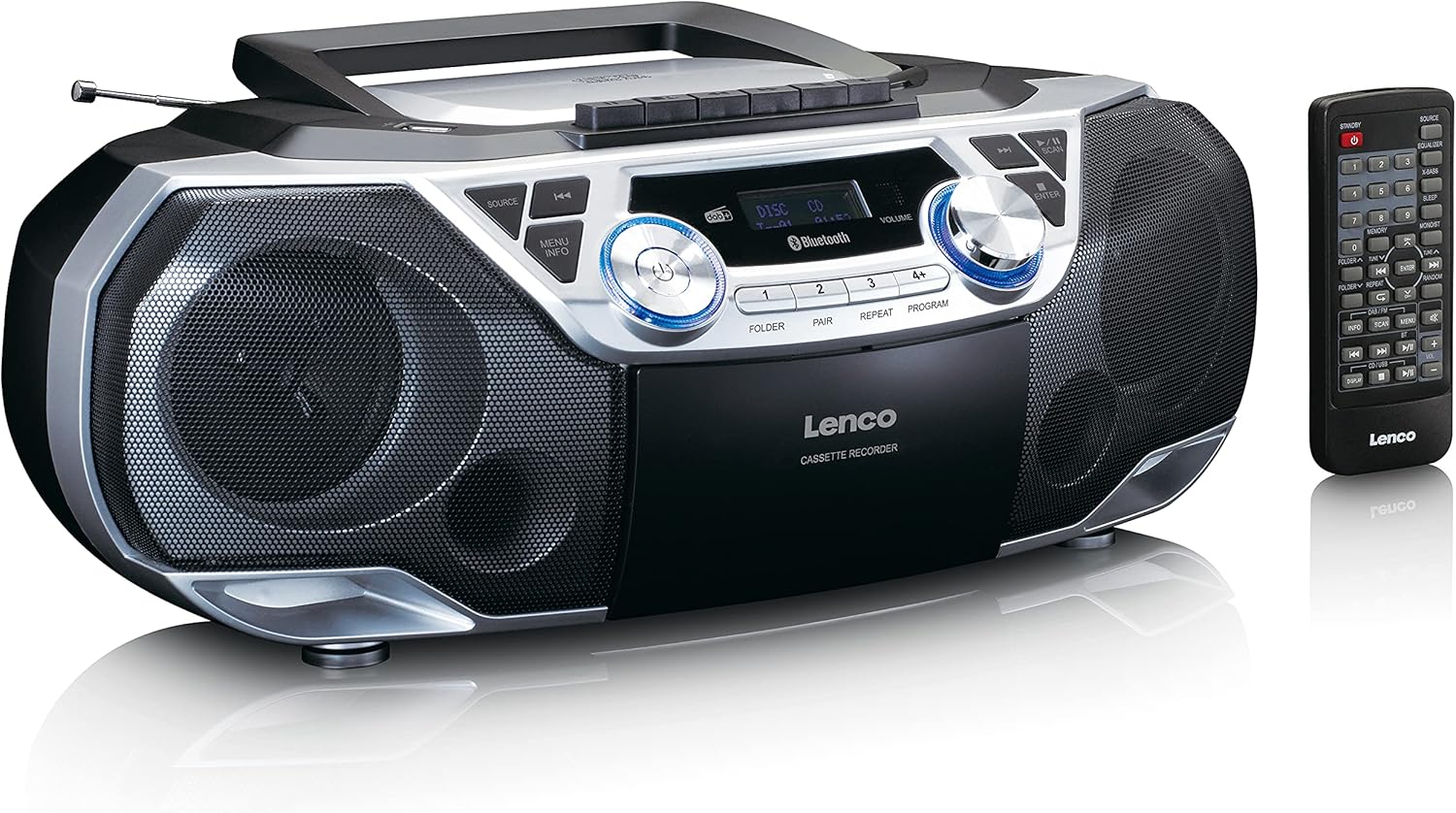
The Lenco SCD-720 Boombox is displayed next to its included remote control, illustrating the complete package.
Remote Control Layout

A close-up image of the remote control for the Lenco SCD-720 Boombox, showing all buttons for power, source selection, playback, tuning, and other functions.
4. Setup
4.1 Power Connection
The Lenco SCD-720 Boombox can be powered by AC mains or batteries.
- AC Power: Connect the supplied AC power cord to the AC IN socket on the rear of the unit and then to a standard wall outlet.
- Battery Operation: For portable use, open the battery compartment on the rear of the unit and insert 8 x 'C' type batteries (not included), ensuring correct polarity. Close the compartment securely.
4.2 Antenna Adjustment
For optimal radio reception, extend the telescopic antenna fully. Adjust its position and angle to achieve the best signal quality for both DAB+ and FM broadcasts.
4.3 Initial Power On
Press the POWER button on the unit or remote control to turn on the boombox. The display will light up, and the unit will typically start in the last used mode.
5. Operating Instructions
5.1 General Controls
- Power On/Off: Press the POWER button.
- Volume Control: Rotate the VOLUME knob on the unit or use the VOL + / - buttons on the remote control.
- Source Selection: Press the SOURCE button on the unit or the dedicated source buttons (DAB/FM, CD/USB, BT) on the remote to switch between modes (DAB+, FM, CD, USB, Bluetooth, AUX).
5.2 Radio Operation (DAB+/FM)
- Select Mode: Press the SOURCE button until DAB+ or FM mode is selected.
- Auto Scan: In DAB+ or FM mode, press the SCAN button to automatically search for and store available stations.
- Manual Tuning: Use the TUNE < / > buttons to manually adjust the frequency.
- Preset Stations: The unit allows you to save your favorite stations. Press and hold one of the numbered preset buttons (1-4) to store the current station. Briefly press a preset button to recall a stored station.
- DAB+ Information: In DAB+ mode, press the INFO button to cycle through various information such as program type, signal strength, time, and date.
5.3 CD/MP3 Playback
- Load CD: Open the CD compartment lid by pressing the OPEN button. Place a CD or MP3 CD with the label side facing up. Close the lid securely.
- Playback: The CD will start playing automatically. If not, press the PLAY/PAUSE button.
- Controls: Use SKIP << / >> buttons to skip tracks. Press and hold to fast forward/rewind.
- Repeat: Press REPEAT to repeat the current track or all tracks.
- Program: Press PROGRAM to create a custom playback order for tracks.
5.4 Cassette Playback and Recording
- Load Cassette: Open the cassette compartment. Insert a cassette tape.
- Playback: Press the PLAY button.
- Recording: To record from Radio, CD, USB, or AUX, select the desired source. Insert a blank cassette. Press the RECORD button (usually red) along with the PLAY button simultaneously.
- Controls: Use FAST FORWARD and REWIND buttons. Press STOP/EJECT to stop playback and open the compartment.
5.5 Bluetooth 5.0 Connectivity
- Enter Bluetooth Mode: Press the SOURCE button until 'BT' or 'Bluetooth' appears on the display. The unit will enter pairing mode, indicated by a flashing Bluetooth icon.
- Pairing: On your smartphone or tablet, enable Bluetooth and search for available devices. Select 'Lenco SCD-720' from the list. Once paired, the Bluetooth icon will stop flashing.
- Playback: Start playing audio on your connected device. The sound will be streamed to the boombox.
5.6 USB Playback
- Insert USB: Insert a USB flash drive containing MP3 files into the USB port.
- Select USB Mode: Press the SOURCE button until 'USB' appears. The unit will automatically scan and begin playing MP3 files.
- Controls: Use the playback control buttons (PLAY/PAUSE, SKIP << / >>) to manage your music.
5.7 AUX Input
Connect external audio devices (e.g., MP3 players, smartphones without Bluetooth) to the AUX IN jack on the rear of the unit using a 3.5mm audio cable (not included). Select AUX mode via the SOURCE button.
5.8 Headphone Output
For private listening, connect headphones to the HEADPHONE jack on the rear of the unit. The main speakers will be muted automatically.
5.9 Remote Control
The included remote control provides full functionality for the boombox, allowing you to control power, source, volume, playback, tuning, and other settings from a distance. Ensure the remote has working batteries and is pointed towards the front of the boombox.
6. Maintenance
6.1 Cleaning the Unit
Wipe the exterior of the boombox with a soft, dry cloth. Do not use abrasive cleaners, waxes, or solvents as they may damage the finish. For stubborn stains, a slightly damp cloth can be used, followed by a dry cloth.
6.2 CD Lens Care
If CD playback becomes erratic, the CD lens may need cleaning. Use a commercially available CD lens cleaner disc. Do not touch the lens directly.
6.3 Cassette Head Cleaning
Regularly clean the cassette heads, pinch rollers, and capstans with a cotton swab lightly moistened with isopropyl alcohol to ensure optimal sound quality and prevent tape damage.
6.4 Battery Replacement
If the unit is powered by batteries and performance degrades, replace all 8 'C' type batteries with new ones, ensuring correct polarity. Do not mix old and new batteries or different types of batteries.
7. Troubleshooting
| Problem | Possible Cause | Solution |
|---|---|---|
| No power | Power cord not connected; Batteries depleted or incorrectly inserted. | Check AC cord connection; Replace batteries, ensuring correct polarity. |
| No sound | Volume too low; Incorrect source selected; Headphones connected. | Increase volume; Select correct source; Disconnect headphones. |
| Poor radio reception | Antenna not extended or positioned correctly; Weak signal. | Extend and adjust the telescopic antenna; Try moving the unit to a different location. |
| CD/USB not playing | Disc dirty/scratched; USB format not supported; Incorrect mode. | Clean or replace disc; Ensure USB contains MP3 files; Select CD or USB mode. |
| Bluetooth pairing failed | Boombox not in pairing mode; Device too far; Bluetooth off on device. | Ensure boombox is in BT pairing mode; Move device closer; Enable Bluetooth on your device. |
| Cassette recording issues | Incorrect source selected; Cassette write-protect tab engaged. | Select the desired recording source; Ensure the write-protect tab on the cassette is not broken off. |
8. Specifications
- Model: SCD-720SI
- Brand: Lenco
- Connectivity: DAB+, FM Radio, Bluetooth 5.0, CD/MP3 Player, Cassette Player, USB Playback, AUX Input, Headphone Output
- Audio Output: 2 x 6W RMS
- Power Source: AC 230V ~ 50Hz or 8 x 'C' type batteries (DC 12V)
- Supported Audio Formats: CD, CD-R/RW, MP3 (from CD/USB)
- Special Features: Bass Reflex, Remote Control
- Dimensions (L x W x H): Approximately 38.5 cm x 23.5 cm x 14.5 cm
- Color: Silver
- Manufacturer: Lenco GmbH
- Country of Origin: China
9. Warranty and Support
Lenco products are covered by a warranty in accordance with European law. For specific warranty terms and conditions, please refer to the warranty card included with your product or visit the official Lenco website. For technical support, service, or spare parts information, please contact Lenco customer service or your local dealer. Please have your model number (SCD-720SI) and purchase details ready when contacting support.
Information regarding software updates and spare parts availability is not provided at this time.


