Product Overview
The NordicTrack Commercial 1750 Treadmill offers a premium interactive training experience designed for home use. This expertly engineered, foldable treadmill provides a wide range of features to enhance your fitness journey, including advanced incline/decline capabilities and a high-definition touchscreen for immersive workouts.
Key Features:
- 30-Day iFIT Family Membership Included: Stream live & on-demand workouts with elite trainers who adjust your equipment.
- 14” HD Tilt & Pivot Touchscreen: Stream iFIT workouts directly to your treadmill with integrated 2” speakers or Bluetooth-enabled headphones.
- 0-12 MPH with -3% to 15% Incline: AutoAdjust feature allows iFIT Trainers to change speed and incline in real-time.
- Runners Flex Tread Deck: Designed to soften every step for a more comfortable run.
- Wide 22” x 60” Tread Belt: Provides ample space for comfortable running.
- ActivePulse Training: Available for heart rate zone targeting (heart rate monitor sold separately).
- Dual AutoBreeze Fans: Automatically adjust with workout intensity to keep you cool.
- 300 lb. Total Weight Capacity: Robust design for various users.
- Folding SpaceSaver Design: For reduced footprint and easy storage.
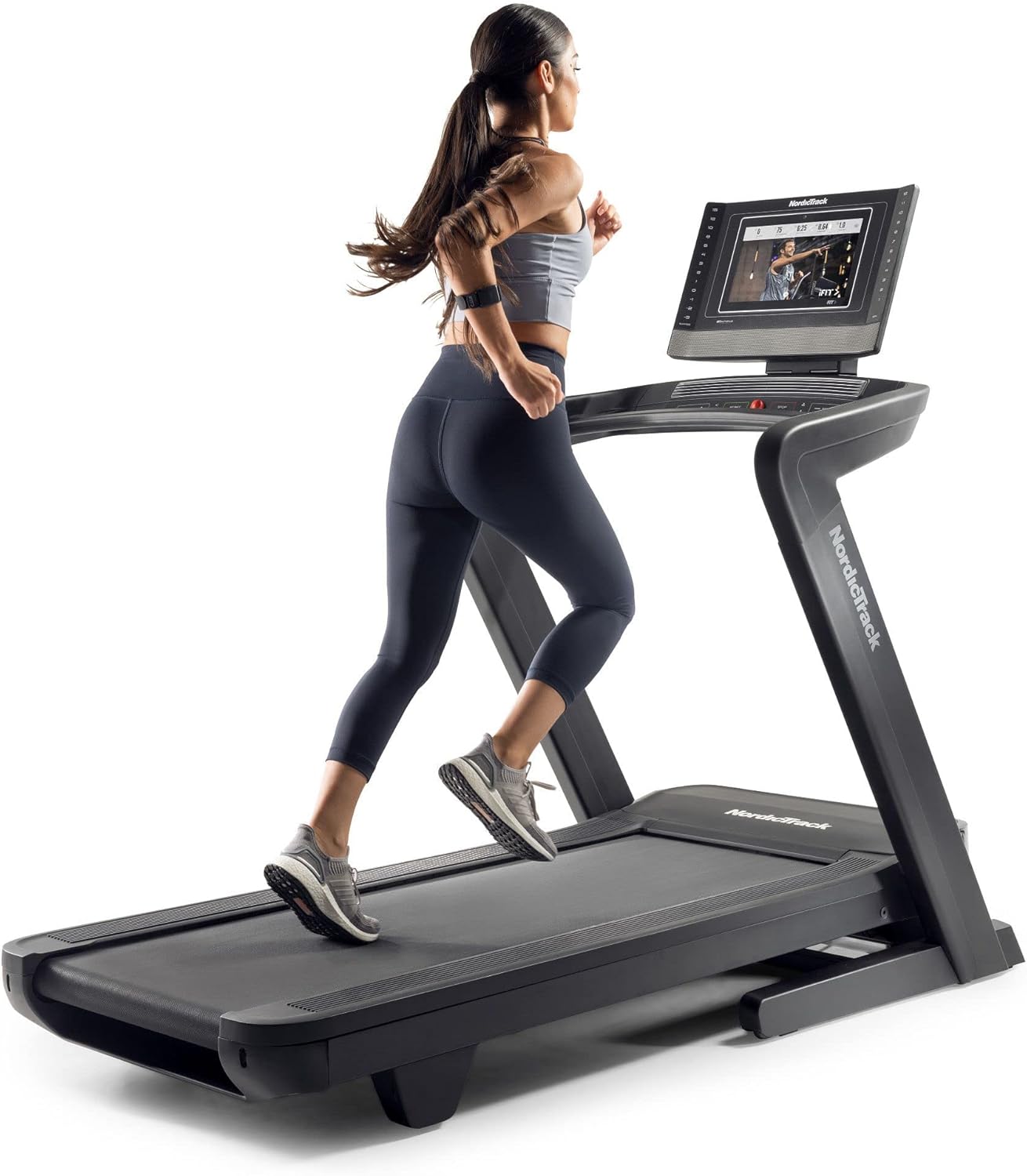
Image: A woman running on the NordicTrack Commercial 1750 Treadmill, demonstrating its sleek design and integrated touchscreen.
Setup and Assembly
The NordicTrack Commercial 1750 Treadmill requires assembly upon delivery. While assembly is designed to be manageable, it is recommended to have assistance due to the weight and size of certain components, particularly the tread deck.
- Unpacking: Carefully unpack all components from the packaging. The main deck can be heavy (approximately 100+ lbs), so plan for assistance when moving it.
- Assembly Process: Follow the detailed instructions provided in the included Owner's Manual. Ensure all parts fit and align correctly.
- Space Considerations: The treadmill has an unfolded product footprint of 64.5” H x 37.3” W x 79.4” D. While it features a Folding SpaceSaver design for reduced footprint (Folded Size: 65 inches (h) x 30 inches (w) x 10 inches (d)), ensure you have adequate space for both operation and storage.
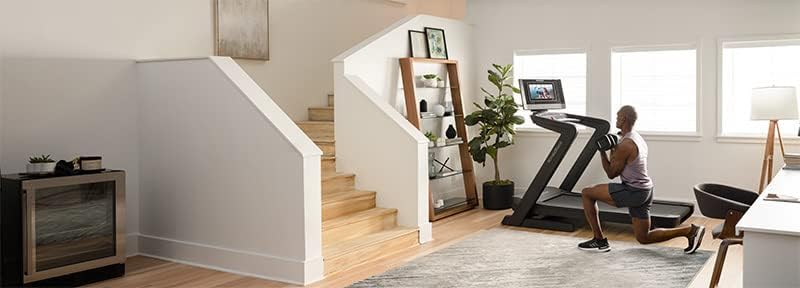
Image: The NordicTrack Commercial 1750 Treadmill in a home setting, showcasing its size and how it can be positioned against a wall when not in use.
Operating Instructions
The NordicTrack Commercial 1750 Treadmill offers both manual control and interactive iFIT training modes.
Console Controls:
- Emergency Stop Key: A red safety key must be inserted into the console for the treadmill to operate. For safety, attach the clip to your clothing. If the key is removed, the treadmill will stop immediately.
- Start/Stop Buttons: Green 'Start' button initiates the treadmill belt. Red 'Stop' button halts the belt.
- Speed Controls: Use the '+' and '-' buttons to adjust speed in small increments. Quick-select buttons on the side of the console allow for immediate speed changes (e.g., 1 MPH, 2 MPH, up to 12 MPH).
- Incline Controls: Use the 'Incline' up and down arrows to adjust the incline. Quick-select buttons on the side allow for immediate incline changes (-3% to 15%).
- Fan Controls: Dual AutoBreeze fans can be adjusted for intensity to keep you cool during workouts.
- Volume Controls: Adjust the volume for iFIT trainer instructions and music.
- Bluetooth Audio: Connect your Bluetooth-enabled headphones or device to stream audio through the treadmill's integrated speakers.
- Heart Rate Monitors: Place your hands on the metallic sensors on the handlebars to monitor your heart rate during your workout.
iFIT Interactive Training:
With an active iFIT membership, you can access a vast library of live and on-demand workouts. Trainers can automatically adjust your treadmill's speed and incline to match the terrain or intensity of the workout, providing an immersive experience.
- Workout Selection: Browse workouts by type (running, hiking, strength, yoga), trainer, or location on the 14” HD touchscreen.
- AutoAdjust Technology: The treadmill will automatically adjust its incline and speed according to the iFIT program.
- Manual Mode: You can bypass iFIT and use the treadmill in manual mode, controlling speed and incline directly from the console.

Image: A detailed view of the treadmill's console, highlighting the touchscreen display, quick-select buttons for speed and incline, and the integrated fan.
Maintenance
Regular maintenance ensures the longevity and optimal performance of your NordicTrack Commercial 1750 Treadmill.
- Belt Lubrication: While the belt is often marketed as "lifetime lubricated," periodic checks and potential lubrication may be beneficial to maintain smooth operation. Refer to the Owner's Manual for specific recommendations.
- Cleaning: Regularly wipe down the treadmill surfaces, including the console and belt, to prevent dust and debris buildup.
- Incline Calibration: If the incline mechanism appears inaccurate, utilize the diagnostic/maintenance auto-level feature. This function recalibrates the incline to ensure proper alignment.
Troubleshooting
Here are some common issues and potential solutions for your treadmill:
| Issue | Possible Cause / Solution |
|---|---|
| Tablet Slow to Boot / Errors | The tablet may experience slow boot times or display errors. Try restarting the treadmill by power cycling it (unplugging and plugging back in). Ensure a stable internet connection for iFIT programs. |
| iFIT Programs Buffering / Stopping | Buffering or program interruptions can occur due to internet connectivity issues. Verify your Wi-Fi connection strength. If issues persist, contact customer support. |
| Incline Inaccuracy | If the treadmill's incline does not match the displayed setting or appears off-level, run the diagnostic/maintenance auto-level feature. This recalibrates the incline mechanism. If the problem continues, professional service may be required. |
| Treadmill Not Starting | Ensure the red emergency stop key is fully inserted into the console. Check that the treadmill is properly plugged into a working power outlet. |
Product Specifications
| Feature | Detail |
|---|---|
| Brand | NordicTrack |
| Model Name | NordicTrack Commercial 1750 Treadmill + 30-Day iFit Membership |
| Product Dimensions | 64.5"D x 37.3"W x 79.4"H |
| Item Weight | 340 Pounds |
| Maximum Speed | 12 Miles per Hour |
| Maximum Incline Percentage | 15% |
| Minimum Speed | 0.5 Miles per Hour |
| Maximum Weight Recommendation | 300 Pounds |
| Deck Length | 60 Inches |
| Deck Width | 22 Inches |
| Screen Size | 14 Inches |
| Display Type | LCD Touchscreen |
| Power Source | Corded Electric |
| Connectivity Technology | Power Cord, Auxiliary, HDMI, Bluetooth |
| Control Program Name | iFIT |
| Frame Material | Aluminum |
| Folded Size | 65 inches (h) x 30 inches (w) x 10 inches (d) |
| Assembly Required | Yes |
Warranty and Support
Your NordicTrack Commercial 1750 Treadmill comes with the following warranty coverage:
- Frame: 10-year warranty
- Parts: 2-year warranty
- Labor: 1-year warranty
For detailed warranty information, troubleshooting assistance, or to order replacement parts, please refer to the included Owner's Manual (PDF) or contact NordicTrack customer support.


