
Introduction
The PRIXTON VC400 is a vintage-style vinyl turntable designed for playing your favorite records and converting them to WAV digital files. This versatile device also functions as a music player via Bluetooth and USB, featuring two integrated speakers for a complete audio experience. Its portable suitcase design allows for easy transport and storage.
Key features include a ruby stylus needle, support for 33.3, 45, and 78 RPM speeds, RCA output, USB port, and a headphone/line out jack. This manual provides detailed instructions for setup, operation, maintenance, and troubleshooting to ensure optimal performance and longevity of your VC400 turntable.
Package Contents
- PRIXTON VC400 Turntable Unit
- Power Adapter
- User Manual
- Ruby Stylus Needle (pre-installed)
Setup
- Unpacking: Carefully remove the turntable from its packaging. Retain the packaging for future transport or storage.
- Placement: Place the turntable on a stable, level surface away from direct sunlight, heat sources, and excessive dust. Ensure adequate ventilation around the unit.
- Power Connection: Connect the provided power adapter to the DC IN port on the back of the turntable and then plug it into a standard wall outlet.
- Stylus Protection: Before first use, gently remove the clear plastic stylus protector from the needle. Be careful not to bend the stylus.

Image: The PRIXTON VC400 turntable in its open suitcase form, ready for use with a vinyl record placed on the platter. The internal components, including the tonearm and controls, are visible.
Operating Instructions
1. Playing Vinyl Records
- Open the Lid: Gently open the lid of the turntable.
- Select Speed: Set the speed selector switch (usually located near the platter) to the appropriate speed for your record (33.3, 45, or 78 RPM). For 45 RPM records, place the included 45 RPM adapter on the spindle if needed.
- Place Record: Carefully place your vinyl record on the turntable platter.
- Unlock Tonearm: Release the tonearm lock.
- Lift Tonearm: Use the cueing lever to gently lift the tonearm.
- Position Tonearm: Manually move the tonearm over the desired starting groove of the record.
- Lower Tonearm: Slowly lower the tonearm using the cueing lever. The needle will make contact with the record, and playback will begin.
- Adjust Volume: Use the volume knob to adjust the sound level.
- End of Playback: When the record finishes, the tonearm may automatically return to its rest position (depending on model features) or you may need to manually lift it using the cueing lever and return it to the tonearm rest. Secure the tonearm with the lock.

Image: A hand carefully positions the tonearm with its stylus over a vinyl record on the PRIXTON VC400 turntable, illustrating the process of starting playback.
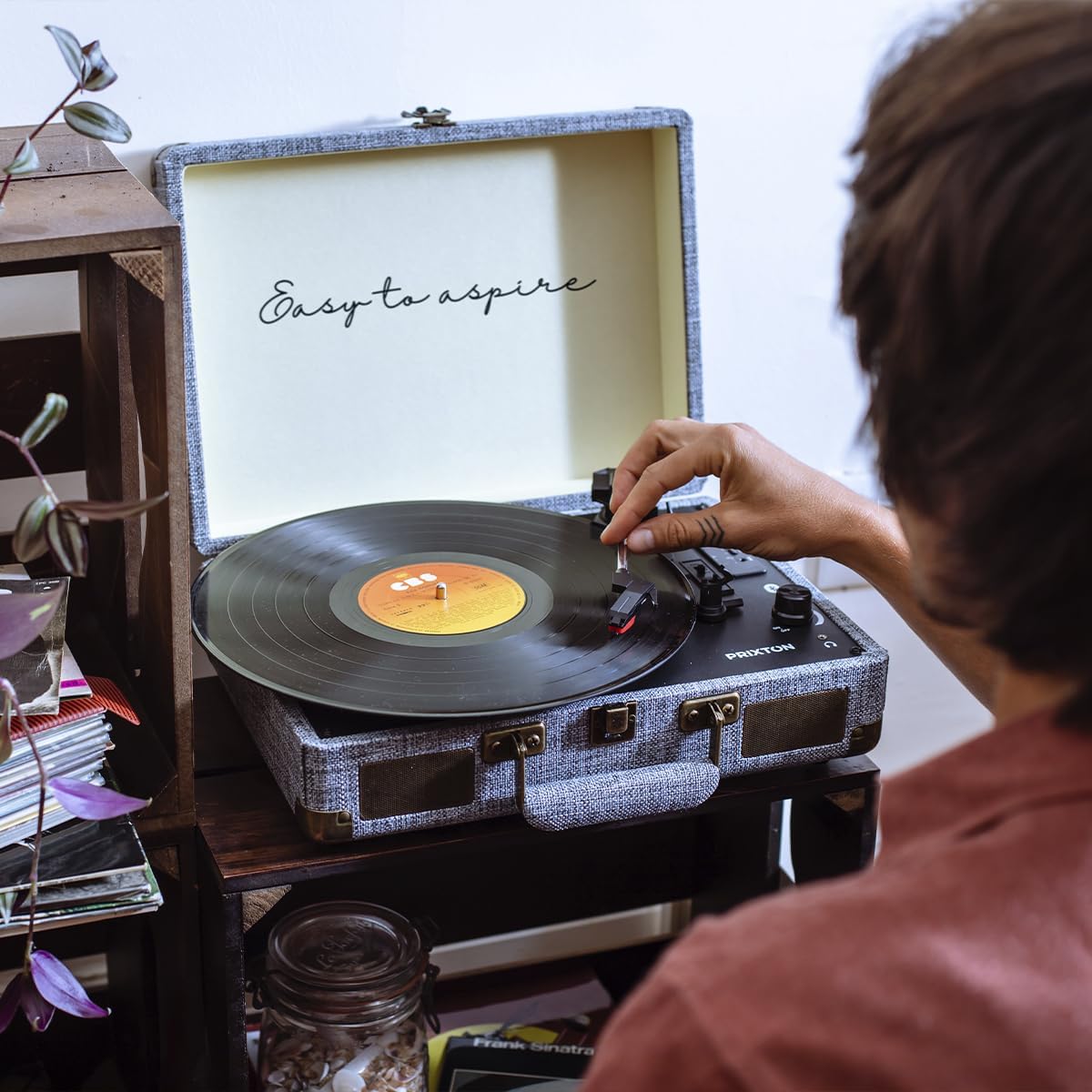
Image: A person is shown placing a vinyl record onto the platter of the PRIXTON VC400 turntable, demonstrating the initial step for playing records.
2. Bluetooth Connection
The PRIXTON VC400 can receive audio wirelessly from your Bluetooth-enabled devices (e.g., smartphone, tablet).
- Switch to Bluetooth Mode: Turn on the turntable and select the Bluetooth input mode (usually indicated by a mode button or switch). The unit will enter pairing mode, often indicated by a flashing LED light.
- Enable Bluetooth on Device: On your external device, enable Bluetooth and search for available devices.
- Pair: Select "PRIXTON VC400" (or similar name) from the list of found devices. Once paired, the LED indicator on the turntable will typically stop flashing and remain solid.
- Play Music: You can now play music from your device through the turntable's integrated speakers. Adjust volume using both your device and the turntable's volume knob.

Image: A hand holds a smartphone showing a music streaming application, positioned next to the PRIXTON VC400 turntable, illustrating the wireless Bluetooth connection capability.
3. USB Playback and Conversion
The USB port allows for playing audio files from a USB drive or converting vinyl records to WAV format.
- USB Playback: Insert a USB flash drive containing compatible audio files into the USB port. Switch the turntable to USB mode. The unit will automatically detect and begin playing audio files.
- Vinyl to WAV Conversion:
- Ensure a formatted USB flash drive is inserted into the USB port.
- Start playing a vinyl record as described in "Playing Vinyl Records".
- Press the "Record" or "Convert" button (refer to your unit's specific button layout) to begin recording the audio to the USB drive.
- Press the button again to stop recording. The recorded audio will be saved as a WAV file on the USB drive.
4. RCA Output
Connect the turntable to external speakers or an amplifier using the RCA output jacks (red for right channel, white for left channel) on the back of the unit. This bypasses the internal speakers.
5. Headphone/Line Out
A 3.5mm headphone jack is provided for private listening. Plugging in headphones will typically mute the internal speakers. This port can also be used as a line-out to connect to other audio devices with a 3.5mm auxiliary input.
Maintenance
- Cleaning the Unit: Wipe the turntable's exterior with a soft, dry cloth. Do not use abrasive cleaners, waxes, or solvents.
- Cleaning the Stylus: Use a soft brush designed for stylus cleaning, brushing gently from back to front. Avoid touching the stylus with your fingers. A dirty stylus can cause poor sound quality and damage records.
- Record Care: Keep your records clean and free of dust. Store them vertically in their sleeves to prevent warping.
- Storage: When not in use, close the lid to protect the platter and tonearm from dust. If storing for an extended period, ensure the tonearm is locked and the stylus protector is in place.
Troubleshooting
| Problem | Possible Cause | Solution |
|---|---|---|
| No Power | Power adapter not connected; outlet not working. | Ensure power adapter is securely plugged into the unit and a working wall outlet. |
| No Sound from Speakers | Volume too low; headphones plugged in; external speakers connected via RCA. | Increase volume. Disconnect headphones. If using RCA, ensure external speakers are powered and connected correctly. |
| Bluetooth Pairing Failure | Turntable not in pairing mode; device too far; interference. | Ensure turntable is in Bluetooth pairing mode. Move device closer. Turn off other Bluetooth devices. |
| Record Skipping | Dirty record; dirty/damaged stylus; turntable not level; excessive vibration. | Clean record. Clean or replace stylus. Place turntable on a stable, level surface. Avoid placing near vibrating objects. |
| Poor Sound Quality | Dirty stylus; worn stylus; incorrect speed setting; dusty record. | Clean stylus. Replace stylus if worn. Verify correct speed (33.3, 45, or 78 RPM). Clean record. |
Specifications
| Feature | Detail |
|---|---|
| Brand | Prixton |
| Model Name | VC400 |
| Color | Grey |
| Connectivity Technology | Bluetooth, USB, RCA, 3.5mm Jack |
| Speaker Output | 2 x 3W Integrated Speakers |
| Rotation Speeds | 33.3, 45, 78 RPM |
| Special Features | Integrated Speaker, Adjustable Speed, Vinyl to WAV Conversion |
| Compatible Devices | Any device connectable via Bluetooth, USB, MicroSD, AUX, or FM radio; external speakers via RCA or 3.5mm Jack. |
| Item Weight | 3 Kilograms |
| Material | Vinyl (referring to the record player's primary function/material aesthetic) |
Warranty and Support
PRIXTON products are designed for durability and performance. This product comes with a 5-year availability of spare parts, ensuring long-term support for your device.
For technical assistance, troubleshooting beyond this manual, or warranty claims, please contact PRIXTON customer support. Refer to the contact information provided on the product packaging or the official PRIXTON website.
Software updates are not guaranteed for this product.


