
1. Product Overview
The ABSOSO CA70BT is a versatile in-dash digital media receiver designed to enhance your driving experience with advanced connectivity and entertainment features. This double DIN unit features a 7-inch HD touchscreen, offering seamless integration with Apple CarPlay and Android Auto, along with Bluetooth for hands-free communication and audio streaming.
Key Features:
- 7-Inch HD Full Touchscreen Display (1920*1080P resolution)
- Apple CarPlay & Android Auto Compatibility (Phone Link)
- Built-in Bluetooth for Hands-Free Calling & Audio Streaming
- HD Waterproof Backup Camera Included (170° ultra-wide viewing angle)
- Multiple Media Inputs: USB, Micro SD, Aux-in
- AM/FM Radio with 30 Station Memory
- Steering Wheel Control Support
- Wireless Remote Control Included
- USB Fast Charging (1.5A)
- Preset EQ and User Customized EQ Sound Effects
What's Included:
- Double Din Bluetooth CarPlay Radio
- Backup Camera & Backup Camera Cable
- IR Remote & Steering Wheel Control Remote
- Wires Harness & Mounting Kits
- User Instruction Manual

Figure 1.1: All components included with the ABSOSO CA70BT stereo system.
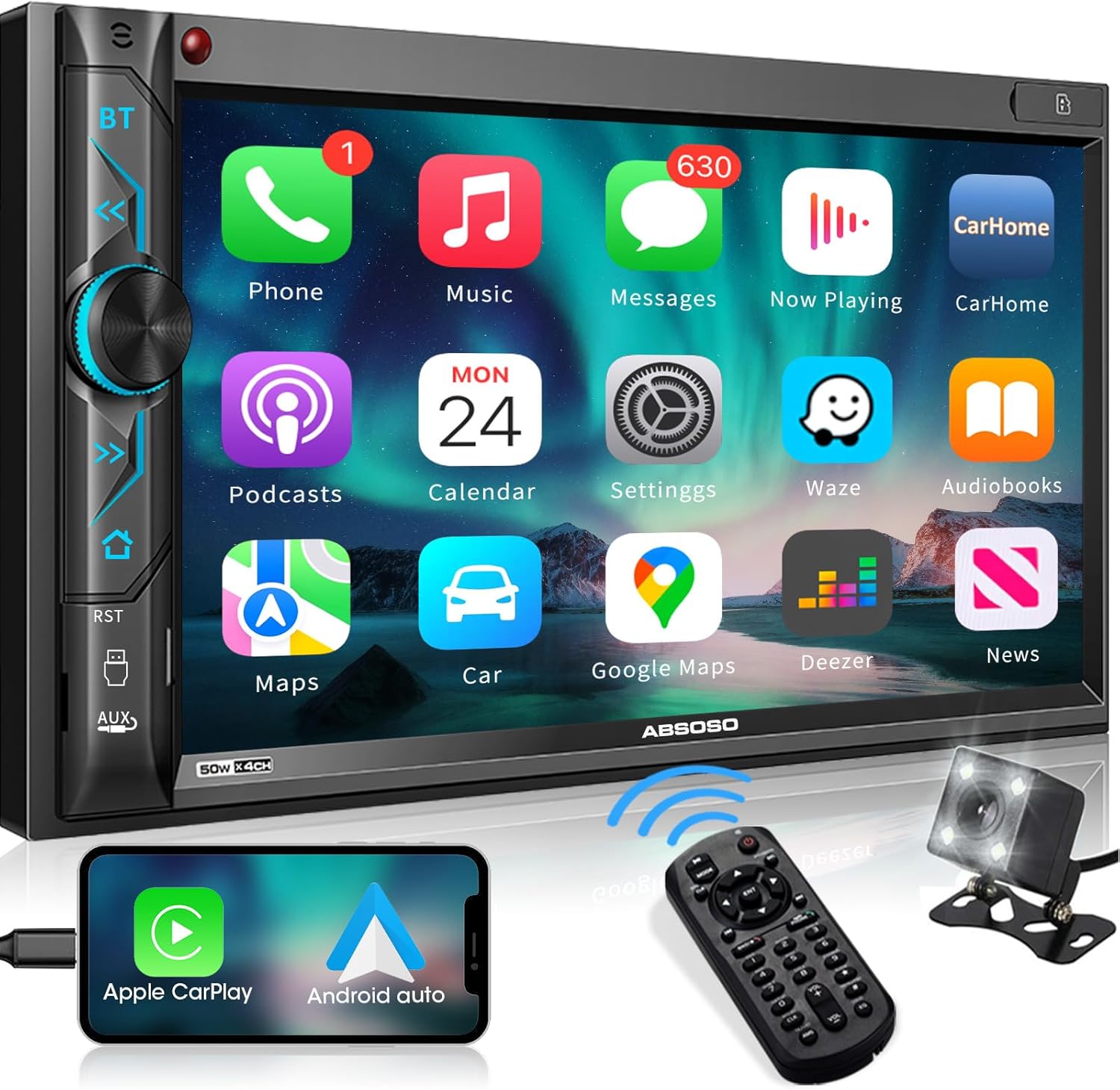
Figure 1.2: Front view of the ABSOSO CA70BT In-Dash Digital Media CarPlay Stereo.
2. Unit Controls and Ports
Front Panel Controls:
- IR Sensor: For wireless remote control reception.
- Built-in Noise Canceling Mic: For hands-free calling.
- BT Button: Access Bluetooth interface.
- Menu/Back Buttons: Navigate through menus and go back.
- Next/Forward Track Buttons: Control media playback.
- On/Off & Volume Knob: Power the unit and adjust volume.
- Previous Track Button: Control media playback.
- USB Port: For media playback and 1.5A fast charging.
- Reset Button: To reset the unit if needed.
- Aux Input: 3.5mm jack for external audio devices.
- Memory Card Slot: For Micro SD card media playback.

Figure 2.1: Touchscreen interaction for navigation.

Figure 2.2: Volume knob and button functions.
Rear Ports:
- 15 Amp Fuse: For electrical protection.
- Harness Connections: Multiple ports for power, speakers, and other vehicle connections.
- RCA Jacks: For audio output (RR, RL, FR, FL), subwoofer output (V-OUT), and camera inputs (F-CAM, R-CAM).
- Antenna Input: For AM/FM radio reception.
- External Mic Input: For an optional external microphone.

Figure 2.3: Rear RCA ports for audio and video connections.
3. Installation Guide
The ABSOSO CA70BT is designed for standard double DIN mounting (178mm*100mm) and is compatible with most installation dash kit brands. No trimming or cutting of the dash kit is typically required.
3.1 Removing the Old Unit:
- Carefully use a pry tool to remove the trim pieces surrounding your existing car stereo.
- Locate and remove the mounting bolts (usually four) securing the old stereo.
- Gently pull the old stereo unit out of the dash.
- Disconnect all wiring harnesses and the antenna cable from the back of the old stereo.
3.2 Wiring Preparation:
Before installing the new unit, it is recommended to pre-wire the included harnesses to your vehicle's wiring. Refer to the detailed wiring diagram below and the included user manual for specific connections. Ensure all connections are secure and insulated.
Video 3.1: Detailed instructions for wiring harness connection for car stereo installation.
3.3 Wiring Diagram:
The following diagram illustrates the typical wiring connections for the ABSOSO CA70BT. Always cross-reference with your vehicle's specific wiring diagram and the included manual.
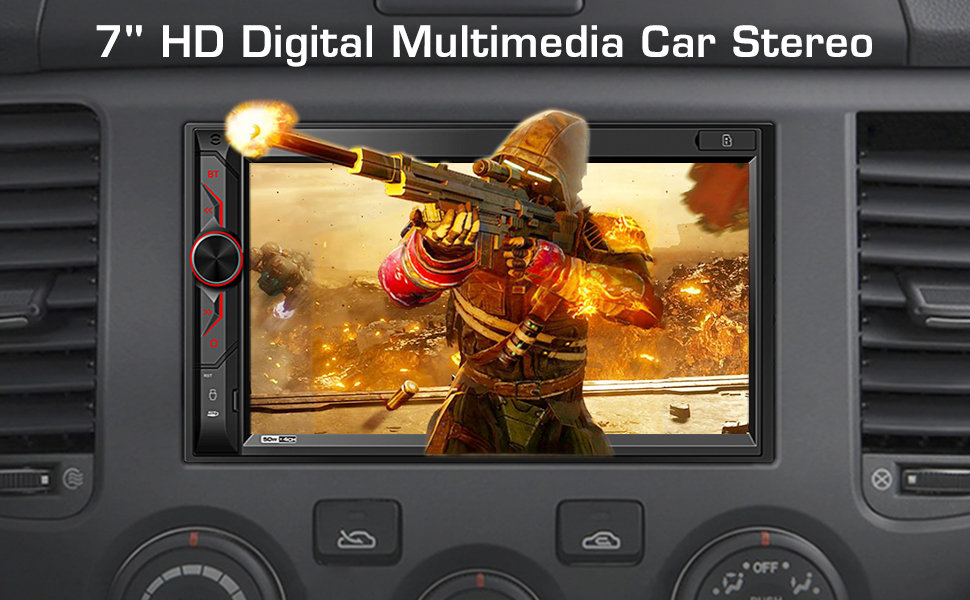
Figure 3.1: Comprehensive wiring diagram for the ABSOSO CA70BT unit.
3.4 Backup Camera Installation:
The included HD waterproof backup camera automatically displays a crystal clear image on the monitor screen when the vehicle is in reverse. Connect the camera's video output to the 'R-CAM' RCA input on the stereo and its power wire to your vehicle's reverse light circuit.

Figure 3.2: Backup camera wiring and installation overview.
3.5 Steering Wheel Control Setup:
Connect the steering wheel control wires from your vehicle's harness to the corresponding SWC (Steering Wheel Control) inputs on the stereo's wiring harness. The unit supports learning functions for most common steering wheel controls.

Figure 3.3: Steering wheel control wiring and on-screen setup.
4. Operating Instructions
4.1 Power On/Off & Basic Navigation:
Press the volume knob to power the unit on or off. Use the touchscreen or physical buttons to navigate the main menu and select desired functions.
4.2 CarPlay & Android Auto (Phone Link):
Connect your compatible Android phone (Android 11 or below) via USB for Android Auto, or your iPhone (iPhone 12 Pro, iPhone XR, iPhone 8 Plus, or compatible models) via the original charging cable for Apple CarPlay. The unit will mirror your phone's interface, allowing access to navigation, music, and other apps.

Figure 4.1: CarPlay and Android Auto interfaces.

Figure 4.2: Phone Mirroring functionality.
4.3 Bluetooth Connectivity:
Pair your smartphone with the stereo via Bluetooth for hands-free calling and wireless audio streaming. Access the Bluetooth interface using the dedicated BT button on the front panel.

Figure 4.3: Bluetooth features and phone pairing.
4.4 Radio (AM/FM):
Select the FM/AM function from the main menu. Use the touchscreen to tune to stations, save presets, and scan for available frequencies.
4.5 Media Playback (USB/SD/Aux):
Insert a USB drive (up to 64GB) or Micro SD card (up to 32GB) into the respective ports for audio and video playback. Connect external audio devices via the 3.5mm Aux-in port.

Figure 4.4: HD Video Playback on the stereo screen.

Figure 4.5: USB, Micro SD, and Aux-in media playback options.
4.6 Equalizer Settings:
Access the equalizer settings to customize your audio experience. Choose from built-in presets (Soft, Pop, Rock, Classic, Jazz) or manually adjust frequency bands to suit your preferences.
5. Specifications
| Feature | Specification |
|---|---|
| Brand | ABSOSO |
| Model Number | CA70BT |
| Display Size | 7 Inches |
| Display Resolution | 1920*1080P (HD) |
| Connectivity Technology | Bluetooth, Mirror Link, USB, AUX-in, RCA |
| Controller Type | Remote, Touch |
| Wattage | 200 watts |
| Audio Output Mode | Stereo |
| Surround Sound Channel Configuration | 4.1 |
| Video Encoding | H.264/H.265 |
| Item Weight | 2.61 pounds |
| Product Dimensions | 7 x 2.91 x 3.89 inches |
6. Troubleshooting
If you encounter issues with your ABSOSO CA70BT stereo, please refer to the following common troubleshooting steps:
- No Power: Check the 15 Amp fuse on the rear of the unit and ensure all power connections (ACC, Battery, Ground) are secure.
- No Sound: Verify speaker wiring connections. Check the volume level and equalizer settings. Ensure the correct audio source is selected.
- Bluetooth Connection Issues: Ensure Bluetooth is enabled on your smartphone and the stereo. Try unpairing and re-pairing the device. Ensure your phone's software is up to date.
- CarPlay/Android Auto Not Connecting: Use the original charging cable for your phone. Ensure your phone's operating system is compatible (Android 11 or below for Android Auto, specific iPhone models for CarPlay). Try restarting both the stereo and your phone.
- Backup Camera Not Displaying: Check the video cable connection to the 'R-CAM' input. Ensure the camera's power wire is correctly connected to the reverse light circuit.
- Steering Wheel Controls Not Working: Verify the SWC wiring connections. Access the steering wheel control learning function in the stereo's settings to program the buttons.
- Unit Freezes/Unresponsive: Use a thin, pointed object (like a paperclip) to press the reset button on the front panel.
7. Maintenance
To ensure the longevity and optimal performance of your ABSOSO CA70BT stereo, follow these maintenance guidelines:
- Cleaning the Screen: Use a soft, lint-free cloth to gently wipe the touchscreen. For stubborn smudges, slightly dampen the cloth with water or a screen-safe cleaner. Avoid harsh chemicals or abrasive materials.
- General Cleaning: Keep the unit free from dust and debris. Use a soft brush or compressed air to clean around buttons and ports.
- Software Updates: Check the official ABSOSO website or contact customer support for any available software updates to ensure optimal performance and feature compatibility.
- Avoid Extreme Temperatures: While designed for automotive use, prolonged exposure to extreme heat or cold can affect performance.
8. Warranty and Support
ABSOSO provides professional customer service for purchases made through Amazon.com. For any technical assistance, warranty claims, or further inquiries, please utilize the following resources:
- Professional User Manual: Refer to the detailed manual included with your product.
- FAQ: Consult the Frequently Asked Questions section on the product page or manufacturer's website.
- 24-Hour Technical Support: Available before and after sales. Contact information can typically be found on the product packaging or the official ABSOSO store page on Amazon.