
1. Product Overview
The Radio Flyer 6V Battery Powered Bumper Car offers interactive fun with LED lights and sounds, designed for toddlers aged 1.5 years and up. It features easy joystick steering and includes a parental remote control for added safety and convenience. The car is equipped with a furniture-friendly foam bumper, making it suitable for both indoor and outdoor use.
What's Included:
- Bumper Car
- 6 Volt Battery
- Battery Charger
- Parent Remote
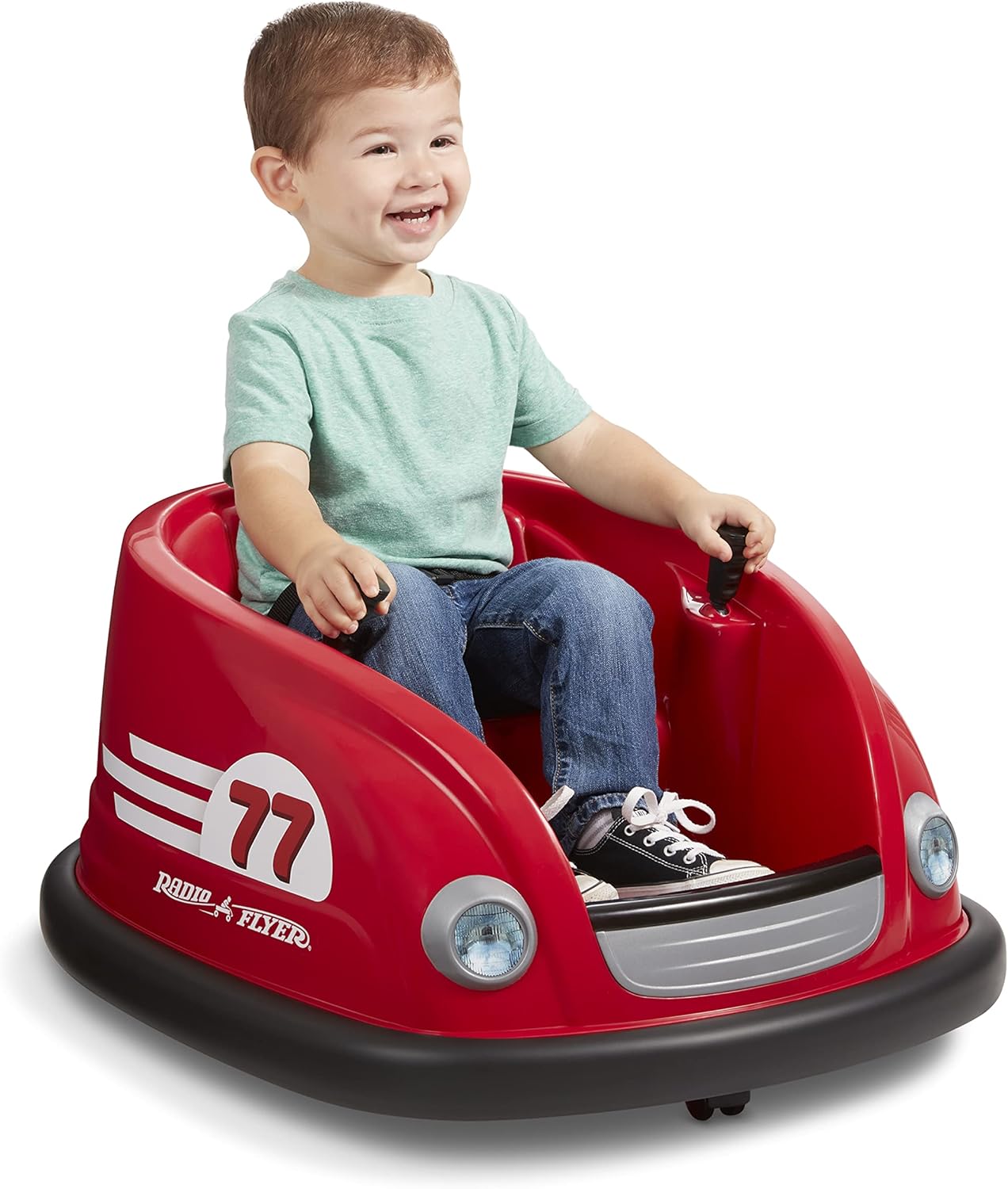
Figure 1: Radio Flyer 6V Battery Powered Bumper Car.
2. Setup
Battery Installation and Initial Charging
The 6V battery and charger are included with your Bumper Car. The battery is located under the seat for easy access. To charge the battery, lift the seat to expose the battery compartment. Disconnect the battery connector by unclipping it. Connect the charger to the battery connector and plug the charger into a wall outlet. Once charging is complete, reconnect the battery connector and secure the seat.

Figure 2: Battery compartment and remote storage under the seat.

Figure 3: Easy charge battery port.
3. Operating Instructions
Steering and Movement
The Bumper Car can be steered using two joysticks located on either side of the seat. Pushing both joysticks forward will move the car forward, pulling them back will move it backward, and moving one forward while the other is back will allow for 360-degree spins.

Figure 4: Joystick steering for maneuverability.
Parental Remote Control
For younger children or for parental supervision, the Bumper Car can be controlled using the included parent remote. The remote allows guardians to override the child's steering and control the car's movement. The remote control can be stored conveniently under the seat when not in use.

Figure 5: Parent remote control in use.
Speed Settings
The Bumper Car features two speed settings: 1 MPH and 2 MPH. These settings can be adjusted via a switch located within the battery compartment under the seat. This allows for a controlled and safe experience as your child grows.

Figure 6: Speed setting switches.
Interactive Lights and Sounds
The Bumper Car is equipped with LED lights and sounds that activate upon bumping into objects, enhancing the play experience. A button under the seat allows you to disable these sounds for quieter play.

Figure 7: Fun lights and sounds feature.
Official Product Video: Radio Flyer 6V Bumper Car with Lights & Sounds
Video 1: This official video demonstrates the interactive lights and sounds, joystick steering, and the use of the parent remote control for the Radio Flyer 6V Bumper Car.
4. Maintenance
Battery Charging
To ensure optimal performance, charge the 6V battery regularly. The battery life can last approximately one week with daily use. Always ensure the battery is properly reconnected after charging.
Cleaning
Clean the Bumper Car with a damp cloth and mild soap. Avoid using abrasive cleaners or solvents that could damage the plastic. Ensure the car is dry before storing or using.
5. Troubleshooting
Common Issues and Solutions:
- Car not moving: Check if the power switch at the back of the car is turned on. Ensure the battery is fully charged and properly connected under the seat. Verify the remote control settings are correct (if using remote mode).
- Short battery life: Ensure the battery is charged for the recommended duration (refer to charger instructions). Frequent use of lights and sounds may reduce battery life.
- Remote control not working: Check the battery in the remote control. Ensure the car's remote control setting is activated under the seat.
For further assistance, please refer to the comprehensive User Manual PDF linked in the Support section.
6. Specifications
| Feature | Detail |
|---|---|
| Brand | Radio Flyer |
| Model | Radio Flyer Bumper Car (971Z) |
| Item Weight | 8 pounds |
| Product Dimensions | 27.87 x 23.62 x 14.17 inches |
| Country of Origin | China |
| Battery | 6V Rechargeable |
| Speed Settings | 1 MPH & 2 MPH |
| Maximum Weight Capacity | 43 lbs |
| Recommended Age | 1.5+ years |
7. Safety Information
Please read the safety manual included with the product.
Always ensure the child is securely fastened with the seatbelt provided before operating the Bumper Car.

Figure 8: Seatbelt for child's safety.
The furniture-friendly foam bumper is designed to protect your walls and furnishings during indoor use. However, always supervise children during play.
8. Support
For additional information, product registration, or to explore other Radio Flyer products, please visit the Radio Flyer Store.
A detailed User Manual is available in PDF format: User Manual (PDF)
