

Introduction
This manual provides essential information for the installation, operation, and maintenance of your Dekain SP-LAMP-039 projector lamp. This lamp is designed as a high-quality replacement for InFocus W2100 and W2106 projectors, featuring original bulbs from OEM manufacturers such as UHP, P-VIP, NSH, SHP, UHE, UHM, and HS. The lamp module includes durable, compatible housing to ensure a proper fit and optimal performance.
Each lamp undergoes rigorous testing to meet original equipment manufacturer (OEM) standards for quality, function, and performance, offering a lifespan significantly longer than economic alternatives.
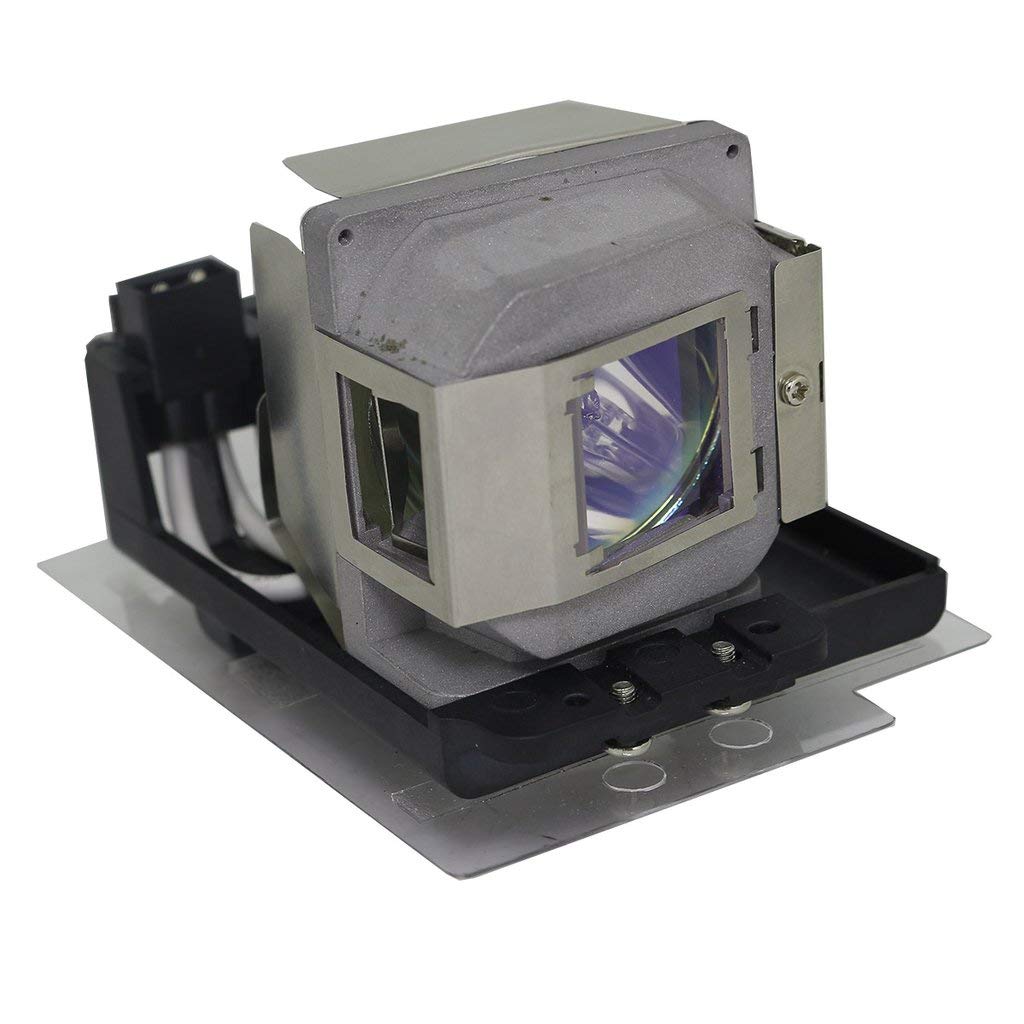
Image of the Dekain projector lamp module, showcasing its design and housing.

Visual comparison highlighting the superior quality of Dekain OEM projector lamps against generic alternatives, demonstrating clarity and color accuracy.
Setup and Installation
Follow these steps for safe and effective installation of your new projector lamp:
- Safety First: Before beginning, ensure your projector is completely shut down and disconnected from the power source. Allow the projector to cool down for at least 30 minutes to prevent burns from hot components.
- Access Lamp Compartment: Refer to your projector's user manual to locate and open the lamp compartment cover. This usually involves unscrewing a few screws.
- Remove Old Lamp: Carefully unfasten any screws securing the old lamp module. Gently pull the old lamp module straight out of the projector. Avoid touching the glass part of the old lamp.
- Install New Lamp: Align the new Dekain lamp module with the slot in the projector. Push it firmly but gently until it is fully seated. Ensure the electrical connector is well-connected.
- Secure Lamp: Fasten the screws to secure the new lamp module in place.
- Close Compartment: Replace the lamp compartment cover and secure it with its screws.
- Reset Lamp Timer: After installation, reconnect the projector to power and turn it on. Navigate to the projector's menu settings and reset the lamp timer. This is crucial for accurate lamp life tracking.
Caution: Do not touch the bare bulb with your fingers. Oils from your skin can cause hot spots and reduce lamp life. Always handle the lamp module by its housing.

Detailed view of the projector lamp module, ready for installation.
Operating Considerations
To maximize the performance and lifespan of your Dekain projector lamp, consider the following:
- Brightness and Color Output: The brightness of the lamp directly impacts performance, especially in larger rooms or environments with ambient light. Dekain lamps are designed to provide superior brightness and accurate color reproduction.
- Lamp Life: Projector lamp life is typically rated by 'Half-Life', meaning the time until the lamp's brightness reduces to half of its original output. Most projectors offer 2,000-3,000 hours, with power-saving modes extending this to 3,000-5,000 hours. A longer-lasting lamp reduces the frequency and cost of replacements.
- Operating Environment: Operate your projector in a clean, relatively dust-free environment. Excessive dust can hinder cooling and shorten lamp life.

An image depicting a bright, clear light beam emanating from a projector, illustrating optimal light output.

A projector actively displaying an image, highlighting its use in a typical setting.
This video from Dekain Enterprise provides guidance on selecting a genuine OEM projector replacement lamp, emphasizing compatibility, quality, warranty, brightness, and lamp longevity. It highlights the importance of choosing high-quality components for optimal projector performance and protection against issues.
Maintenance
Proper maintenance ensures the longevity and consistent performance of your projector lamp:
- Cool-Down Period: Always allow the projector to complete its cool-down cycle after use before unplugging or moving it. This protects the lamp from thermal shock.
- Clean Air Filters: Regularly clean or replace your projector's air filters to ensure adequate airflow and prevent overheating, which can significantly reduce lamp life.
- Gentle Handling: When replacing the lamp, handle it carefully by its housing. Avoid dropping or subjecting it to impact.
- Storage: If storing a spare lamp, keep it in its original packaging in a cool, dry place away from direct sunlight.
Troubleshooting
If you encounter issues with your Dekain projector lamp, consider the following common troubleshooting steps:
- Lamp Not Lighting Up:
- Ensure the lamp module is correctly seated and all connections are secure.
- Verify the lamp compartment cover is properly closed and secured, as some projectors have safety switches.
- Check if the lamp timer needs to be reset in the projector's menu.
- Dim Image or Poor Color:
- Confirm the projector is in the correct display mode and brightness settings.
- Ensure the lamp timer was reset after installation. If the lamp is nearing the end of its rated life, brightness naturally decreases.
- Projector Overheating:
- Clean the projector's air filters and ensure ventilation vents are not obstructed.
- Ensure the projector is operating in an environment with adequate air circulation.
If these steps do not resolve the issue, please refer to the Warranty and Support section for further assistance.
Specifications
| Feature | Detail |
|---|---|
| Brand | Dekain |
| Model Number | SP-LAMP-039 |
| Compatible Projectors | InFocus W2100, InFocus W2106 |
| Light Type | Metal Halide (OEM bulbs: UHP, P-VIP, NSH, SHP, UHE, UHM, HS) |
| Wattage | 200 watts |
| Bulb Shape Size | MR20 |
| Bulb Base | Prong |
| Light Color | White |
| Special Feature | High Efficiency |
| Control Method | Remote (Projector dependent) |
| GTIN / UPC | 772288512987 |
Warranty and Support
Dekain is committed to providing high-quality products and excellent customer service. Your projector lamp is covered by the following:
- 30 Days Money Back Guarantee: If you are not satisfied with your purchase, you may return it within 30 days for a full refund.
- 240 Days Free Replacement Warranty: This warranty covers any quality-related issues or defects that may arise within 240 days of purchase.
- Customer Service: Our customer service team aims to respond to all inquiries within 12 hours. For any questions, concerns, or warranty claims, please contact Dekain customer support through the platform where you made your purchase.
Choosing a genuine OEM replacement lamp ensures your projector functions at its best and provides peace of mind with comprehensive warranty coverage.