
Product Overview
The LeapLand Adventures learning video game takes young learners on an exciting quest to find keys and unlock Clever Castle. Players explore various themed lands, learning about letters, numbers, shapes, and colors through interactive gameplay. This plug-and-play system requires no internet connection, downloads, or account setup, offering immediate educational entertainment.
Key Features:
- Engaging video game for early learners focusing on letters, numbers, shapes, and colors.
- Plug-and-play setup: simply insert the HDMI game stick and USB power cable into your TV.
- Includes a wireless controller designed for small hands.
- No web connection, downloads, or account setup required.
- Choose between two characters and explore diverse learning environments.
- Progressive, replayable game levels with collectibles like gems and treasure chests.
- Learning Center provides access to over 150 educational items at the child's own pace.
- Supports up to five unique player profiles.
- Intended for ages 3+ years.
What's Included
Your LeapFrog LeapLand Adventures package contains the following items:
- Wireless Game Controller
- HDMI TV Plug and Play Game Stick
- Micro USB Power Cable
- Quick Start Guide

Image: The LeapFrog LeapLand Adventures wireless controller and HDMI game stick.
Setup Guide
1. Battery Installation (Wireless Controller)
- Locate the battery compartment on the back of the wireless controller.
- Using a small Phillips-head screwdriver, open the battery compartment cover.
- Insert 2 new AA batteries, ensuring correct polarity (+ and - symbols). Batteries are not included.
- Replace the battery compartment cover and secure it with the screw.
2. Connecting to Your Television
- Plug the HDMI game stick directly into an available HDMI port on your television.
- Connect the Micro USB power cable to the HDMI game stick.
- Plug the other end of the USB power cable into a USB power source (e.g., a USB port on your TV or a USB wall adapter, not included).
- Turn on your television and select the correct HDMI input channel where the game stick is connected.

Image: A child playing LeapLand Adventures, showing the HDMI stick plugged into the side of a television.
3. Initial Power On
The game should automatically power on and display the main menu on your TV screen once all connections are secure and the TV input is correct. No further setup is required to begin playing.
Operating Instructions
1. Navigating the Game
Use the directional pad (D-pad) on the left side of the wireless controller to move your character and select options. The A and B buttons on the right are used for actions like jumping, confirming selections, or interacting with game elements.
2. Character Selection
At the start of a new game or profile, you will be prompted to choose one of two available characters to embark on your adventure.
3. Exploring Game Worlds
The game features four main worlds: Letterland, Numberville, Shapetown, and Color Springs. Each world offers unique learning objectives and challenges. Progress through levels by collecting items and overcoming obstacles.

Image: A screenshot of the LeapLand Adventures game map, highlighting Letterland, Numberville, Shapetown, and Color Springs.
4. The Learning Center
The Learning Center is an accessible area within the game where players can explore over 150 educational items at their own pace. This mode allows for focused learning without the pressure of game progression.
5. Saving Player Profiles
The game allows for the creation and saving of up to five distinct player profiles, enabling multiple children to track their individual progress and achievements.
Game Features and Learning Content
LeapLand Adventures is designed to introduce fundamental academic skills through engaging gameplay:
- Letterland: Focuses on letter recognition, phonics, and early word building.
- Numberville: Teaches number identification, counting, and basic quantity concepts.
- Shapetown: Introduces various geometric shapes and their real-world applications.
- Color Springs: Helps children identify and differentiate between colors.
- Problem-Solving: Encourages critical thinking through navigating game levels and solving simple puzzles.
- Fine Motor Skills: Developed through precise controller movements required for gameplay.
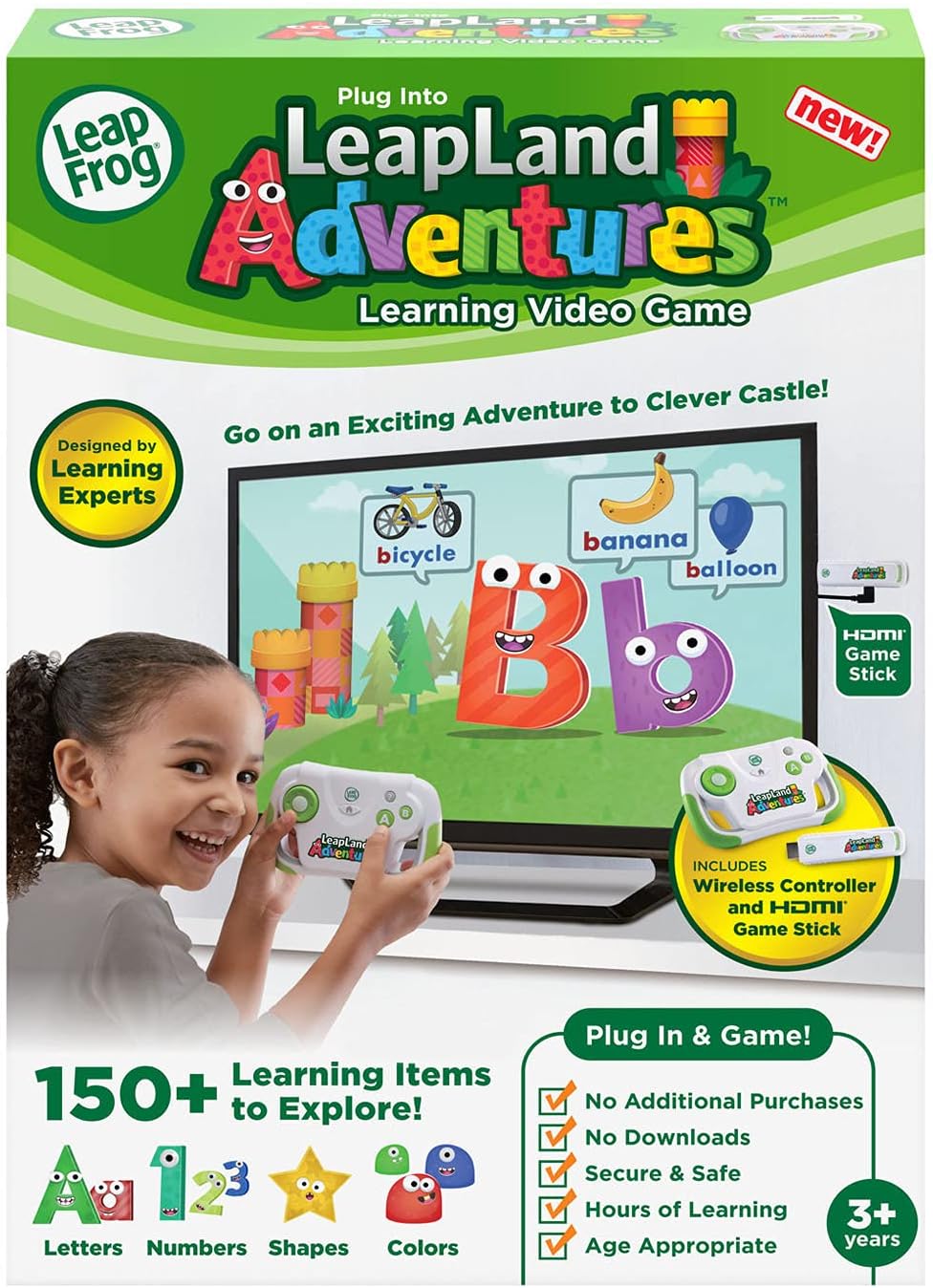

Image: Product packaging showing learning categories.
Image: A child interacting with a number-based game in LeapLand Adventures.
Official Product Video:
Video: An official demonstration of the LeapFrog LeapLand Adventures game, showcasing gameplay and educational features.
Specifications
| Feature | Detail |
|---|---|
| Product Dimensions | 4.52 x 5.71 x 1.02 inches |
| Item Weight | 5.3 ounces |
| Model Number | 80-613200 |
| Recommended Age | 36 months - 6 years |
| Batteries Required | 2 AA batteries (not included) |
| Release Date | January 27, 2021 |
| Manufacturer | VTech |
Troubleshooting
No Power/Game Not Starting
- Ensure fresh AA batteries are correctly installed in the wireless controller.
- Verify the HDMI game stick is securely plugged into the TV's HDMI port.
- Confirm the USB power cable is connected from the HDMI game stick to a working USB power source (e.g., a USB port on your TV or a USB wall adapter).
- Check that your television input is set to the correct HDMI channel.
Controller Not Responding
- Replace batteries in the wireless controller.
- Ensure there are no obstructions between the controller and the HDMI game stick.
Warranty and Support
For detailed warranty information, product registration, or additional technical support, please visit the official LeapFrog website or contact their customer service department. Keep your purchase receipt as proof of purchase for any warranty claims.


