
Introduction
This manual provides essential information for the proper use and care of your Calypso K8502/2 Smartwatch. Please read these instructions carefully before using your device to ensure optimal performance and longevity.
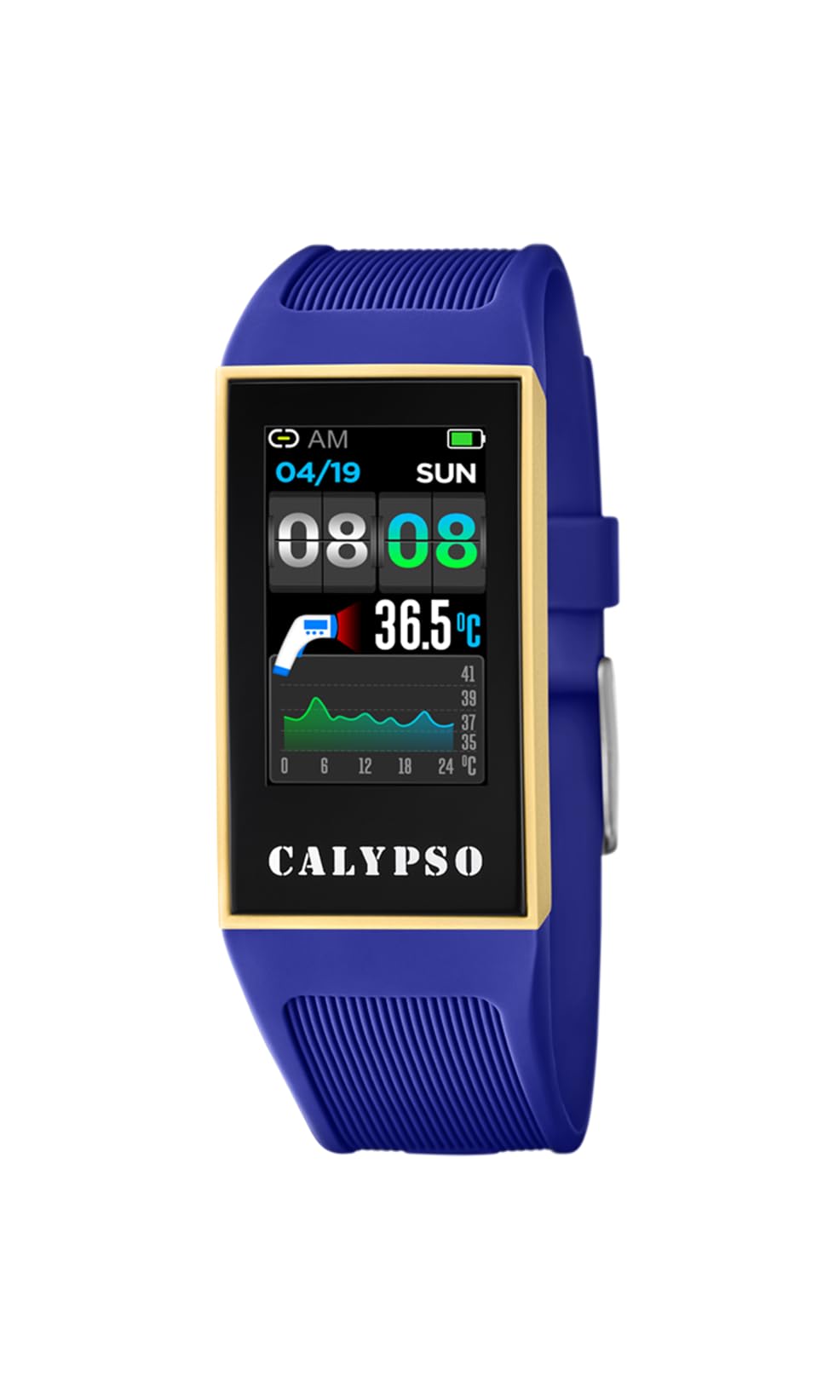
Image: Front view of the Calypso K8502/2 Smartwatch, displaying a digital time. The watch features a dark case and a digital display.
Product Overview
The Calypso K8502/2 is a digital smartwatch designed for daily use. It features a durable plastic case and strap, a digital display, and various functions including time, alarm, calendar, and body temperature indication. It is also water-resistant and compatible with smartphones for enhanced functionality.
Key Components
- Digital Display: Shows time, date, and various function readouts.
- Control Buttons: Typically located on the sides for navigation and setting adjustments (e.g., SET, MODE, ADJ, LIGHT).
- Strap: Made of durable plastic/rubber for comfortable wear.
- Sensors: Integrated for features like body temperature measurement.
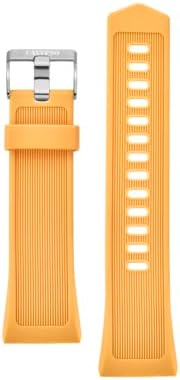
Image: A close-up of the Calypso K8502/2 Smartwatch's plastic strap, showing its texture and buckle mechanism.
Setup
1. Initial Charge
Before first use, ensure your smartwatch is fully charged. Connect the provided charging cable to the watch and a compatible USB power source. The charge indicator on the display will show charging status.
2. Smartphone Pairing
- Download the official Calypso Smartwatch application from your smartphone's app store.
- Enable Bluetooth and Location Services on your smartphone.
- Open the Calypso app and follow the on-screen instructions to pair your smartwatch. The app will guide you through the connection process.
- Once paired, the watch will synchronize time and date with your smartphone.
Note: For successful synchronization, both Bluetooth and location services must be active on your smartphone during the initial pairing process. Location services can be disabled after successful synchronization if desired.
Operating Instructions
Basic Time Display
The main screen displays the current time, day of the week, and date. Use the MODE button to cycle through different display modes.

Image: A close-up of the smartwatch display, showing the digital time, date, and various indicators. Buttons like SET, MODE, ADJ, LIGHT are visible around the bezel.
Setting Time and Date
- Press and hold the SET button until the time digits begin to flash.
- Use the MODE button to select the digit or setting you wish to adjust (e.g., hours, minutes, year, month, day).
- Use the ADJ button to increase the value.
- Press SET again to confirm and exit the setting mode.
Using the Alarm Function
To set an alarm:
- Press the MODE button repeatedly until the alarm setting screen appears.
- Press and hold SET to enter alarm adjustment mode.
- Use MODE to select hours or minutes, and ADJ to change the values.
- Press SET to confirm.
- To activate/deactivate the alarm, use the ADJ button while on the alarm display screen.
Body Temperature Indicator
Your smartwatch is equipped with a body temperature indicator. To view your current body temperature, navigate to the dedicated temperature screen using the MODE button. Ensure the watch is worn snugly on your wrist for accurate readings.
Water Resistance
The Calypso K8502/2 Smartwatch is water-resistant. This means it can withstand splashes, rain, and brief immersion in water. It is not suitable for diving, snorkeling, or high-pressure water activities. Avoid pressing buttons while the watch is submerged.
Maintenance
Cleaning
Wipe the watch case and strap regularly with a soft, damp cloth. For stubborn dirt, use a mild soap solution and rinse thoroughly with clean water. Ensure the watch is completely dry before charging or prolonged use.
Battery Care
- Avoid fully discharging the battery frequently.
- Charge the watch using only the provided cable and a compatible power adapter.
- Do not expose the watch to extreme temperatures, as this can affect battery life.
Storage
When not in use for extended periods, store the smartwatch in a cool, dry place away from direct sunlight and extreme temperatures. Ensure it has a partial charge (around 50%) before storing.
Troubleshooting
- Watch not turning on: Ensure the watch is fully charged. Connect it to the charger for at least 30 minutes.
- Synchronization issues with smartphone:
- Verify that Bluetooth is enabled on your smartphone.
- Ensure Location Services are active on your smartphone during the pairing process.
- Restart both your smartphone and the smartwatch.
- Try unpairing and re-pairing the device through the Calypso app.
- Inaccurate temperature readings: Ensure the watch is worn snugly on your wrist and has been on for at least 15 minutes for stable readings.
- Display not responding: Try restarting the watch (refer to the app or manufacturer's website for specific restart instructions if not covered here). If the issue persists, contact support.
Specifications
| Feature | Detail |
|---|---|
| Brand | Calypso |
| Model Number | K8502/2 |
| Display Type | Digital |
| Case Dimensions | 23.80 / 41.30 mm |
| Strap Material | Plastic / Rubber |
| Crystal Type | Plastic |
| Water Resistance | Yes (Resistant to splashes and brief immersion) |
| Compatible Devices | Smartphone |
| Battery Composition | Silver Oxide |
| Special Features | Alarm, Calendar, Dual strap, Charge indicator, Body temperature indicator |
| Manufacturer | GRUPO FESTINA |
Warranty and Support
Your Calypso K8502/2 Smartwatch is manufactured by GRUPO FESTINA. For information regarding warranty coverage, please refer to the warranty card included with your purchase or visit the official Calypso website.
For technical support, troubleshooting assistance beyond this manual, or spare parts inquiries, please contact your retailer or the official Calypso customer service. Contact details can typically be found on the manufacturer's website or in your product packaging.


