
Product Overview
The NKF AXD7534 Universal Remote Control is designed as a direct replacement for various Pioneer AV Receiver models. It offers a seamless user experience with no programming or pairing required. Simply install batteries to begin operation.
Compatible Pioneer AV Receiver Models:
- SX-319V
- VSX-519V, VSX-519V-S, VSX-519V-K
- VSX-819H, VSX-819H-S, VSX-819H-K
- VSX-9110TXV-K
- VSX-81TXV-S
- VSX-80
Replaces Original Remote Control Models:
- AXD7531, AXD7532, AXD7535
- AXD7582, AXD7586
- AXD7618, AXD7619, AXD7621

Image: The NKF AXD7534 remote control, showcasing its design and compatibility with Pioneer AV receivers.
Setup and Battery Installation
The AXD7534 remote control requires no programming or complex setup. Follow these simple steps to begin using your remote:
- Locate the battery compartment on the back of the remote control.
- Press the latch and slide the battery cover downwards to open it.
- Insert two (2) new AAA 1.5V alkaline batteries, ensuring the positive (+) and negative (-) terminals align correctly with the markings inside the compartment.
- Slide the battery cover back into place until it clicks securely.
The remote is now ready for use with your compatible Pioneer AV Receiver.

Image: Detailed view of the remote's rear, illustrating the battery compartment and proper battery orientation.
Video: A demonstration of how to install batteries into the AXD7534 remote control.
Operating Instructions
The AXD7534 remote control features a layout similar to original Pioneer remotes, ensuring familiar and intuitive operation. Below are key functions:
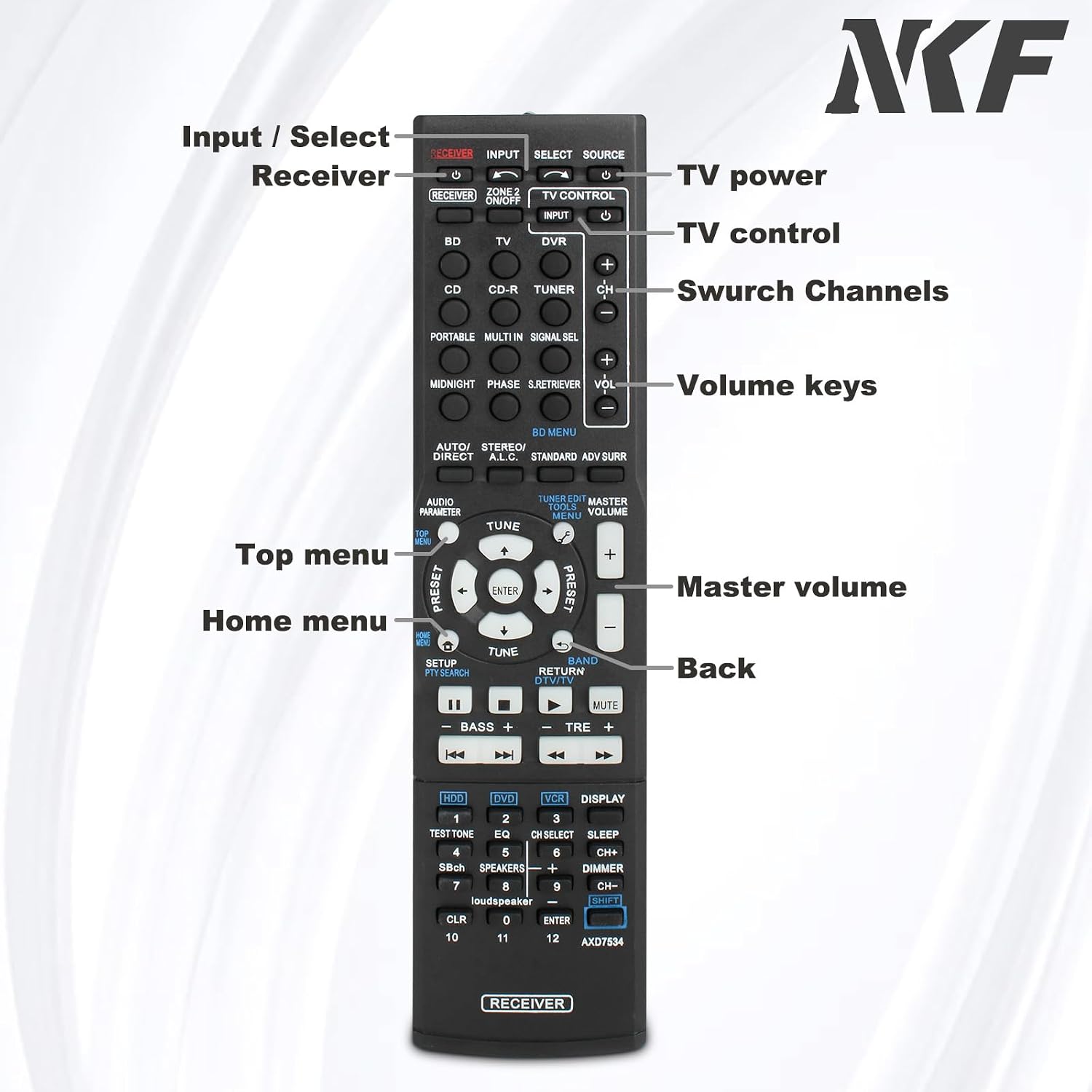
Image: Front view of the remote control, highlighting various buttons and their functions for easy identification.
- Power (RECEIVER ON/OFF): Turns the Pioneer AV Receiver on or off.
- Input Select (BD, TV, DVR, CD, CD-R, TUNER): Selects the desired audio/video input source.
- Volume (+/-): Adjusts the master volume level of the receiver.
- Mute: Silences the audio output.
- Navigation Buttons (Up, Down, Left, Right, ENTER): Used to navigate menus and confirm selections on the receiver's display.
- BD MENU: Accesses the Blu-ray Disc menu.
- AUDIO PARAMETER: Adjusts audio settings.
- TUNER/EDIT, MASTER VOLUME, MENU: Accesses various receiver settings and menus.
- BASS +/-, TRE +/-: Adjusts bass and treble levels.
- SETUP: Enters the receiver's setup menu.
- RETURN: Returns to the previous menu or screen.
- Number Buttons (0-9): For direct input selection or channel tuning.
- DISPLAY: Changes the display information on the receiver or connected TV.
- DIMMER: Adjusts the brightness of the receiver's display.
For specific functions related to your Pioneer AV Receiver model, refer to your receiver's original instruction manual.
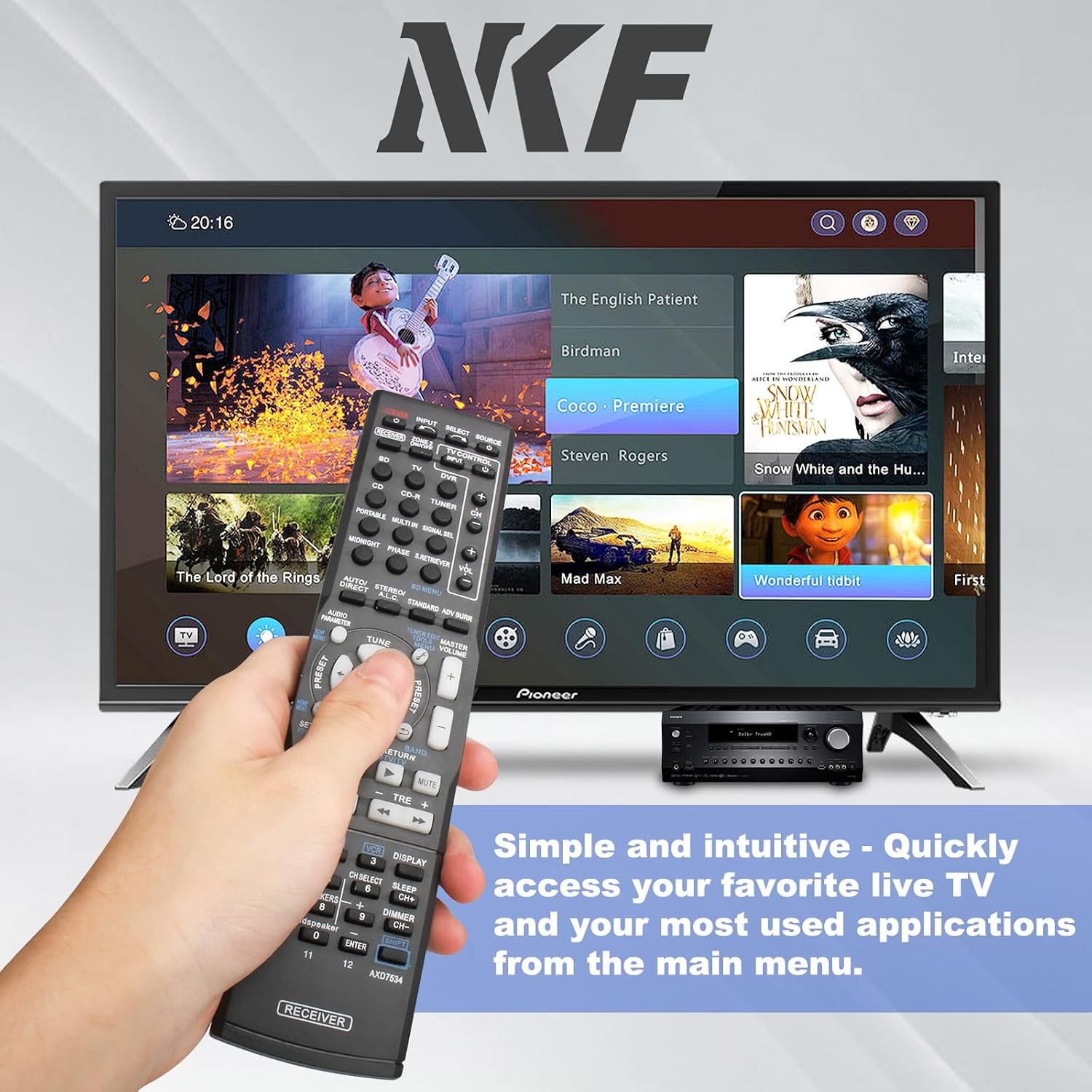
Image: The remote in use, demonstrating its intuitive control over a television's main menu.
Maintenance
To ensure the longevity and optimal performance of your remote control, follow these maintenance guidelines:
- Cleaning: Wipe the remote with a soft, dry cloth. For stubborn dirt, slightly dampen the cloth with water or a mild, non-abrasive cleaner. Avoid excessive moisture.
- Battery Replacement: Replace batteries when the remote's response becomes sluggish or stops working. Always replace both batteries at the same time with new AAA 1.5V alkaline batteries.
- Storage: Store the remote in a dry place away from direct sunlight and extreme temperatures.
- Avoid Drops: While durable, repeated drops can damage internal components. Handle the remote with care.
Troubleshooting
If you encounter issues with your remote control, try the following troubleshooting steps:
- Remote Not Responding:
- Check if the batteries are inserted correctly with the correct polarity (+/-).
- Replace the batteries with new AAA 1.5V alkaline batteries.
- Ensure there are no obstructions between the remote control and the AV receiver's infrared sensor.
- Verify that the remote is pointed directly at the AV receiver.
- Limited Functionality:
- Confirm that your AV receiver model is listed as compatible. While this remote is a universal replacement for many Pioneer models, some specific advanced functions might vary or require the original remote.
- Ensure the correct input source is selected on the remote and receiver.
- Buttons Not Working:
- Clean the remote's surface and buttons to remove any dirt or debris that might be obstructing button presses.
If problems persist after trying these steps, please contact customer support.
Specifications
| Model Number | AXD7534 |
| Brand | NKF |
| Dimensions | 7.8 x 2 x 0.78 inches |
| Weight | 2.72 ounces |
| Batteries Required | 2 x AAA 1.5V Alkaline Batteries (not included) |
| Special Feature | No Programming Required |
| Max Supported Devices | 1 (Pioneer AV Receiver) |
Warranty and Support
This NKF remote control is designed for durability and reliable performance. For any questions, concerns, or issues not covered in this manual, please contact NKF customer support.
Please note that batteries are not included with the remote control.
For further assistance, refer to the contact information provided with your purchase or visit the official NKF store on Amazon: NKF Store.