
1. Introduction
This manual provides essential instructions for the Calypso Smartime K8502/1 Digital Quartz Watch. This device features a digital display, a durable rubber case, and a comfortable silicone strap. It is designed for daily wear and includes various smart functionalities.
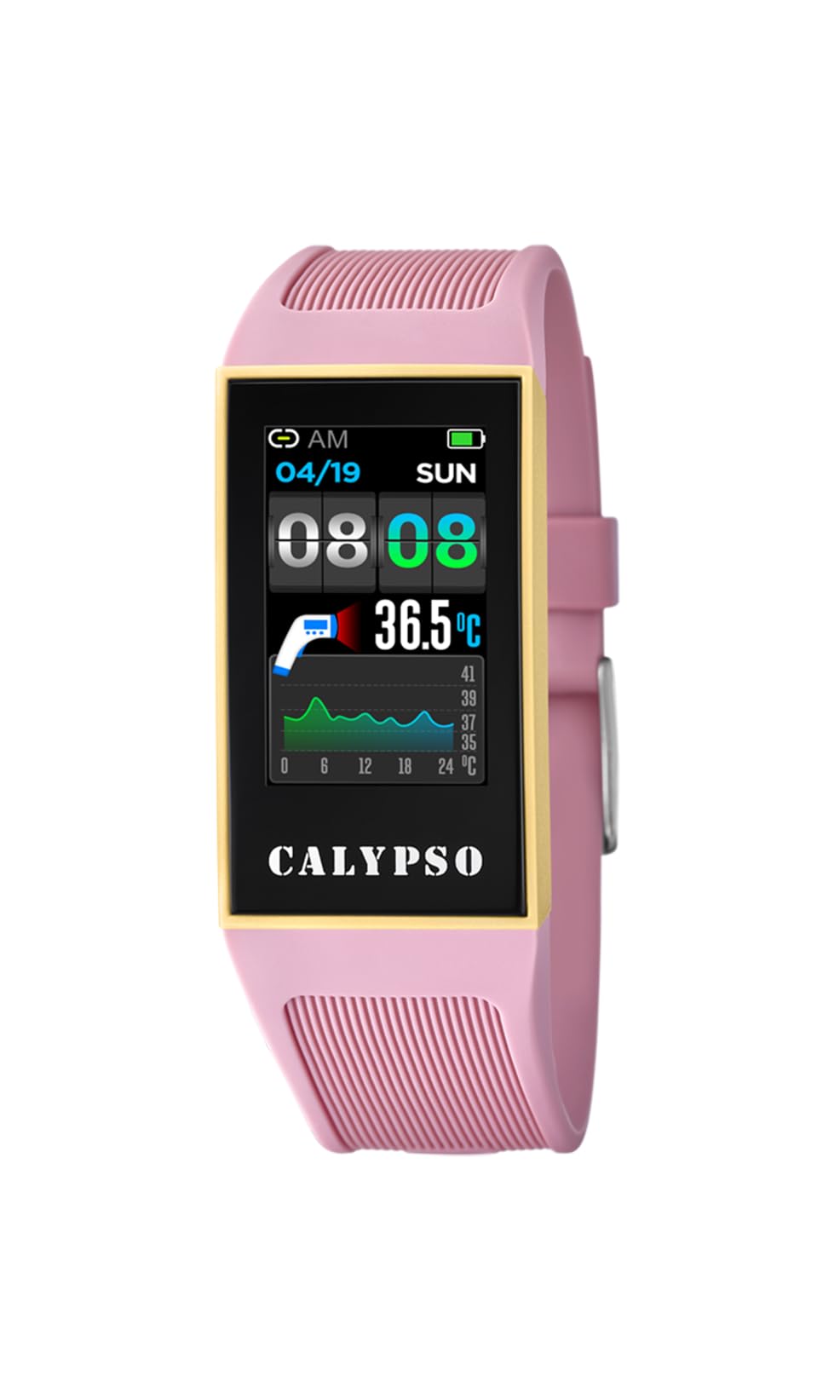
Figure 1: Calypso Smartime K8502/1 Digital Quartz Watch. The watch features a black dial, a pink rubber case, and a pink silicone strap.
2. Setup
2.1 Initial Charging
Before first use, fully charge your Calypso Smartime K8502/1 watch. Connect the provided charging cable to the watch's charging port and a compatible USB power source. The watch display will indicate charging status. A full charge typically takes approximately 2 hours.
2.2 Powering On/Off
- To Power On: Press and hold the power button (usually located on the side of the watch case) for 3-5 seconds until the Calypso logo appears.
- To Power Off: Press and hold the power button for 3-5 seconds. A power-off menu will appear on the screen. Select "Power Off" to shut down the device.
2.3 Pairing with a Mobile Device (Android)
Your Calypso Smartime K8502/1 watch operates with an Android operating system and can be paired with a compatible smartphone via Bluetooth for extended functionalities.
- Ensure your watch is charged and powered on.
- On your smartphone, enable Bluetooth and open the dedicated Calypso Smartime application (downloadable from the Google Play Store).
- Follow the on-screen instructions in the application to search for and pair with your watch. The watch's Bluetooth name will typically be "Calypso K8502/1" or similar.
- Confirm the pairing request on both your watch and smartphone.
3. Operating Instructions
3.1 Basic Navigation
The watch features a digital display. Interaction is primarily through touch gestures and potentially a side button (if present, referred to as 'dial' in specifications, which might imply a rotating crown or button).
- Swipe Up/Down/Left/Right: Navigate through menus, notifications, and widgets.
- Tap: Select an item or open an application.
- Press Side Button: Typically returns to the home screen or activates a specific function (e.g., screen on/off).
3.2 Key Features
- Alarm: Set multiple alarms through the watch's alarm application or the paired smartphone app.
- Calendaring: View your schedule and appointments. Requires synchronization with your smartphone calendar.
- Chronograph: Use the stopwatch function for timing activities.
- Compass: Access the digital compass for navigation. Ensure the watch is calibrated for accurate readings.
- Dual-time: Display time from two different time zones simultaneously.
4. Maintenance
4.1 Cleaning
To maintain the appearance and functionality of your watch:
- Wipe the watch case and strap with a soft, damp cloth.
- Avoid using harsh chemicals, abrasive cleaners, or solvents, as these can damage the rubber and silicone materials.
- Ensure the charging port is dry before charging.
4.2 Water Resistance (IP68)
The Calypso Smartime K8502/1 watch has an IP68 water resistance rating. This means it is dust-tight and protected against continuous immersion in water up to 1.5 meters for 30 minutes. It is suitable for showering, swimming in shallow water, and everyday splashes. It is not suitable for diving, snorkeling, or high-pressure water activities.
Important: Do not operate the watch buttons or touchscreen while submerged in water. Ensure the watch is completely dry before charging.
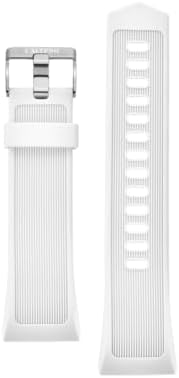
Figure 2: Silicone watch strap. The strap is durable and easy to clean. Color may vary from the product image.
5. Troubleshooting
| Problem | Possible Cause | Solution |
|---|---|---|
| Watch does not power on. | Low battery. | Charge the watch for at least 30 minutes. |
| Cannot pair with smartphone. | Bluetooth is off on watch/phone, app not open, or watch is out of range. | Ensure Bluetooth is enabled on both devices. Open the Calypso Smartime app. Bring devices closer. Restart both devices. |
| Display is unresponsive. | Software glitch or low battery. | Restart the watch by holding the power button. If unresponsive, allow battery to drain completely then recharge. |
| Water resistance issues after exposure. | Buttons operated underwater, or watch exposed to high-pressure water. | Ensure proper usage within IP68 limits. If issues persist, contact customer support. |
6. Specifications
| Feature | Detail |
|---|---|
| Model Number | K8502/1 |
| Brand | Calypso |
| Display Type | Digital |
| Screen Size | 24 mm |
| Case Material | Rubber |
| Band Material | Silicone |
| Case Diameter | 24 mm |
| Operating System | Android |
| Wireless Compatibility | Bluetooth |
| Water Resistance | IP68 (Dust-tight, protected against immersion up to 1.5m for 30 minutes) |
| Additional Features | Alarm, Calendaring, Chronograph, Compass, Dual-time |
| Power Source | Rechargeable Battery (1 Product Specific battery included) |
| Item Weight | 0.5 Kilograms |
7. Warranty and Support
For warranty information and customer support, please refer to the documentation included in your product packaging or visit the official Calypso website. Keep your purchase receipt as proof of purchase for warranty claims.
