
1. Introduction
This instruction manual provides essential information for the safe and efficient assembly, operation, and maintenance of your TecTake Metallic Office Cabinet. Please read this manual thoroughly before beginning assembly or use, and retain it for future reference.

Image 1.1: The TecTake Metallic Office Cabinet with its doors open, revealing multiple shelves filled with files and a small safe, demonstrating its storage capacity.
2. Safety Information
It is recommended to observe maximum load limits, ensure stable and secure installation, and be aware of potential pinch points during the use and handling of this product.
- Always ensure the cabinet is placed on a level and stable surface to prevent tipping.
- Do not exceed the maximum load capacity of 40 kg per shelf. Overloading can compromise stability and structural integrity.
- Keep fingers clear of door hinges and closing mechanisms to avoid pinching injuries.
- Secure the cabinet to a wall if there is any risk of tipping, especially in areas with children or pets. Mounting hardware for wall attachment is not typically included and may need to be purchased separately based on wall type.
- Use appropriate personal protective equipment (e.g., gloves) during assembly to prevent cuts or scrapes from metal edges.
3. Product Overview and Features
The TecTake Metallic Office Cabinet is designed for secure and organized storage in various environments. It features a robust construction and practical design elements.
Key Features:
- Secure Locking Mechanism: Equipped with a cylinder lock and two keys for safeguarding documents and valuables.
- Adjustable Shelves: Four height-adjustable shelves allow for flexible storage configurations to accommodate various item sizes, including binders and office supplies.
- Durable Construction: Made from powder-coated steel for enhanced durability and resistance to wear.
- Reinforced Doors: Two swing doors with a wide opening angle (up to 130°) for easy access to contents.
- Sound-Dampening Buffers: Rubber buffers on the doors ensure quiet closing.
- Easy to Clean: Smooth, rimless shelves facilitate simple cleaning with a damp cloth.
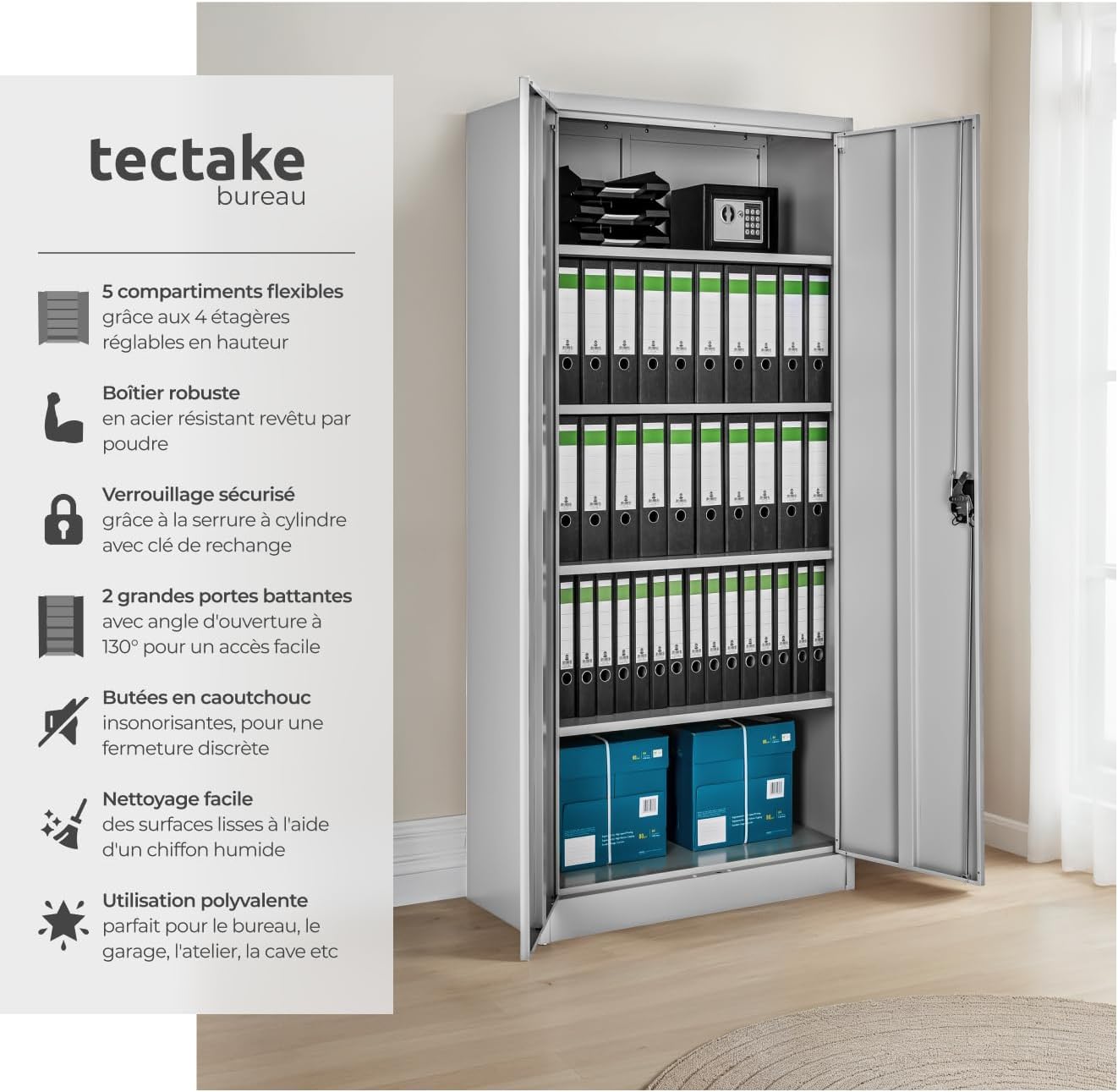
Image 3.1: An infographic highlighting the main features of the cabinet, such as its flexible compartments, robust steel body, secure cylinder lock, and reinforced doors.
4. Setup and Assembly
Assembly of the TecTake Metallic Office Cabinet requires careful attention to detail. It is recommended to have two people for assembly to ensure stability and ease of handling. Please ensure all parts are present before starting.
Required Tools (Not Included):
- Screwdriver (Phillips head recommended)
- Rubber mallet (optional, for gentle tapping)
- Measuring tape
- Level
Assembly Steps:
- Unpack and Inspect: Carefully unpack all components and check against the parts list provided in the packaging. Inspect for any damage.
- Assemble Base: Attach the side panels to the base plate according to the instructions. Ensure all screws are tightened securely.
- Install Back Panel: Slide or attach the back panel into the designated grooves or mounting points.
- Attach Top Panel: Secure the top panel to the side panels.
- Install Shelf Supports: Insert the shelf support clips into the desired height slots on the interior side panels. Ensure they are level and securely seated.
- Place Shelves: Carefully place the adjustable shelves onto the installed supports.
- Attach Doors: Mount the doors to the cabinet frame using the provided hinges. Adjust as necessary to ensure proper alignment and smooth operation.
- Install Locking Mechanism: Attach the lock and handle assembly to one of the doors. Test the lock with the provided keys.
- Final Check: Ensure all connections are tight, the cabinet is stable, and doors open and close smoothly. Place the cabinet in its final desired location, ensuring it is level.

Image 4.1: Detail of the adjustable shelf system, illustrating how shelves can be repositioned to suit different storage needs.
5. Operating Instructions
Using your TecTake Metallic Office Cabinet is straightforward once assembled.
5.1. Opening and Closing Doors
- To open, turn the handle and pull the door outwards. The doors are designed to open up to 130 degrees for full access.
- To close, gently push the doors until they meet the cabinet frame. The integrated rubber buffers will ensure a quiet closure.
5.2. Using the Lock
- Insert one of the provided keys into the cylinder lock located on the handle.
- Turn the key clockwise to lock the doors.
- Turn the key counter-clockwise to unlock the doors.
- Always remove the key after locking or unlocking to prevent loss or unauthorized access.
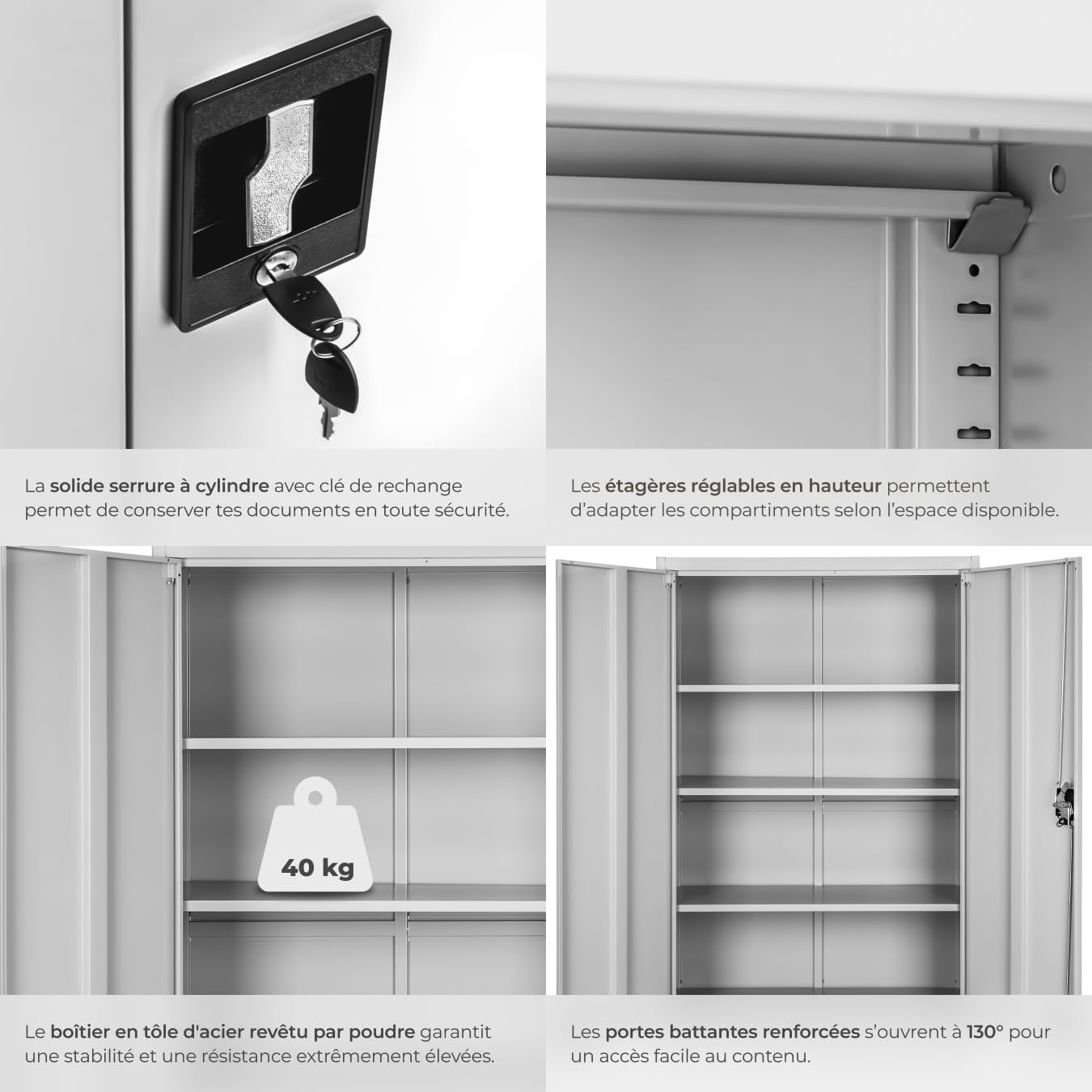
Image 5.1: A detailed view of the cabinet's handle and cylinder lock, showing the keys in place for secure operation.
5.3. Adjusting Shelves
- Empty the shelf you wish to adjust.
- Carefully lift the shelf and remove the support clips from their current slots.
- Reinsert the support clips into the desired new height slots on both side panels, ensuring they are at the same level.
- Place the shelf back onto the newly positioned support clips.
6. Maintenance
Regular maintenance will help preserve the appearance and functionality of your cabinet.
- Cleaning: Wipe down all surfaces, including the smooth, rimless shelves, with a soft, damp cloth. For stubborn marks, a mild, non-abrasive cleaner can be used. Dry thoroughly with a clean cloth.
- Avoid Harsh Chemicals: Do not use abrasive cleaners, solvents, or harsh chemicals, as these can damage the powder-coated finish.
- Lubrication: Periodically check door hinges and the lock mechanism. If they become stiff, a small amount of silicone-based lubricant can be applied.
- Tighten Fasteners: Over time, screws and fasteners may loosen. Periodically check and tighten all connections to maintain structural integrity.
7. Troubleshooting
If you encounter issues with your cabinet, refer to the following common troubleshooting tips:
- Doors do not close properly:
- Check if the cabinet is level. Adjust the feet or place shims underneath if necessary.
- Inspect hinges for damage or misalignment. Adjust hinge screws if needed.
- Ensure no items inside the cabinet are obstructing the doors.
- Lock is stiff or not working:
- Apply a small amount of graphite powder or silicone spray lubricant into the keyhole.
- Ensure the doors are fully closed and aligned before attempting to lock.
- Check if the locking mechanism is obstructed by any internal components.
- Cabinet feels unstable:
- Verify that the cabinet is on a flat, stable surface.
- Ensure all assembly screws are fully tightened.
- Consider anchoring the cabinet to a wall for added stability, especially if it will hold heavy items.
- Damaged parts upon arrival:
- If parts are damaged during shipping, contact the seller or manufacturer immediately with details and photographic evidence. Do not attempt to assemble damaged components as this may void your warranty or cause further issues.
8. Specifications
Detailed specifications for the TecTake Metallic Office Cabinet.

Image 8.1: A visual representation of the cabinet's dimensions, indicating its overall size.
| Attribute | Value |
|---|---|
| Brand | TecTake |
| Model Number | aa-2t4g8e3l |
| Color | Grey, with 2 Doors |
| Product Dimensions (L x W x H) | 40 x 90 x 180 cm |
| Item Weight | 39.3 Kilograms |
| Maximum Weight Capacity (per shelf) | 40 Kilograms |
| Material | Powder-coated Steel |
| Special Feature | Adjustable Shelves |
| Mounting Type | Floor Mount |
| Recommended Use | Indoor |
| Included Components | Shelves, Lock, Keys |
9. Warranty and Support
For warranty information or customer support, please refer to the documentation included with your purchase or contact the seller directly. The seller for this product is Made4Home SAS.
When contacting support, please provide your model number (aa-2t4g8e3l) and proof of purchase to expedite assistance.