
TREBLAB X3-Pro-W
TREBLAB X3 Pro True Wireless Earbuds User Manual
Brand: TREBLAB | Model: X3-Pro-W
Introduction
Welcome to your TREBLAB X3 Pro True Wireless Earbuds. This manual provides comprehensive instructions for setup, operation, maintenance, and troubleshooting to ensure you get the best experience from your device.

Image: TREBLAB X3 Pro earbuds in their charging case, with one earbud removed and placed next to the open case.
What's in the Box

Image: Contents of the TREBLAB X3 Pro box including earbuds, charging case, eartips, USB-C cable, cleaning kit, and user manual.
- TREBLAB X3 Pro Earbuds
- Portable Charging Case
- 5 sizes of Silicone Eartips
- USB-C Charging Cable
- Cleaning Brush and Swab
- User Manual
- Insert card
- Sticker
Setup
Charging the Earbuds and Case
Before first use, fully charge your TREBLAB X3 Pro earbuds and the charging case.
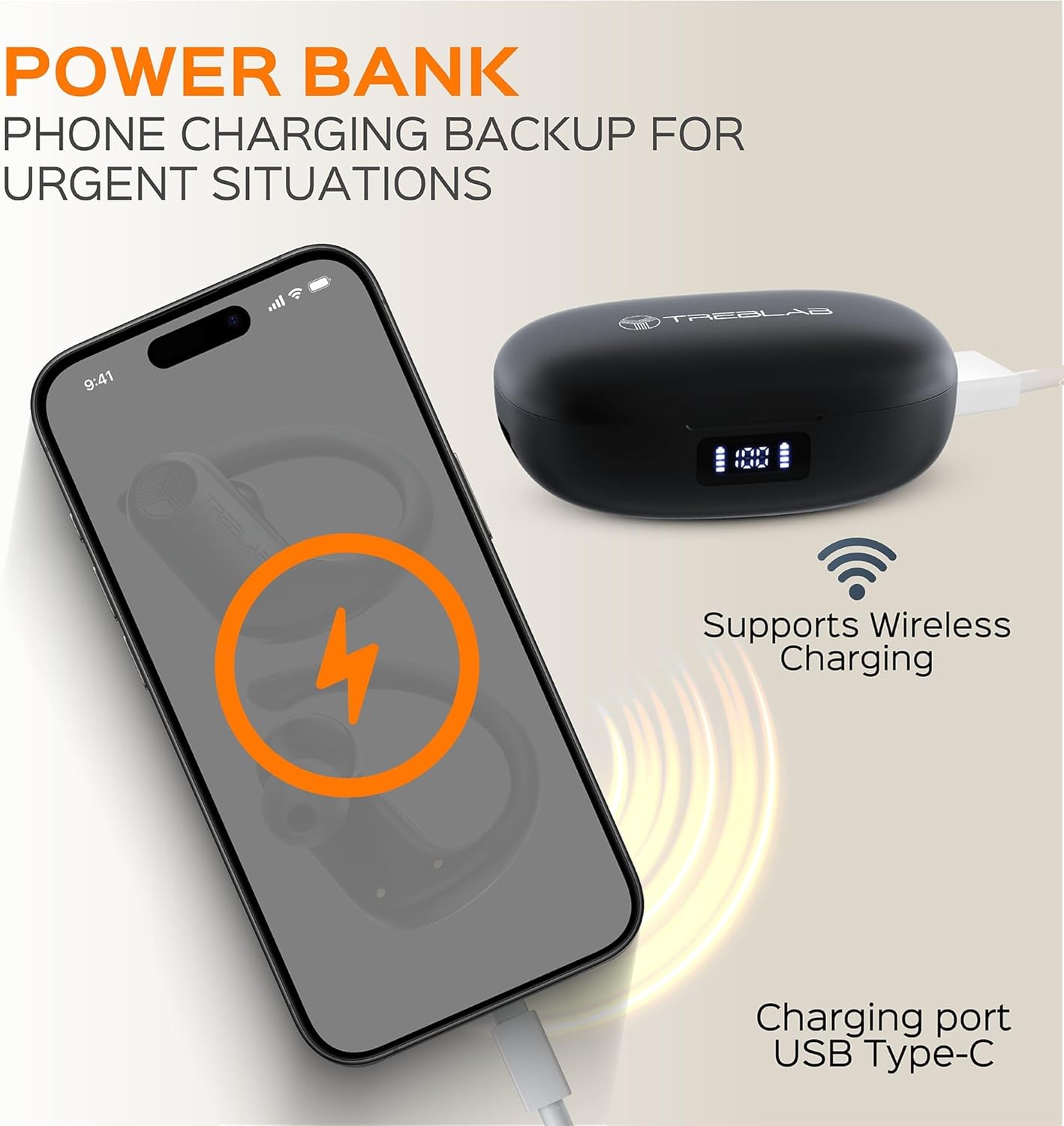
Image: The TREBLAB X3 Pro charging case connected to a phone via USB-C cable, illustrating its power bank function.
- Connect the USB-C charging cable to the charging port on the case.
- The LED indicator on the case will show charging status.
- A full charge takes approximately 2 hours for the case and 2.5 hours for the earbuds.
Pairing with Your Device
To pair your TREBLAB X3 Pro earbuds with a Bluetooth-enabled device:
- Ensure the earbuds are fully charged.
- Open the charging case. The earbuds will automatically enter pairing mode.
- On your device, go to Bluetooth settings and select "TREBLAB X3 Pro" from the list of available devices.
- Once connected, you will hear a confirmation tone.
Operating Instructions
Wearing the Earbuds
For optimal sound and comfort, ensure a secure fit. The TREBLAB X3 Pro comes with 5 sizes of silicone eartips to choose from.

Image: Diagram illustrating the correct way to wear the earbuds for a secure and comfortable fit, along with the different eartip sizes provided.
- Put the earbud in your ear.
- Place the ear hook behind your ear.
- Twist the earbud to make it comfortable and secure.
Touch Controls
The TREBLAB X3 Pro features intuitive touch controls for easy management of your audio and calls.

Image: Close-up of a TREBLAB X3 Pro earbud highlighting its touch control functions.
- On/Off: Tap and hold the touch area.
- Play/Pause: Single tap.
- Next/Previous Track: Double tap right/left earbud.
- Volume Control: Triple tap right/left earbud.
- Answer/End Call: Single tap during an incoming call.
- Reject Call: Tap and hold during an incoming call.
- Activate Voice Assistant (Siri/Google Assistant): Tap and hold for 2 seconds.
Power Bank Function
The charging case can also serve as a power bank to provide emergency charge to your smartphone via the USB-C port.
Maintenance
- Clean the earbuds and charging case regularly with a soft, dry cloth.
- Use the provided cleaning brush and swab for eartips and charging contacts.
- Avoid exposing the earbuds to extreme temperatures or direct sunlight.
- Store in the charging case when not in use to protect them and keep them charged.
Troubleshooting
| Problem | Solution |
|---|---|
| Earbuds not turning on | Ensure earbuds and charging case are fully charged. Place earbuds in the case and close the lid, then open again. |
| Earbuds not pairing | Ensure Bluetooth is enabled on your device. Forget "TREBLAB X3 Pro" from your device's Bluetooth list and try pairing again. Make sure earbuds are in pairing mode (LED blinking). |
| No sound or low volume | Check device volume and earbud volume. Ensure earbuds are properly seated in your ears. Try different eartip sizes for a better seal. |
| Disconnections during use | Ensure your device is within the 33 feet (10m) Bluetooth range. Avoid obstacles between the earbuds and your device. |
Specifications
| Feature | Detail |
|---|---|
| Model Name | X3-Pro-W |
| Connectivity Technology | Bluetooth 5.3 |
| Audio Driver Size | 14.2 Millimeters |
| Battery Life (Earbuds) | Up to 9 hours (single charge) |
| Total Playtime with Charging Case | Up to 145 hours |
| Charging Time | Earbuds: 2.5 Hours, Case: 2 Hours |
| Water Resistance Level | IPX5 Sweatproof |
| Bluetooth Range | 33 Feet / 10 m |
| Microphones | 4 built-in mics with cVc 8.0 |
| Control Type | Touch, Voice |
| Earpiece Shape | Hook |
| Noise Control | Sound Isolation |
| Frequency Response | 20 KHz |
| Sensitivity | 96 dB |
| Carrying Case Battery Capacity | 2600 Milliamp Hours |
Warranty and Support
TREBLAB X3 Pro comes with a 1-YEAR WARRANTY and 30-DAY RETURNS. For support, please visit the official TREBLAB website or contact customer service through your purchase platform.
You can also refer to the official User Manual (PDF) and User Guide (PDF) available for download:
User Manual (PDF)User Guide (PDF)
Related documentsX3-Pro-W


Ask a question about this manual
Ask about setup, troubleshooting, compatibility, parts, safety, or missing instructions. Manuals+ will review the question and use this page’s manual context to help answer it.