
Introduction
The JumpSmart 10-in-1 is a versatile emergency preparedness tool designed to provide multiple functionalities in a compact form. It serves as a powerful vehicle jump starter, a high-powered LED flashlight, a portable power bank, and includes several emergency multi-tool features. This manual provides essential information for safe and effective operation of your JumpSmart device.

Image: The JumpSmart 10-in-1 device in Dove Gray, shown with its smart jumper cables attached, highlighting its primary function as a portable jump starter.
What's Included
Your JumpSmart package includes the following components:
- 1x JumpSmart 10-in-1 Device
- 1x Smart Jumper Cables
- 1x USB Wall Charger
- 1x USB Car Charger
- 1x Micro USB Cable
- 1x Carrying Pouch
- 1x User Manual

Image: A visual representation of all items included in the JumpSmart 10-in-1 package, laid out neatly on a surface.
Product Features
- Powerful Jump Starter: Equipped with an 8000mAh high-grade Lithium-Polymer battery, providing DC 12V 200A (start) – 800A (peak) for jump-starting vehicles.
- High Powered Flashlight: Features an 8W, 330 Lumen LED Flashlight with 4 modes: High Beam, Low Beam, S.O.S., and Strobe. Includes an emergency red flashing feature and a 495ft reach.
- Portable Power Bank: Dual USB ports offer up to 2.4 amps per port for fast charging of USB-chargeable devices like mobile phones, tablets, and gaming devices.
- Emergency & Versatile Multi-Tool: Integrates a compass, thermometer, reflector strip, and an emergency audible alarm, making it suitable for hiking, camping, off-roading, and emergency situations.
Video: A feature callout video demonstrating the various functionalities of the JumpSmart 10-in-1 device.
Setup
Charging the JumpSmart Device
- Before initial use, fully charge your JumpSmart device using the provided USB Wall Charger or USB Car Charger.
- Connect the Micro USB Cable to the input port on the JumpSmart.
- Plug the charger into a power source (wall outlet or car's 12V accessory port).
- The battery indicator lights on the device will illuminate to show charging progress. Ensure it is fully charged before storing or first use.
Operating Instructions
Jump Starting a Vehicle
The JumpSmart is capable of jump-starting most cars, trucks, SUVs, boats, motorcycles, lawn mowers, and ATVs.
- Ensure your JumpSmart device is sufficiently charged (above 50% recommended).
- Connect the Smart Jumper Cables to the JumpSmart device's jump start port.
- Attach the red (+) clamp to the positive (+) terminal of the vehicle battery.
- Attach the black (-) clamp to the negative (-) terminal of the vehicle battery or a suitable ground point on the vehicle chassis.
- The Smart Jumper Cables will indicate a green light when connected correctly and safely. If a red light or error is displayed, check connections.
- Once the green light is solid, start your vehicle.
- After the vehicle starts, immediately disconnect the black (-) clamp, then the red (+) clamp, and finally disconnect the Smart Jumper Cables from the JumpSmart device.

Image: The JumpSmart 10-in-1 device connected to a car battery via smart jumper cables, illustrating the jump-starting process.
Video: A demonstration of how to use the JumpSmart 10-in-1 to jump-start a vehicle.
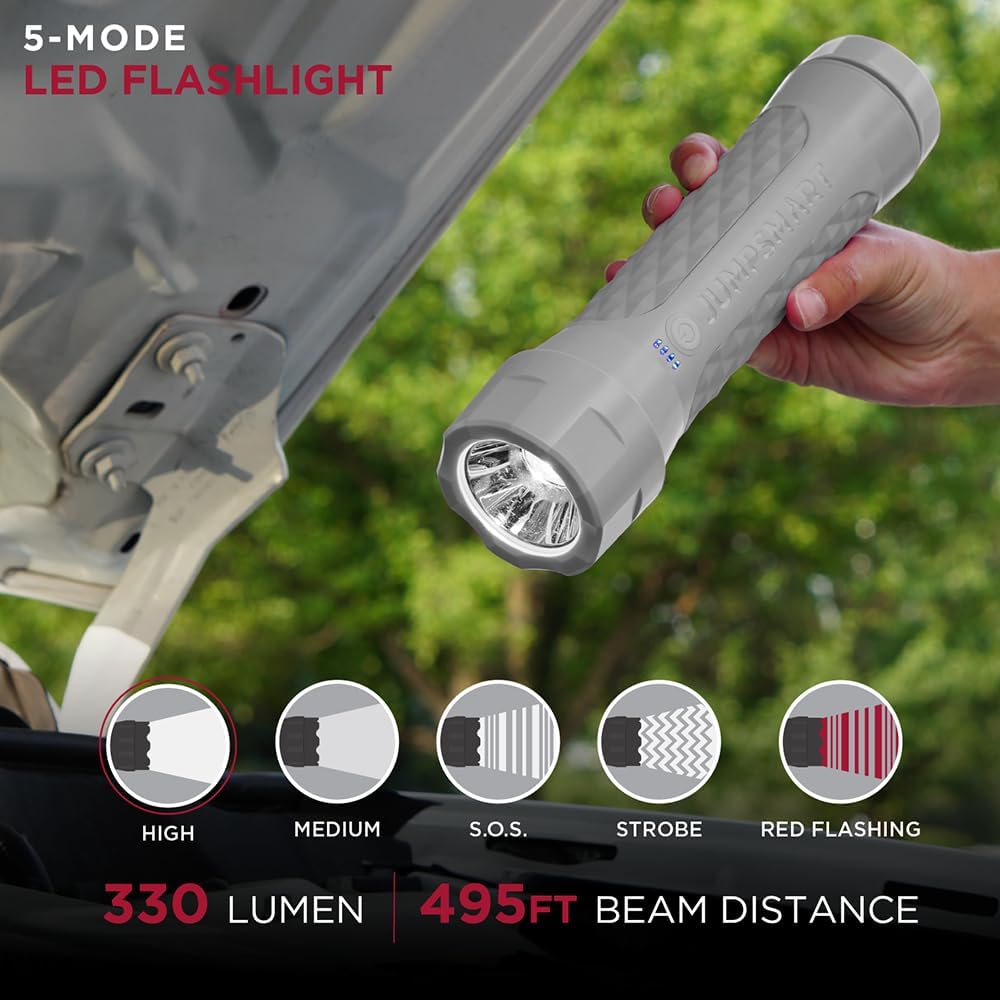
Image: An infographic detailing the number of times the JumpSmart 10-in-1 can jump-start different vehicle types on a single charge.

Image: A visual guide showing the types of vehicles (riding mowers, ATVs, motorcycles, cars, SUVs, trucks, boats) and electronic devices (mobile phones, tablets, gaming systems, cameras, navigation systems, wireless headphones, wireless speakers) compatible with the JumpSmart 10-in-1.
Using the LED Flashlight
The JumpSmart features a powerful LED flashlight with multiple modes:
- To turn on the flashlight, press and hold the power button on the device.
- Press the power button repeatedly to cycle through the modes: High Beam, Low Beam, S.O.S. (Morse code for distress), and Strobe.
- To activate the emergency red flashing feature, press and hold the power button when the flashlight is off.
- To turn off the flashlight, cycle through all modes or press and hold the power button.

Image: The JumpSmart 10-in-1 flashlight illuminating an engine bay, with icons depicting its five modes: High, Medium, S.O.S., Strobe, and Red Flashing, along with its 330 Lumen output and 495ft beam distance.
Using as a Portable Power Bank
To charge your electronic devices:
- Connect your device's USB charging cable to one of the USB output ports on the JumpSmart.
- The JumpSmart will automatically begin charging your device.
- Monitor your device's charging status. Disconnect once fully charged.
Multi-Tool Features (Compass, Thermometer, Alarm)
The JumpSmart includes integrated tools for various situations:
- Compass: Located on the device, use it for navigation.
- Thermometer: Provides ambient temperature readings.
- Emergency Audible Alarm: Activate the alarm in emergency situations to attract attention. Refer to the user manual for specific activation instructions.
Image: The JumpSmart 10-in-1 device showing its integrated compass and thermometer on the end cap, emphasizing its multi-tool capabilities.
Safety Information
The JumpSmart device is equipped with 10 levels of built-in protection to ensure safe operation:
- Reverse Polarity Protection
- Short Circuit Protection
- Over-Charge Protection
- Over-Discharge Protection
- Over-Temperature Protection
- Timeout Protection
- Vehicle Battery False Voltage Protection
- Vehicle Engine Voltage Protection
- Non-Sparking Full Protection
- Low Input Voltage Protection
Always follow these general safety guidelines:
- Read and understand all instructions before using the device.
- Do not operate the device if it is damaged.
- Keep the device away from children.
- Use only the provided Smart Jumper Cables.
- Do not jump start a frozen battery.
- Ensure proper ventilation when jump starting.
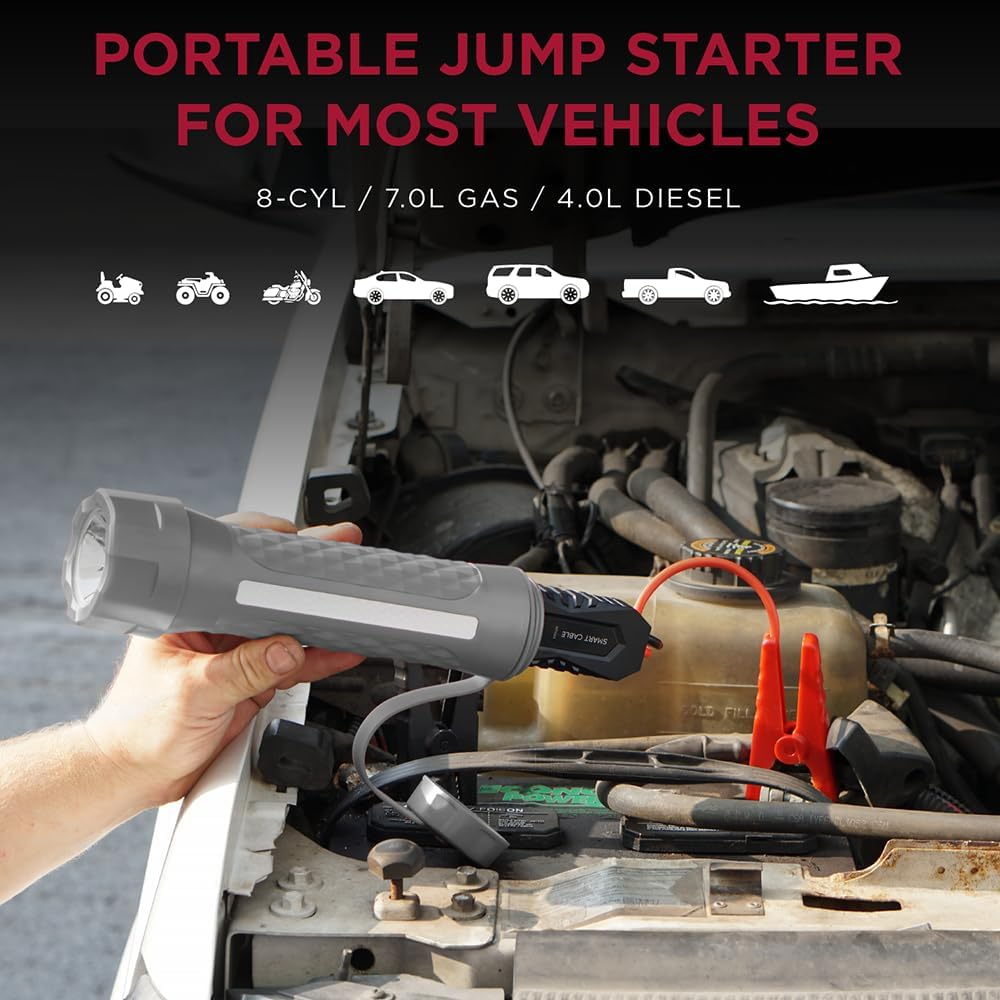
Image: A close-up of the JumpSmart 10-in-1 smart cable, highlighting the 10 levels of built-in protection features for safe operation.
Specifications
| Specification | Value |
|---|---|
| Brand | Limitless Innovations |
| Item Weight | 0.52 Kilograms (1.14 pounds) |
| Amperage | 800 Amps |
| Peak Output Current | 2.4 Amps |
| Product Dimensions | 10 x 2.5 x 2.5 inches |
| Item Model Number | JUMPSMART-10IN1-009 |
| Batteries | 1 Lithium Polymer batteries required (included) |
Troubleshooting
If your JumpSmart device is not functioning as expected, consider the following:
- Device not turning on: Ensure the device is fully charged. If the battery is completely depleted, it may take a few minutes of charging before it responds.
- Vehicle not jump starting:
- Check that the JumpSmart has at least 50% charge.
- Verify that the Smart Jumper Cables are securely connected to both the JumpSmart and the vehicle battery terminals (red to positive, black to negative/ground).
- Look for a solid green light on the Smart Jumper Cables. If it's red or flashing, there's a connection issue or a fault.
- Ensure the vehicle battery is not completely frozen.
- Device not charging: Check the Micro USB cable and charger for damage. Try a different USB port or wall adapter.
- Flashlight not working: Ensure the device is powered on and has sufficient battery charge. Cycle through the flashlight modes.
For further assistance, refer to the detailed user manual included in your package or contact customer support.
Warranty & Support
For information regarding product warranty, returns, or technical support, please refer to the official documentation provided with your JumpSmart device. You may also visit the Limitless Innovations Store on Amazon for additional resources and contact information.


