
HXPKH GK5CN-00-13-4S1P-0
HXPKH Laptop Battery User Manual
Model: GK5CN-00-13-4S1P-0
1. Introduction
This manual provides essential information for the safe and effective use of your new HXPKH GK5CN-00-13-4S1P-0 laptop battery. Please read this manual thoroughly before installation and use to ensure optimal performance and longevity of the battery.

Image: The HXPKH laptop battery, packaging, and a small screwdriver for installation.
2. Safety Information and Precautions
Lithium-ion batteries require careful handling. Adhere to the following safety guidelines:
- Do not disassemble: Attempting to disassemble the battery can lead to electric shock, fire, or explosion.
- Never throw into fire or water: Exposure to extreme heat or water can cause the battery to explode or leak.
- Discard used batteries according to manufacturer's instructions: Follow local regulations for proper disposal of Li-ion batteries.
- Avoid short circuits: Do not allow metal objects to come into contact with the battery terminals.
- Keep away from children: Store the battery in a safe place out of reach of children.
- Avoid extreme temperatures: Do not expose the battery to temperatures above 60°C (140°F) or below 0°C (32°F).
- If swelling occurs: Discontinue use immediately and dispose of the battery safely.

Image: Close-up view of the battery label showing safety warnings and technical parameters.
3. Product Overview and Specifications
The HXPKH GK5CN-00-13-4S1P-0 is a high-quality Li-ion replacement battery designed for various laptop models. It features robust internal components for reliable performance.
3.1 Key Features
- Battery Type: Li-ion
- Voltage: 15.2V
- Capacity: 62.32Wh (4100mAh)
- Internal Components: Master chip, dual protection chip, resistance, temperature sensing, oxygen-free copper sheet.
- Performance: True capacity, fast charging, stable output, more than 500 discharge cycles.
3.2 Physical Characteristics

Image: Front and back views of the HXPKH laptop battery, highlighting its design and connector.
- Battery Connector: Standard multi-pin connector for secure laptop integration.
- Battery Fixing Device: Integrated mounting points for secure fit within the laptop chassis.

Image: Diagram illustrating the internal components of the battery, including the master chip, dual protection chip, resistance, temperature sensing, and oxygen-free copper sheet.
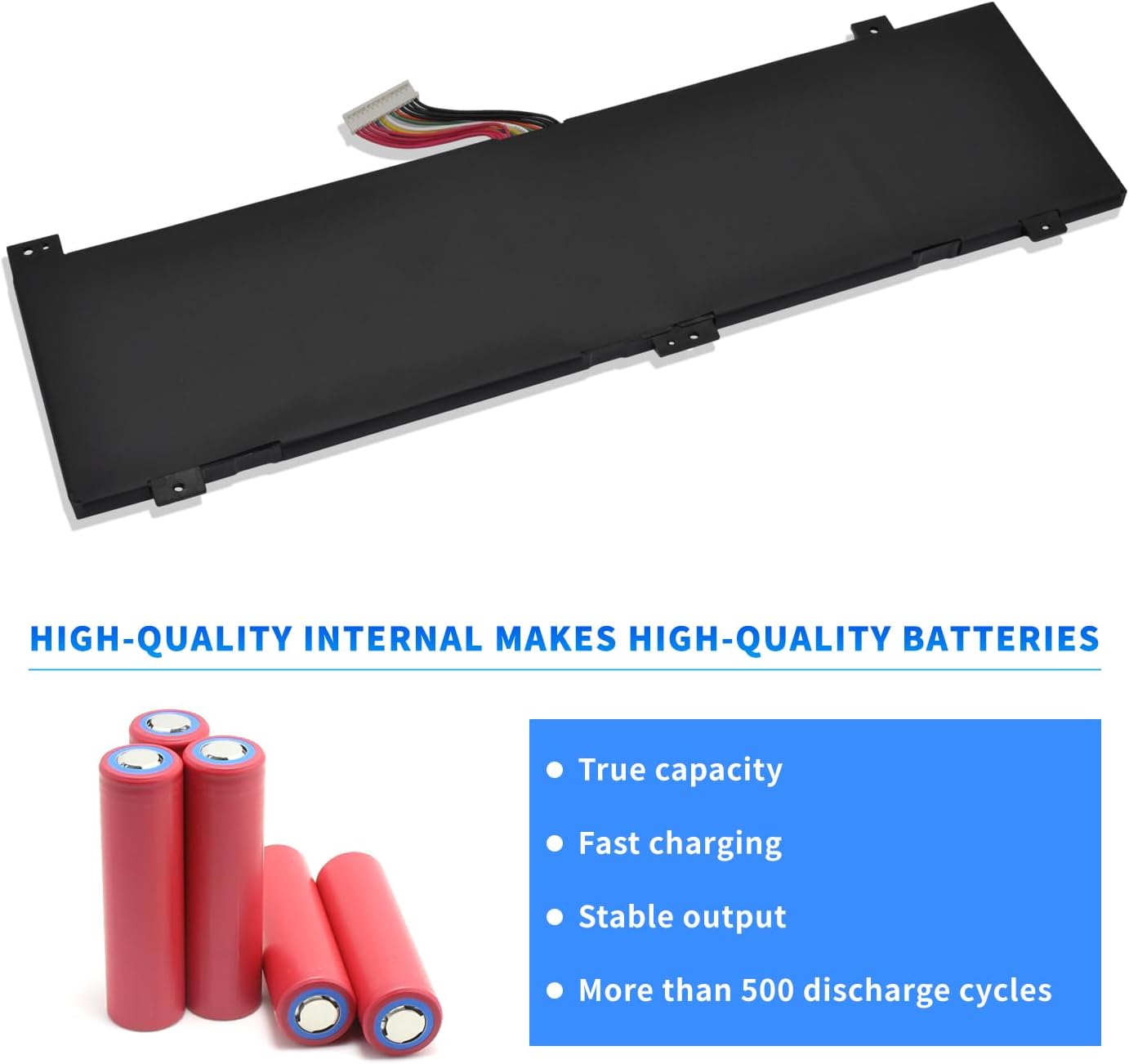
Image: Illustration of the high-quality internal battery cells, emphasizing true capacity, fast charging, stable output, and long cycle life.
3.3 Compatibility
This battery is compatible with the following laptop models and part numbers. Please verify your laptop's model and original battery part number before purchase and installation.
Replacement Part Numbers: GK5CN, GK5CN-00-13-4S1P-0, GK5CN-00-13-3S1P-0, GK5CN3-3101, 4ICP6/63/69, 3ICP6/63/69.
Compatible Laptop Models:
- For Tongfang: GK6Z5CN, OP-LP2, Model Z, GK5CQ7Z, GM7MPHS, GK5CN4Z, GK5CQ7Z, GK5CN6Z, GK7MRFR, GK5CN5Z, GK7CN6S Series.
- For Schenker: XMG Neo 15, XMG Neo 15 XNE15M19, XMG Neo 15 Turing, XMG Neo 17, XMG Neo 17 Comet Lake, XMG Core 15, XMG Core 15 GK5CP6V, XMG Core 15 GK5NR0O, XMG Core 15 Ampere, XMG Core 15-M20hdw, XMG Core 17 Comet Lake Series.
- For Maingear: Vector 15 MG-VCTR002 Series.
- For Medion: Erazer X6805 Series.
- For Eluktronics: Matrix RP-17 Series.
- For MECHREVO: Z2, Z2 Air, Z2Air, TAITAN Plus, X8 PRO, X8Ti, X8Ti Pro, X8Ti Plus, X9Ti, X9Ti Pro, X9Ti-R, JIAOLONG5-564, JIAOLONG-560, JIAOLONG 15K, JIAOLONG 16K, KUANGSHI16 Super, KUANGSHI G16 Series.
- For MACHENIKE: T90 Plus, T90-T3P, F117-B, F117-B1, F117-B2, F117-B2CK, F117-B3, F117-B6D, F117-B6CP Series.
- For Hasee: Z7M, Z7M-KP7Z, Z7M-KP7GZ, Z7M-KP5GZ, Z7-KP7GZ, Z7-CT5VH, G7, GK5CN4X, GK5CN6Z Series.

Image: A comparison showing the "Long - 62.32Wh" battery (this product) and a "Short - 46.17Wh" battery, emphasizing the need to confirm the size and shape of your original battery before purchase.

Image: Step-by-step guide on how to find your laptop's model number using the Windows 'msinfo32' command.
4. Installation
Installing a laptop battery typically involves opening the laptop chassis. If you are not comfortable performing this procedure, it is recommended to seek professional assistance.
- Power Off and Disconnect: Completely shut down your laptop and disconnect it from the power adapter.
- Remove External Peripherals: Disconnect all external devices (USB drives, external monitors, etc.).
- Discharge Static Electricity: Touch a grounded metal object to discharge any static electricity from your body.
- Open Laptop Chassis: Carefully open the laptop's back cover. Refer to your laptop's specific service manual for instructions on how to open it.
- Locate and Disconnect Old Battery: Identify the old battery. Carefully disconnect its cable from the motherboard.
- Remove Old Battery: Unscrew any retaining screws holding the old battery in place and gently remove it.
- Install New Battery: Place the new HXPKH battery into the battery compartment, ensuring it aligns with the mounting points. Secure it with the screws removed earlier.
- Connect New Battery: Carefully connect the new battery's cable to the motherboard connector. Ensure it is firmly seated.
- Close Laptop Chassis: Reattach the laptop's back cover and secure all screws.
- Initial Charge: Connect the laptop to the power adapter and allow the battery to fully charge before first use.
5. Usage and Operation
For optimal performance and battery health, follow these usage guidelines:
- First Use: For the first few cycles, fully charge the battery to 100% and then discharge it to about 5-10% before recharging. This helps calibrate the battery meter.
- Regular Use: Avoid consistently discharging the battery to 0%. It is generally recommended to keep the charge level between 20% and 80% for daily use to prolong battery life.
- Charging: Use only the original or a certified compatible laptop charger.
- Temperature: Operate your laptop in a moderate temperature environment. Extreme heat or cold can degrade battery performance and lifespan.
6. Maintenance
Proper maintenance can significantly extend the lifespan of your laptop battery:
- Storage: If storing the battery for an extended period, charge it to about 50-60% and store it in a cool, dry place. Recharge it every 3-6 months to prevent deep discharge.
- Cleaning: Keep the battery contacts clean and free of dust. Use a dry, soft cloth to wipe them if necessary.
- Avoid Physical Damage: Protect the battery from drops, impacts, and punctures.
- Software Updates: Keep your laptop's operating system and drivers updated, as power management features can impact battery health.
7. Troubleshooting
If you encounter issues with your HXPKH laptop battery, consider the following common solutions:
| Problem | Possible Cause | Solution |
|---|---|---|
| Battery not charging | Loose connection, faulty charger, software issue, battery fault. |
|
| Battery drains quickly | High power consumption, background processes, aged battery. |
|
| Laptop does not recognize battery | Improper installation, driver issue, battery fault. |
|
If problems persist after attempting these solutions, please contact customer support.
8. Technical Specifications
| Attribute | Detail |
|---|---|
| Model Number | GK5CN-00-13-4S1P-0 (Internal: MV07R) |
| Battery Type | Li-ion (Lithium Ion) |
| Voltage | 15.2V |
| Capacity | 62.32Wh (5200 mAh) |
| Battery Cell Composition | Lithium Ion |
| Number of Batteries | 1 (included) |
| Package Dimensions | 11.89 x 4.53 x 1.14 inches |
| Item Weight | 10.2 ounces |
| Manufacturer | Foshan Eurasia Energy Technology Co., Ltd. |
| Date First Available | January 25, 2021 |
9. Warranty and Support
For any questions, technical assistance, or warranty inquiries regarding your HXPKH laptop battery, please contact our customer support. Refer to your purchase documentation for specific warranty terms and contact details.
We are committed to providing high-quality products and comprehensive service.
Ask a question about this manual
Ask about setup, troubleshooting, compatibility, parts, safety, or missing instructions. Manuals+ will review the question and use this page’s manual context to help answer it.