
1. Introduction
Thank you for choosing Selieve T-388 Walkie Talkies. This manual provides essential information for the safe and effective use of your new communication devices. These walkie talkies are designed for clear, long-range communication, making them suitable for various indoor and outdoor activities.
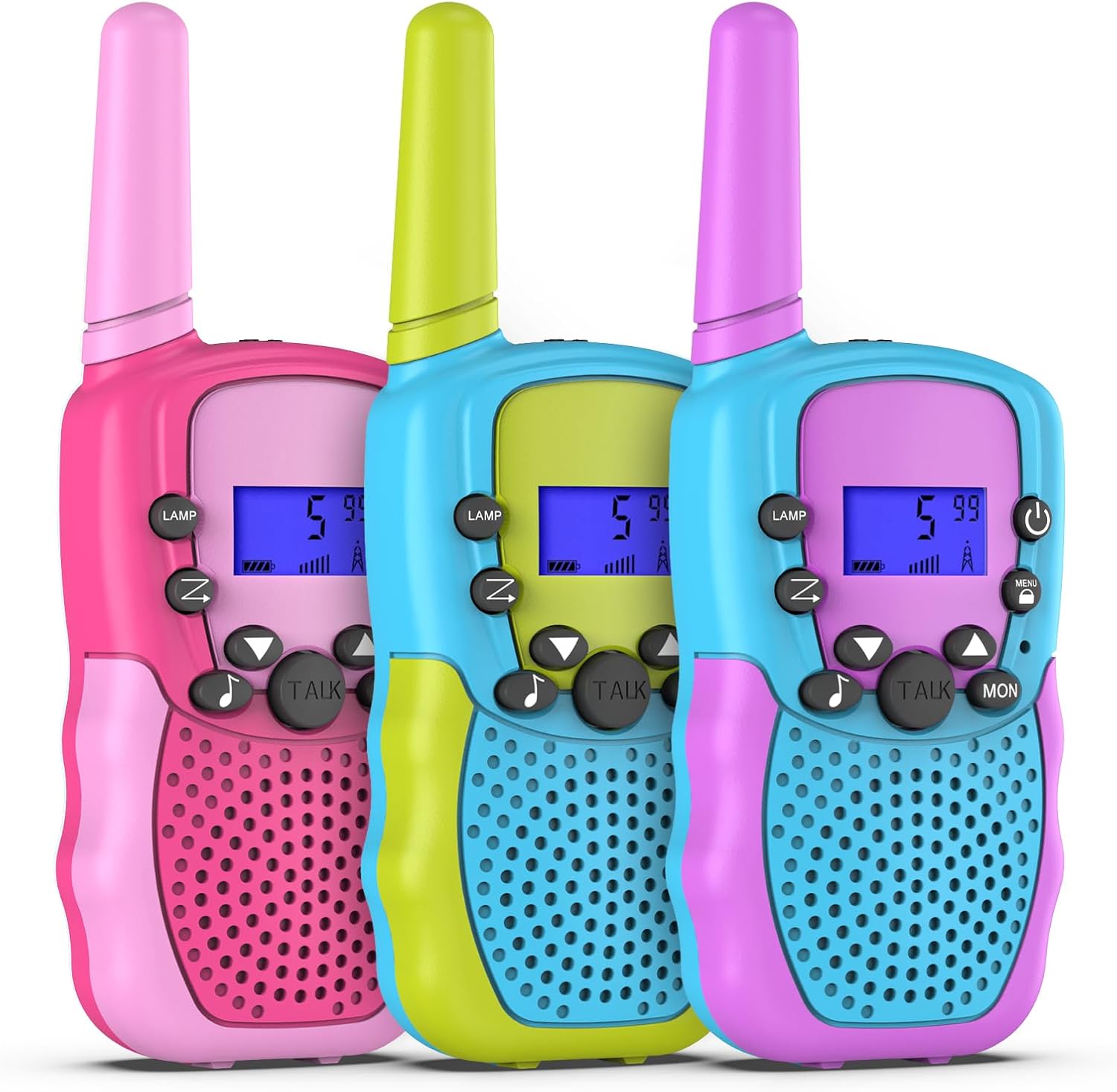
Image: Three Selieve T-388 walkie talkies in pink, green, and blue, showcasing their vibrant design.
2. Package Contents
Your Selieve T-388 Walkie Talkies package includes:
- 3 x Selieve T-388 Walkie Talkies
- 1 x User Manual (this document)
- Earphones (quantity may vary based on specific package)
3. Setup
3.1 Battery Installation
Each Selieve T-388 Walkie Talkie requires 4 AAA batteries (not included). Please follow these steps for battery installation:
- Locate the battery compartment cover on the back of the walkie talkie.
- Gently slide or unclip the cover to open the compartment.
- Insert 4 AAA batteries, ensuring correct polarity (+ and - terminals match the markings inside the compartment).
- Replace the battery compartment cover, ensuring it clicks securely into place.
Warning: Always use new, high-quality AAA batteries. Do not mix old and new batteries, or different types of batteries. Remove batteries if the device will not be used for an extended period.

Image: Rear view of the walkie talkies, illustrating the battery compartment location.
4. Operating Instructions
Familiarize yourself with the buttons and functions of your walkie talkie:

Image: Diagram highlighting the main features and controls of the walkie talkie.
4.1 Power On/Off
- To turn on: Press and hold the Power button () until the LCD screen illuminates.
- To turn off: Press and hold the Power button until the LCD screen turns off.
4.2 Adjust Volume
- Use the Up () and Down () buttons to increase or decrease the speaker volume.
4.3 Channel Selection
To communicate, all walkie talkies must be on the same channel.
- Press the Menu button (
 ) once. The channel number on the LCD screen will flash.
 - Use the Up or Down buttons to select your desired channel (1-22).
- Press the Menu button again to confirm your selection.
4.4 Talking (Push-to-Talk)
- To transmit your voice, press and hold the TALK button.
- Speak clearly into the microphone, holding the walkie talkie approximately 2-3 inches from your mouth.
- Release the TALK button to listen for a response.
4.5 Monitoring
- Press the MON button to listen for weak signals on the current channel. This can help you hear other users who are far away or have low battery.
4.6 Built-in Flashlight
- Press the LAMP button to turn the flashlight on or off.

Image: Children utilizing the walkie talkie's built-in flashlight feature in a low-light environment.
4.7 VOX (Voice Activated Transmission)
VOX allows you to transmit without pressing the TALK button. This feature is useful for hands-free operation.
- Press the Menu button multiple times until 'VOX' appears on the LCD screen.
- Use the Up or Down buttons to select a VOX sensitivity level (e.g., 1-3, with 3 being most sensitive).
- Press the Menu button to confirm.
5. Key Features
- Extended Range: Enjoy communication up to 3 kilometers (approximately 1.86 miles) in open areas.
- Clear Sound: Equipped with crisp and smooth sound quality, featuring adjustable volume levels.
- Multiple Channels: Access 22 main channels for diverse communication options.
- Built-in Flashlight: Provides illumination for low-light conditions or nighttime activities.
- Compact Design: Small and lightweight (approximately 90g per unit) for easy handling and portability.
- LCD Display: Features a clear LCD screen for easy viewing of channel and battery status.
- Durable Construction: Made from high-quality ABS plastic with polished smooth edges for secure use.

Image: Selieve walkie talkies being used in various settings, highlighting their suitability for both indoor and outdoor activities.
6. Maintenance
- Cleaning: Wipe the walkie talkies with a soft, damp cloth. Do not use harsh chemicals or abrasive cleaners.
- Battery Care: Remove batteries if the devices are not in use for extended periods to prevent leakage and damage.
- Storage: Store the walkie talkies in a cool, dry place away from direct sunlight and extreme temperatures.
- Water Resistance: These walkie talkies are not water resistant. Avoid exposure to water or high humidity.
7. Troubleshooting
| Problem | Possible Cause | Solution |
|---|---|---|
| No power | Batteries are dead or incorrectly installed. | Replace batteries or check polarity. |
| Poor sound quality / No sound | Volume too low; out of range; different channel. | Increase volume; move closer; ensure all units are on the same channel. |
| Cannot communicate with other units | Different channels; out of range; low battery. | Verify all units are on the same channel; reduce distance; replace batteries. |
| Flashlight not working | Low battery; faulty unit. | Replace batteries. If issue persists, contact customer support. |
8. Specifications
- Model Number: T-388
- Brand: Selieve
- Item Weight: Approximately 9.4 ounces (per unit)
- Product Dimensions: Approximately 4.53 x 2.36 x 5.91 inches (per unit)
- Batteries Required: 4 x AAA batteries per unit (not included)
- Number of Channels: 22
- Frequency Range: 400-470 MHz
- Maximum Talking Range: Up to 3 Kilometers (in optimal conditions)
- Voltage: 3 Volts
- Water Resistance Level: Not Water Resistant
9. Safety Information
- Battery Safety: Follow all battery safety guidelines. Do not dispose of batteries in fire. Keep batteries out of reach of small children.
- Choking Hazard: This product contains small parts (e.g., batteries, earphones) that may pose a choking hazard to young children. Adult supervision is recommended.
- Hearing Protection: Avoid prolonged exposure to high volume levels to prevent hearing damage.
- Interference: These devices operate on radio frequencies and may cause interference with other electronic devices.
10. Warranty and Support
Selieve is committed to providing a pleasant shopping experience. For any questions, concerns, or support needs regarding your Selieve T-388 Walkie Talkies, please contact the Selieve customer support team. Specific warranty details may vary; please refer to your purchase documentation or contact the manufacturer directly for comprehensive warranty information.
