
Introduction
This manual provides instructions for the Fancii Aura Go 2 Rechargeable LED Travel Makeup Mirror. This portable mirror features adjustable LED lighting with three color settings, a detachable 10x magnifying mirror, and a versatile kickstand for optimal viewing.

Image: The Fancii Aura Go 2 Rechargeable LED Travel Makeup Mirror, shown with its detachable 10x magnifying mirror and kickstand.
Important Safety Information
Please read all instructions carefully before use.
- Handle with care to avoid breakage and be aware of sharp edges.
- Keep out of reach of children.
- Do not expose to excessive moisture or direct sunlight.
- Do not attempt to disassemble or repair the unit yourself.
Package Contents
- Fancii Aura Go 2 LED Travel Makeup Mirror
- Detachable 10x Magnifying Mirror
- USB Charging Cable
- User Manual (this document)
Product Features
- 3 Dimmable Light Settings: Choose between warm (3,500K), neutral (5,000K), and natural daylight (6,000K) LED color temperatures.
- Seamless Dimming: Adjust brightness with a touch sensor.
- Smart Memory Feature: Remembers your last used light setting.
- Detachable 10x Magnifying Mirror: For detailed tasks.
- Adjustable Kickstand: 360-degree rotation for landscape or portrait views, with a hook for wall hanging.
- Rechargeable Design: Cordless operation with up to 12 hours of use on a full charge.
- Portable: Compact and lightweight design for travel.
Setup
1. Initial Charging
Before first use, fully charge the mirror.
- Locate the Micro USB charging port on the back of the mirror.
- Connect the provided USB charging cable to the mirror and a compatible USB power source (e.g., computer, wall adapter).
- The indicator light will show charging status (refer to product for specific light behavior).
- A full charge typically takes approximately 2-3 hours.

Image: Back of the mirror with the Micro USB port and power button. This port is used for charging the device.
2. Attaching the 10x Magnifying Mirror
The 10x magnifying mirror attaches to the main mirror via suction cups.
- Ensure both the main mirror surface and the suction cups of the 10x mirror are clean and dry.
- Press the 10x magnifying mirror firmly onto the desired location on the main mirror until the suction cups adhere.
- To remove, gently lift the edge of the suction cups to release the seal.

Image: The Fancii Aura Go 2 mirror displaying the detachable 10x magnifying mirror attached to its surface.
3. Adjusting the Kickstand
The integrated kickstand allows for various viewing angles and orientations.
- Gently pull the kickstand away from the back of the mirror to deploy it.
- Adjust the angle by rotating the mirror on its pivot point. The mirror supports 360-degree rotation for both landscape and portrait orientations.
- The kickstand also features a hook for hanging the mirror on a wall.

Image: Illustration of the mirror's adjustable kickstand, demonstrating its 360-degree rotation capability for different viewing angles.
Operating Instructions
1. Powering On/Off
To turn the mirror on or off, use the power button located on the back of the unit.
2. Changing Light Settings and Brightness
The mirror features a touch sensor on the front for controlling the LED lights.
- Tap the touch sensor to cycle through the three light color settings: Warm, Neutral, and Daylight.
- Press and hold the touch sensor to dim or brighten the selected light setting. Release when the desired brightness is achieved.
- The mirror will remember your last used light setting and brightness for convenience.
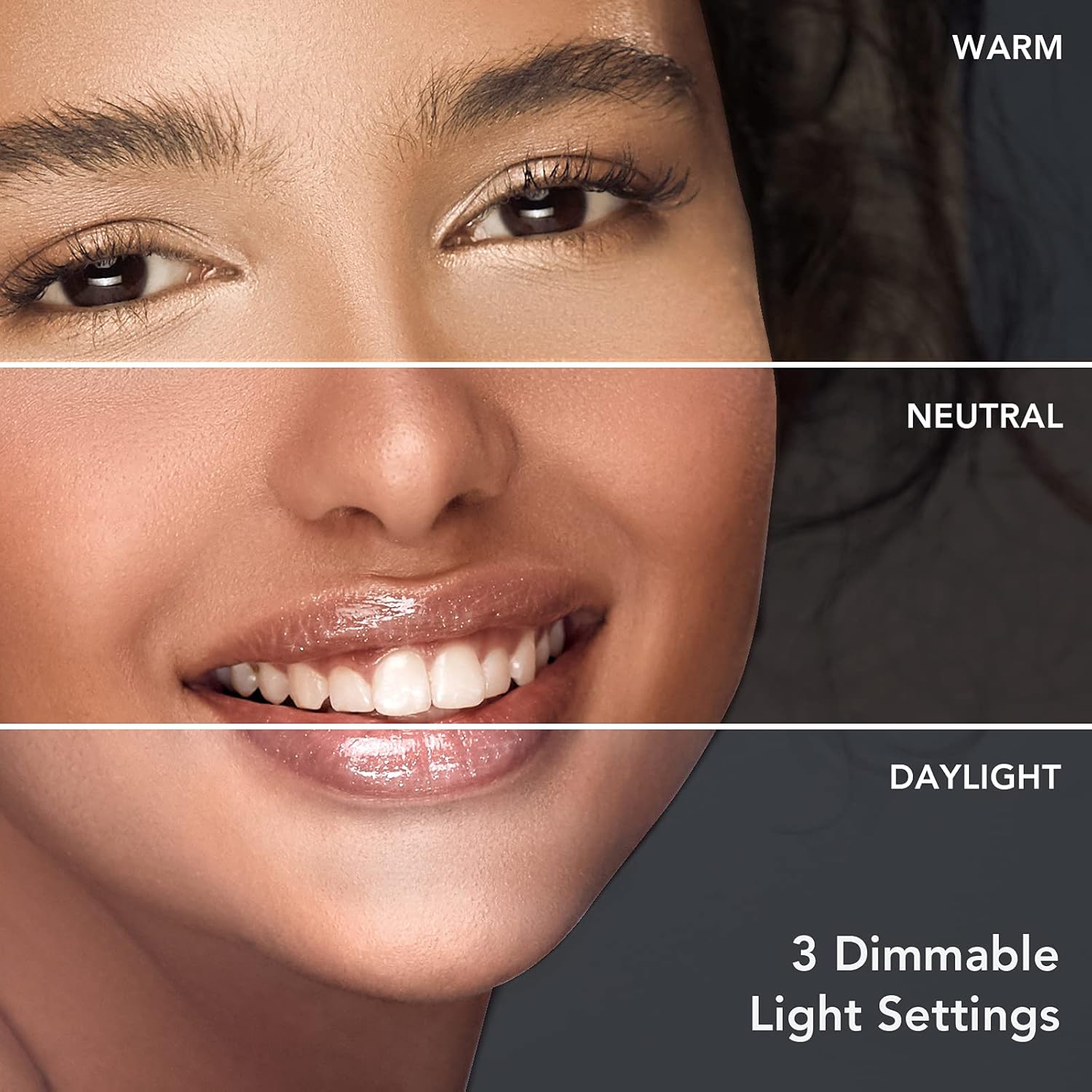
Image: A visual representation of the three distinct light settings available on the Fancii Aura Go 2 mirror: Warm, Neutral, and Daylight.
Maintenance
Cleaning the Mirror
- Ensure the mirror is turned off and unplugged before cleaning.
- Use a soft, lint-free cloth to gently wipe the mirror surface.
- For stubborn spots, dampen the cloth with a small amount of glass cleaner or water. Avoid abrasive cleaners or harsh chemicals.
- Wipe the frame with a dry or slightly damp cloth.
Troubleshooting
| Problem | Possible Cause | Solution |
|---|---|---|
| Mirror lights do not turn on. | Battery is depleted. | Charge the mirror using the provided USB cable. |
| Lights are dim or flickering. | Low battery. | Recharge the mirror. |
| Touch sensor is unresponsive. | Mirror is off or sensor is dirty. | Ensure the mirror is powered on. Clean the touch sensor area with a soft, dry cloth. |
| 10x magnifying mirror does not stick. | Suction cups or mirror surface are dirty/wet. | Clean and dry both the suction cups and the main mirror surface before reattaching. |
Specifications
| Brand | Fancii |
| Model | Aura Go 2 |
| Product Dimensions | 9.06"L x 7.09"W |
| Item Weight | 1.05 pounds (475 Grams) |
| Frame Material | Glass |
| Magnification | 1x (main), 10x (detachable) |
| Light Settings | 3 Dimmable (Warm, Neutral, Daylight) |
| Battery | 1 Lithium Ion battery (included) |
| Charging | USB Rechargeable |

Image: Diagram illustrating the length and width dimensions of the Fancii Aura Go 2 mirror.
Warranty and Support
For warranty information or technical support, please visit the official Fancii website or contact their customer service.
You can find more information and contact details at: Fancii Store on Amazon

