
Amazon Basics LSMICRO256GU3
Amazon Basics Micro SDXC Memory Card User Manual
Model: LSMICRO256GU3
Introduction

This manual provides essential information for the proper use, installation, and maintenance of your Amazon Basics Micro SDXC Memory Card. Designed for high-speed data transfer and reliable storage, this card is compatible with a wide range of devices, including smartphones, tablets, cameras, and more. Please read this manual thoroughly to ensure optimal performance and longevity of your memory card.
Setup
Inserting the MicroSD Card
Locate the MicroSD card slot on your device (smartphone, tablet, camera, etc.). Gently insert the MicroSD card into the slot with the gold contacts facing down or as indicated by your device's manufacturer. Ensure it clicks into place. Do not force the card, as this may cause damage to the card or the device.
Using the SD Adapter

The Amazon Basics Micro SDXC Memory Card comes with a full-size SD adapter. To use the MicroSD card with devices that support standard SD cards (e.g., some laptops, DSLR cameras), insert the MicroSD card into the designated slot on the SD adapter until it locks. Then, insert the adapter into the SD card slot of your device.
Operating Instructions
Compatibility

The Amazon Basics Micro SDXC Memory Card offers wide compatibility. It is designed to work with:
- Smartphones
- Tablets
- Cameras (including DSLRs and action cameras like GoPro)
- Laptops and Desktop Computers
- Drones
- Nintendo Switch and other portable consoles
Always refer to your device's manual to confirm MicroSDXC compatibility and maximum supported capacity.
Data Transfer and Performance

This Micro SDXC card features A2, U3, and Class 10 speed ratings, ensuring optimal performance for various applications. It supports:
- Read Speed: Up to 100 MB/s
- Write Speed: Up to 90 MB/s (actual speeds may vary based on device and usage)
- Smooth Full HD and 4K video recording
- Fast app loading and performance on compatible smartphones
For best performance, ensure your device supports these speed classes.
Storage Capacity Overview

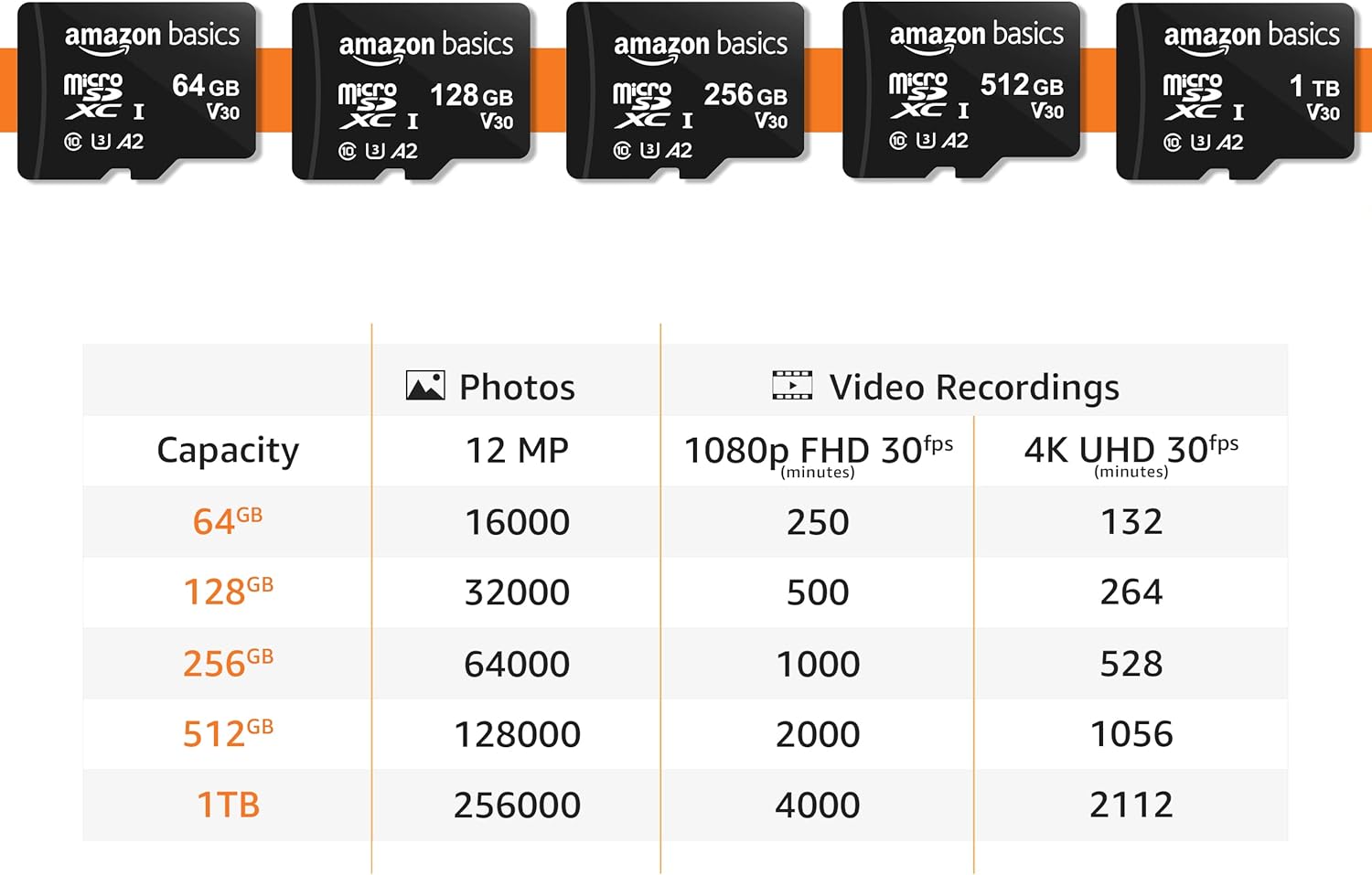
The 256GB capacity provides ample space for your digital content. Below is an approximate guide to storage capacity:
| Capacity | 12 MP Photos (approx.) | 1080p FHD 30fps Video (minutes) | 4K UHD 30fps Video (minutes) |
|---|---|---|---|
| 64 GB | 16,000 | 250 | 132 |
| 128 GB | 32,000 | 500 | 264 |
| 256 GB | 64,000 | 1,000 | 528 |
| 512 GB | 128,000 | 2,000 | 1,056 |
| 1 TB | 256,000 | 4,000 | 2,112 |
Note: Actual storage capacity shown by a device's operating system may be less than the capacity indicated on the product label due to different measurement standards. The available storage capacity for the 256GB card is typically higher than 232GB.
Maintenance and Care
Durability Features

Your Amazon Basics Micro SDXC Memory Card is built for lasting reliability and features multiple protections:
- Shockproof: Designed to withstand impacts from drops.
- IPX6 Waterproof: Protected against powerful water jets.
- Temperature-proof: Operates reliably in extreme temperatures from -10°C to 80°C (14°F to 176°F).
- X-Ray-proof: Safe from airport X-ray scanners.
- Magnetic-proof: Resistant to magnetic fields.
Best Practices for Longevity
- Always safely eject the memory card from your device before removing it to prevent data corruption.
- Avoid touching the gold contacts on the card to prevent damage or static discharge.
- Store the card in its protective case or a safe environment when not in use.
- Periodically back up important data from the memory card to another storage device.
- Format the card periodically (after backing up data) to maintain optimal performance, especially if you experience slowdowns.
Troubleshooting
If you encounter issues with your Amazon Basics Micro SDXC Memory Card, try the following solutions:
- Card Not Recognized:
- Ensure the card is fully and correctly inserted into the device or adapter.
- Restart your device.
- Try the card in a different compatible device or card reader to determine if the issue is with the card or the original device.
- Verify that your device supports the MicroSDXC format and the card's capacity (e.g., if a device only supports up to 64GB, it may not recognize a 256GB card).
- Slow Performance/Data Transfer:
- Ensure your device's card slot and internal hardware support the card's speed class (U3, Class 10).
- Check if the card is nearly full; performance can decrease when storage is low.
- Format the card (after backing up data) to refresh its file system.
- Avoid running multiple demanding applications simultaneously while transferring data.
- Data Corruption/Errors:
- Always safely eject the card before removal.
- Ensure the card is not exposed to extreme physical stress or unauthorized modifications.
- If data corruption persists, the card may be faulty. Contact customer support.
Specifications
| Feature | Detail |
|---|---|
| Brand | Amazon Basics |
| Model Number | LSMICRO256GU3 |
| Flash Memory Type | Micro SDXC |
| Memory Storage Capacity | 256 GB |
| Read Speed | Up to 100 MB/s |
| Write Speed | Up to 90 MB/s |
| Secure Digital Association Speed Class | Class 10, U3, A2 |
| Hardware Interface | microSDXC |
| Product Dimensions | 0.43"L x 0.59"W (10.92mm x 14.99mm) |
| Item Weight | 0.032 ounces (0.9 grams) |
| Color | Black |
| Country of Origin | Taiwan |
Warranty and Support
Warranty Information
This product is covered by a Limited Warranty. For detailed terms and conditions, please refer to the official Warranty document provided by Amazon Basics. You can typically find this document on the product's Amazon listing page under 'Product guides and documents' or by contacting Amazon customer support.
Link to Warranty (PDF): Amazon Basics Warranty
Safety Information
For important safety guidelines regarding the use and handling of memory cards, please consult the Safety Information document.
Link to Safety Information (PDF): Amazon Basics Safety Information
Customer Support
For further assistance, technical support, or warranty claims, please contact Amazon Basics customer support through the Amazon website or your purchase platform. Have your product model number (LSMICRO256GU3) and purchase details ready when contacting support.
Related documentsLSMICRO256GU3


Ask a question about this manual
Ask about setup, troubleshooting, compatibility, parts, safety, or missing instructions. Manuals+ will review the question and use this page’s manual context to help answer it.