
1. Product Overview
The BLUETTI AC50S is a versatile 500Wh/300W portable power station designed to provide reliable power for various applications, from camping and RV trips to home emergencies. It features multiple output ports, including AC, DC, and USB, to charge and power a wide range of devices. This package includes the BLUETTI SP120, a 120W foldable monocrystalline solar panel, enabling efficient solar recharging of the AC50S.
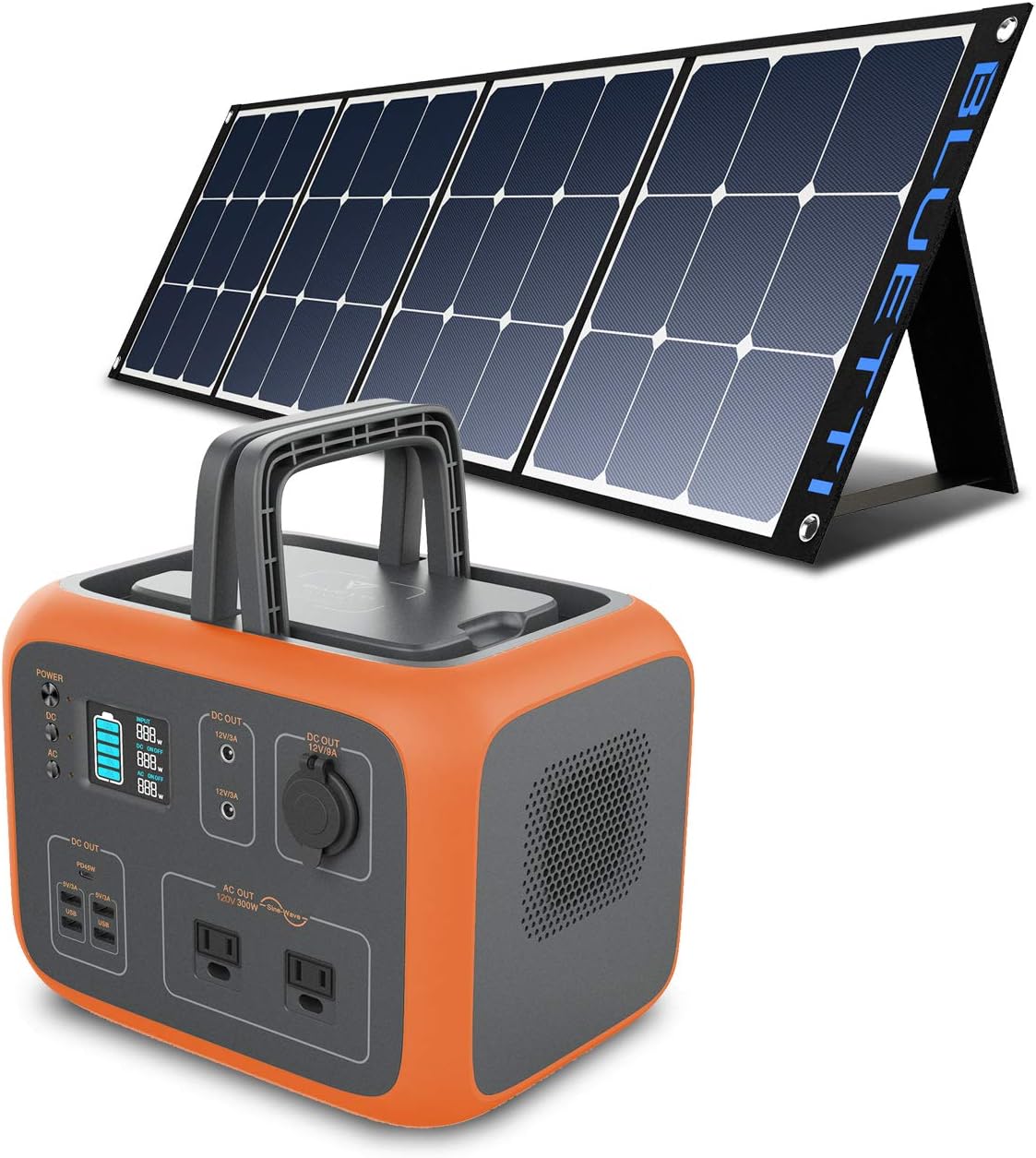
Image 1.1: The BLUETTI AC50S Portable Power Station and the SP120 Foldable Solar Panel.
2. Safety Instructions
- Do not disassemble, repair, or modify the unit or the solar panel.
- Keep the unit away from fire, water, and extreme temperatures.
- Ensure proper ventilation during use and charging to prevent overheating.
- Do not block the ventilation openings.
- Use only original or certified accessories and cables.
- Keep out of reach of children and pets.
- Avoid dropping or subjecting the unit to strong impacts.
- If the unit emits smoke, strange odors, or unusual noise, stop using it immediately and contact customer support.
3. What's in the Box
Verify that all components are present upon unpacking:
- 1 x BLUETTI AC50S Portable Power Station
- 1 x BLUETTI SP120 120W Foldable Solar Panel
- 1 x AC Adapter (90W)
- 1 x DC to MC4 Cable
- 1 x Type-C Cable
- 1 x Car Cigarette Lighter Cable
- 1 x User Manual (for AC50S)
- 1 x Warranty Card
- 1 x SP120 User Manual

Image 3.1: Visual representation of the included components in the package.
4. Product Components and Ports (AC50S)
Familiarize yourself with the various ports and features of the AC50S power station:
- AC Outlets (2x 120V): For powering standard household electronics up to 300W continuous output.
- DC Outlets (12V): For 12V DC powered devices.
- USB-A Ports: For charging smartphones, tablets, and other USB-powered devices.
- USB-C Port: For faster charging of compatible devices.
- Wireless Charging Pad: Conveniently charge compatible smartphones by placing them on top of the unit.
- LCD Display: Shows battery level, input/output power, and error indicators.
- Input Port: For charging the AC50S via AC adapter, car charger, or solar panel.

Image 4.1: The BLUETTI AC50S power station with various devices connected, illustrating its multiple output options.
5. Setup
5.1 Initial Charge
Before first use, fully charge the AC50S using the provided AC adapter. Plug the AC adapter into a wall outlet and connect it to the input port of the AC50S. The LCD display will indicate the charging status.
5.2 Setting up the SP120 Solar Panel
The SP120 solar panel is foldable for easy transport and setup. Unfold the panel and use the integrated kickstands to position it towards the sun. For optimal charging efficiency, adjust the angle to directly face the sun.
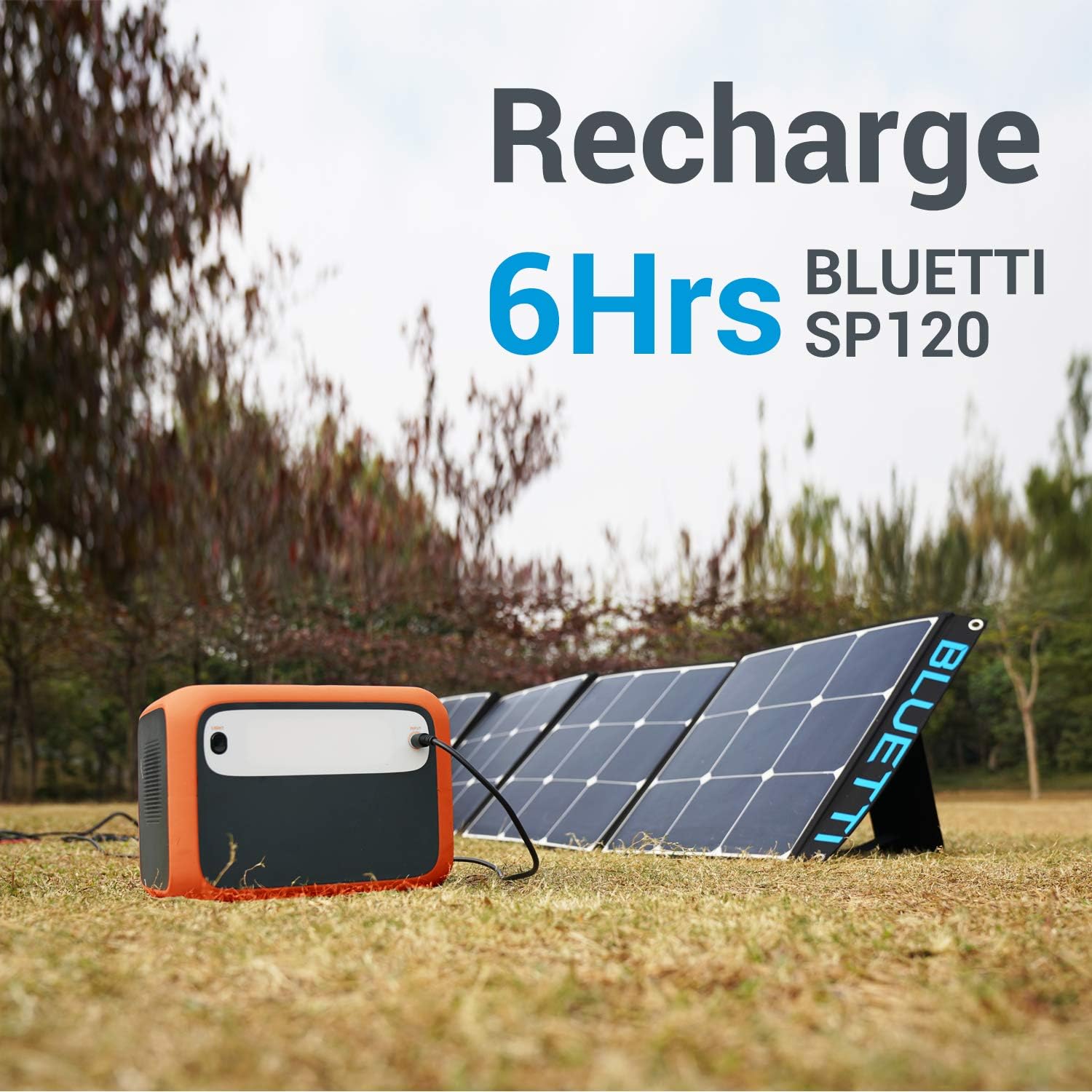
Image 5.1: The BLUETTI AC50S being recharged by the SP120 solar panel, demonstrating proper setup for solar charging.

Image 5.2: The BLUETTI SP120 solar panel in its folded state, highlighting its compact design for portability.
5.3 Connecting the Solar Panel to AC50S
Connect the SP120 solar panel to the AC50S using the provided DC to MC4 cable. Ensure the MC4 connectors are securely fastened to the solar panel's output, and the DC plug is inserted into the AC50S input port. The AC50S features a pre-installed MPPT controller for efficient solar charging.

Image 5.3: Close-up view of the MC4 connectors and the DC cable used for connecting the solar panel to the power station.
6. Operating Instructions
6.1 Turning On/Off
Press and hold the main power button to turn the AC50S on or off. The LCD display will illuminate.
6.2 Using AC Outputs
Press the AC power button to enable the 120V AC outlets. Plug your devices into the AC outlets. Ensure the total power consumption does not exceed 300W. The AC50S provides a pure sine wave output, suitable for sensitive electronics.
6.3 Using DC Outputs
Press the DC power button to enable the 12V DC outlets. Connect your 12V DC devices. The regulated 12V output ensures stable power delivery.
6.4 Using USB Outputs
The USB-A and USB-C ports are automatically active when the unit is on. Simply plug in your USB devices for charging.
6.5 Wireless Charging
Place your Qi-compatible device on the wireless charging pad located on top of the AC50S. Ensure the device is properly aligned for charging to begin.
7. Charging the Power Station
7.1 AC Wall Charging
Use the provided AC adapter to charge the AC50S from a standard wall outlet. This is the fastest charging method.
7.2 Solar Charging
Connect the SP120 solar panel to the AC50S using the DC to MC4 cable. Under ideal sunlight conditions, a single SP120 panel can fully charge the AC50S in approximately 5.5-6 hours. Charging time may vary based on light intensity, panel angle, and weather conditions.
7.3 Car Charging
Use the provided car cigarette lighter cable to charge the AC50S from your vehicle's 12V/24V DC outlet.
8. Maintenance
- Cleaning: Wipe the unit and solar panel with a dry, soft cloth. Do not use abrasive cleaners or solvents.
- Storage: Store the AC50S in a cool, dry place, away from direct sunlight and extreme temperatures. For long-term storage, charge the unit to 50-80% every 3-6 months to preserve battery health.
- Battery Care: The AC50S uses high-quality EV-grade 3C battery cells for longevity. Avoid fully discharging the battery frequently to extend its lifespan.
9. Troubleshooting
- Unit not turning on: Ensure the battery is charged. If not, connect to a power source.
- No output from AC/DC ports: Check if the respective output buttons are pressed. Ensure the device connected is within the power station's wattage limits.
- Solar panel not charging: Verify the solar panel is connected correctly and positioned directly towards sunlight. Check for any obstructions. Ensure the DC to MC4 cable is not damaged.
- Overload protection activated: If the unit shuts down, disconnect the high-power device. Restart the unit and connect devices within the rated output.
- Unusual noise or smell: Immediately turn off the unit and disconnect all devices. Contact customer support.
10. Specifications
| Feature | Specification |
|---|---|
| Model | AC50S |
| Battery Capacity | 500Wh |
| AC Output | 300W (Continuous), 120V AC, Pure Sine Wave |
| DC Output | 12V Regulated |
| USB-A Output | 5V/3A |
| USB-C Output | PD 45W |
| Wireless Charging | 10W |
| Solar Input | 14V-40V (Max 120W, 10A Max), MPPT |
| Dimensions (L x W x H) | 11.7" x 7.5" x 7.7" (29.7cm x 19.1cm x 19.6cm) |
| Weight | 13.6 lbs (6.17 kg) |
| Color | Orange |
| Feature | Specification |
|---|---|
| Model | SP120 |
| Power Rating | 120W |
| Cell Type | Monocrystalline Silicon |
| Cell Efficiency | 23% |
| Module Voltage (Vmp) | 19.8V |
| Max. Charging Current (Imp) | 6.06A |
| Open Circuit Voltage (Voc) | 23.7V |
| Short Circuit Current (Isc) | 6.66A |
| Junction Box/Connector | IP67 rated |
| Dimensions (Folded) | 16" x 16.8" (40.6cm x 42.7cm) |
| Dimensions (Open) | 16.3" x 66.7" (41.5cm x 169.5cm) |
| Weight | 9.48 lbs (4.3 kg) |

Image 10.1: Detailed specifications and dimensions for the BLUETTI SP120 Solar Panel.
11. Warranty and Support
The BLUETTI AC50S Portable Power Station and SP120 Solar Panel come with a 2-year warranty from the date of purchase. This warranty covers defects in materials and workmanship under normal use. For warranty claims, technical support, or any product-related inquiries, please contact BLUETTI customer service through their official website or the retailer where the product was purchased. Please have your purchase receipt and product serial number ready when contacting support.


