
Sharp HP-TW30(BK)
Sharp HP-TW30 True Wireless Noise Cancelling Earphones
Model: HP-TW30(BK)
Product Overview
The Sharp HP-TW30 True Wireless Noise Cancelling Earphones are designed for an immersive audio experience with enhanced comfort and durability. Featuring active noise cancellation, these earphones reduce background noise, making them ideal for various environments. They offer wireless charging, Bluetooth 5.0 connectivity, and are splashproof for active lifestyles.
Key Features:
- Active Noise Cancellation: Reduces ambient noise by 22dB for improved focus and enjoyment.
- Wireless Charging: Convenient charging with the included case, providing up to 4 full charges.
- Bluetooth 5.0: Ensures stable and efficient wireless connectivity with a range of up to 33 feet.
- IPX4 Splashproof: Resistant to splashes, sweat, and light rain, suitable for workouts and outdoor activities.
- Touch Controls: Intuitive controls for managing playback, calls, and voice assistants.
- Voice Control: Full integration with Apple Siri and Google Assistant for hands-free operation.
- Long Playtime: Up to 6 hours of audio playback on a single charge.

Figure 1: Sharp HP-TW30 True Wireless Earphones (Black)
Package Contents
Before you begin, please ensure all items are present in the package:
- Sharp HP-TW30 True Wireless Earphones (Left and Right)
- Charging Case
- USB Type-C Charging Cable (not explicitly listed in 'whats_in_the_box' but implied by 'Charging Port: USB Type C')
- Small, Medium, and Large Ultra-comfortable Ear Tips (3 sizes)
- Instruction Manual (this document)
Setup
1. Charging the Earphones and Case
For first-time use, fully charge the earphones and the charging case. The charging case provides approximately 4 full charges for the earphones.
- Place both earphones into their respective slots in the charging case. Ensure they are seated correctly.
- Connect the USB Type-C charging cable to the charging port on the case and the other end to a USB power source (e.g., wall adapter, computer USB port).
- The LED indicators on the case will show charging status. Charging time for the case and earphones is approximately 2 hours.
- Once fully charged, disconnect the charging cable.
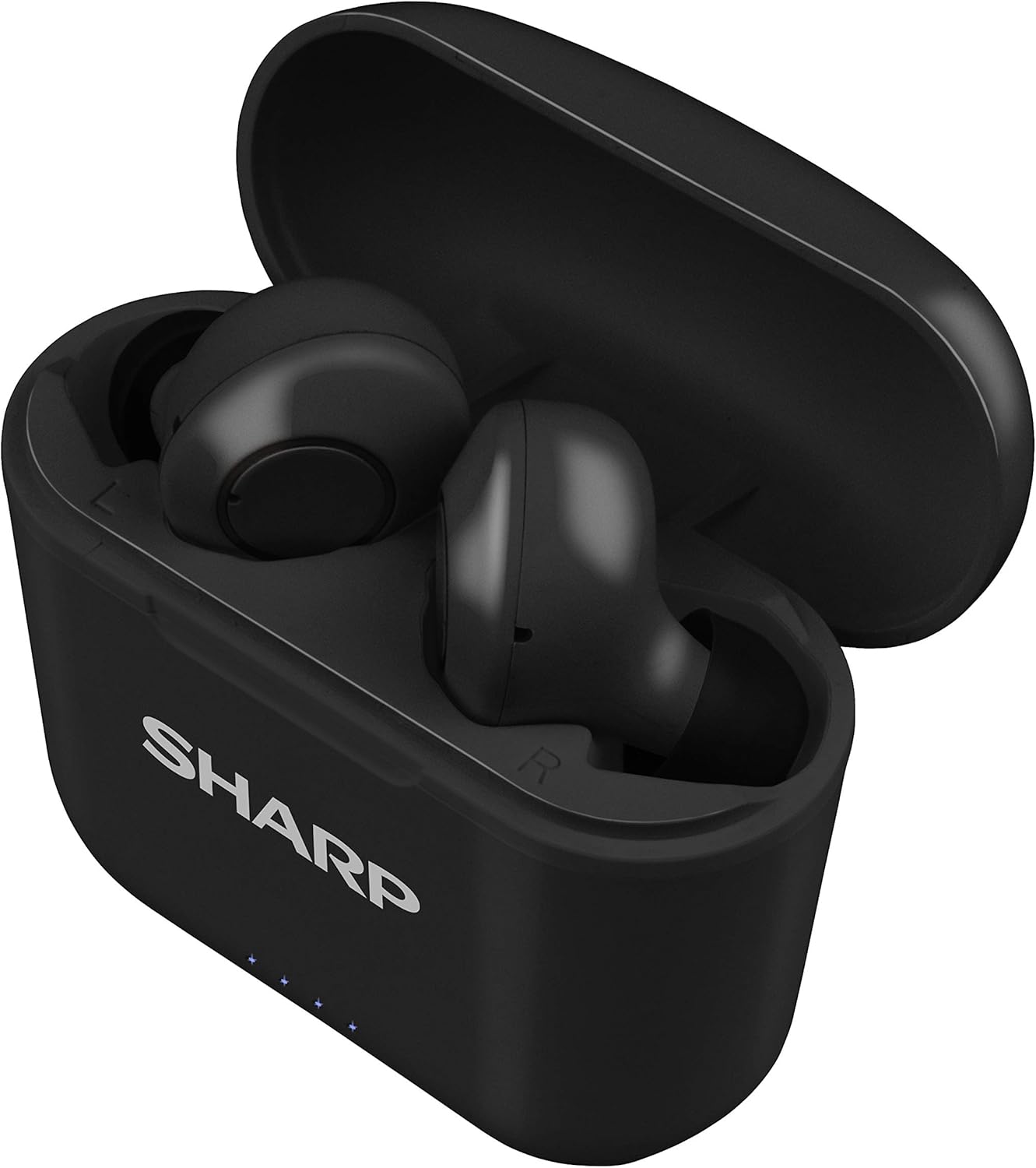
Figure 2: Earphones in Charging Case
2. Pairing with Your Device
The HP-TW30 earphones feature auto-pairing for effortless setup.
- Open the charging case. The earphones will automatically power on and enter pairing mode.
- On your smartphone, tablet, or other Bluetooth-enabled device, go to the Bluetooth settings.
- Search for available devices and select "HP-TW30" from the list.
- Once connected, a voice prompt will confirm successful pairing.
- The earphones will automatically reconnect to the last paired device when taken out of the case, if Bluetooth is enabled on the device.
Operating Instructions
Touch Controls
The HP-TW30 earphones utilize touch-sensitive controls on each earbud for various functions:
- Play/Pause: Single tap on either earbud.
- Next Track: Double tap on the right earbud.
- Previous Track: Double tap on the left earbud.
- Answer/End Call: Single tap on either earbud during an incoming call.
- Reject Call: Press and hold either earbud for 2 seconds during an incoming call.
- Activate Voice Assistant (Siri/Google Assist): Triple tap on either earbud.
- Active Noise Cancellation (ANC) On/Off: Press and hold the right earbud for 2 seconds.
Active Noise Cancellation (ANC)
The ANC feature reduces ambient background noise, providing a more focused listening experience. Activate or deactivate ANC using the touch control as described above.
Water Resistance (IPX4)
The earphones are rated IPX4 splashproof, meaning they are resistant to water splashes from any direction. This makes them suitable for light rain, sweat, and gym use. Do not submerge the earphones in water.
Maintenance
Proper maintenance ensures the longevity and optimal performance of your earphones.
- Cleaning: Regularly clean the earphones and charging case with a soft, dry, lint-free cloth. Do not use abrasive cleaners or solvents.
- Ear Tips: Remove and clean the ear tips periodically with a damp cloth and mild soap, then dry thoroughly before reattaching.
- Storage: When not in use, store the earphones in their charging case to protect them from dust and damage.
- Temperature: Avoid exposing the earphones to extreme temperatures (hot or cold) or high humidity.
- Charging Contacts: Ensure the charging contacts on both the earphones and inside the case are clean and free of debris to maintain proper charging.
Troubleshooting
If you encounter issues with your Sharp HP-TW30 earphones, try the following solutions:
- Earphones not pairing/connecting:
- Ensure both earphones are fully charged.
- Turn off Bluetooth on your device, then turn it back on.
- Forget/delete "HP-TW30" from your device's Bluetooth list and attempt to re-pair.
- Place both earphones back into the charging case, close the lid for 5 seconds, then open it again to reset.
- Only one earbud playing sound:
- Ensure both earbuds are charged.
- Place both earbuds back into the charging case, close the lid, and then open it again. This often re-syncs them.
- Clean the charging contacts on both earbuds and inside the case.
- Try resetting and re-pairing the earphones as described above.
- Low volume or poor sound quality:
- Adjust the volume on both your device and the earphones.
- Ensure the ear tips are the correct size for a snug fit and are clean.
- Check for any obstructions in the earbud nozzles.
- Earphones not charging:
- Ensure the charging cable is securely connected to both the case and the power source.
- Try a different USB Type-C cable and power adapter.
- Clean the charging contacts on the earphones and inside the case.
Specifications
| Model Name | HP-TW30(BK) |
| Connectivity Technology | Wireless (Bluetooth) |
| Bluetooth Version | 5.0 |
| Bluetooth Range | Up to 33 feet (10 meters) |
| Noise Control | Active Noise Cancellation (22dB reduction) |
| Playtime | Approx. 6 hours |
| Standby Time | Approx. 90 hours |
| Charging Time | Approx. 2 hours (earphones and case) |
| Charging Port | USB Type-C |
| Water Resistance | IPX4 Splashproof |
| Control Type | Touch Control |
| Voice Control | Apple Siri, Google Assistant |
| Included Components | Small, Medium, and Large Ultra-comfortable Ear tips |
| Material | Silicone (ear tips) |
| Item Weight | 7.9 ounces |
Warranty and Support
Sharp products are manufactured to the highest quality standards. For warranty information, technical support, or service inquiries, please refer to the warranty card included with your purchase or visit the official Sharp support website. Please have your model number (HP-TW30(BK)) and proof of purchase ready when contacting support.
For further assistance, you may visit the Sharp Store on Amazon: Sharp Official Store
Ask a question about this manual
Ask about setup, troubleshooting, compatibility, parts, safety, or missing instructions. Manuals+ will review the question and use this page’s manual context to help answer it.