
1. Product Overview
The ZOSI C1 is a 100% wire-free battery security camera designed for versatile surveillance. It features a rechargeable battery and connects via 2.4GHz WiFi, allowing for flexible placement without complex cabling. Key functionalities include smart light and siren alarms, IP65 weatherproof rating for outdoor use, two-way audio communication, PIR motion detection with instant app notifications, and remote access via the CloudEdge App. It also supports family management for shared viewing and alert settings.
2. Package Contents

Image: ZOSI C1 Battery Camera and included accessories.
The package includes the following items:
- Battery Camera (x1)
- Magnetic Bracket (x1)
- Bracket (x1)
- Adhesive Pad (x2)
- USB Cable (x1)
- Mounting Template (x1)
- Mounting Screw Bag (x1)
- Reset Needle (x1)
- Quick Start Guide (x1)
3. Product Diagram

Image: Front and rear view of the ZOSI C1 camera with labeled components.
Familiarize yourself with the camera's components:
- IR-LEDs: Infrared LEDs for night vision.
- HD Lens: High-definition camera lens.
- Status LED: Indicates camera status (e.g., charging, connected).
- Microphone: For two-way audio and sound detection.
- Alarm Spotlight: Illuminates upon detection and acts as a deterrent.
- PIR Sensor: Passive Infrared sensor for motion detection.
- Speaker: For two-way audio and siren alarm.
- DC 5V Power Port: For charging the camera.
- Power Switch: To turn the camera on/off.
- Reset Hole: To reset the camera to factory settings.
- Micro SD Card Slot: For local video storage (Micro SD card not included).
- Charge Indicator: Shows charging status.
4. Setup Instructions
4.1 Initial Charging
Before first use, fully charge the ZOSI C1 camera. Charging typically takes 4-5 hours. Use the provided USB cable and a standard 5V power adapter.
4.2 App Installation and Connection
To set up your camera, download the free CloudEdge App from your smartphone's app store. Ensure your phone and the camera are connected to the same 2.4GHz WiFi network during the initial setup process.

Image: Steps for connecting the ZOSI C1 camera via the CloudEdge App.
Follow the in-app instructions to add your device. This typically involves powering on the camera, pressing the reset button for 4-5 seconds until a red indicator light flashes, and then scanning a QR code displayed on your phone with the camera's lens.
4.3 Mounting the Camera
The ZOSI C1 camera offers flexible mounting options using either the magnetic base or the mounting bracket. For outdoor installations, ensure the camera is placed at a height of 2-3 meters for optimal coverage and away from direct sunlight or glass at close range to avoid glare.

Image: ZOSI C1 camera mounted outdoors.
The camera is IP65 weatherproof, making it suitable for various outdoor conditions.
Video: A detailed guide on how to set up the ZOSI C1 Battery Camera, including app connection and mounting.
5. Operating Instructions
5.1 Live View
Access real-time video streaming from your camera directly on your smartphone through the CloudEdge App. This allows you to monitor your home, baby, kids, or pets from anywhere.

Image: Live view interface on the CloudEdge App.
5.2 Two-Way Audio
Utilize the built-in microphone and speaker for two-way communication. You can speak to family members or interact with visitors, such as delivery personnel, directly through the CloudEdge App.

Image: Demonstrating two-way audio functionality.
Video: A short demonstration of the ZOSI C1 Wire Free Battery Security Camera's features, including two-way audio.
5.3 PIR Motion Detection & Alerts
The advanced PIR Motion Detection technology ensures you receive instant app push notifications when human motion events are detected. The camera also features a smart light and siren alarm system that activates upon detection, providing a visual and audible deterrent.

Image: PIR Motion Detection in action with app alert.
5.4 Recording & Storage
The camera supports automatic recording of 30-second clips when human motion is detected. This requires either a Micro SD card (not included) or a Cloud Storage Service (7 days free trial available). The camera does not support all-day continuous recording.

Image: Cloud and Micro SD card storage options.
5.5 Family Management
Share camera access with family members through the CloudEdge App. You can grant either full control or view-only permissions. Alert working times, alarm intervals, and recording times can also be customized within the app.
Image: Shared monitoring screen feature.
5.6 Night Vision
The ZOSI C1 camera is equipped with color night vision capabilities, providing clear surveillance even in low-light conditions.

Image: Clear Night Vision feature.
6. Maintenance
6.1 Battery Charging
The camera's rechargeable battery can last up to 3 months under normal use (30 triggers/day) after a full charge. Regularly monitor the battery level via the CloudEdge App and recharge as needed to ensure continuous operation.
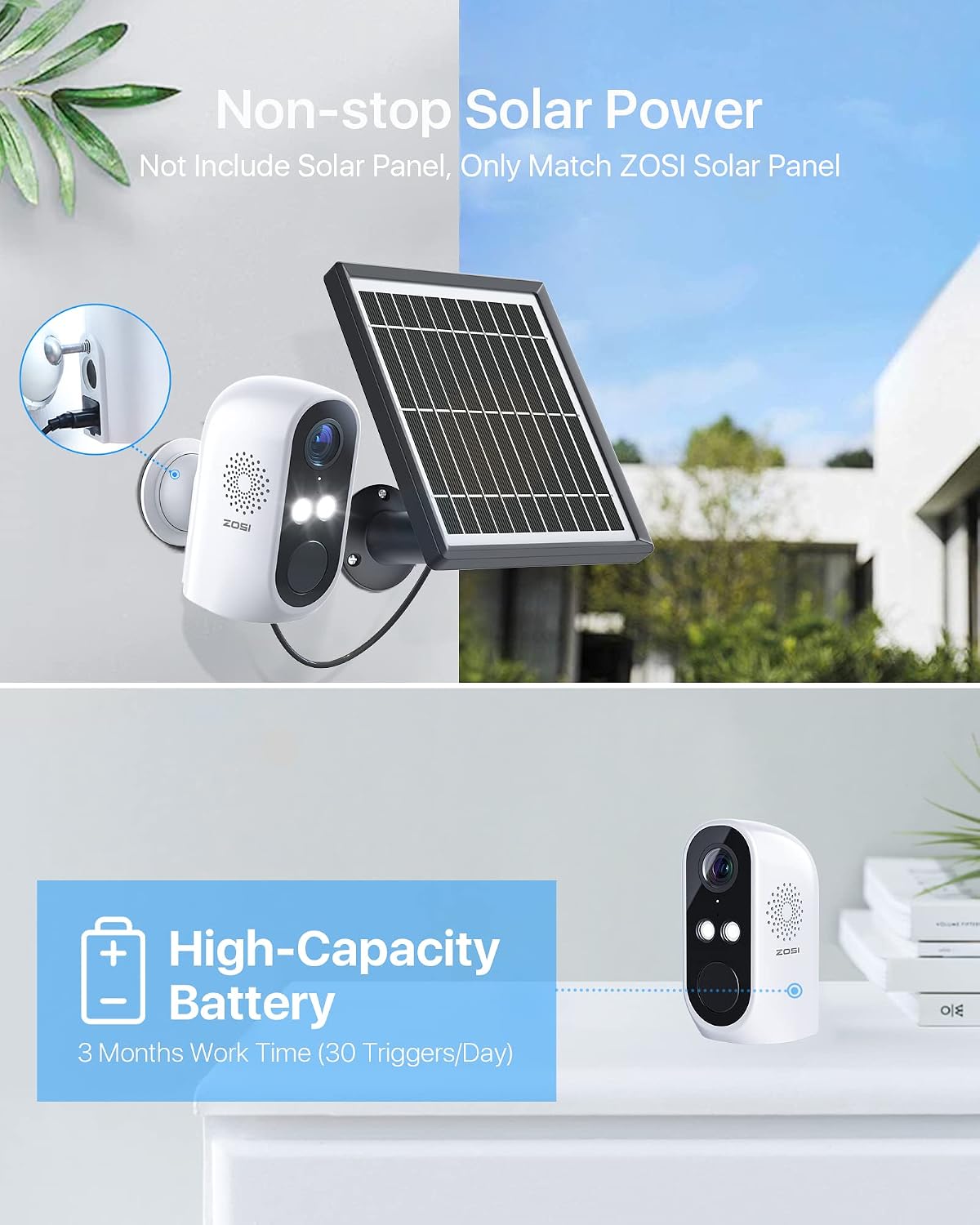
Image: ZOSI C1 camera with optional solar panel for continuous power.
6.2 Weatherproof Design
The ZOSI C1 camera has an IP65 weatherproof rating, meaning it is protected against dust and water jets. This ensures its durability and reliable performance in various weather conditions.
Image: ZOSI C1 camera demonstrating IP65 weatherproof capability.
7. Troubleshooting
- Camera not connecting to WiFi: Ensure your camera is within range of your 2.4GHz WiFi router. Verify that the WiFi password entered in the app is correct. If issues persist, try resetting the camera and re-pairing it with the app.
- Short battery life: Battery life can vary based on activity (number of motion triggers) and environmental factors. Ensure the camera is fully charged. Consider reducing motion detection sensitivity or frequency of live view access. An optional solar panel can provide continuous charging.
- SD card not detected or recording: Ensure the Micro SD card is correctly inserted and formatted within the CloudEdge App. If the card was inserted after initial setup, it might need reformatting.
- Alarm or light not activating/loud enough: Check the alarm settings in the CloudEdge App to ensure motion detection and alarm functions are enabled and configured to your preference. Verify the volume settings for the siren.
- Poor image quality: Ensure the camera lens is clean and free from obstructions. Check your internet connection speed; a stable connection is crucial for optimal live view and recording quality.
8. Specifications
| Feature | Specification |
|---|---|
| Indoor/Outdoor Usage | Outdoor |
| Compatible Devices | Smartphone |
| Power Source | Battery Powered |
| Connectivity Protocol | Wi-Fi (2.4GHz) |
| Controller Type | Amazon Alexa |
| Mounting Type | Surface Mount |
| Video Capture Resolution | 1080p |
| International Protection Rating | IP65 |
| Item Dimensions (L x W x H) | 7 x 3 x 3 inches |
| Item Weight | 1.46 pounds |
| Special Feature | Motion Sensor, Night Vision |
9. Support and Warranty
ZOSI is committed to providing comprehensive after-sales support and services to all customers. For further assistance, troubleshooting, or to explore other ZOSI products, please visit the official ZOSI store or contact customer support.
You can find more information and support resources at the Official ZOSI Store.

Image: Scan for support.


