
1. Introduction
Thank you for choosing the ECTIVE SC 20 SILENT MPPT Solar Charge Controller. This manual provides essential information for the safe and efficient installation, operation, and maintenance of your solar charge controller. Please read this manual thoroughly before installation and use to ensure optimal performance and longevity of your system.
The ECTIVE SC 20 SILENT is designed for efficient charging of 12V/24V battery systems using solar panels, featuring advanced MPPT technology and passive cooling for silent operation. It is suitable for various applications, including RVs, boats, and off-grid systems.

Image: The ECTIVE SC 20 SILENT MPPT Solar Charge Controller is versatile for use in various mobile and off-grid applications, including vans, boats, and RVs.
2. Safety Instructions
Please observe the following safety precautions during installation and operation:
- Always disconnect the solar panel and battery before installing or servicing the controller.
- Ensure correct polarity when connecting the battery and solar panels to prevent damage to the controller and other components.
- Install the controller in a dry, well-ventilated area, away from flammable materials and direct sunlight.
- Do not disassemble or attempt to repair the controller yourself. Contact qualified personnel for service.
- Use appropriate wire gauges for all connections to prevent overheating and ensure efficient power transfer.
- The controller is equipped with multiple protections, including reverse polarity, overheating, and overload protection. However, proper installation is crucial for safety.

Image: The ECTIVE SC 20 SILENT features built-in protections against reverse polarity, overheating, and overload to ensure maximum safety for your system.
3. Product Overview
The ECTIVE SC 20 SILENT is an advanced MPPT (Maximum Power Point Tracking) solar charge controller designed for optimal energy harvesting from your solar panels. Its key features include:
- Silent Operation: Passively cooled, ensuring quiet performance even under full load.
- Wide Battery Compatibility: Supports wet, AGM (VRLA), gel (VRLA), and lithium (LiFePO4) batteries.
- Comprehensive Protection: Overload, reverse current blocking, short-circuit, overcharge, overheating, and reverse polarity protection.
- Parallel and Buffer Operation: Allows for simultaneous charging and power consumption.
- Efficient MPPT Technology: Maximizes power conversion from solar panels to batteries.
- 3-Stage Charging Profile: Ensures gentle and effective charging for battery longevity.
- Expandable Functionality: Compatible with an external temperature sensor (ECTIVE TS 1, sold separately) for optimized charging.

Image: Key features of the ECTIVE SC 20 SILENT, including universal battery compatibility, efficient MPPT technology, and a gentle 3-stage charging profile.
4. Setup and Installation
Follow these steps for proper installation of your ECTIVE SC 20 SILENT solar charge controller:
- Mounting: Choose a suitable location for mounting the controller. It should be close to the battery, in a dry, cool, and well-ventilated area. Ensure there is sufficient space around the controller for air circulation, especially for the heat sink fins.
- Battery Connection: Connect the battery to the controller first. Ensure correct polarity (+ to + and - to -). The controller will detect the battery voltage (12V or 24V) automatically. Use appropriate cable size for the current.
- Solar Panel Connection: Connect the solar panels to the controller. Again, ensure correct polarity. The controller will begin charging once the solar panels are connected and producing power.
- Load Connection (Optional): If your system includes a DC load directly connected to the controller, connect it last. Ensure the load current does not exceed the controller's rated load current.
- Temperature Sensor (Optional): If using an external temperature sensor (ECTIVE TS 1), connect it to the designated port on the controller. This improves charging accuracy by compensating for battery temperature.
Important: Always connect the battery first and disconnect the solar panel first when disassembling the system.

Image: The ECTIVE SC 20 SILENT MPPT Solar Charge Controller with its connection terminals for solar input, battery, and optional load.
5. Operating Instructions
Once installed, the ECTIVE SC 20 SILENT operates automatically. It utilizes MPPT technology to optimize power extraction from your solar panels and charges your batteries according to a sophisticated 3-stage charging profile:
- MPPT Charge: In this stage, the controller actively tracks the maximum power point of the solar array to deliver the most current possible to the battery. This continues until the battery voltage reaches the boost voltage.
- Boost Charge: Once the battery reaches the boost voltage, the controller maintains a constant voltage to prevent overcharging and excessive gassing. This stage ensures the battery is fully charged.
- Maintenance Charge (Float): After the boost charge, the controller reduces the voltage to a lower float voltage. This stage maintains the battery at full capacity and compensates for self-discharge, allowing consumers to draw power simultaneously.
- Equalization Charge (for certain battery types): If the controller detects that the battery is excessively discharged, it may activate an automatic equalization charge for 120 minutes. This helps to balance cell voltages and improve battery life for specific battery types.
The controller's passive cooling system ensures silent operation, making it ideal for sensitive environments.
Monitoring with the App (Optional)
For real-time data and advanced monitoring, the ECTIVE SC 20 SILENT can be connected to a compatible app via the optional BT1 Bluetooth module (ASIN: B09FQ6X5N7). The app is available for Android and iOS devices.
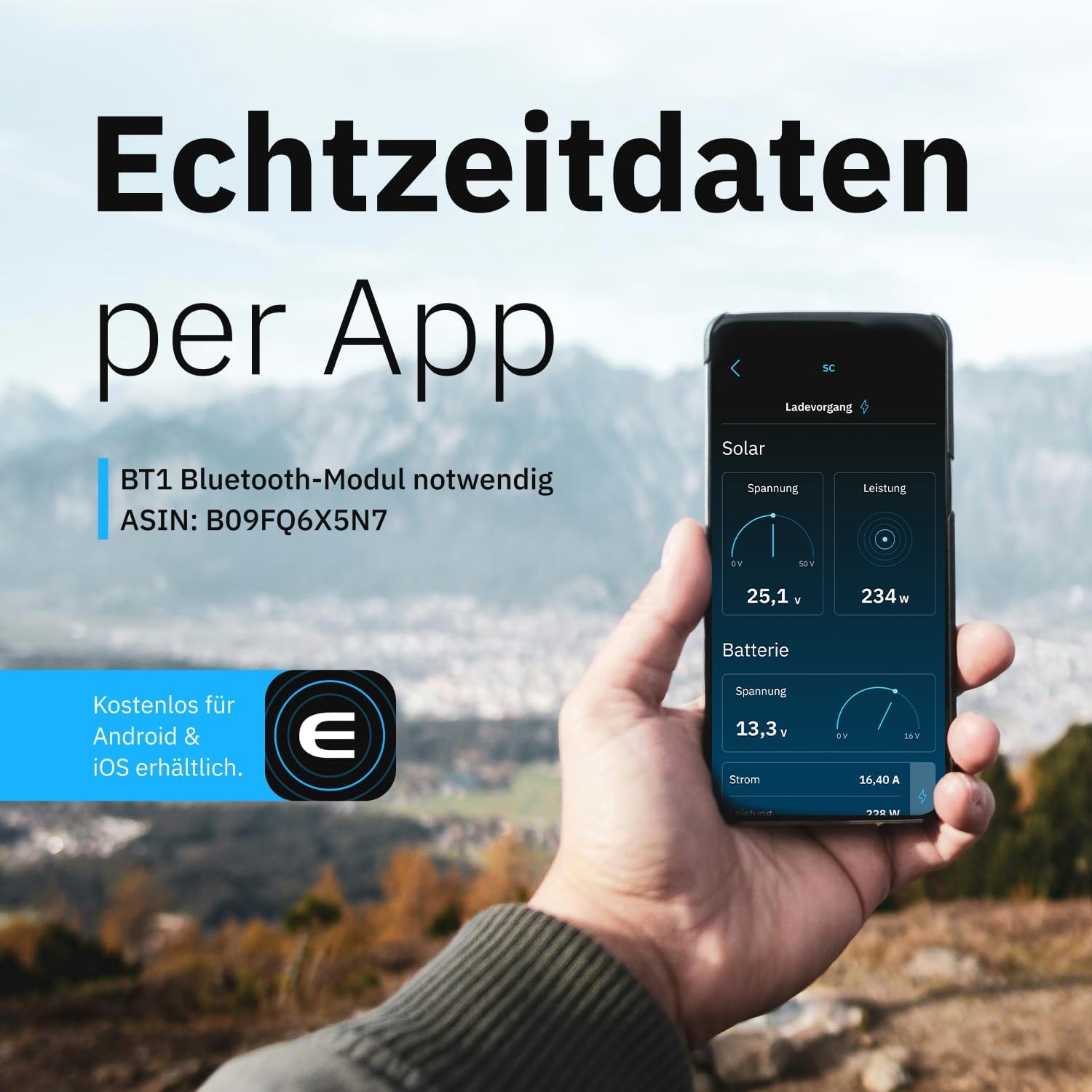
Image: Real-time data from the solar charge controller can be monitored via a smartphone app, requiring the optional BT1 Bluetooth module.
6. Maintenance
The ECTIVE SC 20 SILENT is designed for minimal maintenance. However, regular checks can ensure optimal performance and longevity:
- Visual Inspection: Periodically inspect the controller and all connections for any signs of damage, corrosion, or loose wiring.
- Cleanliness: Ensure the heat sink fins are free from dust and debris to maintain efficient passive cooling. Use a soft, dry cloth for cleaning.
- Connections: Verify that all terminal connections are secure. Loose connections can lead to power loss or overheating.
- Battery Health: Monitor your battery's health and electrolyte levels (for flooded batteries) as per the battery manufacturer's recommendations.
Caution: Before performing any maintenance, disconnect all power sources (solar panels and battery) from the controller.
7. Troubleshooting
If you encounter issues with your ECTIVE SC 20 SILENT, refer to the following troubleshooting guide:
| Problem | Possible Cause | Solution |
|---|---|---|
| No charging activity |
|
|
| Low charging current |
|
|
| Controller is hot |
|
|
| Error indicator (if present) | Refer to specific error codes in the app or product documentation. | Consult the app for detailed error descriptions or contact customer support. |
If the problem persists after following these steps, please contact ECTIVE customer support.
8. Specifications
Below are the technical specifications for the ECTIVE SC 20 SILENT MPPT Solar Charge Controller:
| Parameter | Value |
|---|---|
| Model | SC 20 SILENT |
| System Voltage | 12V / 24V Auto-detection |
| Max. Charge Current | 20 A |
| Max. Solar Panel Power (12V) | 260 Wp |
| Max. Solar Panel Power (24V) | 520 Wc |
| Max. Solar Module Voltage | 50 V |
| Battery Types | Wet, AGM (VRLA), Gel (VRLA), LiFePO4 |
| Cooling | Passive (Silent) |
| Dimensions (L x W x H) | 16.4 x 3.2 x 10.7 cm |
| Weight | 800 grams |
| Color | Black |

Image: Dimensions of the ECTIVE SC 20 SILENT MPPT Solar Charge Controller.

Image: Comparison of ECTIVE SC series solar charge controllers, highlighting the SC 20 SILENT's specifications.
9. Warranty and Support
ECTIVE products are manufactured to high-quality standards. For warranty information and customer support, please refer to the official ECTIVE website or contact your retailer.
When contacting support, please have your product model (SC 20 SILENT) and purchase details readily available.
For additional accessories like the ECTIVE TS 1 temperature sensor or the BT1 Bluetooth module, please visit the official ECTIVE store or authorized resellers.