
CIGMAN CM-701
CIGMAN Laser Level CM-701 Instruction Manual
Model: CM-701
Introduction
The CIGMAN CM-701 Laser Level is a versatile and precise tool designed for various leveling and alignment tasks in construction, home improvement, and DIY projects. Featuring 3x360° green laser lines, self-leveling capabilities, and a long-lasting rechargeable battery, it provides accurate and efficient operation for both professionals and homeowners.
What's Included
Your CIGMAN CM-701 Laser Level package includes the following components:
- 1x CM-701 Laser Level Tool
- 1x Portable Bag
- 1x Magnetic "L" Base
- 1x Mini Tripod Base
- 1x Remote Control
- 1x Laser Target Plate
- 1x Type-C cable
- 1x User Manual

Setup
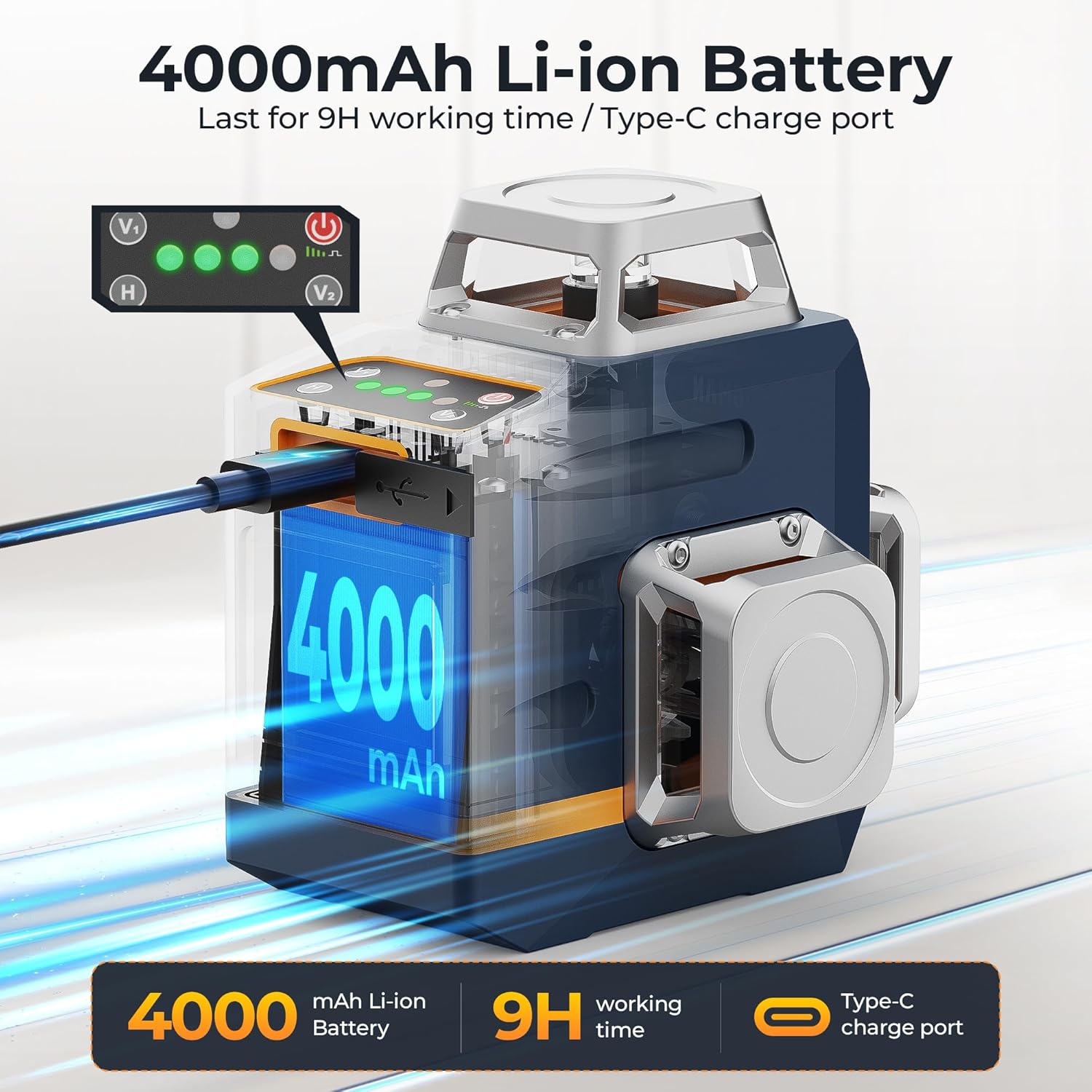
Before first use, ensure the device is fully charged. Connect the provided Type-C cable to the charging port on the laser level and to a compatible USB power source (e.g., power bank, laptop, wall adapter).
The laser level can be mounted in various ways depending on your task:
- Mini Tripod Base: For stable placement on flat surfaces.
- Magnetic "L" Base: Attach to metal surfaces or use with a screw for wall mounting.
- Standard Tripod: The device features a 1/4" tripod thread for compatibility with standard tripods.

Video 1: Official CIGMAN CM701 Laser Level overview, demonstrating its features and setup.
Operating Modes
The CIGMAN CM-701 offers multiple operating modes to suit different applications.
1. Self-Leveling Mode
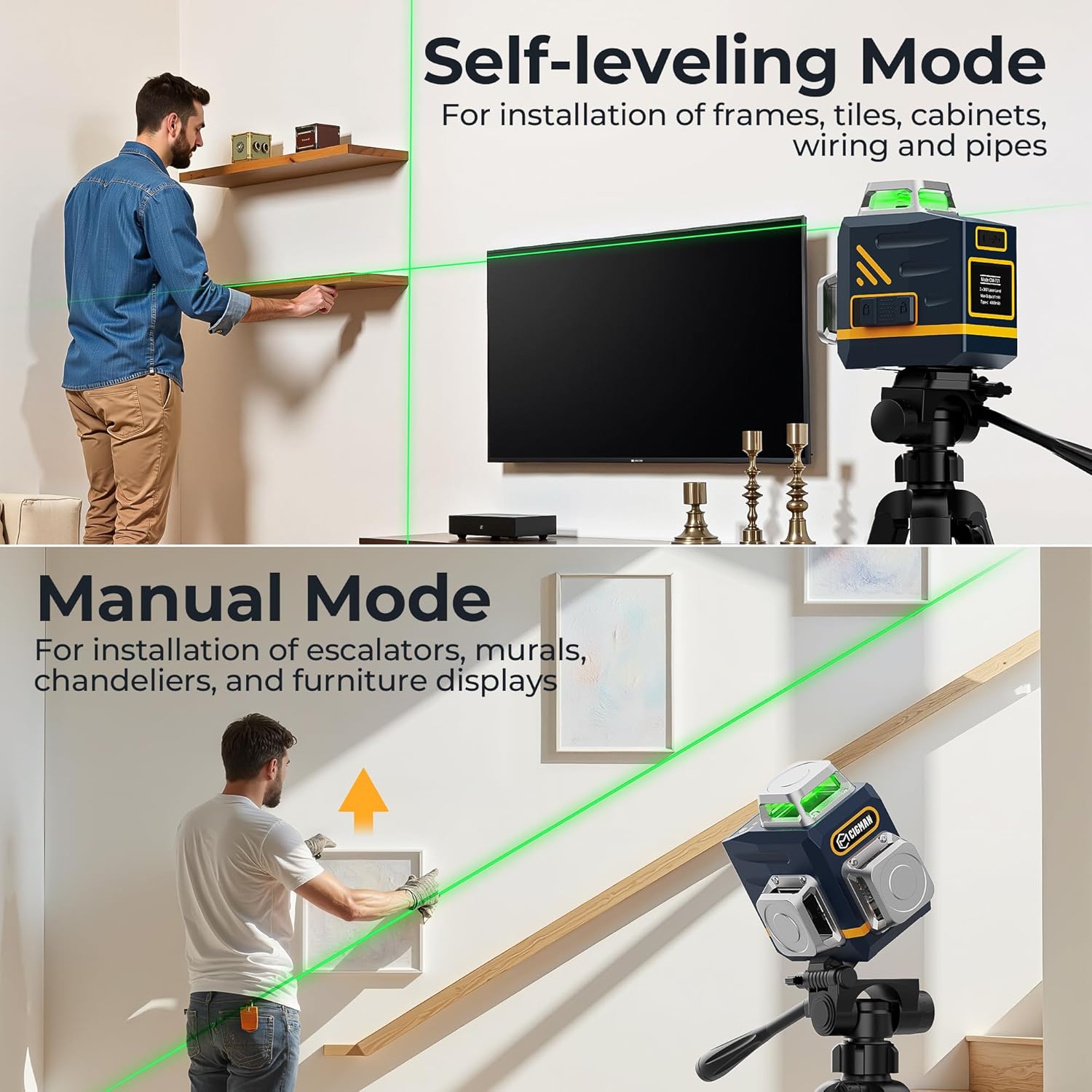
For precise leveling, slide the pendulum lock to the unlocked position. The device will automatically level itself within ±4°. If the device is outside this range, the laser lines will flash to indicate it cannot self-level. This mode is ideal for installing frames, tiles, cabinets, and general alignment where perfect horizontal or vertical lines are required.
2. Manual Mode
To activate manual mode, keep the pendulum lock in the locked position and long-press the power button. In this mode, you can project laser lines at any angle, which is useful for installing escalators, murals, chandeliers, or creating diagonal lines. The laser lines will flash periodically to remind you that it is not self-leveling.
3. Pulse Mode
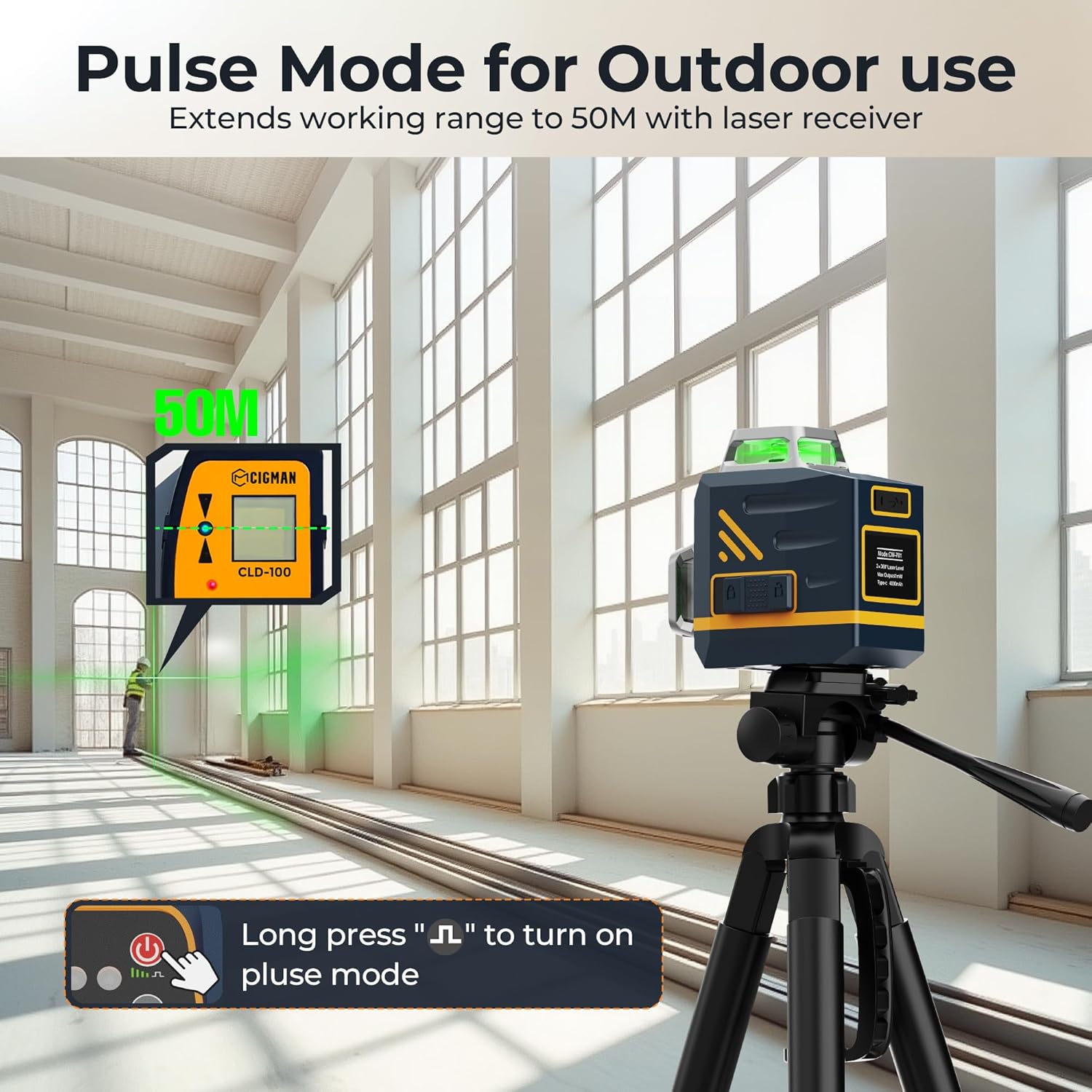
For outdoor use or when working over longer distances (up to 50m), activate pulse mode by long-pressing the pulse button. This mode enhances the visibility and range of the laser lines, especially when used with a compatible laser receiver (not included). It is suitable for larger job sites or outdoor applications.
4. Laser Line Selection
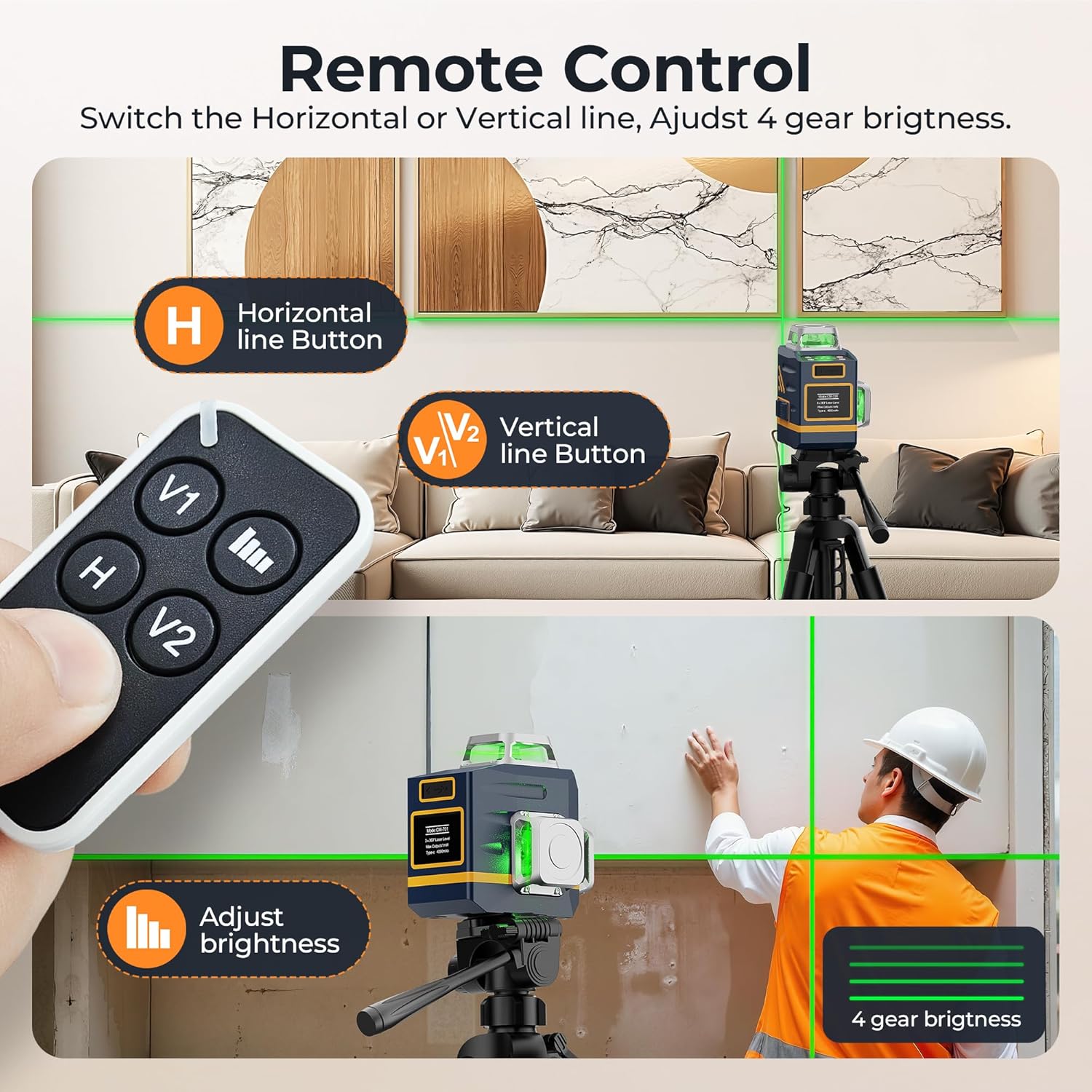
The CM-701 features 12 ultra-bright laser lines, providing 3x360° full coverage. Use the H (Horizontal) and V (Vertical) buttons on the device or remote control to toggle specific laser lines on or off, allowing you to customize the projection based on your needs.

5. Remote Control & Brightness Adjustment
The included remote control allows for convenient adjustment of laser lines and brightness from a distance. Use the V1, H, and V2 buttons to select desired laser planes. The brightness adjustment button allows you to cycle through 4 gear brightness settings, which can extend battery life for longer projects.
Battery Information
The CIGMAN CM-701 is powered by a built-in 4000mAh rechargeable Li-ion battery, providing extended operation time. The Type-C charging port supports fast and versatile charging from various power sources.
Specifications
| Feature | Description |
|---|---|
| Brand | CIGMAN |
| Model Number | CM-701 |
| Laser Class | Class II, <1mW power output |
| Laser Lines | 3x360° Green Cross Line (1 Horizontal, 2 Vertical) |
| Accuracy | ±0.5 mm/m |
| Self-Leveling Range | ±4° |
| Working Distance | 30m (50m with laser receiver in pulse mode) |
| Battery | 4000mAh Rechargeable Li-ion |
| Charging Port | Type-C |
| IP Rating | IP54 (Dust and Water Resistant) |
| Material | Metal |
| Item Weight | 0.8 Kilograms (1.76 pounds) |
| Product Dimensions | 3.78"L x 2.87"W |
Maintenance
To ensure the longevity and accuracy of your CIGMAN Laser Level, follow these maintenance guidelines:
- Cleaning: Wipe the device with a soft, damp cloth. Do not use abrasive cleaners or solvents. Keep the laser windows clean for optimal performance.
- Storage: Store the laser level in its portable bag in a cool, dry place when not in use. Avoid extreme temperatures and direct sunlight.
- Battery Care: Recharge the battery regularly, even if not in frequent use, to maintain battery health. Avoid fully discharging the battery for extended periods.
- Handling: Handle the device with care. Avoid dropping it or subjecting it to strong impacts, as this can affect its calibration.
Troubleshooting
If you encounter issues with your CIGMAN Laser Level, refer to the following common troubleshooting tips:
- Laser Lines Flashing: In self-leveling mode, flashing lines indicate the device is outside its self-leveling range (±4°). Adjust the position of the laser level until it is on a more level surface. In manual mode, flashing lines are normal and indicate it is not self-leveling.
- No Laser Lines: Ensure the device is powered on and the pendulum lock is in the correct position for the desired mode. Check the battery level and recharge if necessary.
- Weak Laser Lines: Adjust the brightness setting using the remote control or device buttons. Ensure the working environment is not excessively bright. For outdoor use, activate pulse mode and consider using a laser receiver.
- Inaccurate Lines: Ensure the device is on a stable surface and within its self-leveling range (if in self-leveling mode). Avoid strong vibrations during operation. If persistent, the device may require recalibration (refer to the full user manual for advanced calibration procedures or contact customer support).
Safety Information
This CIGMAN Laser Level is a Class II laser product with a power output of <1mW. Adhere to the following safety precautions:
- DO NOT stare directly into the laser beam.
- DO NOT intentionally direct the laser beam at other people or reflective surfaces.
- Avoid exposing the device to extreme temperatures or moisture.
- Keep out of reach of children.
Warranty and Support
For detailed warranty information, technical support, or service inquiries, please refer to the complete User Manual provided with your product or visit the official CIGMAN website. A digital version of the user manual is available at: User Manual (PDF).
Related documentsCM-701


Ask a question about this manual
Ask about setup, troubleshooting, compatibility, parts, safety, or missing instructions. Manuals+ will review the question and use this page’s manual context to help answer it.