
Introduction
This manual provides essential information for the safe and efficient operation of your Sensio 2.0 Qt Air Fryer. Please read all instructions carefully before first use and retain for future reference.
Important Safeguards
- Read all instructions.
- Do not touch hot surfaces. Use handles or knobs.
- To protect against electrical shock, do not immerse cord, plugs, or the main unit in water or other liquid.
- Close supervision is necessary when any appliance is used by or near children.
- Unplug from outlet when not in use and before cleaning. Allow to cool before putting on or taking off parts.
- Do not operate any appliance with a damaged cord or plug or after the appliance malfunctions or has been damaged in any manner.
- The use of accessory attachments not recommended by the appliance manufacturer may cause injuries.
- Do not use outdoors.
- Do not let cord hang over edge of table or counter or touch hot surfaces.
- Do not place on or near a hot gas or electric burner, or in a heated oven.
- Extreme caution must be used when moving an appliance containing hot oil or other hot liquids.
- Always attach plug to appliance first, then plug cord into the wall outlet. To disconnect, turn any control to "off", then remove plug from wall outlet.
- Do not use appliance for other than intended use.
Parts and Features
Your Sensio 2.0 Qt Air Fryer consists of the following main components:
- Temperature Control Dial (Top)
- Power Indicator Light
- Heat On Indicator Light
- Timer Dial (Front)
- Removable Fry Basket
- Fry Basket Handle
- Removable Crisper Tray (inside basket)

Image: Front view of the Sensio 2.0 Qt Air Fryer, showing the temperature and timer dials, and indicator lights.
Setup
- Unpack all parts and remove any packaging materials.
- Wipe the exterior of the air fryer with a damp cloth.
- Wash the fry basket and crisper tray thoroughly with warm, soapy water. Rinse and dry completely.
- Place the air fryer on a stable, heat-resistant surface, ensuring adequate ventilation around the unit.
- Insert the crisper tray into the fry basket, then slide the assembled basket into the main unit until it clicks into place.

Image: The air fryer with its basket pulled out, showing the crisper tray inside.
Operating Instructions
- Place food into the fry basket. Do not overfill.
- Slide the fry basket back into the air fryer.
- Plug the power cord into a grounded electrical outlet. The Power indicator light will illuminate.
- Turn the Temperature Control Dial to your desired cooking temperature (175°F to 400°F).
- Turn the Timer Dial to the desired cooking time. The Heat On indicator light will illuminate, and the air fryer will begin heating.
- During cooking, you may pull out the fry basket to shake or turn food for even cooking. The air fryer will pause when the basket is removed and resume when reinserted.
- When the timer reaches zero, the air fryer will automatically shut off and a bell will ring.
- Carefully remove the fry basket and transfer cooked food to a serving dish.
Cooking Tips
- For best results, shake the basket halfway through cooking for most foods.
- Smaller food items usually require a slightly shorter cooking time than larger items.
- Adding a small amount of oil to fresh potatoes will result in a crispier outcome.
- The air fryer can be used to reheat foods. Set the temperature to 300°F for approximately 10 minutes.
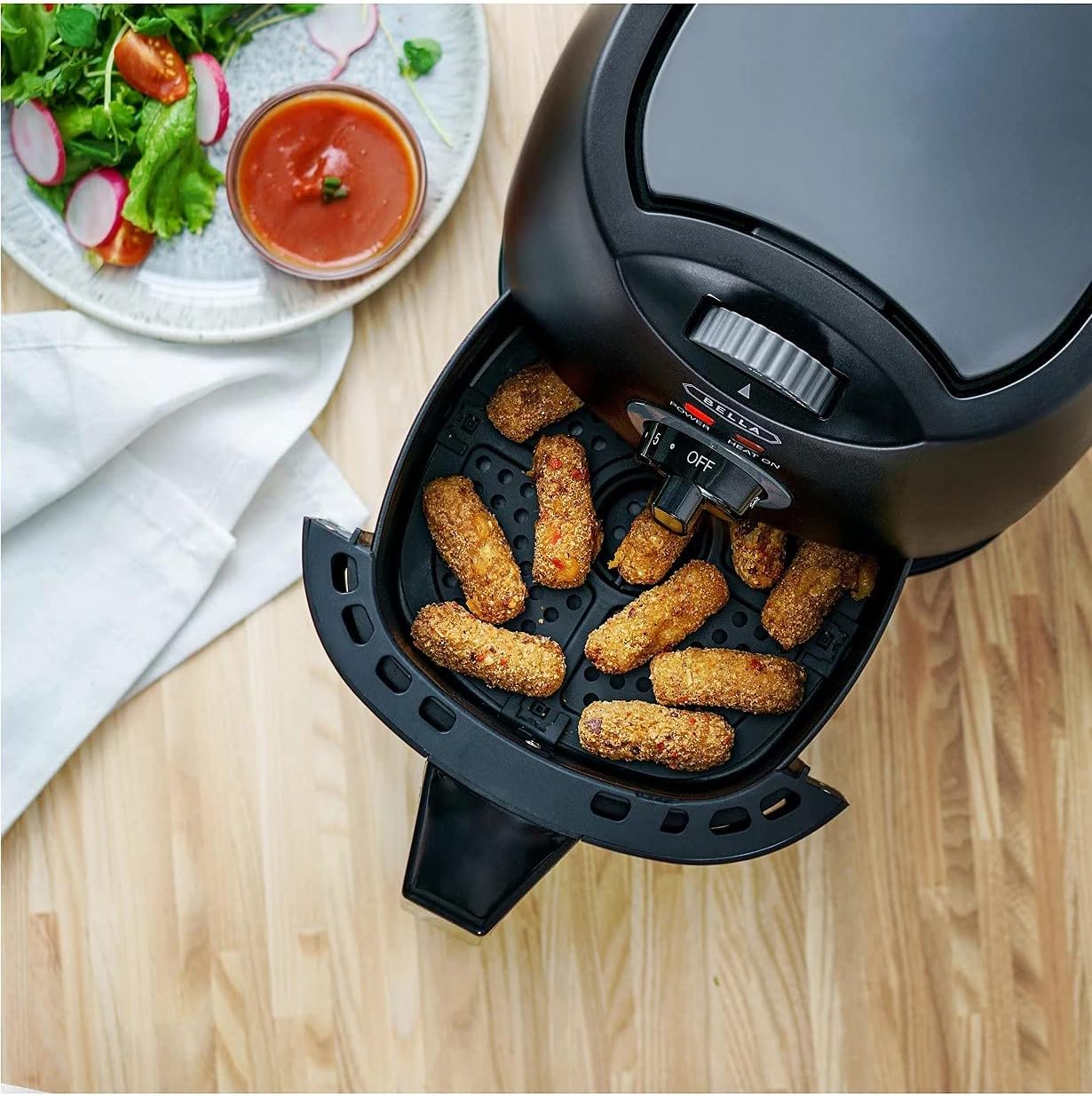
Image: The air fryer basket filled with chicken nuggets, showing the cooking process.
Cooking Guide
The following table provides general guidelines for cooking various foods. Times and temperatures may vary based on food quantity and desired crispness.
| Food Item | Temperature | Time | Notes |
|---|---|---|---|
| French Fries (frozen) | 375°F | 15-20 min | Shake halfway |
| Chicken Wings | 380°F | 20-25 min | Turn halfway |
| Chicken Nuggets (frozen) | 350°F | 10-15 min | Shake halfway |
| Fish Sticks (frozen) | 375°F | 8-12 min | Shake halfway |
| Vegetables (fresh) | 325°F | 10-18 min | Toss with oil, shake |
Cleaning and Maintenance
Proper cleaning ensures the longevity and optimal performance of your air fryer.
- Always unplug the air fryer and allow it to cool completely before cleaning.
- The fry basket and crisper tray are dishwasher safe. For stubborn residue, soak in warm, soapy water before washing.
- Wipe the exterior of the air fryer with a damp cloth. Do not use abrasive cleaners or scouring pads.
- Clean the interior of the air fryer with a damp cloth and mild detergent. Ensure no water enters the heating element area.
- Store the air fryer in a cool, dry place when not in use.

Image: The removable fry basket and crisper tray placed in a dishwasher for cleaning.
Troubleshooting
- Air fryer does not turn on.
- Ensure the power cord is securely plugged into a working outlet. Check if the timer is set. The air fryer will not operate if the timer is at zero.
- Food is not crispy.
- Ensure the crisper tray is properly inserted. Do not overcrowd the basket; cook in smaller batches if necessary. Increase cooking time or temperature slightly.
- White smoke coming from the appliance.
- This is usually caused by grease from previous use. Clean the basket and crisper tray thoroughly after each use.
Specifications
- Brand: Sensio
- Model: 32818J1
- Capacity: 2 Quarts
- Color: Black
- Material: Plastic
- Wattage: 1200 Watts
- Control Method: Dial (Manual)
- Non-stick Coating: Yes
- Dishwasher Safe Parts: Yes (Basket & Tray)
- Product Dimensions: 10.63 x 10.63 x 11.42 inches
- Item Weight: 7.24 pounds
Warranty and Support
For warranty information or technical support, please refer to the warranty card included with your purchase or visit the official Sensio website. Keep your proof of purchase for any warranty claims.
Online Support: www.bellahousewares.com