
Introduction
Welcome to the user manual for your Trust Tech 3-in-1 Portable Evaporative Air Cooler, Model BFK1901R-1. This innovative appliance combines the functions of an air cooler, fan, and humidifier, designed to provide a comfortable and healthy environment. Its bladeless design ensures safety and quiet operation, making it suitable for any room.

Image: The Trust Tech 3-in-1 Portable Evaporative Air Cooler, highlighting its easy-to-use controls and suitability for family environments.
Important Safety Instructions
Please read and understand all safety instructions before operating this appliance. Failure to follow these instructions may result in electric shock, fire, or serious injury.
- Always place the unit on a stable, level surface to prevent tipping.
- Do not immerse the unit, power cord, or plug in water or other liquids.
- Unplug the appliance from the power outlet when not in use, before filling the water tank, or prior to cleaning.
- Keep the appliance out of reach of children and pets. The bladeless design enhances safety, but supervision is always recommended.
- Do not block air inlets or outlets. Ensure proper ventilation around the unit.
- Use only with the specified voltage as indicated on the product label.
- Do not operate the appliance with a damaged cord or plug. Contact qualified service personnel for repair.
- Avoid placing the unit near heat sources, open flames, or in direct sunlight.
- Do not use outdoors or in wet conditions.
Product Overview
The Trust Tech 3-in-1 Portable Evaporative Air Cooler is designed for efficiency and user comfort. Key features include:
- Bladeless Design: Ensures safety for children and pets, and contributes to quiet operation.
- 3-in-1 Functionality: Operates as an air cooler, a fan, and a humidifier.
- 3 Wind Modes: Choose between Normal, Natural, and Sleep modes for personalized comfort.
- Adjustable Timer: Set the unit to operate for 1 to 8 hours, with automatic shut-off.
- Wide Oscillation: Distributes cool air evenly across a large area.
- Large Capacity Water Tank: Reduces the frequency of refills, with a visible water level indicator.
- Remote Control: For convenient operation from anywhere in the room.
- Easy Maintenance: Simple design allows for hassle-free cleaning and storage.
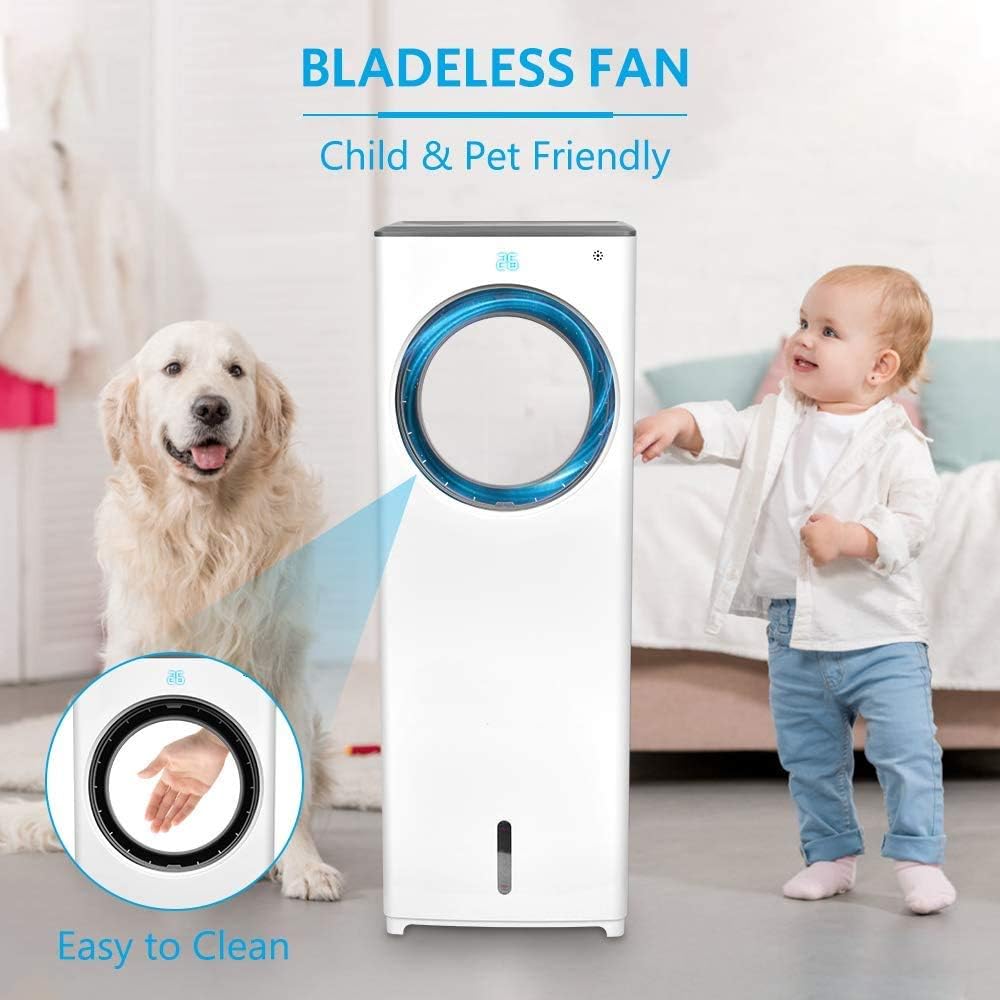
Image: The bladeless design of the Trust Tech air cooler, highlighting its safety features for homes with children and pets, and ease of cleaning.
Setup Instructions
Follow these steps for the initial setup of your air cooler:
- Unpacking: Carefully remove the air cooler from its packaging. Inspect the unit for any damage. Retain the packaging for future storage or transportation.
- Placement: Position the air cooler on a firm, level, and stable surface. Ensure there is at least 20 cm (8 inches) of clear space around the unit to allow for proper airflow.
- Water Tank Filling:
- Gently pull out the water tank located at the bottom rear of the unit.
- Fill the tank with clean, cold water. For enhanced cooling performance, you may add ice cubes or ice packs to the water.
- Do not exceed the maximum fill line indicated on the water tank to prevent overflow.
- Carefully slide the water tank back into the unit until it is securely seated and clicks into place. Ensure it is closed properly before operation.
- Power Connection: Plug the power cord into a standard electrical outlet.

Image: Illustration of the ice crystal cooling feature and how to add water/ice to the tank for humidification and enhanced cooling.
Operating Instructions
Your Trust Tech air cooler offers various settings for optimal comfort. You can control the unit using the control panel on top of the unit or the provided remote control.

Image: Overview of the control functions available on the Trust Tech air cooler.
- Power On/Off: Press the On/Off button () to turn the unit on or off.
- Mode Selection: Press the Mode button () to cycle through the available operating modes:
- Normal Mode: Provides a steady airflow.
- Natural Mode: Simulates a natural breeze with varying fan speeds.
- Sleep Mode: Operates at a lower, quieter speed for undisturbed rest.

Image: Visual representation of the three distinct wind modes: Normal, Nature, and Sleep, and their adjustable speed settings.
- Speed Adjustment: Press the Speed button () to select from 3 fan speeds: Low, Medium, or High.
- Oscillation (Swing): Press the Swing button () to activate or deactivate the wide-angle oscillation feature, which distributes air across a larger area for comprehensive coverage.

Image: The air cooler providing comprehensive coverage through oscillation, controllable via remote.
- Cool/Humidify Function: Press the Cool/Hum button () to activate the evaporative cooling and humidification function. This uses water from the tank to cool and add moisture to the air.
- Timer Setting: Press the Timer button () to set the operating time from 1 to 8 hours. The unit will automatically turn off after the set time, promoting energy saving and undisturbed sleep.

Image: The 1-8 hour adjustable timer feature, designed for reassuring sleep and lower power consumption.
- Remote Control: The included remote control allows for convenient adjustment of all functions from a distance. Ensure batteries are correctly installed.
Maintenance
Regular cleaning and maintenance will ensure the longevity and efficient operation of your air cooler.
- Exterior Cleaning:
- Always unplug the unit from the power outlet before cleaning.
- Wipe the exterior surfaces of the unit with a soft, damp cloth. Do not use abrasive cleaners, solvents, or harsh chemicals, as these may damage the finish.
- The bladeless design simplifies cleaning; no disassembly is required to clean the fan blades.
- Water Tank Cleaning:
- To prevent mold, mildew, and unpleasant odors, regularly empty and clean the water tank.
- Pull out the water tank, empty any remaining water, and rinse it thoroughly with clean water.
- For a more thorough cleaning, use a mild detergent and a soft brush to scrub the inside of the tank, then rinse thoroughly to remove all soap residue.
- Allow the water tank to air dry completely before reinserting it into the unit.
- Storage: When the air cooler will not be used for an extended period (e.g., during off-season), ensure the water tank is empty and clean. Store the unit in a cool, dry place, preferably in its original packaging, to protect it from dust and damage.
Troubleshooting
If you encounter any issues with your air cooler, please refer to the following common problems and solutions:
| Problem | Possible Cause | Solution |
|---|---|---|
| Unit does not turn on | Power cord not plugged in; Power outlet not working; Unit is off. | Ensure the power cord is securely plugged into a working electrical outlet. Press the On/Off button. |
| No cooling effect | Water tank is empty; Evaporative cooling mode not selected. | Fill the water tank with cold water and/or ice. Select the evaporative cooling mode. |
| Weak airflow | Air inlets/outlets obstructed; Fan speed set too low. | Ensure air inlets and outlets are clear. Increase the fan speed setting. |
| Unusual noise | Unit not on a level surface; Water tank not properly seated. | Place the unit on a stable, level surface. Ensure the water tank is correctly installed. If noise persists, contact customer support. |
| Water leakage | Water tank overfilled or improperly installed; Damaged water tank. | Do not overfill the water tank. Ensure the water tank is correctly and securely installed. Inspect the tank for any damage. |
If the problem persists after attempting these solutions, please contact customer support or your retailer for further assistance.
Specifications
| Model | BFK1901R-1 |
| Brand | Trust Tech |
| Power | 65 Watts |
| Noise Level | 30 Decibels |
| Number of Speeds | 3 |
| Control Type | Remote |
| Form Factor | Tower |
| Dimensions (L x W x H) | 31 x 27 x 78 cm |
| Weight | 6.03 kg |
| Material | Durable Plastic |
| Special Features | Adjustable Speed, Low Water Indicator, Oscillation, Timer (1-8H) |
Warranty and Support
For warranty information, product registration, or customer support, please refer to the documentation included with your original purchase. You may also contact your retailer or visit the official Trust Tech website for assistance. Please retain your purchase receipt as proof of purchase for any warranty claims.