
Dekain DT01171

Dekain Projector Lamp for Hitachi CP-K1155 User Manual
Model: DT01171 | UPC: 770824551469
Introduction
This manual provides comprehensive instructions for the Dekain Projector Lamp, specifically designed as an original Philips bulb replacement for the Hitachi CP-K1155 projector. Our lamps are built with original bulbs from OEM manufacturers, ensuring high quality, proper fit, and optimal performance. Please read this manual carefully before installation and operation to ensure safe and effective use.
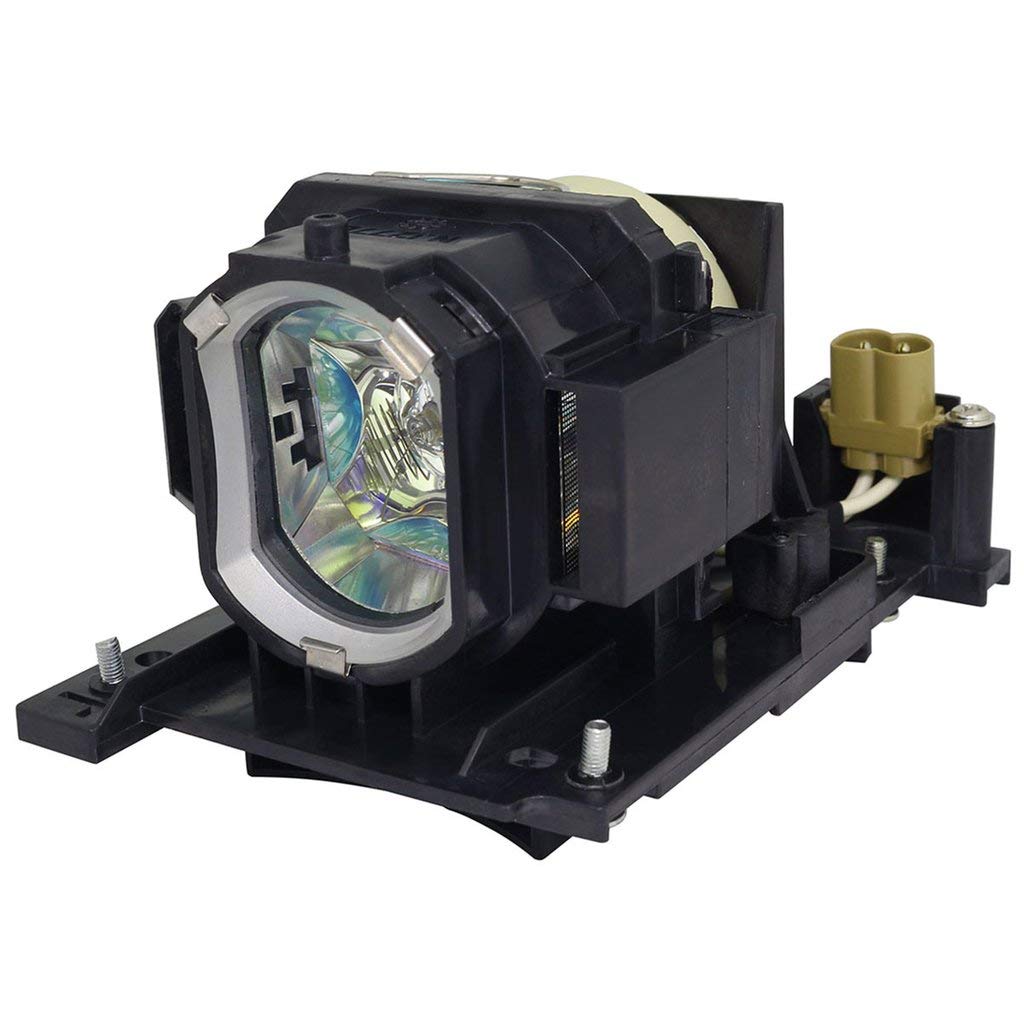
Image: Dekain Projector Lamp, designed for optimal performance.
Safety Information
- Always disconnect the projector from the power source before attempting any installation or maintenance.
- Allow the projector to cool down completely before handling the lamp. Hot lamps can cause severe burns.
- Avoid touching the glass part of the new lamp directly with bare hands. Oils from your skin can reduce lamp life. Use gloves or a clean cloth.
- Do not operate the projector with the lamp cover removed.
- Dispose of old lamps according to local regulations.
Setup and Installation
Follow these steps to safely install your new Dekain projector lamp:
- Power Off and Cool Down: Shut down your Hitachi CP-K1155 projector and disconnect it from the power outlet. Allow the projector to cool down for at least 30 minutes to prevent burns.
- Locate Lamp Compartment: Refer to your projector's original manual to locate the lamp compartment cover. This is typically secured with screws.
- Remove Old Lamp: Carefully unscrew and remove the lamp compartment cover. Disconnect any connectors and gently pull out the old lamp module.
- Insert New Lamp: Align the new Dekain projector lamp module (Model DT01171) with the slot. Gently push it in until it is securely seated. Ensure the plug is connected well.
- Secure Cover: Replace the lamp compartment cover and tighten the screws.
- Reset Lamp Timer: Plug the projector back in and power it on. Navigate to the projector's menu settings and reset the lamp timer. This step is crucial for accurate lamp life tracking.

Image: A projector in operation, illustrating the light output.
Operating the Projector Lamp
The Dekain Projector Lamp is designed to provide consistent and bright illumination for your Hitachi CP-K1155 projector.
- Optimal Performance: This lamp is tested to meet OEM original standards of quality, function, and performance, ensuring clear and vibrant projections.
- Lifespan: The expected lifespan of this lamp is significantly longer than economic lamps, offering extended use before replacement is needed. Most projectors offer about 2,000-3,000 hours, with this lamp designed for 3,000-5,000 hours in power-saving mode.
- Power Saving Mode: Utilize your projector's power-saving mode to extend the lamp's life.

Image: A bright light beam emanating from a projector, indicating proper operation.
Maintenance
Proper maintenance can help prolong the life of your projector lamp and ensure consistent performance.
- Clean Air Filters: Regularly clean or replace the projector's air filters to ensure adequate airflow and prevent overheating, which can shorten lamp life.
- Avoid Rapid Power Cycles: Do not turn the projector on and off rapidly. Allow it to cool down completely before restarting.
- Operating Environment: Use the projector in a clean, relatively dust-free environment with good ventilation.
- Gentle Handling: Always handle the lamp module carefully to avoid damage.
Troubleshooting
If you encounter issues with your projector lamp, consider the following common solutions:
| Problem | Possible Cause | Solution |
|---|---|---|
| Lamp not turning on | Loose connection, lamp not seated correctly, lamp life expired. | Check all connections. Re-seat the lamp module firmly. If lamp life is expired, replace the lamp. |
| Dim image or poor color | Lamp nearing end of life, dirty projector lens or filter. | Check lamp timer and consider replacement. Clean projector lens and air filters. |
| Projector overheating | Blocked air vents, dirty air filter. | Ensure vents are clear. Clean or replace air filters. |
If issues persist, please contact Dekain customer support for further assistance.
Specifications
Key specifications for the Dekain Projector Lamp (Model DT01171):
- Brand: Dekain
- Model Number: DT01171
- Compatible Projector: Hitachi CP-K1155
- Light Type: Metal Halide (Original Philips Bulb Inside)
- Wattage: 245 watts
- Bulb Shape Size: MR20
- Bulb Base: Prong
- Expected Lifespan: 3,000-5,000 hours (in power-saving mode)
- Item Weight: 14.4 ounces
- Package Dimensions: 6 x 6 x 5 inches
- UPC: 770824551469
Quality and Reliability
Dekain projector lamps are manufactured with original bulbs from leading OEM manufacturers (UHP, P-VIP, NSH, SHP, UHE, UHM, and HS). This commitment to quality ensures superior performance and reliability compared to generic alternatives.

Image: Visual comparison highlighting the difference between Dekain OEM quality and generic copy lamps.
The lamp module includes compatible housing made from durable materials, designed to fit properly within your projector. Each lamp undergoes rigorous testing before dispatch to meet OEM standards for quality, function, and performance.
Video: An informational video explaining the benefits of choosing a genuine OEM original replacement projector lamp from Dekain.
Warranty and Support
Dekain stands behind the quality of its products.
- Money Back Guarantee: Enjoy a 30-day money-back guarantee from the date of purchase.
- Free Replacement Warranty: A 240-day free replacement warranty covers any manufacturing defects or performance issues.
- Customer Service: Our customer service team is committed to responding to inquiries within 12 hours. For support, please refer to the contact information provided with your purchase or on the Dekain official website.
Ask a question about this manual
Ask about setup, troubleshooting, compatibility, parts, safety, or missing instructions. Manuals+ will review the question and use this page’s manual context to help answer it.