
Fractal Design FD-C-POA1A-02
Fractal Design Pop Air Black Tempered Glass Clear Tint ATX Air
Instruction Manual
Introduction
The Fractal Design Pop Air series fuses flair with function, providing a solid foundation and excellent build quality for your PC components. This manual provides detailed instructions for setting up, operating, and maintaining your Fractal Design Pop Air Black Tempered Glass Clear Tint ATX Air case.
Key Features
- Accommodates ATX / mATX / Mini ITX Motherboards.
- Easily mounted tempered glass side panel for component visibility.
- Up to three HDDs and six SSDs (or two HDDs and five SSDs with one optical bay in use).
- Includes three 120 mm Aspect 12 RGB fans (supports two more for a total of five).
- Supports radiators up to 280 mm in the front, 240 mm in the top, and 120 mm in the rear.
- Vividly colored motherboard plate, drive trays, and exterior accents (specific to RGB Core models).
Setup and Installation
Case Overview
Familiarize yourself with the main components and layout of the Fractal Design Pop Air case.
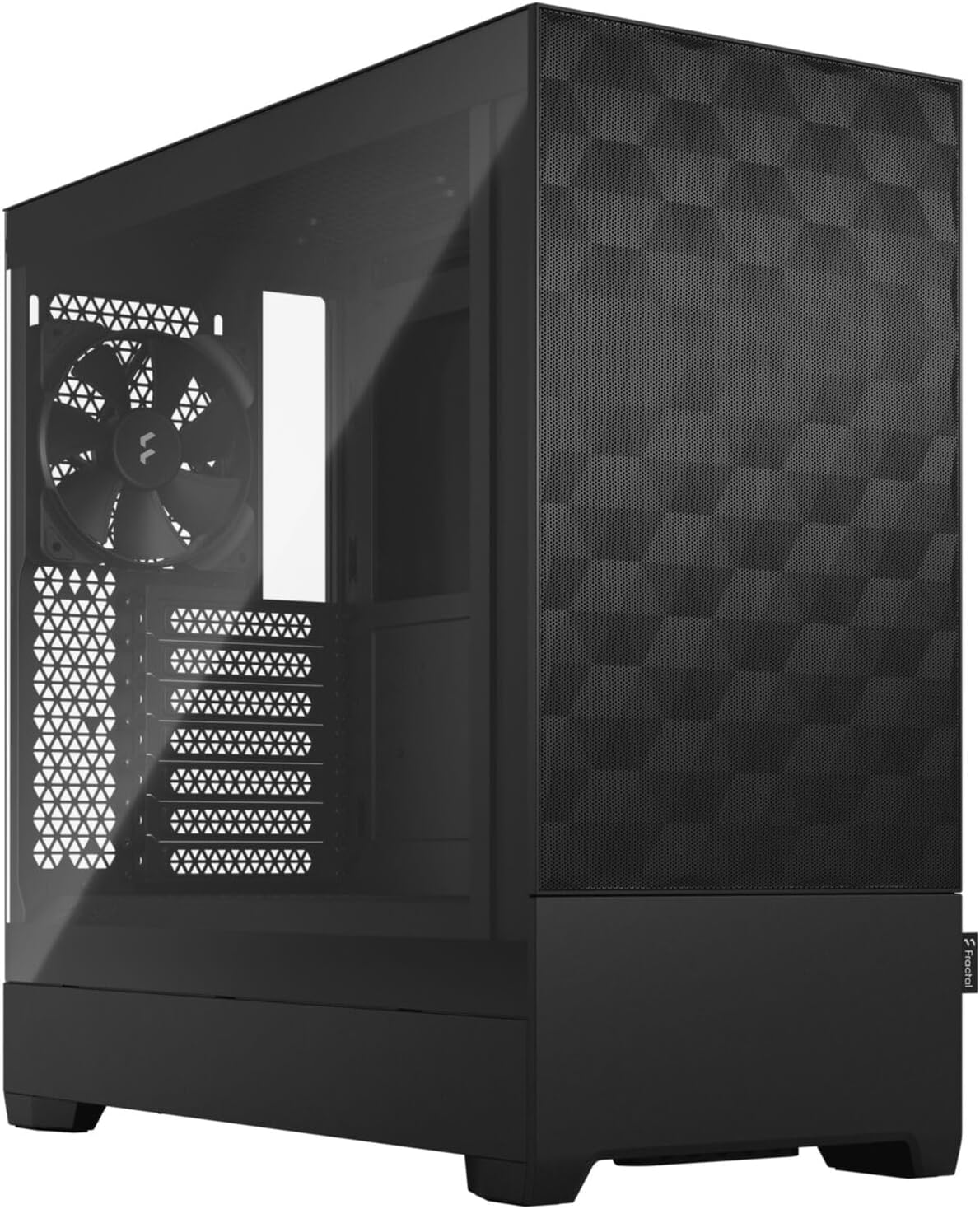
Figure 1: Overall view of the Fractal Design Pop Air Black Tempered Glass Clear Tint ATX Air PC case.
Accessing the Interior
The tempered glass side panel is secured by two thumbscrews at the rear. Loosen these screws and carefully slide the panel off to access the interior for component installation.

Figure 2: Interior view of the case, highlighting the motherboard tray and cable routing options.
Motherboard Installation
The case supports ATX, mATX, and Mini ITX motherboards. Install the necessary standoffs, then carefully place your motherboard and secure it with screws.
Storage Drive Installation
The case offers versatile storage options. For 2.5" SSDs, utilize the removable SSD tray located behind the motherboard tray. For 3.5" HDDs, use the dedicated drive cages in the PSU shroud area. The front of the case also features a hidden compartment that can be used for a 5.25" optical drive or additional storage trays.

Figure 3: Hidden storage compartment/5.25" drive bay at the front bottom of the case.

Figure 4: SSD mounting locations behind the motherboard tray.
Fan and Radiator Support
The case comes with three pre-installed 120mm Aspect 12 RGB fans (two front, one rear). Additional fans can be installed: up to two 120mm/140mm fans at the top. Radiator support includes up to 280mm in the front, 240mm in the top, and 120mm in the rear.
Front I/O Panel
The top I/O panel provides convenient access to a USB Type-C port, two USB 3.0 ports, headphone and microphone jacks, an RGB control button, and the power button.

Figure 5: Top I/O panel for easy connectivity.
Video Guide: Fractal Design Pop Series Overview
This official video from Fractal Design provides a comprehensive overview of the Pop Series, including key features and design elements relevant to setup and component installation.
Operating Your PC Case
Once your components are installed, connect all necessary power cables and peripherals. Use the power button on the top I/O panel to start your system.
RGB Lighting Control
The pre-installed Aspect 12 RGB fans can be controlled via the dedicated RGB button on the top I/O panel. Press the button to cycle through various colors and lighting effects. If your motherboard supports addressable RGB (A-RGB) sync, you can connect the fan's A-RGB cables to your motherboard's A-RGB header and control lighting via software (e.g., ASUS Aura Sync).

Figure 6: Illuminated RGB fans inside the case.
Maintenance
Regular maintenance ensures optimal performance and longevity of your PC components.
Dust Filter Cleaning
The Fractal Design Pop Air case features multiple dust filters to prevent dust buildup. The front mesh panel acts as a filter, and there's a removable magnetic filter on the top panel. A standard pull-out filter is located under the PSU vent at the bottom rear. Regularly remove and clean these filters with compressed air or water (ensure they are completely dry before reinstallation).

Figure 7: Removable magnetic top dust filter.
Cable Management
Utilize the ample space behind the motherboard tray and the pre-installed velcro cable ties for efficient cable management. This improves airflow and maintains a clean interior appearance.

Figure 8: Cable routing channels and velcro ties behind the motherboard tray.
Troubleshooting
If you encounter issues with your PC case, consider the following common solutions:
- No Power: Ensure all power supply cables are securely connected to the motherboard, CPU, and GPU. Check the power switch on the PSU.
- Fans Not Spinning/RGB Not Working: Verify fan power cables are properly connected. For RGB, ensure A-RGB cables are properly connected to either the motherboard header or the built-in controller. Try cycling through RGB modes using the top I/O button.
- Overheating: Check fan orientation for proper airflow (front intake, rear/top exhaust). Clean dust filters. Ensure CPU cooler and GPU fans are functioning correctly.
- Loose Panels: Ensure side panels are properly aligned and thumbscrews are tightened.
For more complex issues, consult your individual component manuals or contact Fractal Design support.
Specifications
| Feature | Specification |
|---|---|
| Brand | Fractal Design |
| Model Name | Pop Air Black - Tempered Glass Clear Tint |
| Item Model Number | FD-C-POA1A-02 |
| Motherboard Compatibility | ATX / mATX / Mini ITX |
| Case Type | Mid Tower |
| Dimensions (LxWxH) | 21.5 x 21 x 12.5 inches |
| Item Weight | 19.14 pounds |
| Material | Tempered Glass |
| Cooling Method | Air |
| Pre-installed Fans | 3 x 120mm Aspect 12 RGB |
| Radiator Support (Front) | Up to 280 mm |
| Radiator Support (Top) | Up to 240 mm |
| Radiator Support (Rear) | Up to 120 mm |
| Max GPU Length | 405 mm |
| Max CPU Cooler Height | 170 mm |
| Power Supply Mounting Type | Bottom Mount |
| USB 2.0 Ports | 1 |
Warranty and Support
Fractal Design products come with a limited warranty. Please refer to the official Fractal Design website for the most up-to-date warranty terms and conditions specific to your region.
For technical support, troubleshooting assistance, or warranty claims, please visit the official Fractal Design support page or contact their customer service directly. You can find contact information and FAQs on their website: www.fractal-design.com/support/
Related documentsFD-C-POA1A-02


Ask a question about this manual
Ask about setup, troubleshooting, compatibility, parts, safety, or missing instructions. Manuals+ will review the question and use this page’s manual context to help answer it.