
VANBAR D500
VANBAR Wildlife Camera D500 User Manual
20MP Night Vision Motion Activated Trail Camera
Product Overview
The VANBAR Wildlife Camera D500 is a high-performance trail camera designed for capturing images and videos of wildlife, for home security, or for monitoring farm areas. It features a 20-megapixel camera for clear still images and records full HD 1080P video. Equipped with advanced night vision capabilities and a rapid 0.2-second trigger speed, it ensures you capture every moment. Its IP66 waterproof design makes it suitable for various outdoor environments.

Image: Front view of the VANBAR Wildlife Camera D500, showcasing its robust, camouflage design and sensor layout.
Package Contents
Upon opening the package, please verify that all the following items are included:
- VANBAR Wildlife Camera D500
- Mounting Strap
- Adjustable Mounting Bracket
- USB Cable
- Mounting Screws and Wall Plugs
- User Manual

Image: The VANBAR Wildlife Camera D500 and its included accessories laid out, showing the camera, box, mounting strap, bracket, USB cable, and manual.
Key Features
- 0.2s Trigger Speed: The camera activates in less than 0.2 seconds upon detecting movement, ensuring minimal delay in capturing events. The trigger distance extends up to 20 meters (65 feet).

Image: A fox captured mid-movement, demonstrating the camera's fast 0.2-second trigger speed.
- 20MP Images & 1080P Video: Captures high-resolution 20-megapixel still images and full HD 1080P videos, providing clear and detailed recordings.

Image: Two deer in a natural setting, illustrating the camera's ability to capture high-resolution images and videos.
- 120° Wide Detection Angle & Night Vision: Features three passive infrared (PIR) sensors for a 120° wide detection range. 850nm infrared technology provides clear night vision up to 65 feet (20m) without disturbing wildlife.

Image: A visual representation of the camera's 120-degree wide detection angle, capturing a broad area.

Image: Bears in a nighttime forest, demonstrating the camera's advanced infrared night vision capabilities.
- IP66 Waterproof & Durable: Built with an IP66 waterproof rating, making it resistant to rain, dust, and fog, ensuring reliable operation in challenging outdoor conditions.
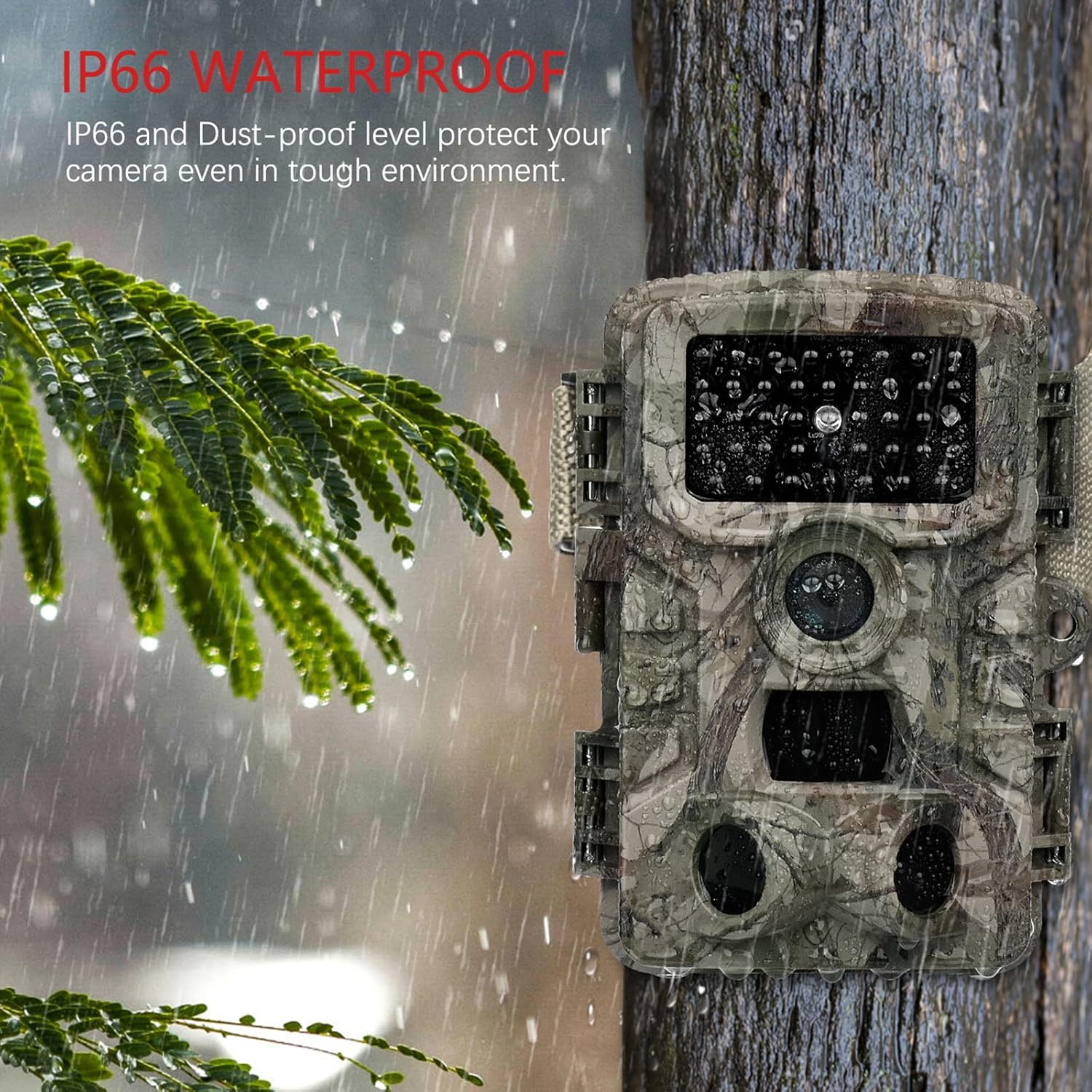
Image: The camera mounted on a tree during rainfall, showcasing its IP66 waterproof protection.
- Versatile Applications: Suitable for various uses including hunting, home security, farm monitoring, and general wildlife observation.

Image: Examples of the camera's diverse applications, including hunting, home security, farm surveillance, and wildlife monitoring.
Setup Guide
1. Battery Installation
The VANBAR Wildlife Camera requires 8 x 1.5V Alkaline AA LR6 batteries for optimal performance and maximum battery life. Batteries are not included with the camera.
- Open the camera casing by unlatching the side clips.
- Locate the battery compartment.
- Insert 8 AA batteries, ensuring correct polarity (+/-) as indicated inside the compartment.
- Close the battery compartment securely.
2. Micro SD Card Installation and Formatting
A Micro SD card (Class 10, up to 32GB capacity) is required for storing images and videos. The Micro SD card is not included.
- With the camera casing open, locate the Micro SD card slot.
- Insert the Micro SD card into the slot until it clicks into place.
- Important: Before first use, format the Micro SD card using the camera's menu. Refer to the "Operating Instructions" section for menu navigation. Formatting ensures compatibility and proper function.
3. Mounting the Camera
The camera can be mounted using the included strap or the adjustable mounting bracket.
- Using the Strap: Thread the strap through the slots on the back of the camera and secure it around a tree or pole.
- Using the Mounting Bracket: Attach the bracket to a wall or flat surface using the provided screws. Then, attach the camera to the bracket.
Ensure the camera is positioned to capture the desired area, considering the 120° detection angle and night vision range of 65 feet.
Operating Instructions
1. Powering On/Off and Mode Selection
The camera typically has a mode switch (OFF/TEST/ON).
- OFF: Powers down the camera.
- TEST: Allows access to the camera's menu, settings, and manual photo/video capture. The internal screen will be active.
- ON: Activates the camera for automatic motion-triggered recording. The screen will turn off after a few seconds to conserve power.
2. Menu Navigation and Settings
In TEST mode, use the navigation buttons (usually Up, Down, Left, Right, OK/Menu) to browse and adjust settings. Key settings include:
- Mode: Select Photo, Video, or Photo + Video.
- Photo Resolution: Set to 20MP for highest quality.
- Video Resolution: Set to 1080P for highest quality.
- PIR Sensitivity: Adjust for desired motion detection range (High, Medium, Low).
- Trigger Interval: Set the delay between consecutive triggers.
- Time Lapse: Configure for periodic captures.
- Date/Time: Set the current date and time for accurate timestamps on recordings.
- Format SD Card: Essential for new or problematic SD cards.
3. Viewing and Transferring Files
Files can be viewed directly on the camera's screen in TEST mode or transferred to a computer.
- Direct Viewing: In TEST mode, navigate to the playback option to review captured photos and videos.
- Via USB Cable: Connect the camera to your computer using the provided USB cable. The camera should appear as a removable disk, allowing you to copy files.
- Via SD Card Reader: Remove the Micro SD card from the camera and insert it into a compatible card reader connected to your computer or mobile device for faster file transfer.
- Using Mobile App (if applicable): Some models may support a mobile application for wireless connection and file management. Refer to the camera's display or packaging for app details.
Maintenance
- Cleaning the Lens and PIR Sensors: Gently wipe the camera lens and the three PIR sensors with a soft, lint-free cloth. Avoid touching the PIR sensors directly with fingers, as this can cause scratches that may affect performance.
- Battery Care: Replace all 8 AA batteries when the low battery indicator appears. For prolonged periods of inactivity, remove the batteries to prevent leakage.
- Waterproof Seal: Regularly inspect the rubber seal around the camera casing to ensure it is clean and free from debris. A clean, intact seal is crucial for maintaining the IP66 waterproof rating.
- Storage: When not in use, store the camera in a cool, dry place away from direct sunlight and extreme temperatures.
Troubleshooting
| Problem | Possible Cause | Solution |
|---|---|---|
| Camera does not power on. | Batteries are low or incorrectly inserted. | Replace with new AA batteries, ensuring correct polarity. |
| Camera not recording images/videos. | SD card not formatted, full, or faulty. Camera in wrong mode. | Format the SD card in the camera menu. Check SD card capacity. Ensure camera is in ON mode. |
| Poor image/video quality at night. | Subject too far from camera. PIR sensors obstructed. | Ensure subject is within 65ft (20m) night vision range. Clean PIR sensors. |
| Excessive blank recordings. | PIR sensitivity too high. Camera pointed at moving branches/grass. | Reduce PIR sensitivity. Reposition camera to avoid false triggers. |
| Cannot connect to computer. | USB cable faulty. Camera not in correct mode. | Try a different USB cable. Ensure camera is in TEST mode when connecting. Use an SD card reader as an alternative. |
Specifications
| Feature | Detail |
|---|---|
| Model Number | D500 |
| Image Resolution | 20 MP |
| Video Resolution | 1080P Full HD |
| Trigger Speed | 0.2 seconds |
| Detection Angle | 120 Degrees |
| Night Vision Range | 65 Feet (20 meters) |
| Waterproof Rating | IP66 |
| Power Source | 8 x AA Alkaline Batteries (not included) |
| Storage | Micro SD Card (Class 10, up to 32GB, not included) |
| Dimensions (L x W x H) | 50 x 80 x 60 mm |
| Weight | 530 g |
| Material | Plastic |
Warranty and Support
VANBAR offers comprehensive customer support for its products:
- Refund Policy: A 30-day refund policy is available.
- Product Service: Enjoy 24 months of free product service.
- Professional After-Sales Service: Our dedicated customer service team is available to assist you with any product-related inquiries or issues.
For any product problems or questions regarding wildlife protection and observation, please do not hesitate to contact the VANBAR Customer Service Team. We are committed to providing satisfactory solutions and support.
Related documentsD500

Ask a question about this manual
Ask about setup, troubleshooting, compatibility, parts, safety, or missing instructions. Manuals+ will review the question and use this page’s manual context to help answer it.