
Introduction
The Pop Sonic Sculpt Hair Trimmer is designed for precise and convenient grooming of face and head hair. This manual provides essential information for the safe and effective use, maintenance, and care of your trimmer. Please read these instructions thoroughly before first use and retain for future reference.
What's Included
Your Pop Sonic Sculpt Hair Trimmer package includes the following items:
- 1 x Sculpt Hair Trimmer (7" x 2")
- 1 x USB Charging Cable (67" long)
- 1 x Travel Case
- 1 x Cleaning Brush
- 1 x Lubricating Oil
- 4 x Dual-Sided Comb Attachments (providing 8 different cut lengths)
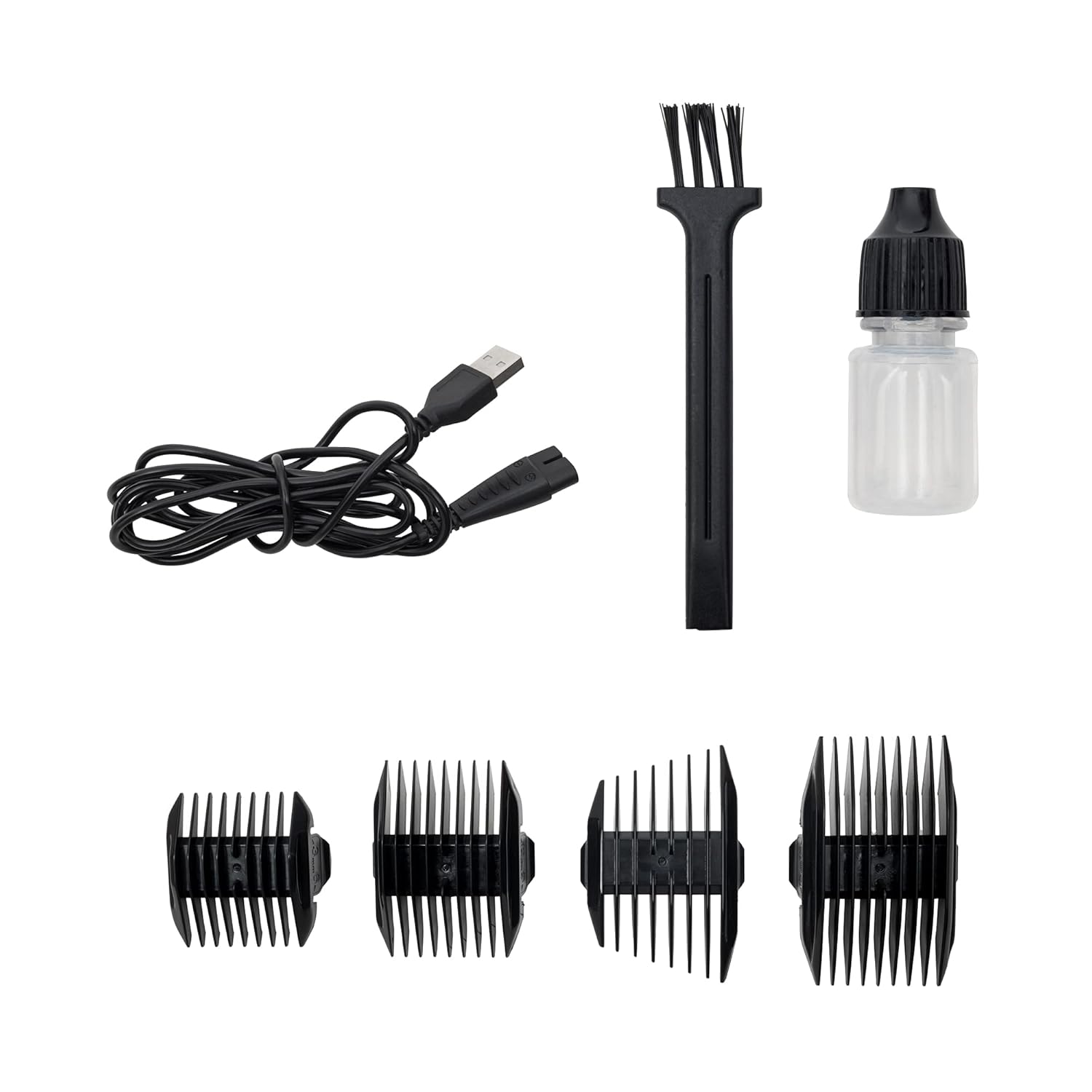
Image: All components of the Pop Sonic Sculpt Hair Trimmer package, including the trimmer, USB cable, cleaning brush, lubricating oil, and four dual-sided comb attachments.
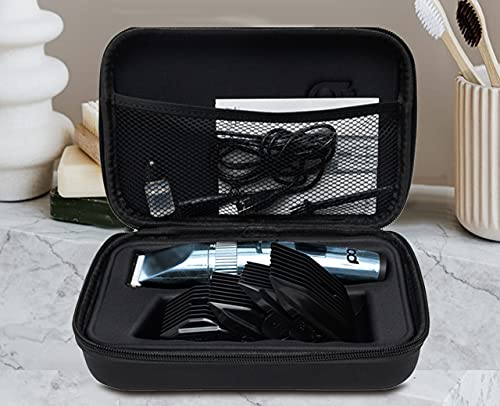
Image: The Pop Sonic Sculpt Hair Trimmer and its accessories organized within the provided travel case.
Setup
1. Charging the Trimmer
Before initial use, fully charge the trimmer. The device features a built-in lithium-ion battery and an LED charge indicator.
- Connect the USB charging cable to the trimmer's charging port.
- Plug the other end of the USB cable into a compatible USB power adapter (not included) or a computer USB port.
- The LED indicator will illuminate to show charging status. A full charge typically takes approximately 4 hours.

Image: Detail of the USB charging port located at the base of the trimmer.

Image: The back of the trimmer displaying the model number (22704), input voltage (5V USB), and charging time (4H).
2. Attaching Comb Guides
The trimmer comes with four dual-sided comb attachments to achieve various hair lengths.
- Ensure the trimmer is turned off before attaching or removing comb guides.
- Align the comb guide with the trimmer blade and push it firmly until it clicks into place.
- To remove, gently pull the comb guide away from the blade.

Image: A close-up view of the trimmer blade with a comb attachment securely in place.
Operating Instructions
The Pop Sonic Sculpt Hair Trimmer features one-button operation and an adjustable trimming length mechanism.
1. Power On/Off
Press the power button once to turn the trimmer on. Press it again to turn it off.
2. Adjusting Trimming Length
The trimmer has an adjustable dial for fine-tuning the cutting length without an attachment, typically ranging from 0.8mm to 2.0mm. When using comb attachments, the dial adjusts the length within the comb's range.

Image: Side profile of the trimmer highlighting the adjustable dial for precise cutting length control.
3. Trimming Hair
- For best results, use the trimmer on clean, dry hair.
- Select the desired comb attachment or adjust the trimming length dial.
- Hold the trimmer with the blade flat against the skin and move it against the direction of hair growth.
- Use smooth, even strokes.

Image: Front view of the trimmer's sharp blade, ready for use.
4. Official Product Video
Video: Official product video demonstrating the features and use of the Pop Sonic Sculpt Hair Trimmer, including charging, attaching combs, and various trimming techniques for both face and head hair.
Maintenance
1. Cleaning the Trimmer
Regular cleaning ensures optimal performance and hygiene.
- Turn off and unplug the trimmer before cleaning.
- Remove any comb attachments.
- Use the provided cleaning brush to remove loose hairs from the blades and the trimmer body.
- The blades can be rinsed under running water, but ensure the main body of the trimmer does not get wet unless specified as waterproof. Dry thoroughly before reassembling or storing.
2. Oiling the Blades
To maintain blade sharpness and smooth operation, lubricate the blades regularly.
- After cleaning and drying the blades, apply 1-2 drops of the provided lubricating oil onto the blades.
- Turn on the trimmer for a few seconds to distribute the oil evenly.
- Wipe off any excess oil with a soft cloth.
Troubleshooting
| Problem | Possible Cause | Solution |
|---|---|---|
| Trimmer does not turn on. | Battery is depleted. | Charge the trimmer for approximately 4 hours until fully charged. |
| Trimmer pulls hair or cuts poorly. | Blades are dull or clogged with hair/debris. Blades need lubrication. | Clean the blades thoroughly with the brush. Apply lubricating oil to the blades. If issues persist, consider blade replacement if available. |
| Trimmer makes unusual noise. | Blades are not properly aligned or lubricated. | Ensure blades are clean and oiled. Check for any obstructions. |
Specifications
- Model Number: 22704
- Input: 5V (USB)
- Charging Time: Approximately 4 hours
- Battery Type: 1 Lithium Ion battery (included)
- Power Source: Battery Powered, Corded Electric
- Dimensions: 9.29 x 6.85 x 2.99 inches
- Weight: 1.46 Pounds
- UPC: 819573022711
- Manufacturer: Pop Sonic
- Color: Blue
Safety Information
Please observe the following safety precautions:
- Keep the trimmer away from water and do not use it in wet environments unless explicitly stated as waterproof.
- Do not disassemble the trimmer or attempt repairs yourself. Contact customer support for assistance.
- Keep out of reach of children.
- Ensure the trimmer is turned off before cleaning, attaching/removing accessories, or storing.
- Use only the provided USB charging cable.
- Avoid dropping the trimmer or subjecting it to strong impacts.
Warranty and Support
For warranty information, product support, or to inquire about replacement parts, please contact Pop Sonic customer service. Refer to the product packaging or the official Pop Sonic website for contact details.

