
1. Introduction
This manual provides detailed instructions for the operation and maintenance of your Beeasy Kids Digital Watch, Model AW01. Please read this manual thoroughly to ensure proper use and to maximize the watch's features.
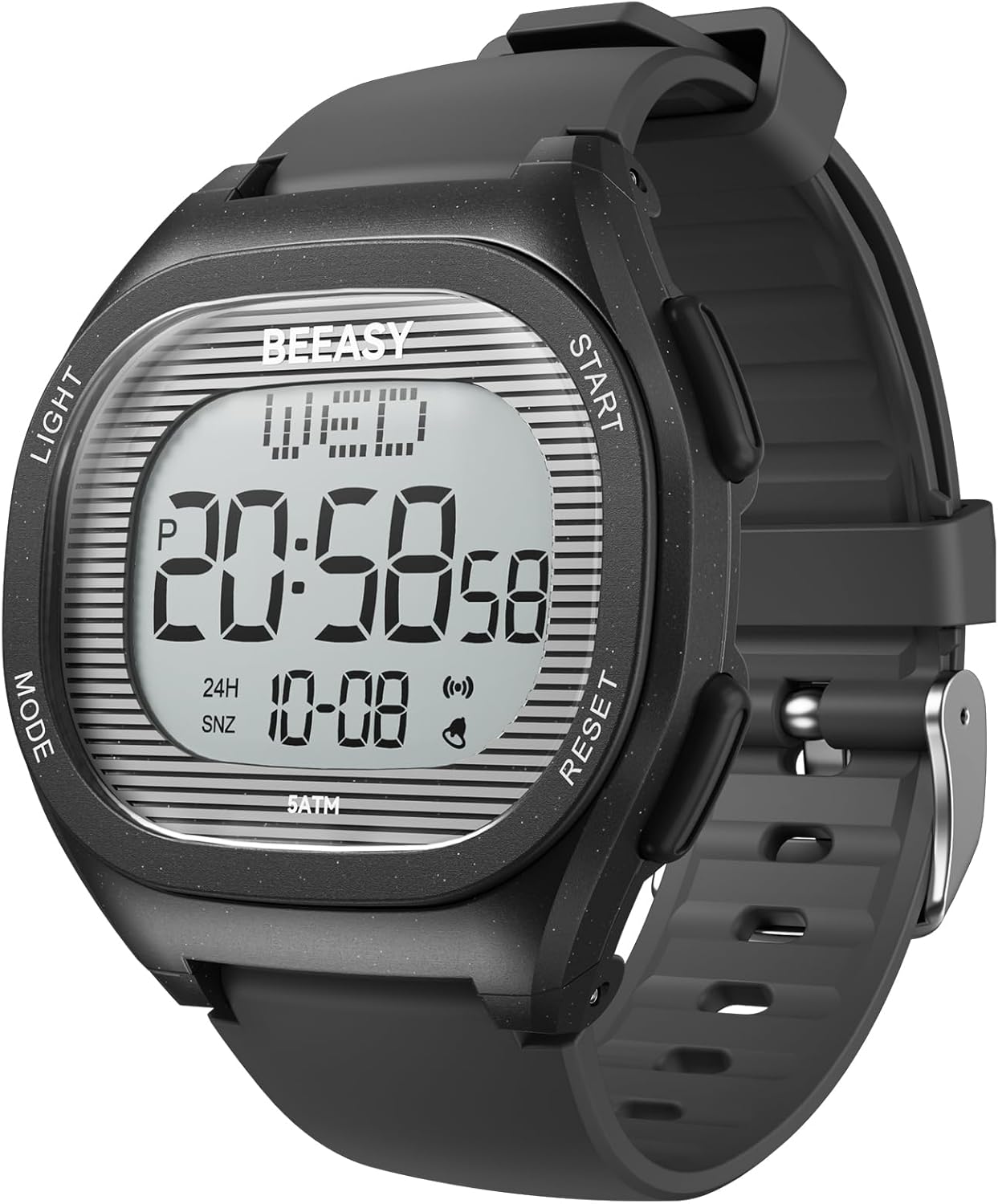
Image 1.1: Front view of the Beeasy Kids Digital Watch AW01. The watch features a clear digital display showing time, day, and date, with four control buttons on the sides.
2. Product Overview
2.1 Watch Components
The Beeasy Kids Digital Watch AW01 features a durable design with an easy-to-read digital display and four control buttons:
- LIGHT Button (Top Left): Activates the EL backlight for visibility in low-light conditions.
- MODE Button (Bottom Left): Cycles through different watch modes (Time, Alarm, Stopwatch, Time Setting).
- START Button (Top Right): Used to start/stop functions in Stopwatch mode and adjust settings.
- RESET Button (Bottom Right): Used to reset functions in Stopwatch mode and confirm settings.

Image 2.1: Close-up view of the watch face, highlighting the digital display and the four control buttons: LIGHT, MODE, START, and RESET.
2.2 Display Information
The digital display shows the following information:
- Current Time (12-hour or 24-hour format)
- Day of the Week
- Date (Month-Day)
- AM/PM indicator (in 12-hour format)
- Alarm and Snooze indicators
3. Setup: Setting Time and Date
Follow these steps to set the correct time and date on your watch:
- From the normal time display, press and hold the RESET button for 3 seconds until the seconds start flashing.
- Press the MODE button 3 times to enter the year setting mode. The year will begin flashing.
- Press the START button to adjust the year. You can cycle through years up to 99 and then it will continue to the current year.
- Press the MODE button to move to the month setting. The month will flash. Press START to adjust the month.
- Press the MODE button to move to the day setting. The day will flash. Press START to adjust the day.
- Continue pressing the MODE button to cycle through hour, minute, and 12/24-hour format settings, using the START button to adjust each value.
- Once all settings are correct, press the RESET button to confirm and exit the setting mode.

Image 3.1: Visual guide for setting the time and date on the watch, illustrating the sequence of button presses and display changes.
4. Operating Modes
Your Beeasy Kids Digital Watch AW01 has several operating modes. Press the MODE button to cycle through them:
- Time Mode: Default display showing current time, day, and date.
- Alarm Mode: Set and activate daily alarms.
- Stopwatch Mode: Measure elapsed time.
4.1 Alarm Function
- From Time Mode, press the MODE button once to enter Alarm Mode.
- Press and hold the RESET button until the hour digits flash.
- Press the START button to adjust the hour.
- Press the MODE button to move to the minute setting. Press START to adjust the minutes.
- Press the RESET button to confirm the alarm time.
- To activate/deactivate the alarm, press the START button while in Alarm Mode. An alarm icon will appear/disappear on the display.
4.2 Stopwatch Function
- From Time Mode, press the MODE button twice to enter Stopwatch Mode. The display will show "00:00:00".
- Press the START button to begin timing.
- Press the START button again to pause timing.
- Press the RESET button to reset the stopwatch to "00:00:00".
- To exit Stopwatch Mode, press the MODE button.
4.3 EL Backlight
Press the LIGHT button (top left) at any time to illuminate the display for a few seconds. This feature is useful in dark environments.

Image 4.1: The watch display illuminated by the EL backlight, showing clear visibility in low light conditions.
5. Water Resistance Guidelines
The Beeasy Kids Digital Watch AW01 is rated 5ATM (50 meters / 164 feet) water resistant. This means it is suitable for:
- Daily use
- Washing hands
- Sweating
- Rain exposure
- Showering (cold/lukewarm water)
- Swimming
- Bathing (cold/lukewarm water)
Important Precautions:
- DO NOT press any buttons while the watch is submerged in water.
- DO NOT expose the watch to hot water, steam, or extreme temperature changes (e.g., hot baths, saunas). This can compromise the water resistance seals.
- NOT suitable for diving or high-pressure water activities.

Image 5.1: Visual guide to the 5ATM water resistance, indicating suitable activities like swimming and hand washing, and activities to avoid such as hot water exposure or pressing buttons underwater.
6. Maintenance
6.1 Cleaning
To clean your watch, wipe it with a soft, damp cloth. Avoid using harsh chemicals or abrasive materials, as these can damage the watch's finish or seals.
6.2 Battery Replacement
The watch uses a standard watch battery. When the display becomes dim or the watch stops functioning, the battery may need replacement. It is recommended to have the battery replaced by a qualified watch technician to ensure the water resistance seal is maintained.

Image 6.1: Rear view of the watch, showing the stainless steel back and water resistance markings. Battery replacement should be done carefully to preserve water resistance.
7. Troubleshooting
- Watch not displaying time: Check if the battery needs replacement. If recently exposed to water, ensure it was within water resistance guidelines.
- Time is inaccurate: Re-set the time following the instructions in Section 3. If the issue persists, the battery may be low.
- Buttons not responding: Ensure the watch is not in a locked mode (if applicable, though not specified for this model). If submerged in water, allow it to dry completely.
- Water inside the display: If water condensation appears inside the watch, stop using it immediately and contact customer support. This indicates a compromised water seal.
8. Specifications
| Feature | Detail |
|---|---|
| Model Number | AW01 |
| Case Dimensions | 44mm (width) x 40mm (height) |
| Wrist Girth | 5.4–7.8 inches (138–200mm) |
| Water Resistance | 5ATM (50 meters / 164 feet) |
| Functions | Time, Date, Day, Alarm, Stopwatch, EL Backlight, 12/24H Format |
| Strap Material | Food Grade Environmental Friendly watchband |
| Clasp Type | Buckle |
| Weight | 2.89 ounces |
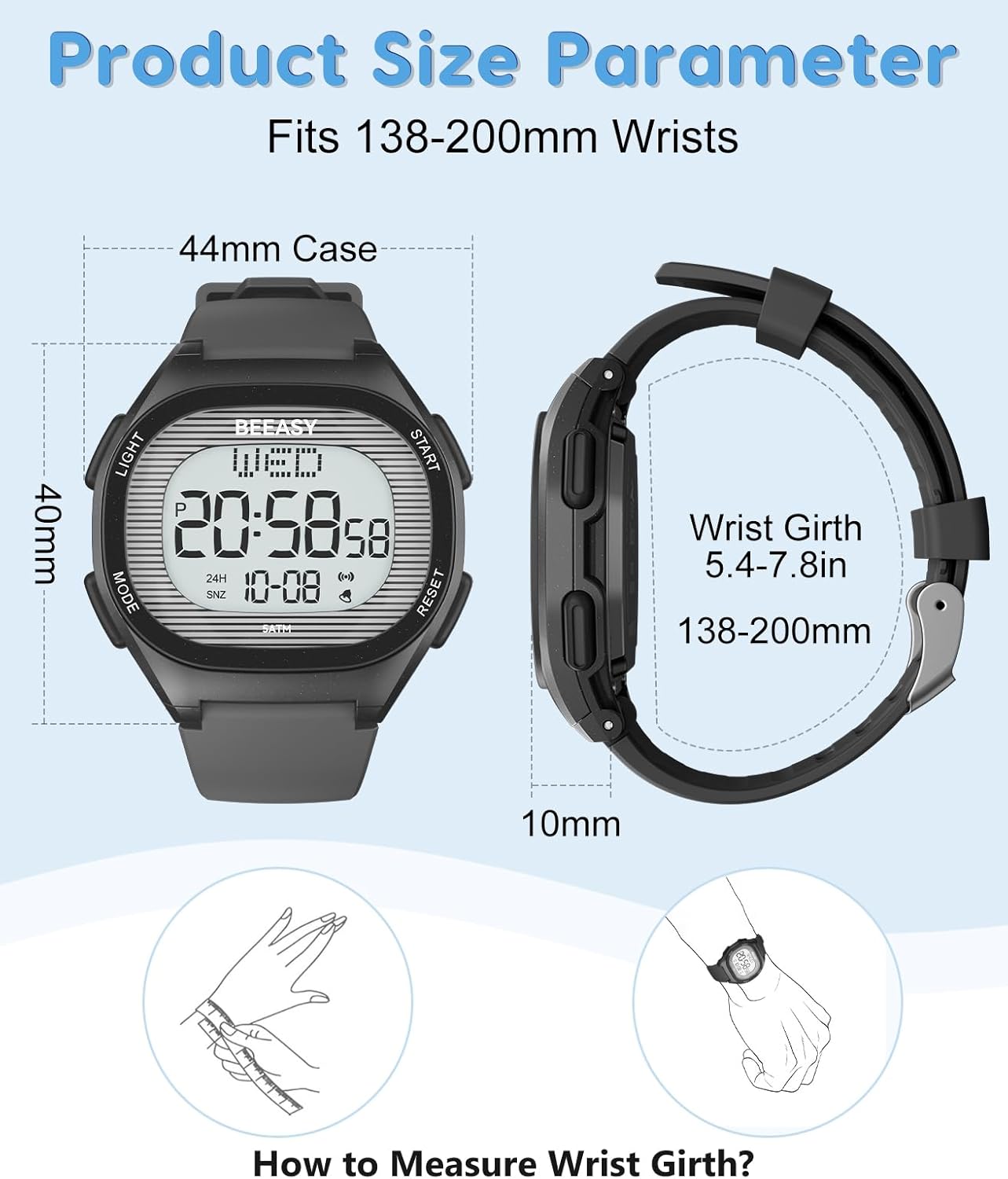
Image 8.1: Detailed product size parameters, including case dimensions and wrist girth range.
9. Warranty and Support
Beeasy provides customer support for its products. If you have any questions regarding your Beeasy Kids Digital Watch AW01, including setup, operation, or any issues you encounter, please contact Beeasy customer service. They aim to provide a satisfactory answer within 24 hours.
For contact information, please refer to the Beeasy official website or your purchase documentation.
