
Dynavin D9-55 Premium Flex
DYNAVIN D9-55 Premium Flex Android Car Radio Navigator User Manual
Model: D9-55 Premium Flex | Brand: Dynavin
1. Introduction
This user manual provides comprehensive instructions for the installation, operation, and maintenance of your DYNAVIN D9-55 Premium Flex Android Car Radio Navigator. Designed specifically for the VW Passat B8 (2014-2020), this system integrates advanced navigation, multimedia, and connectivity features to enhance your driving experience. Please read this manual thoroughly before using the product to ensure proper functionality and safety.
2. Product Features
- Vehicle Compatibility: Specifically designed for VW Passat B8 models (2014-2020).
- High-Resolution Display: 10.1-inch (1280 x 720 pixels) anti-glare touchscreen for optimal visibility.
- Powerful Audio: Integrated 4 x 60 W RMS Class D DSP amplifier with adjustable frequency response and speaker gain.
- Operating System: Android 11 OS with a quad-core CPU and 4 GB RAM for smooth performance.
- Wireless Connectivity: Supports wireless Apple CarPlay, Android Auto, and Smartphone Mirroring.
- Head-up Display (HUD): Included HUD shows navigation information (from Dynaway, Apple Maps, Google Maps), vehicle speed, and speed camera data (Blitzer.de).
- Vehicle Integration: Preserves original vehicle settings menus, supports steering wheel controls, Multifunctional Display (MFD+), Climatronic control status, virtual parking guidelines, and real-time vehicle data.
- Enhanced Audio Quality: Compact digital dual microphone with noise reduction for excellent call quality.
- Navigation: Integrated GPS navigation with Dynaway app (trial period applies).
- DAB/DAB+ Radio: Integrated digital radio tuner.
- Expandability: Rear camera input, supports original VW reversing camera. Optional support for VW traffic sign recognition (with D8-CANMIB-H) and VW Dynaudio sound system (with D8-MO150-V).
3. Setup and Installation
The DYNAVIN D9-55 Premium Flex is designed for a vehicle-specific installation. It is recommended that installation be performed by a qualified technician. Refer to the included installation guide and accessory list for detailed steps and component identification.
3.1. Accessory List
The package includes various components necessary for installation and operation. Ensure all items are present before beginning the installation process.

Figure 3.1: Overview of included accessories. This image displays the various components provided with the Dynavin D9-55 Premium Flex, including the display screen, main unit, trim, connection cables, digital radio antenna, rear camera adapter, display connection cable, GPS antenna, extension cables, USB panel, microphone, mounting frame, HUD 150, disassembly tools, radio removal tools, and screws.
3.2. Initial Configuration
After physical installation, power on the unit. The system runs on Android 11 OS. Follow the on-screen prompts for initial setup, including language selection and network configuration.
- Sound Settings: Vehicle-specific sound setting files can be downloaded from the Dynavin website to optimize audio performance.
- Dynapp Package: The Dynapp package, which includes the Dynaway navigation app and Google Playstore access, requires an activation code after a 31-day trial period.
- CarPlay/Android Auto Activation: Wireless CarPlay and Android Auto also have a 31-day trial period, after which an activation code must be purchased online.
4. Operating Instructions
4.1. Main Interface and Navigation
The 10.1-inch touchscreen provides access to all functions. The interface is designed to mimic the original VW user experience.

Figure 4.1: Main interface of the Dynavin D9-55 Premium Flex. This image shows the 10.1-inch display integrated into a car dashboard, featuring icons for phone, music, messages, DSP amplifier, navigation, Spotify, and YouTube, demonstrating the system's multimedia capabilities.
4.2. Wireless CarPlay and Android Auto
Connect your compatible smartphone wirelessly to access Apple CarPlay or Android Auto. This allows for seamless integration of your phone's navigation, communication, and entertainment apps directly on the unit's display.
4.3. Head-up Display (HUD)
The included Head-up Display projects essential information onto your windshield, allowing you to keep your eyes on the road.

Figure 4.3: Head-up Display in use. This image illustrates the compact Head-up Display unit and how it projects navigation directions, speed, and other relevant data onto the windshield, enhancing driver focus.
The HUD displays navigation cues from Dynaway, Apple Maps (via CarPlay), and Google Maps (via Android Auto), along with vehicle speed and Blitzer.de speed camera information.
4.4. Digital Sound Processor (DSP) Amplifier
The integrated 4 x 60 W RMS Class D DSP amplifier provides high-quality audio output. You can adjust frequency response and speaker gain through the system's audio settings.
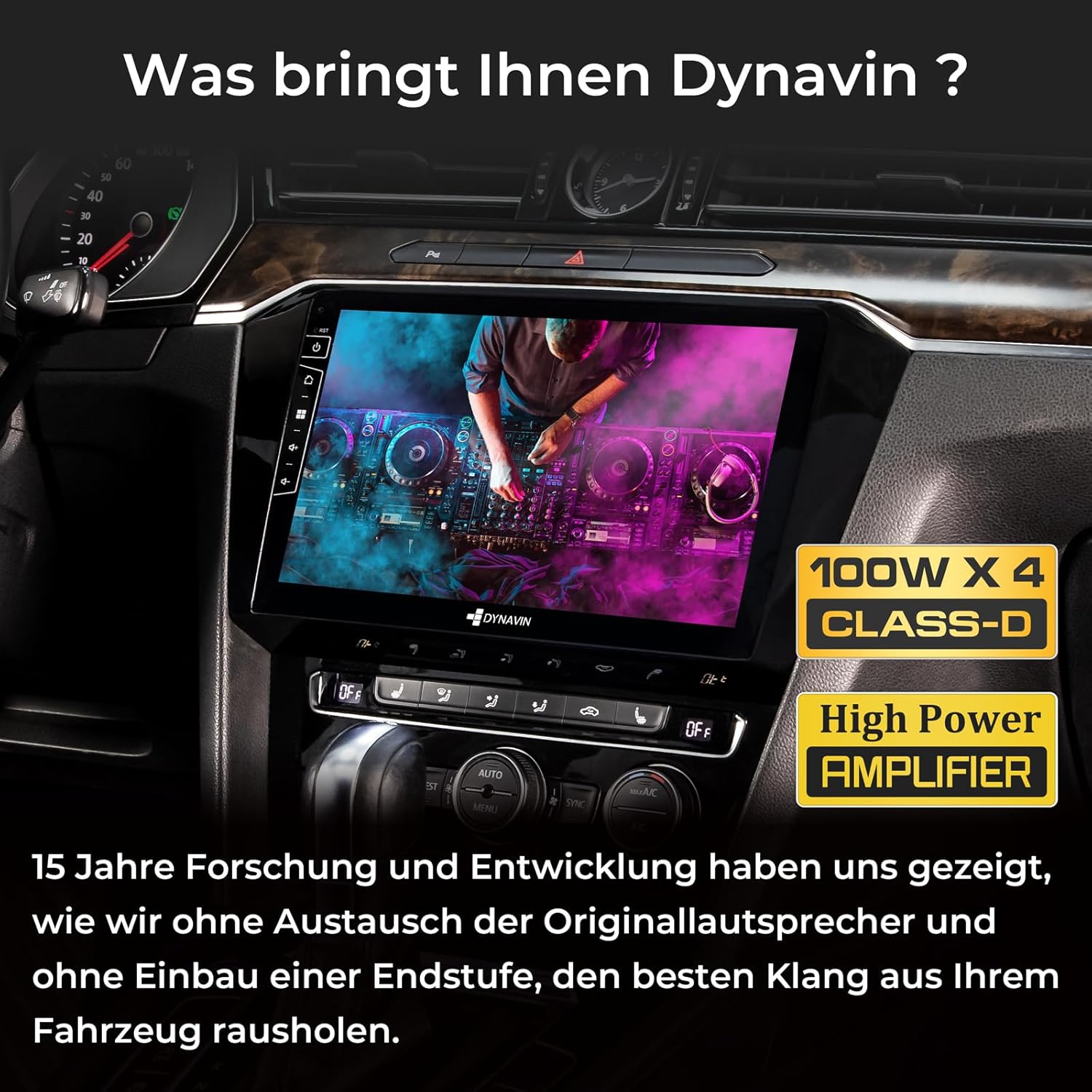
Figure 4.4: Integrated DSP Amplifier. This image highlights the 100W x 4 Class-D High Power Amplifier, emphasizing Dynavin's focus on delivering superior sound quality without needing to replace original speakers or add an external amplifier.
4.5. Digital Dual Microphone
The compact digital dual microphone utilizes a unique noise reduction algorithm to ensure clear call quality during hands-free operation.

Figure 4.5: Dynavin Digital Dual Microphone. This image shows the small, discreet digital dual microphone, typically mounted near the speedometer, designed for stable and excellent call quality with noise reduction.
4.6. DAB/DAB+ Radio
Access digital radio stations with the integrated DAB/DAB+ tuner. Scan for available stations and enjoy high-quality digital audio.

Figure 4.6: DAB/DAB+ Radio Interface. This image displays the user interface for the integrated DAB/DAB+ radio, showing station selection and information display.
5. Maintenance
To ensure the longevity and optimal performance of your DYNAVIN D9-55 Premium Flex, follow these maintenance guidelines:
- Cleaning the Display: Use a soft, lint-free cloth to clean the touchscreen. For stubborn smudges, slightly dampen the cloth with water or a screen-safe cleaner. Avoid abrasive materials or harsh chemicals.
- Software Updates: Periodically check the Dynavin website for available software updates. Keeping the system's firmware updated ensures access to the latest features, performance improvements, and bug fixes.
- Environmental Conditions: Avoid exposing the unit to extreme temperatures, direct sunlight for prolonged periods, or excessive moisture.
- Cable Connections: Ensure all cables are securely connected. Loose connections can lead to intermittent functionality or poor performance.
6. Troubleshooting
If you encounter issues with your DYNAVIN D9-55 Premium Flex, refer to the following common troubleshooting steps:
| Problem | Possible Cause | Solution |
|---|---|---|
| Unit does not power on. | Loose power connection, blown fuse. | Check power cables and vehicle fuses. Consult a professional if unsure. |
| No sound or distorted audio. | Incorrect audio settings, loose speaker connections, amplifier issue. | Verify audio settings (volume, balance, fader, DSP settings). Check speaker wiring. |
| CarPlay/Android Auto not connecting. | Bluetooth/Wi-Fi interference, trial period expired, phone compatibility. | Ensure phone's Bluetooth/Wi-Fi is on. Check trial status and activate if needed. Restart phone and unit. |
| GPS signal lost or inaccurate. | GPS antenna obstruction or faulty connection. | Ensure GPS antenna has a clear view of the sky and is securely connected. |
| Touchscreen unresponsive. | Software glitch, temporary freeze. | Perform a soft reset (refer to the main unit's manual for specific instructions). If issue persists, contact support. |
For issues not covered here, or if troubleshooting steps do not resolve the problem, please contact Dynavin customer support.
7. Specifications
| Feature | Detail |
|---|---|
| Brand | Dynavin |
| Model | D9-55 Premium Flex |
| Part Number | D8-55 Flex |
| Operating System | Android 11 |
| RAM | 4 GB |
| Storage Capacity | 32 GB |
| Screen Size | 10.1 inches |
| Screen Resolution | 1280 x 720 pixels |
| Screen Type | LCD, Anti-glare |
| Amplifier Output | 4 x 60 W RMS Class D DSP |
| Total Power Output | 180 Watt |
| Audio Output Mode | Surround |
| Speaker Channel Config | 4.1 |
| Connectivity | Bluetooth, USB |
| USB Ports | 2 |
| Human Interface Input | Touchscreen |
| Compatible Devices | Smartphone |
| Media Type | SD |
| Video Encoding | H.264, H.265/HEVC, MPEG-4 |
| Product Dimensions | 47 x 28 x 19 cm |
| Product Weight | 3 kg |
8. Warranty and Support
For warranty information, please refer to the documentation provided with your purchase or visit the official Dynavin website. Dynavin offers customer support for technical assistance and inquiries.
Online Resources:
- Dynavin Official Website: www.dynavin.com (for software updates, sound files, and support contact information)
Please have your product model (D9-55 Premium Flex) and any relevant purchase details ready when contacting support.
Related documentsD9-55 Premium Flex


Ask a question about this manual
Ask about setup, troubleshooting, compatibility, parts, safety, or missing instructions. Manuals+ will review the question and use this page’s manual context to help answer it.