
Introduction
Thank you for choosing the UBeesize Flexible Phone Tripod. This compact and versatile tripod is designed to provide stable support for your smartphone or camera, enabling you to capture photos and videos from various angles and locations. Its flexible legs and included Bluetooth remote control make it an ideal accessory for travel, vlogging, and everyday use. Please read this manual carefully to ensure proper setup and operation.
Product Overview
The UBeesize Flexible Phone Tripod (Model UB-TBA00BK) is a lightweight and portable accessory designed for stability and versatility. It features flexible legs that can be adjusted to stand on uneven surfaces or wrapped around objects. The tripod comes with a universal phone holder, a standard 1/4-inch screw adapter for cameras, and a wireless Bluetooth remote control.

Image: The multi-function tripod demonstrating compatibility with smartphones, cameras, and GoPro devices.
The tripod's legs are constructed from thick, premium metal with full metal connectors, reinforced with a rubber layer and strong sponge for durability and grip. Non-slip rubber feet ensure stability on various surfaces.
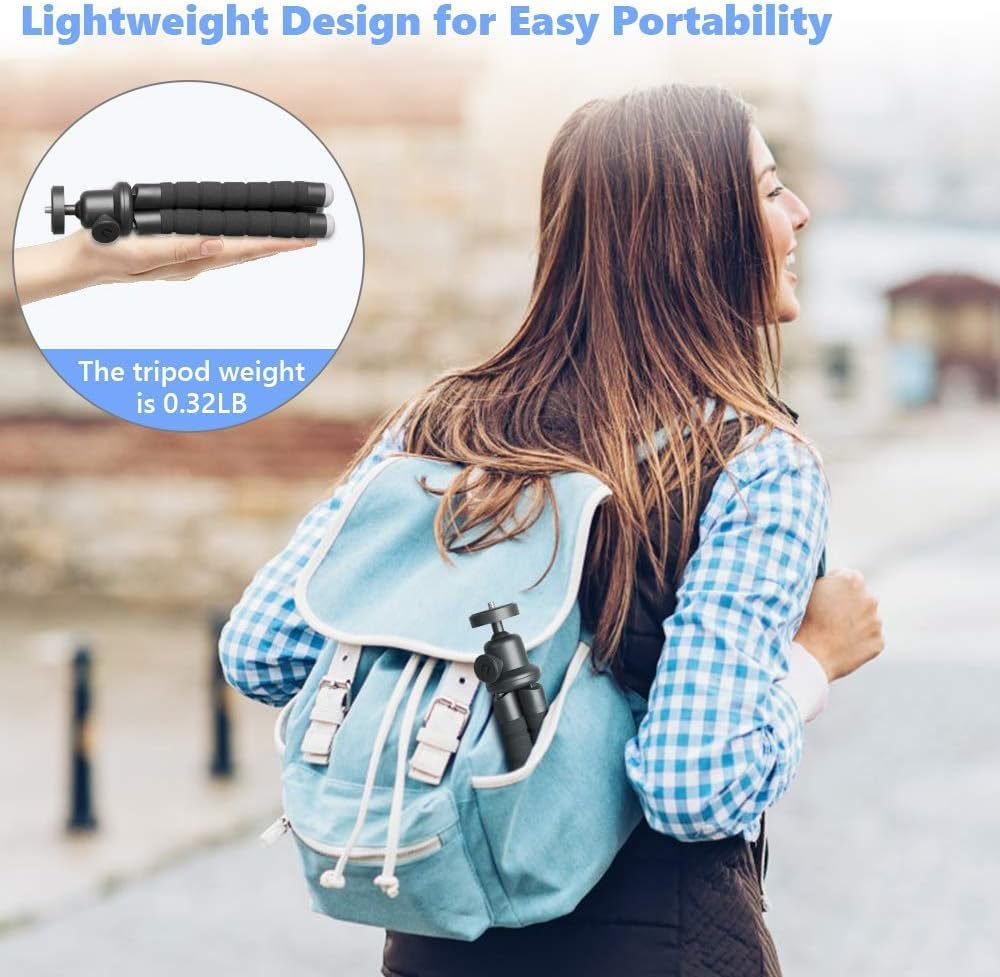
Image: The tripod's lightweight design, shown being held in hand and easily fitting into a backpack for portability.
What's Included:
- UBeesize Flexible Tripod
- Universal Phone Holder (fits phones up to 3.8 inches wide)
- Wireless Bluetooth Remote Control
- Standard 1/4-inch Screw Adapter (for digital cameras)
Setup
- Attaching Your Device:
- For Smartphones: Screw the universal phone holder onto the tripod's 1/4-inch screw. Securely place your smartphone into the holder.
- For Cameras: Directly screw your digital camera onto the tripod's 1/4-inch screw.
- For GoPro: Use the provided GoPro adapter to attach your GoPro camera to the tripod.
- Pairing the Bluetooth Remote:
- Ensure the remote control has a working battery.
- Turn on the remote control by sliding the ON/OFF switch. The LED indicator will flash.
- On your smartphone, go to Bluetooth settings and search for available devices.
- Select "AB Shutter3" or a similar name to pair. The LED will stop flashing once paired.
- The remote is compatible with both iOS and Android systems.

Image: The wireless Bluetooth remote shutter, showing its LED indicator and compatibility with iOS and Android devices.
Operating Instructions
The flexible design and 360-degree rotation capabilities allow for diverse shooting options.
Adjusting Angles:
- The tripod head features a 360-degree rotating ball joint, allowing you to adjust your phone or camera to any desired angle (e.g., vertical, horizontal, high-angle shots).
- The phone clip itself can also rotate 360 degrees, providing additional flexibility without needing to remove your device.

Image: The tripod's ability to achieve various angles, including 360-degree rotation and 90-degree tilt, for optimal framing.
Using the Flexible Legs:
- Stand Mode: Position the tripod legs to stand stably on flat or uneven surfaces.
- Grip Mode: Fold the legs together to use the tripod as a handheld grip for vlogging or selfies.
- Wrap Mode: Bend the flexible legs to wrap around objects like railings, branches, or poles for unique perspectives.

Image: Examples of the tripod's versatile usage, including standing on a surface, being held as a grip, and wrapping around an object.
Using the Bluetooth Remote:
Once paired, simply press the corresponding button (iOS or Android) on the remote to trigger your phone's camera shutter. This allows you to take photos or start/stop videos from up to 9 meters away, perfect for group shots or self-portraits.
Maintenance
- Cleaning: Wipe the tripod with a soft, dry cloth. Avoid using harsh chemicals or abrasive materials.
- Storage: Store the tripod in a cool, dry place away from direct sunlight and extreme temperatures. For compact storage, the legs can be easily placed in an upright position.
- Battery Replacement: If the Bluetooth remote's LED does not light up or flashes weakly, replace the battery (typically a CR2032 coin cell battery).
Troubleshooting
- Remote Not Connecting:
- Ensure the remote is turned on and within range (up to 9 meters).
- Check the remote's battery. Replace if necessary.
- Unpair and re-pair the remote in your phone's Bluetooth settings.
- Ensure your phone's Bluetooth is enabled.
- Tripod Instability:
- Ensure all legs are firmly positioned on the surface.
- Verify that your device is securely mounted in the holder or on the screw.
- Avoid placing excessively heavy devices on the tripod.
- Phone Holder Not Gripping:
- Ensure your phone's width is within the holder's capacity (up to 3.8 inches).
- Check for any obstructions in the holder's grip.
Specifications
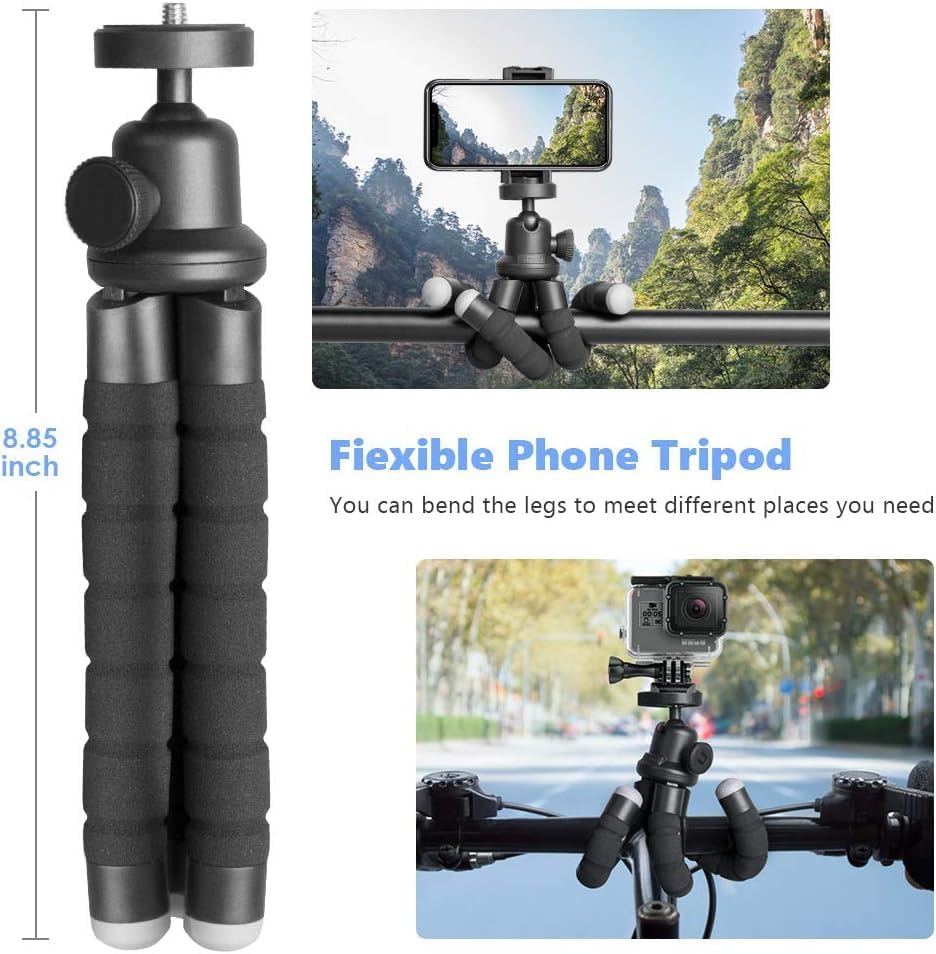
Image: The tripod's physical dimensions and flexible leg design.
| Feature | Detail |
|---|---|
| Brand | UBeesize |
| Model Number | UB-TBA00BK |
| Color | Black |
| Material | Metal |
| Compatible Devices | iPhone, Camera, Smartphone |
| Special Feature | Bluetooth Remote Control, Portable, Wireless Remote Control |
| Maximum Height | 25.4 centimeters (approx. 10 inches) |
| Minimum Height | 10 inches |
| Tripod Head Type | Ball Heads |
| Leg Diameter | 1 centimeter |
| Package Dimensions | 23.8 x 8.5 x 5.7 cm |
| Item Weight | 240 grams (approx. 0.53 lbs) |
Warranty and Support
UBeesize is committed to providing high-quality products and excellent customer service. If you encounter any issues or have questions regarding your Flexible Phone Tripod, please do not hesitate to contact our dedicated customer support team. Refer to your purchase documentation for specific warranty details and contact information.
Our customer support team is available to assist you with any inquiries or concerns you may have.


