
1. Introduction
The SPYPOINT LINK-MICRO-LTE TWIN PACK provides two cellular trail cameras designed for remote scouting and monitoring. These cameras capture 10MP photos and offer 4G/LTE cellular transmission, allowing users to receive images directly to their mobile device via the SPYPOINT app. The twin pack offers enhanced coverage and scouting capabilities for various outdoor environments.

Image: The SPYPOINT LINK-MICRO-LTE Twin Pack, showcasing two compact cellular trail cameras.
2. Setup
2.1. Battery Installation
Each LINK-MICRO-LTE camera requires 8 AA batteries (not included). Ensure batteries are inserted with correct polarity as indicated inside the battery compartment. For optimal performance, use high-quality alkaline or lithium batteries.
2.2. SD Card Installation
A Micro SD card (not included) is required for storing photos and videos. Insert the Micro SD card into the designated slot until it clicks into place. The camera supports Micro SD cards up to 32GB.

Image: A hand carefully inserting a Micro SD card into the camera's slot.
2.3. App Download and Activation
Download the official SPYPOINT app from your device's app store. Create an account and follow the in-app instructions to activate your cameras. Each camera will have a unique activation code.

Image: A user interacting with the SPYPOINT mobile application on a smartphone.
2.4. Camera Placement
Mount the camera securely to a tree or post using the included strap. Position the camera to capture the desired area, ensuring it is stable and not easily disturbed. Consider the detection range of 80 feet and flash range for optimal placement.

Image: A user securing a SPYPOINT camera to a tree in a wooded environment.
3. Operating Instructions
3.1. Powering On/Off
Locate the power switch on the camera. Slide the switch to the 'ON' position to power on the camera. Slide to 'OFF' to power down.
3.2. Photo and Video Modes
The camera captures 10MP still images and 1080p video. Settings for photo resolution, video length, and multi-shot modes can be adjusted via the SPYPOINT app.
3.3. Trigger Speed and Detection
The camera features a responsive 0.5-second trigger speed to capture fast-moving subjects. The detection range extends up to 80 feet, ensuring a wide area of coverage.
3.4. Night Vision
Equipped with 4 LED infrared flash, the camera provides clear night vision capabilities. The night color technology enhances image quality in low-light conditions.
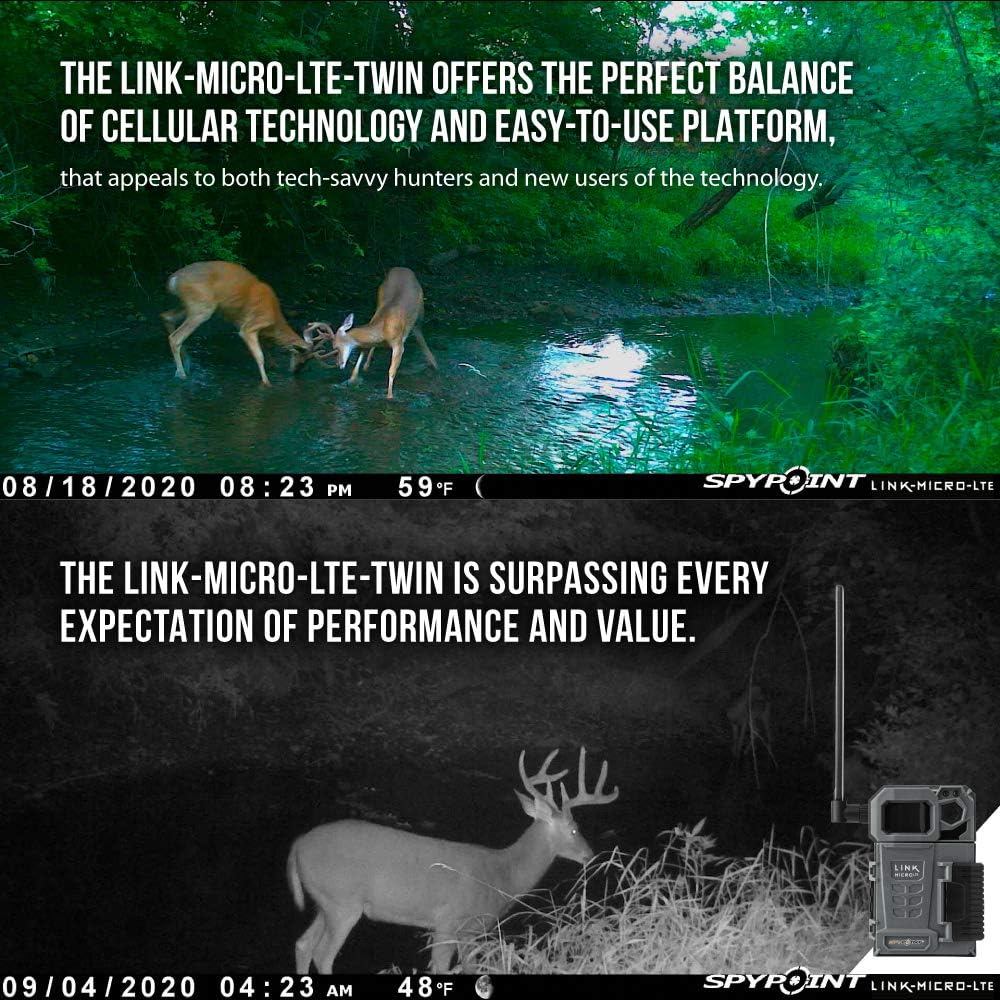
Image: Examples of day and night photos captured by the LINK-MICRO-LTE camera, demonstrating image clarity.
3.5. Cellular Transmission
The LINK-MICRO-LTE cameras connect to the 4G/LTE cellular network to transmit captured images to your SPYPOINT app. This allows for remote monitoring without physically visiting the camera location.
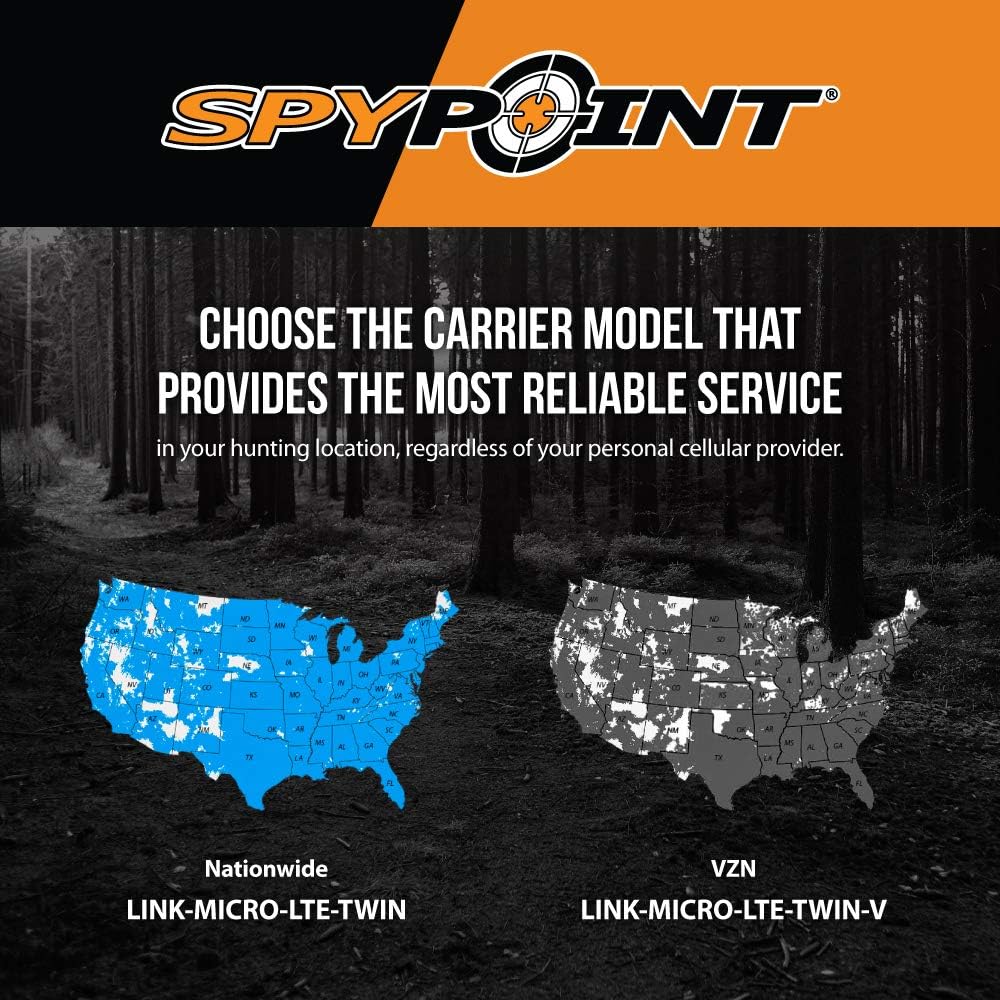
Image: A map illustrating the cellular network coverage for SPYPOINT cameras across the United States.
3.6. Photo Transmission Plans
SPYPOINT offers various photo transmission plans, including a free option for up to 100 photos per month per device, and unlimited plans. You can manage these plans through the SPYPOINT app to suit your scouting needs.

Image: A detailed chart outlining the different photo transmission plans offered by SPYPOINT.
3.7. Official Product Video
Video: An official SPYPOINT video titled "The LINK MICRO LTE TWIN PACK" (0:59 duration). This video highlights the advantages of the twin pack, emphasizing increased scouting capabilities, more photos, and 4G/LTE cellular transmission. It also showcases the ease of setup and management through the SPYPOINT app, and the flexibility of photo transmission plans.
4. Maintenance
4.1. Battery Life
Battery life can vary depending on usage, settings, and environmental conditions. Users have reported battery life of approximately two weeks with specific settings (e.g., sending pictures twice a day). Regularly check battery levels via the app or physically inspect the cameras.
4.2. Software Updates
Periodically check for and install software updates for your cameras. Updates are typically managed through the SPYPOINT app and can improve performance and add new features. Ensure a stable internet connection during updates.
4.3. Cleaning
Keep the camera lens, infrared LEDs, and motion sensor clean and free from dirt, dust, or debris. Use a soft, dry cloth for cleaning. Avoid abrasive materials or harsh chemicals.
5. Troubleshooting
5.1. Signal and Connectivity Issues
If the camera is not connecting or sending pictures, check the cellular signal strength in the area. Signal strength can be affected by terrain, foliage, and distance from cell towers. Moving the camera to a location with better signal or adjusting the antenna might help. Ensure your SPYPOINT app is updated and the camera is properly activated.
5.2. Picture Quality
If picture quality is low, ensure the camera lens is clean. Optimal picture quality is achieved when subjects are within the effective detection and flash range (up to 80 feet). Adjusting camera placement can improve results.
5.3. Software Update Failures
If a software update fails, ensure the camera has sufficient battery power and a strong cellular or Wi-Fi connection. Try restarting the camera and attempting the update again. If issues persist, contact SPYPOINT customer support.
6. Specifications
| Feature | Specification |
|---|---|
| Brand | SPYPOINT |
| Model Name | LINK-MICRO-LTE-TWIN |
| Connectivity Technology | Wireless (4G/LTE Cellular) |
| Effective Still Resolution | 10 MP |
| Video Capture Resolution | 1080p |
| Trigger Speed | 0.5 seconds |
| Detection Range | 80 feet |
| Infrared Flash LEDs | 4 |
| Low Light Technology | Night Color |
| Power Source | 8 AA Batteries (not included) |
| Storage | Micro SD Card (up to 32GB) |
| Control Method | App |
| Item Weight | 1.3 Pounds |
| Dimensions (LxWxH) | 1 x 1 x 1 inches |
| International Protection Rating | IP54 |
7. Warranty and Support
For detailed warranty information and customer support, please refer to the official SPYPOINT website or contact their customer service directly. You can also visit the SPYPOINT Store on Amazon for additional resources and product information.


