
Blink Video Doorbell
Blink Video Doorbell User Manual
Model: Video Doorbell
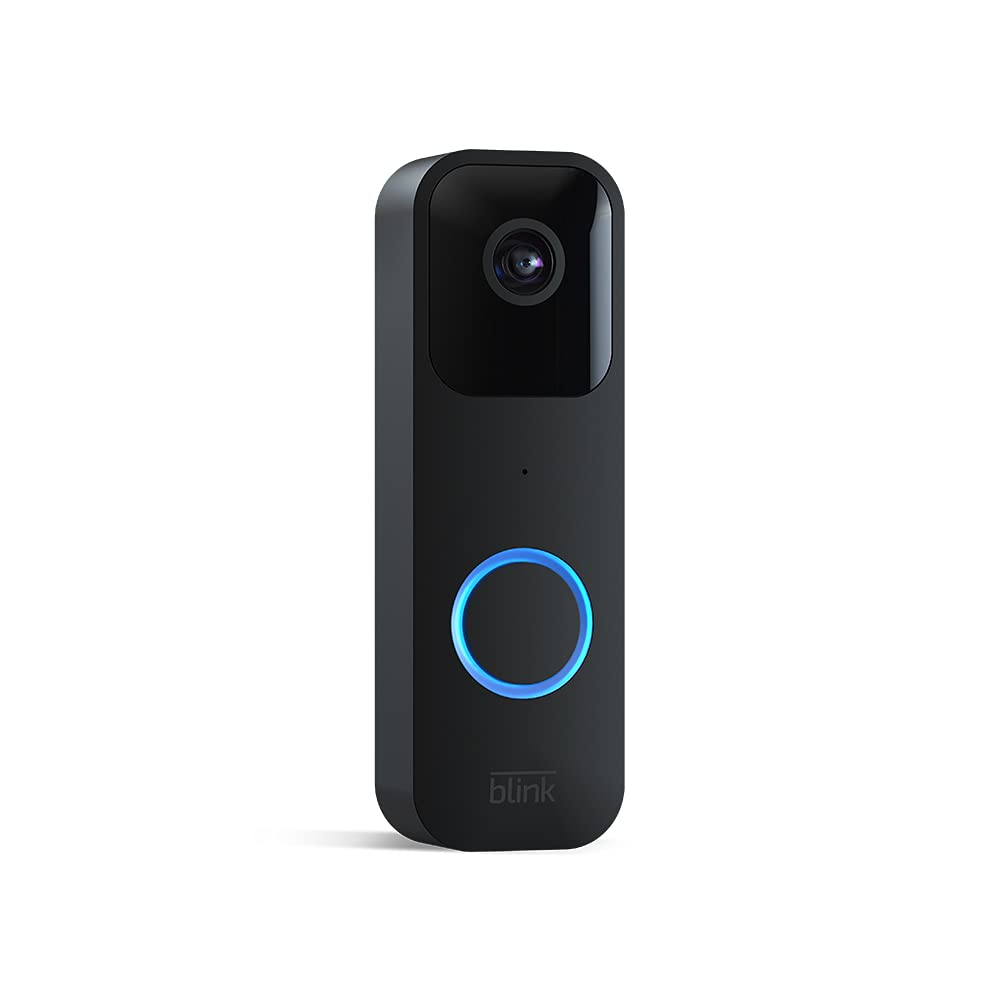
Image: The Blink Video Doorbell, showcasing its sleek black design and camera lens.
Introduction
This manual provides comprehensive instructions for the installation, operation, and maintenance of your Blink Video Doorbell. The Blink Video Doorbell is designed to provide enhanced home security and convenience, featuring 1080p HD video, two-way audio, motion detection, and flexible installation options.
Setup and Installation
The Blink Video Doorbell can be set up in minutes, offering both wire-free (battery-powered) and wired installation options to suit your home's needs.
What's Included
- One Blink Video Doorbell
- Two 1.5V non-rechargeable AA lithium metal batteries
- Mounting kit (4 Screws, 1 Case Opening Tool)
Requirements
- Always-on high-speed internet connection (broadband, fiber, or DSL)
- 2.4 GHz 802.11b/g/n Wi-Fi network
- Smartphone with iOS 15.0, Android 9.0, or Fire 9.0 or higher
- Blink Home Monitor app
- Optional: Existing doorbell wiring (16-24 VAC) for wired installation
- Recommended: Blink Sync Module (sold separately) for optimal use, live view on demand, and local storage options.
Installation Steps
- Download the Blink Home Monitor App: Search for "Blink Home Monitor" in your smartphone's app store and install it.
- Create an Account: Open the app and follow the on-screen instructions to create a new Blink account or log in to an existing one.
- Add Your Device: In the app, tap the "+" icon to add a new device. Select "Blink Video Doorbell" and scan the QR code on the back of your doorbell.
- Insert Batteries: Use the included case opening tool to open the battery compartment. Insert the two AA lithium batteries, ensuring correct polarity.

Image: Hand inserting batteries into the Blink Video Doorbell. The doorbell is designed for easy battery access.
Connect to Wi-Fi: Follow the app's instructions to connect your doorbell to your 2.4 GHz Wi-Fi network.- Choose Installation Type:
- Wire-Free: If using battery power only, select this option. The doorbell will alert your smartphone via the app.
- Wired: If connecting to existing doorbell wiring (16-24 VAC), select this option. This allows the doorbell to sound your existing in-home chime and provides continuous power. Ensure power is off at the breaker before connecting wires.
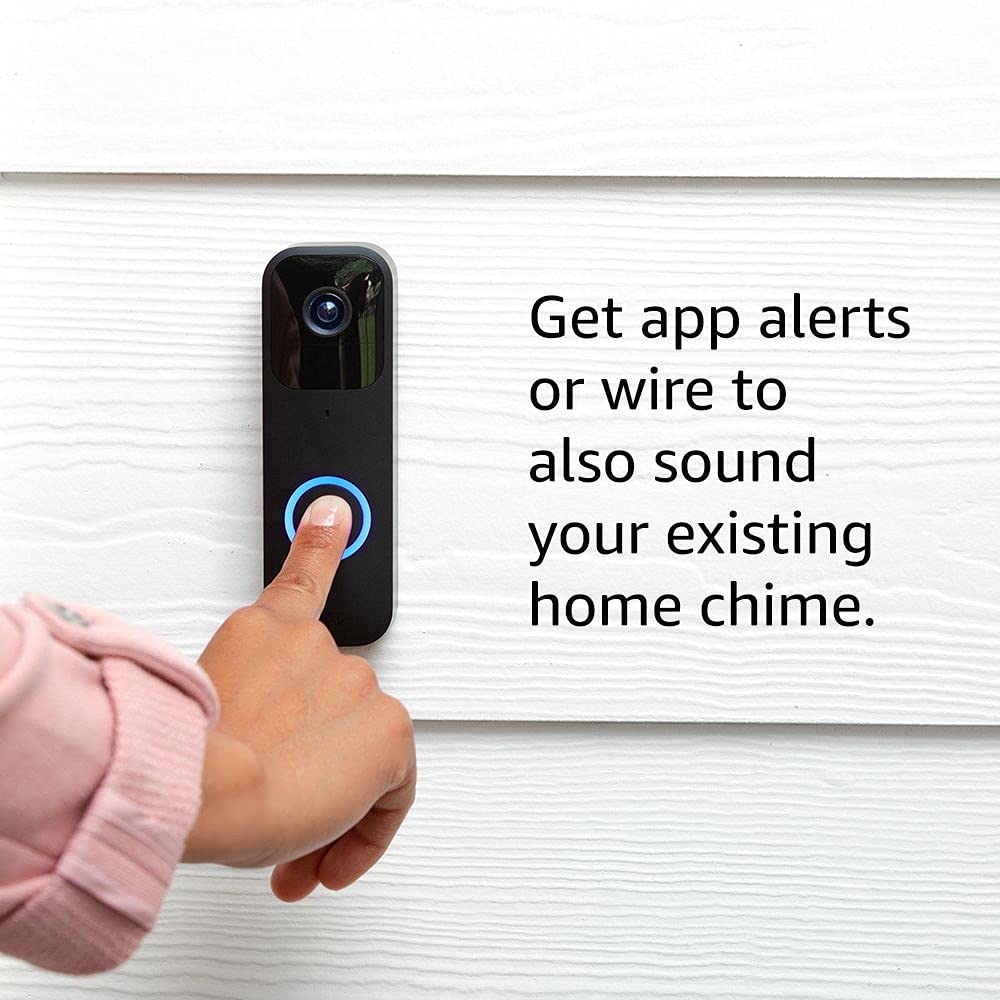
Image: A finger pressing the Blink Video Doorbell button. The image highlights the option to wire the doorbell to an existing home chime for traditional alerts.
- Mount the Doorbell: Secure the doorbell to your desired location using the provided screws. Ensure it has a clear view of your entryway.
Operation
The Blink Video Doorbell provides real-time monitoring and communication for your front door.
Key Features
- HD Video: Record and view in 1080p HD video during the day and with infrared HD night vision after dark.
- Two-Way Audio: Speak to visitors at your door and hear their responses directly through the Blink Home Monitor app.
- Motion Detection: Receive instant alerts on your smartphone when motion is detected at your door.
- Doorbell Press Alerts: Get notifications when someone presses the doorbell button.
- Live View: Initiate a live video feed from your doorbell at any time through the app (requires Sync Module or wired connection).
- Alexa Integration: Works with Alexa-enabled devices to receive alerts and answer your door using voice commands.
Using the Blink Home Monitor App
The app is your primary interface for managing and interacting with your Blink Video Doorbell.
- Answering the Door: When an alert is received (motion or doorbell press), tap the notification to open the live view in the app. You can then use the microphone icon to enable two-way audio.

Image: A smartphone displaying a live video feed from the Blink Video Doorbell, showing a person waving. The screen includes a "Tap to talk" button for two-way audio.
Viewing Recorded Clips: Access recorded motion events and doorbell presses from the app's clip list.- Customizing Settings: Adjust motion detection sensitivity, privacy zones, audio settings, and notification preferences within the app.
Alexa Integration
Pair your Blink Video Doorbell with compatible Alexa devices for hands-free control and monitoring.
- Enable the Blink Skill: In the Alexa app, enable the Blink skill and link your Blink account.
- Receive Alerts: Alexa devices can announce when motion is detected or the doorbell is pressed.
- Live View on Echo Show: Ask Alexa to show you the front door on compatible Echo Show devices.

Image: An Amazon Echo Show device displaying a live video feed from the Blink Video Doorbell. The screen shows two individuals smiling, demonstrating the integration with Alexa for viewing.
Maintenance
Regular maintenance ensures optimal performance and longevity of your Blink Video Doorbell.
Battery Replacement
The Blink Video Doorbell uses two AA 1.5V lithium metal (non-rechargeable) batteries. Battery life can last up to two years under default settings, but varies based on usage and environmental factors. The app will notify you when battery levels are low.
- Use the included case opening tool to carefully open the battery compartment.
- Remove the old batteries and dispose of them according to local regulations.
- Insert new AA 1.5V lithium metal batteries, ensuring correct polarity.
- Close the battery compartment securely.
Cleaning
To maintain clear video quality, periodically clean the camera lens and the doorbell's exterior.
- Use a soft, damp cloth to wipe the surface of the doorbell.
- For the camera lens, use a microfiber cloth specifically designed for optics to avoid scratches.
- Do not use harsh chemicals or abrasive cleaners.
Troubleshooting
If you encounter issues with your Blink Video Doorbell, refer to the following common solutions.
No Live View or Two-Way Audio
If you are unable to access live view on demand or use two-way audio, ensure your doorbell is either:
- Wired: Connected to existing doorbell wiring (16-24 VAC).
- Paired with a Sync Module: A Blink Sync Module (sold separately) is required for these features when operating on battery power. Ensure the Sync Module is online and within range.
Poor Video Quality or Night Vision
- Clean the Lens: Ensure the camera lens is clean and free of smudges or dirt.
- Check Wi-Fi Signal: A weak Wi-Fi signal can affect video streaming quality. Ensure your doorbell is within good range of your router.
- Obstructions: Verify there are no physical obstructions blocking the camera's view, especially at night for infrared vision.
Doorbell Not Ringing In-Home Chime
This issue typically occurs if the doorbell is not correctly wired to your existing chime system or if it's operating in wire-free mode.
- Wired Connection: Confirm the doorbell is properly connected to your existing 16-24 VAC chime wiring.
- Sync Module: If you intend to use an indoor plug-in chime like Blink Mini or Blink Mini 2 (sold separately) without wiring, ensure it is paired with a Sync Module.
Motion Detection Issues
- Adjust Sensitivity: In the Blink Home Monitor app, adjust the motion detection sensitivity settings.
- Activity Zones: Configure activity zones to focus detection on specific areas and ignore irrelevant motion.
- Environmental Factors: Direct sunlight or extreme weather can sometimes affect motion detection.
Specifications
| Feature | Detail |
|---|---|
| Field of View | 135° horizontal, 80° vertical |
| Video Resolution | 1080p HD day, infrared HD night vision |
| Photo Resolution | 640 x 360 nHD |
| Camera Frame Rate | Up to 30 fps |
| Dimensions (Size) | 130 x 42 x 34 mm |
| Weight | 91 grams |
| Power | 2 AA 1.5V lithium metal batteries (non-rechargeable); Existing chime wiring: 16-24 VAC |
| Battery Life | Up to two years (based on default settings; varies with use) |
| Connectivity | 2.4 GHz 802.11b/g/n Wi-Fi |
| Connection Type | Battery or wired |
| Available Colors | Black, White |
| Minimum Smartphone Requirements | iOS 15.0, Android 9.0, or Fire 9.0 |
| Blink App | Blink Home Monitor |
| Audio | Speaker output and 2-way audio recording |
| LEDs | 1 LED ring (optional), flashes in blue, red, and green |
| Operating Temperature | -4 to 113° F (-20 to 45° C) |
| Compatibility | Sync Module, Sync Module 2, compatible Fire and Echo devices |
| Generation | 1st Generation |
Warranty and Support
Warranty Information
The Blink Video Doorbell comes with a 1-year limited warranty and service. Use of Blink devices is subject to the terms found on the official Blink website.
Software Security Updates
This device receives guaranteed software security updates until at least four years after the device is last available for purchase as a new unit on our websites. For more information on software security updates, please refer to the official Blink support resources.
Customer Support
For additional information, setup guides, or technical assistance, please visit the official Blink support page:
Related documentsVideo Doorbell


Ask a question about this manual
Ask about setup, troubleshooting, compatibility, parts, safety, or missing instructions. Manuals+ will review the question and use this page’s manual context to help answer it.